Ansys Assistant will be unavailable on the Learning Forum starting January 30. An upgraded version is coming soon. We apologize for any inconvenience and appreciate your patience. Stay tuned for updates.
Ansys Products

Ansys Products

Discuss installation & licensing of our Ansys Teaching and Research products.

Workbench not opening 2020 r1

    • Parthprajapati
      Subscriber
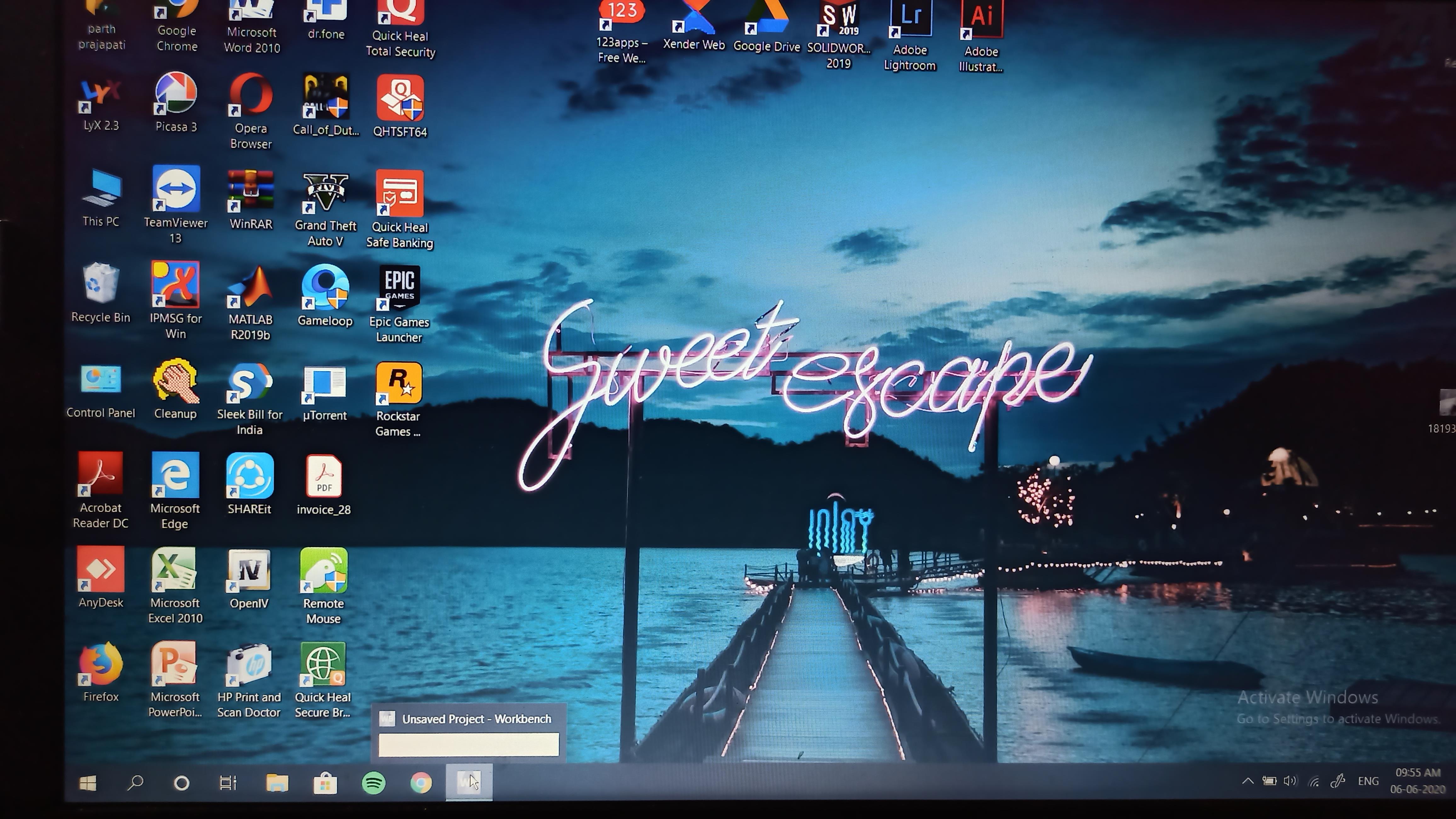
      After installing student version and opening workbench, it shows nothing. It shows unsaved project as title but did not show anything.
    • tsiriaks
      Ansys Employee

      can you post the screenshot of this Workbench window ? Make sure you post it inline with text.

    • Parthprajapati
      Subscriber

      i have uploaded the image.

    • Rob
      Forum Moderator

      Please post in line with the text, staff are not permitted to open attachments. 

    • Parthprajapati
      Subscriber

    • Parthprajapati
      Subscriber

      this can be seen right?

    • tsiriaks
      Ansys Employee

      It actually is launched but off-screen.


      There are plenty of ways to get it to your screen.


      You can search online on how to bring off-screen applications to be on screen


      or


      you can try the following command in CMD Prompt (make sure you are not opening any ANSYS applications)


      move "%appdata%ansys" "%appdata%ansys.old"

    • Parthprajapati
      Subscriber

      thank you for such nice feedback experience.

    • tsiriaks
      Ansys Employee

      You are welcome ! Glad it works for you.

Viewing 8 reply threads
  • The topic ‘Workbench not opening 2020 r1’ is closed to new replies.
[bingo_chatbox]