-
-
July 21, 2020 at 4:14 pm
Benjamin Tan
SubscriberHello!
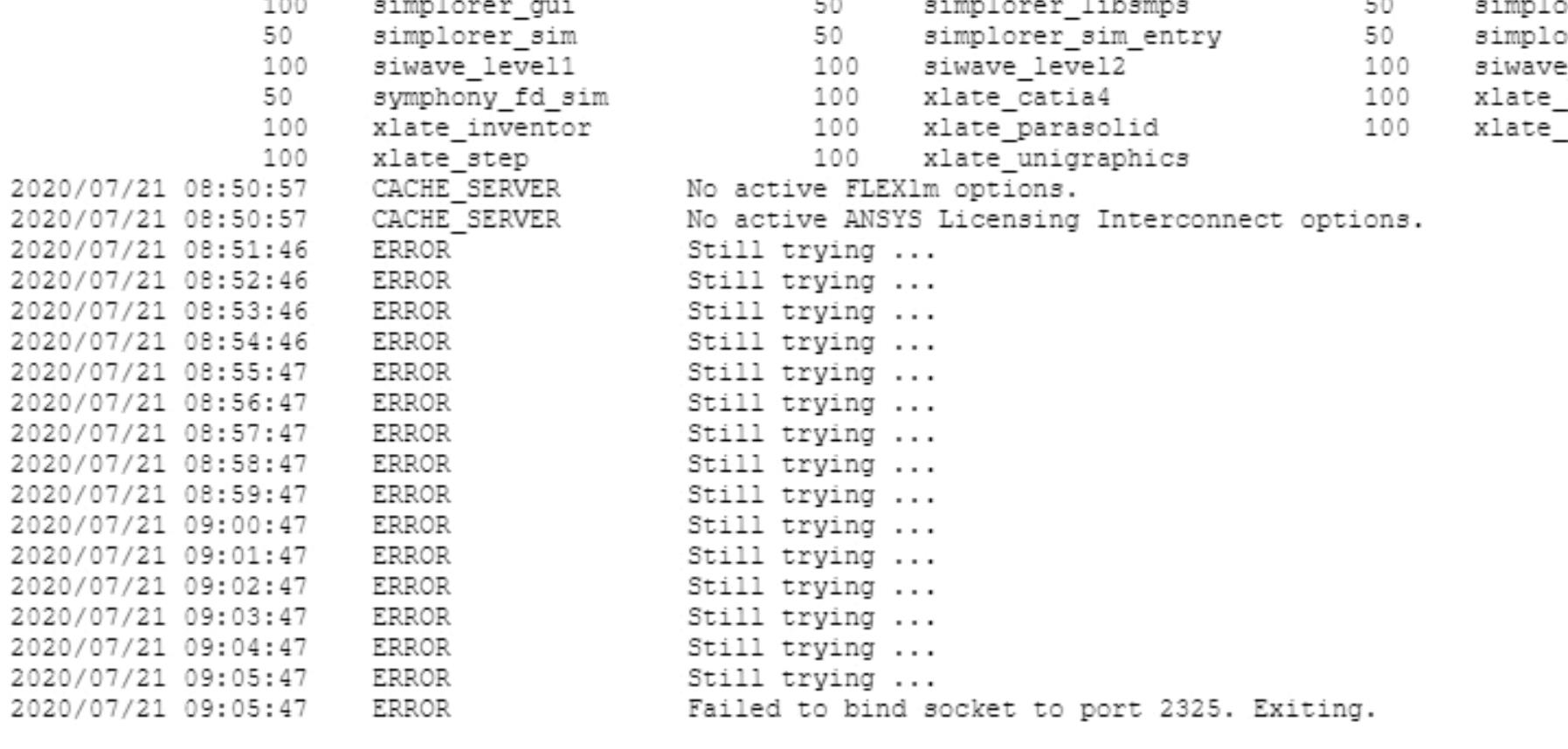
I'm running a license server and is able to start it and confirm that all license are available. However, it stop working about 15 minutes later and I see "The License managed is stopped." message and in the "View Licensing Interconnect Log" I see the following error message.
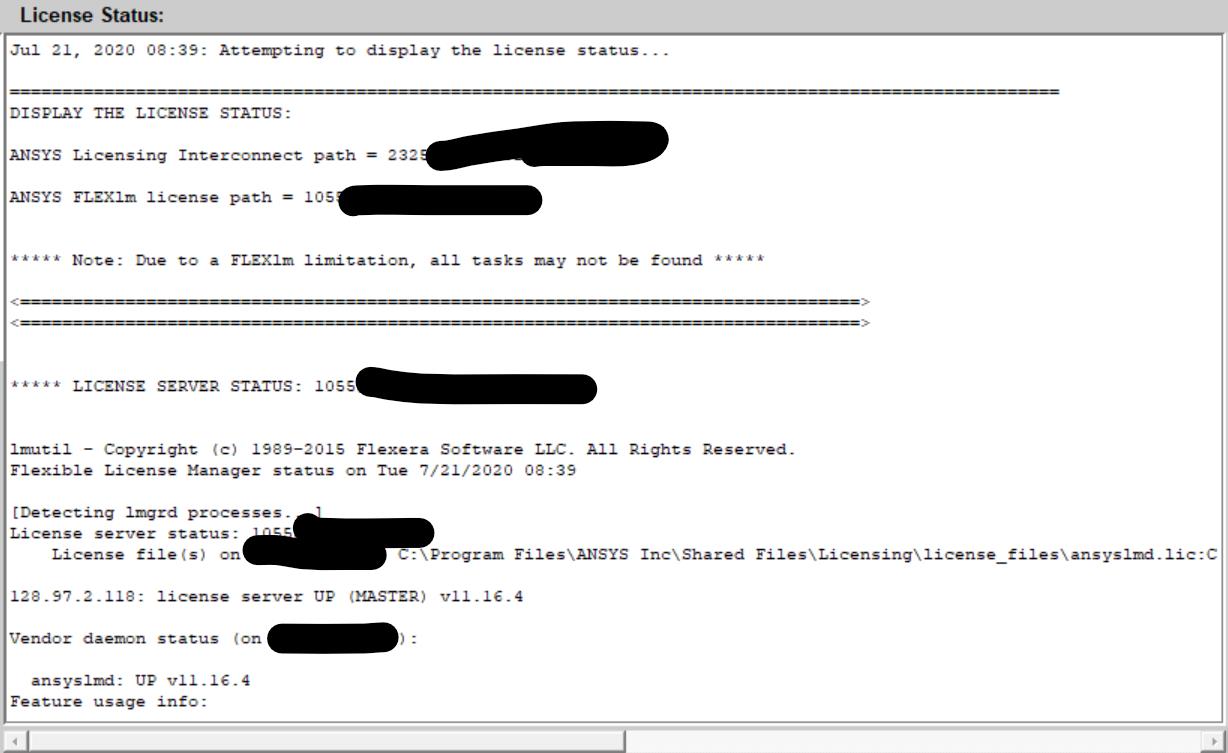
It also very unusual that on my client side, the "Client ANSLIC_ADMIN Utility" status page seems to indicate that the server is still running? Also, I tried removing the "ansyslmd.lic" file and rereading the license file but that did not seem to help. And it was working fine for a while and it just suddenly stopped. Another odd thing, "Electronic Desktop" seems to be working fine but "Workbench" is not able to retrieve license.
I get the following message when I tried to start Workbench.

Thanks,
Ben
-
July 22, 2020 at 12:20 am
tsiriaks
Ansys EmployeeHi Ben,
There is an issue with your 'ansysli_server.exe' process to bind the socket 2325 (which is its default port)
The fact that license status and AEDT licensing works means your lmgrd.exe and ansyslmd.exe, which are pure FlexNet licensing, is working fine.
You can try adding Firewall exceptions/Anti-virus exclusions to the ansysli_server.exe process.
By the way, does the server machine have multiple NICs ? If so, it may be best to specify hostname of the license server (instead of IP) and just set
ANSYSLI_EXTERNAL_IP=
in C:Program FilesANSYS IncShared FilesLicensingansyslmd.ini
Thanks,
Win
-
July 22, 2020 at 5:54 pm
Benjamin Tan
SubscriberHello Win,
Thank you for responding to my questions!
I added Firewall exception to "ansysli_server.exe" to both Inbound and Outbound Rules and I'm still getting the error message from "View Licensing Interconnect Log" reproduced below. I did also confirm that I am able to telnet from a client to host on port 2325 and it did have the expected response.
2020/07/22 10:21:55 ERROR Could not bind socket on port 2325. An attempt was made to access a socket in a way forbidden by its access permissions.
And I did have a second NIC card that was disabled but I went ahead and replaced the IP address with host-name anyway. It did not fix the problem. Like before, "ansysli_server.exe" will fail to "bind socket to port 2325." for 15 time and exit. I also have a "Npcap Loopback Adapter" and I did try it with enable and disable and that did not make a difference. BTW, I was not able to find "C:Program FilesANSYS IncShared FilesLicensingansyslmd.ini" file in my server so I just changed the IP -> hostname in the license file and reread it.
If you could recommend something else, I would appreciate it.
Thanks,
Ben
-
July 24, 2020 at 12:27 am
tsiriaks
Ansys EmployeeHi Ben,
Can you check on the license server machine to see if there is any other process already uses the port 2325 ?
If the ansyslmd.ini doesn't exist on the license server, you can manually create the file with that exact name, and just put the ANSYSLI_EXTERNAL_IP content there.
You can also change the port that ansysli_server uses. You can do that by adding the following
ANSYSLI_PORT=
into the same ansyslmd.ini file as above.
Once this is done, please restart the ANSYS License Manager. In your case, I would want to make sure that all of these processes are down first: ansysli_server.exe, ansysli_monitor.exe, lmgrd.exe (make sure it's from ANSYS and not other tools), and ansyslmd.exe , before you start the License Manager up again.
Does this make a difference ?
Thanks,
Win
-
July 24, 2020 at 8:13 pm
-
August 4, 2020 at 11:31 pm
tsiriaks
Ansys EmployeeI'm not sure what use that port but you can try changing the port number for ALI by the trick that I described. See if issue persists. You can try 2326. Make sure you check for the availability of this port first before trying to set to this port number.n
-
- The topic ‘Unable to Retrieve License from License Server – “Fail to bind Socket to port 2325”’ is closed to new replies.

-
5874
-
1906
-
1420
-
1306
-
1021
© 2026 Copyright ANSYS, Inc. All rights reserved.