Ansys Assistant will be unavailable on the Learning Forum starting January 30. An upgraded version is coming soon. We apologize for any inconvenience and appreciate your patience. Stay tuned for updates.
Ansys Products

Ansys Products

Discuss installation & licensing of our Ansys Teaching and Research products.

Issue with license for student version

    • LoryMontagna
      Subscriber

      Good morning,


      I had the R19.2 working on my PC and I decided to upgrade to the R20.1 version. I uninstalled the software and cleared also the AppData folder, then I installed the new version. When I try to run the Mechanical APCL Product Launcher an error appears saying "No Licensed Products Found".


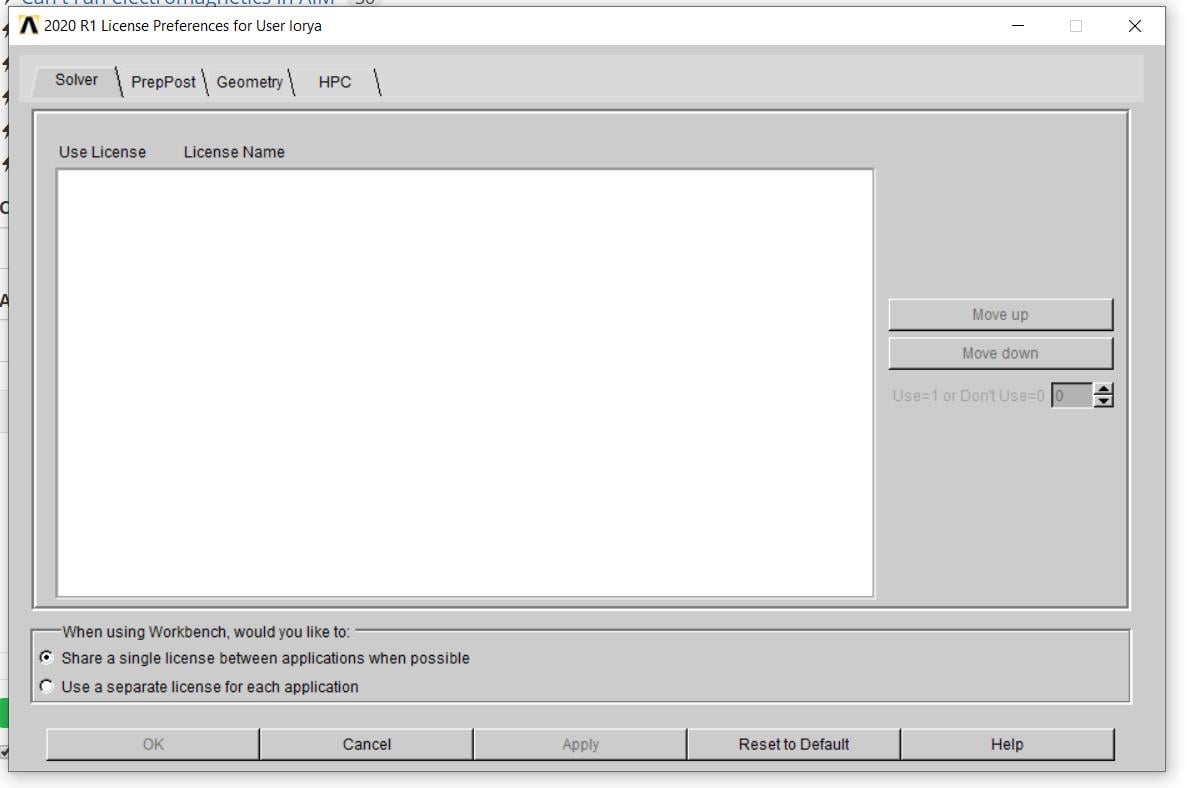
      If I open the Users License Preferences, no license are shown in the top part, for none of the category.


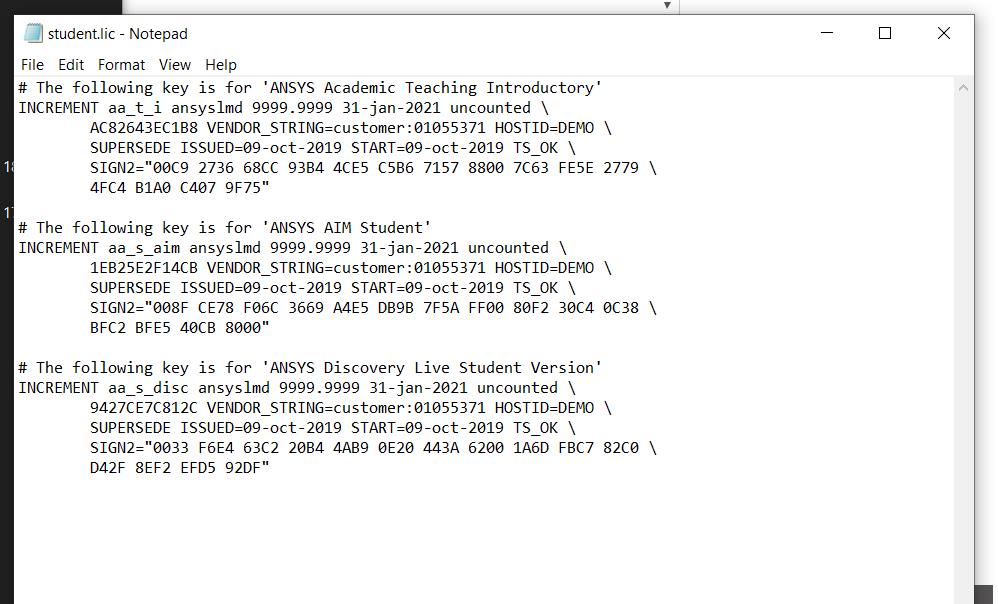
      If I search in the Shared Files, the file student.lic is present and it contains the data required.


      Can somebody please help me to solve this issue? I already restarted the PC after the installation.


    • tsiriaks
      Ansys Employee

      Check your Windows environment variables to see if any of these exist


      ANSYSLI_ELASTIC


      ANSYSLI_LCP


      If so, delete them.

    • LoryMontagna
      Subscriber

      It worked,thanks.


      The only thing that is different from before is that in Workbench there are only few options, even if in the toolbox customization there are a lot more options selected.


    • tsiriaks
      Ansys Employee

      That's great !


      Just to clarify, you mean this image is before the issue is resolved or after ? Because this image shows some sign of licensing issue as well.

    • LoryMontagna
      Subscriber

      Unfortunately, the screenshot has been taken after deleting the two variables in Windows Enviroment. I supposed that everything was fixed because I was able to open the ADPL launcher, but apparently there are still some issues. Therefore, some extra help would be appreciated, thanks.

    • tsiriaks
      Ansys Employee

      You can try the following command in CMD Prompt (make sure all ANSYS applications are closed first)


      move "%appdata%ansys" "%appdata%ansys.old"


      If this doesn't help, from Workbench, click on Tools -> License Preferences, then post screenshot here


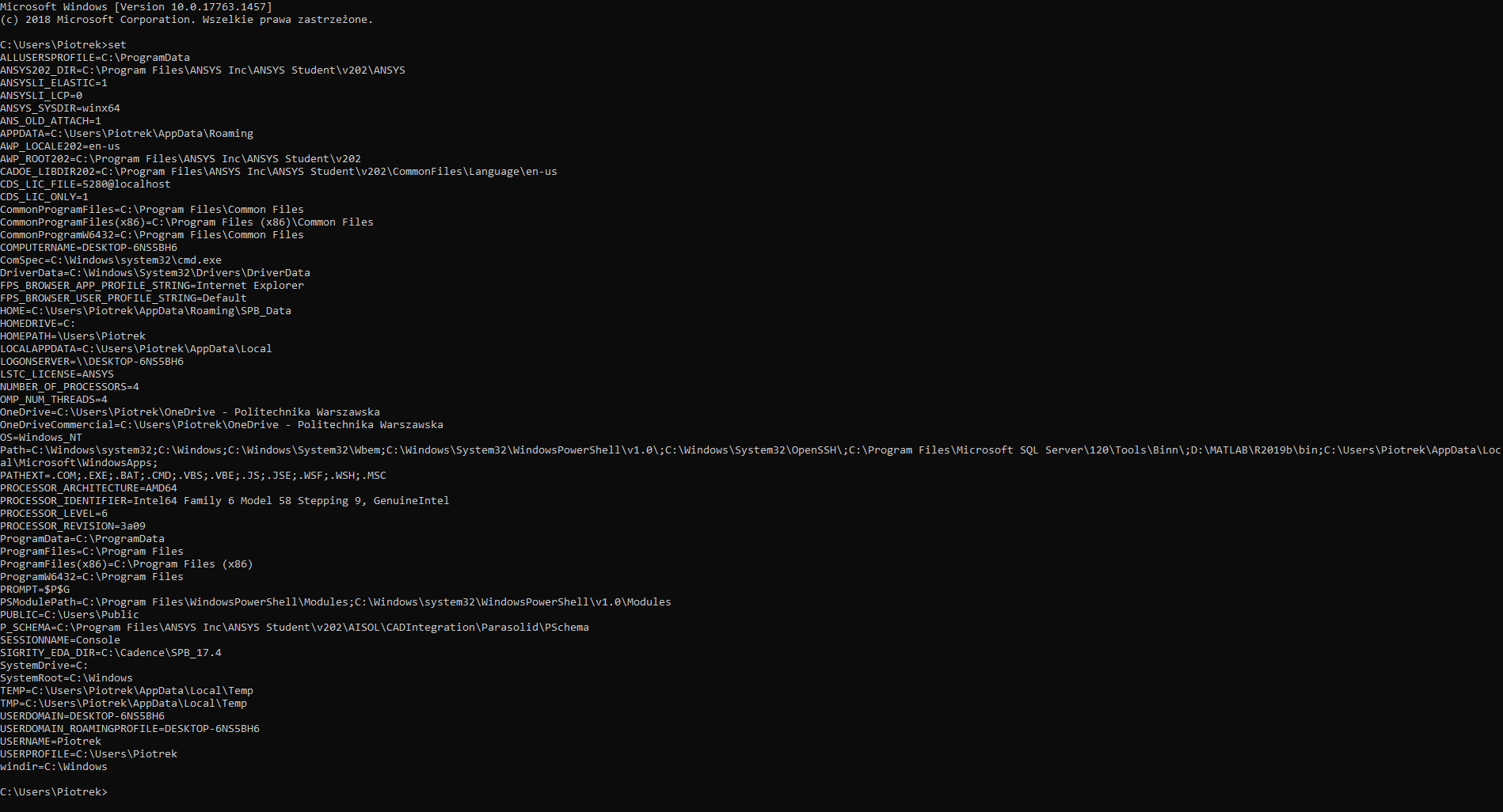
      Also, post the output of 'set' command (without quote) from CMD Prompt


    • LoryMontagna
      Subscriber

      Is seems that by moving the directory the Workbench is fixed: all the options appears now, and by opening the License Preferences the licenses are shown.


      Thank you sincerely!

    • tsiriaks
      Ansys Employee

      Great to hear ! Glad everything is working for you now.


    • kailaash_rajasegar
      Subscriber
      n
    • piotrpekacki
      Subscriber
      Hello,nIt seems like I am having the same problem. I have installed the latest student version. So far I have followed every step from this post. nThis is a screenshot from Workbench, Tools -> License Preferencesnnand another one with output of command set from CMD PromptnAny help would be highly appreciatedn
    • TneedsHelp
      Subscriber
      Hi,nI have the same problem. nBut I need a little help on the step before. Where or how do i find the CMD prompt and what do you mean by: move %appdata%\ansys %appdata%\ansys.old in the previous commend. nI would really appreciate your Help!nThank you very much!n
    • julendra
      Subscriber
      Do this in CMD:ncd c:\program files\ansys inc\ansys student\shared files\licensing\winx64nand thisnansysli_util.exe -checkout FLUENT_SOLVERn
Viewing 11 reply threads
  • The topic ‘Issue with license for student version’ is closed to new replies.
[bingo_chatbox]