Ansys Assistant will be unavailable on the Learning Forum starting January 30. An upgraded version is coming soon. We apologize for any inconvenience and appreciate your patience. Stay tuned for updates.
Ansys Products

Ansys Products

Discuss installation & licensing of our Ansys Teaching and Research products.

Installation problem in ANSYS Student 19.2

    • Eric Tsai
      Subscriber

      Hello,


      This is the first time I installed the product ANSYS Student 19.2, and I have some problems make me crazy!


      I follow the same step in this video, but I still can't find my Workbench to start my ANSYS.  ===>   https://www.youtube.com/watch?v=lXdgNsWmlNg&t=17s


      My laptop is using Win10:


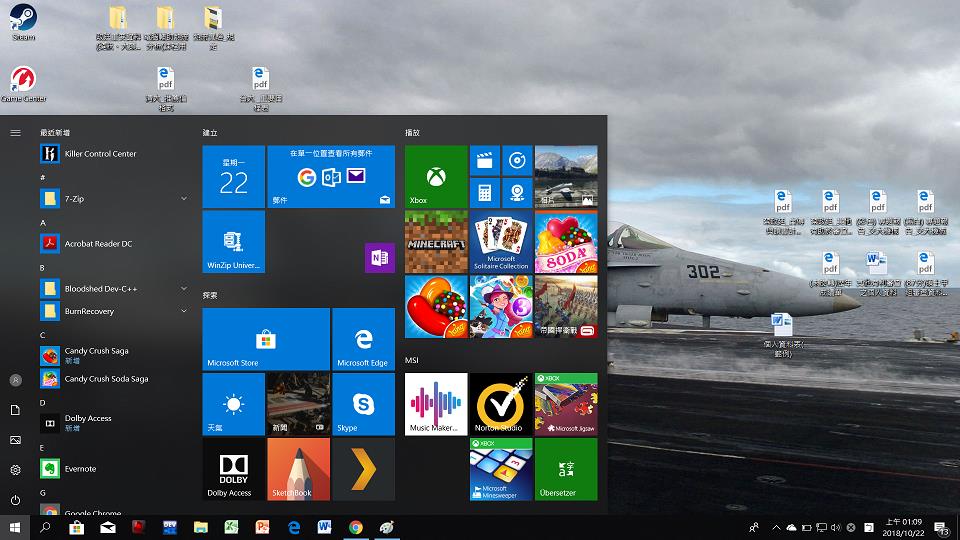
      1. I can't find the file of ANSYS and Workbench in the window start menu, so how should I open the product ?


      2. I find there is a "install.err" file under C:Program FilesANSYS IncANSYS Student,


          but the installer(where I click the setup button) said that it was install completed. 


      What's going on? I have no idea....  I spend almost 5 hours handling this problem, and I need to complete my homework next week, OMG !!


      Somebody helps me, please!!!
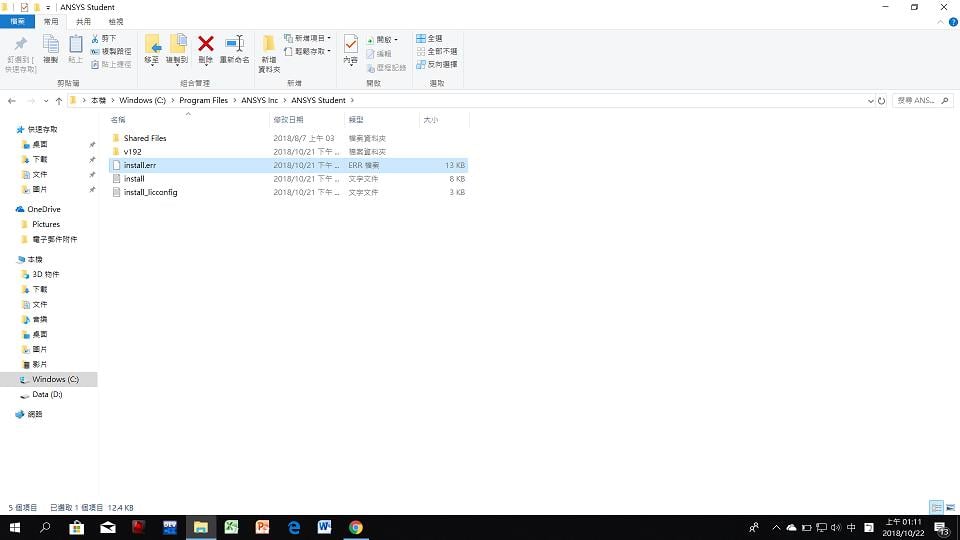

      The Install with error but completed ?I can't find Workbench in the start menu.

    • peteroznewman
      Subscriber

      Click the Search icon next to the Windows button in the lower left.


      Type Workbench


      What does it find?


      It should find Workbench 19.2
                              Desktop app


    • Keyur Kanade
      Ansys Employee

      Hi, 


      Please use 'Run as administrator' while installing. Please make sure that you have read/write permissions. 


      Also please go to C:Program FilesANSYS Incv192FrameworkbinWin64 anduse RunWB2.exe to open workbench. 


      If you can not find RunWB2 then your installation is not complete and you may need to reinstall it correctly. 


      Regards,


      Keyur

    • Keyur Kanade
      Ansys Employee

      Also as its installation related, I am moving this to Installation category for better response. 


      Regards,


      Keyur

    • JakeC
      Ansys Employee

      If for some reason windows 10 is not updating the start menu, you can run workbench by running the following:


      C:Program FilesANSYS IncANSYS StudentFrameworkbinwinx64Runwb2.exe


      Thank you,


      Jake

    • Keyur Kanade
      Ansys Employee

      Hi, 


      Did it help you? Are you able to run it using Runwb2.exe?


      Also, please like the answers which have helped you move forward and in the end, once your issue is resolved, please mark the most appropriate solution (most useful advice) as 'Is Solution'. This will help others who are using this thread to find answers to similar questions.


      Regards,


      Keyur

    • niraj2000
      Subscriber
      Sir i have same problem. I have window 7 , i try you suggested here, i try to run Runwb2.exe than i get this error .nPlease give any suggestions ?. n
    • George Karnos
      Ansys Employee
      Open a Windows file explorer window and type the following in the Address line:n%APPDATA%\AnsysnYou should see a directory under the above directory named: v###, that is associated with your installed version.nrename this directory to V###.oldnTry to run again.n
Viewing 7 reply threads
  • The topic ‘Installation problem in ANSYS Student 19.2’ is closed to new replies.
[bingo_chatbox]