Ansys Assistant will be unavailable on the Learning Forum starting January 30. An upgraded version is coming soon. We apologize for any inconvenience and appreciate your patience. Stay tuned for updates.
Ansys Products

Ansys Products

Discuss installation & licensing of our Ansys Teaching and Research products.

How to change colormap in ANSYS Mechanical

TAGGED: 

    • shaoxiang_go
      Subscriber

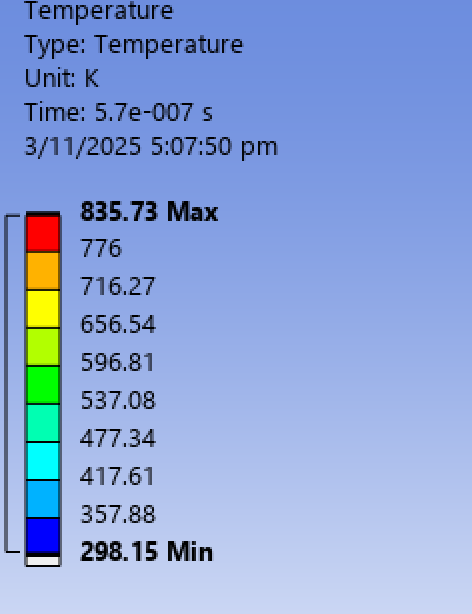
      Hi, I am running ANSYS mechanical to simulate some temperature in transient thermal simulation. I tried to change the default colormap but there are only 4 available types - rainbow, reverse rainbow, gray, reverse gray. If I want other type of colormap, how do I do it, lets say I want a viridis colormap instead?

    • Sourabh Upadhyay
      Ansys Employee

      Hi,

      In Mechanical window you can go to file-->options-->Graphic-->Legend--> you can find the legend lower and upper bound color setting.

      In version 2022R2, this feature comes under beta flag so if you are using this version, need to turn on the beata feature.

    • Sourabh Upadhyay
      Ansys Employee

      To turn on the beta features, you need to go to the workbench page then, tools-->options-->appearance-->scroll down and click on the check box of beta features. Make sure to restart Mechanical to reflect the changes.

      • shaoxiang_go
        Subscriber

        Hi, appreciate your reply. However, my question is how can I change the current colorbar heatmap (rainbow) to other types of custom colorbar, eg (viridis, magma, jet) without explicitly defining the color for each box in the colorbar. Is there a way to do that?

    • mjmiddle
      Ansys Employee

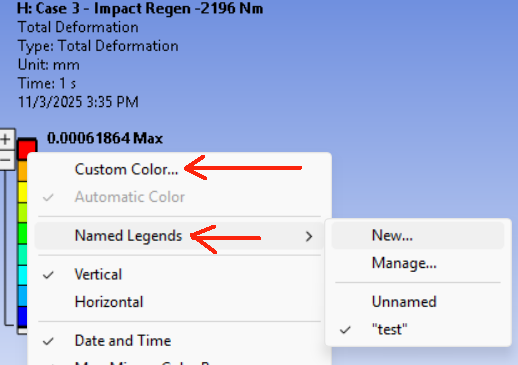
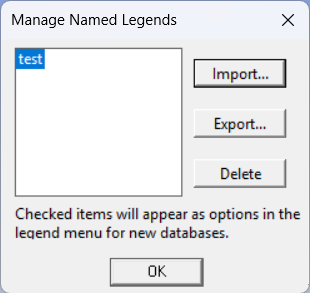
      You can set each color bar once. Then create a new named legend. Then click on the named legends again and choose “Manage.” You can then select the name you chose before and press “Export.”

      Then the next time you want all the colors of the legend set, you can just import that named legend. This uses an XML type file that you can open in a plain text editor and make manualy changes.

Viewing 3 reply threads
  • You must be logged in to reply to this topic.
[bingo_chatbox]