

TAGGED: hpc, linux, open, output, simulation
-
-
March 1, 2021 at 4:46 pm
MickMack
SubscriberHi,
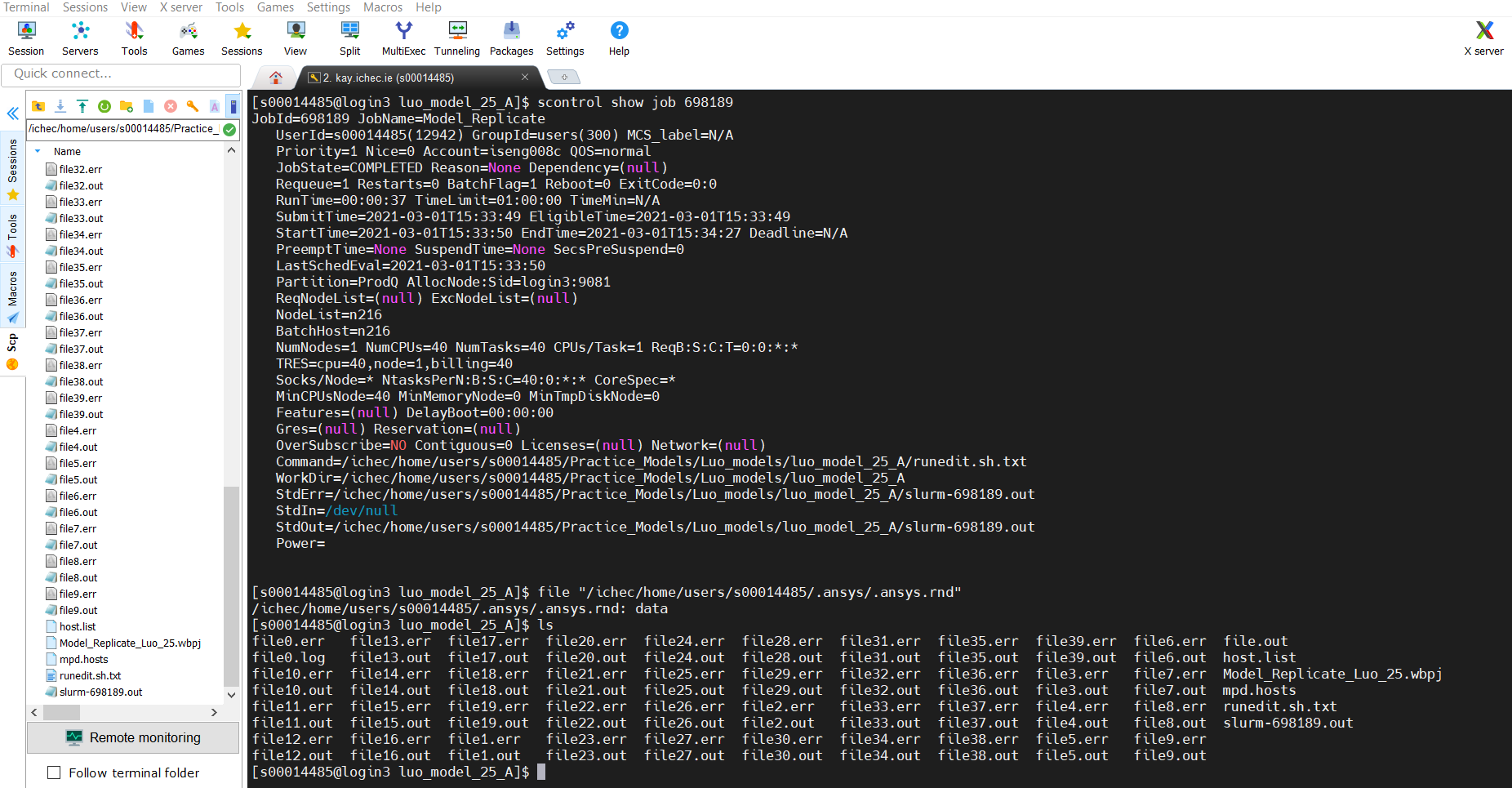
I have carried out an analysis on a HPC as shown below. There was a significant amount of files generated as shown. I want to open this in workbench so i can see the results in mechanical how do i do this?
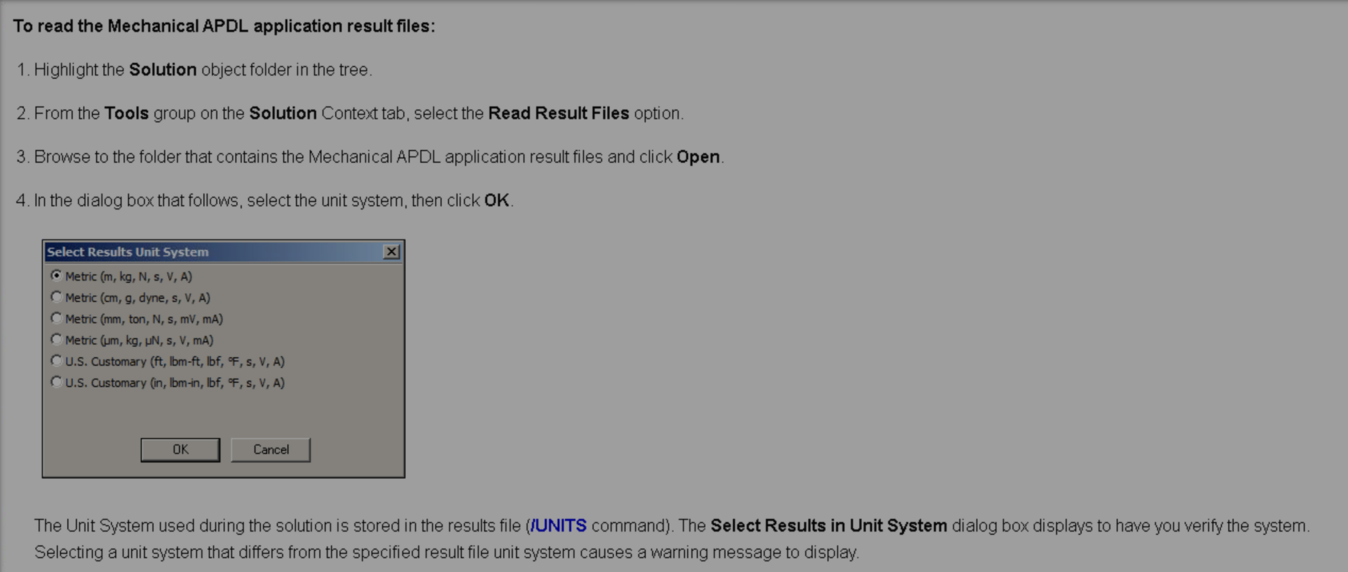
March 1, 2021 at 9:36 pmSubscriber.I have tried to progress based on the following section from the manual but i am not sure if this approach is correct. In any event i have not been successful and mechanical has issued warning and error messages, i will detail the process below.
In the first instance i do not know which of the almost 40 number output files i should be using as the read results file.
manual extract from : Writing and Reading the Mechanical APDL Application Files
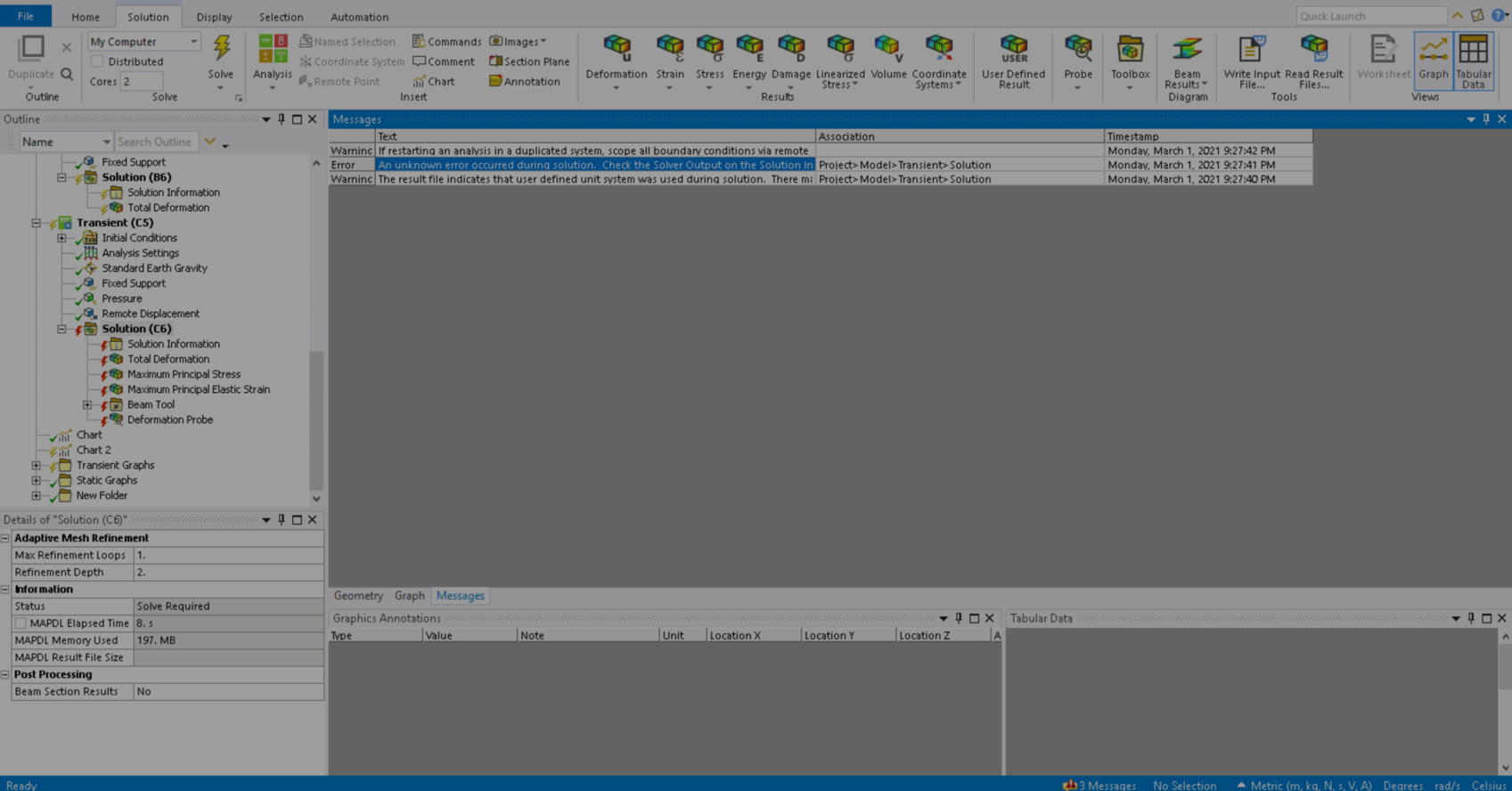
The 2 warnings and the error which occur when i use the read results file in the solution context tab are shown below, please not i tried numberous output files
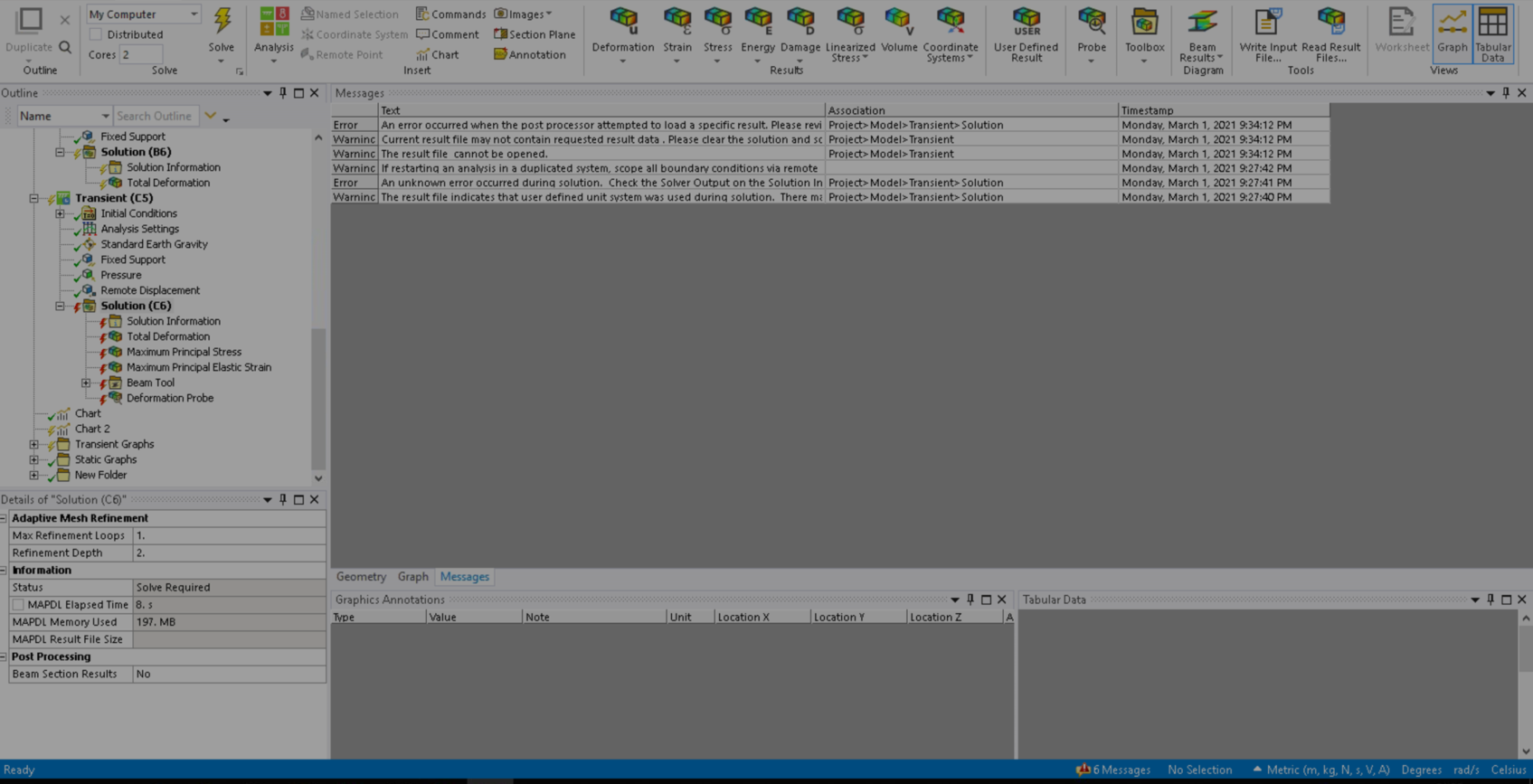
I also tried to Evaluate all results and a number of other warnings and errors were issued as below.
Any assistance would be great, i imagine i need to identify what file the results are in and how to insert it into mechanical!!!
.March 3, 2021 at 1:48 ammrife
Ansys EmployeeArray Hi. It looks like you had a slight issue with the batch script. The file 'Model_Replicate_Luo_25.wbpj' is not an MAPDL input file. It is the WorkBench Project database - really an xml file of the systems and their folders/files of the WB project. The 'out' files listed are MAPDL output files, not result files. Output files hold an echoing of what the MAPDL job progress. The result files have the extension rst for structural analyses.
From WB Mechanical select the Solution object, then the 'Write Input File' in the upper right. This file will be the input file used in your batch job script. Once completed use the 'Read Result File' to point to the file.rst that will exist when the batch job completes.
Good luck,
Mike
March 3, 2021 at 3:06 pmSubscriber.Hi mrife
That was exactly correct thank you very much.
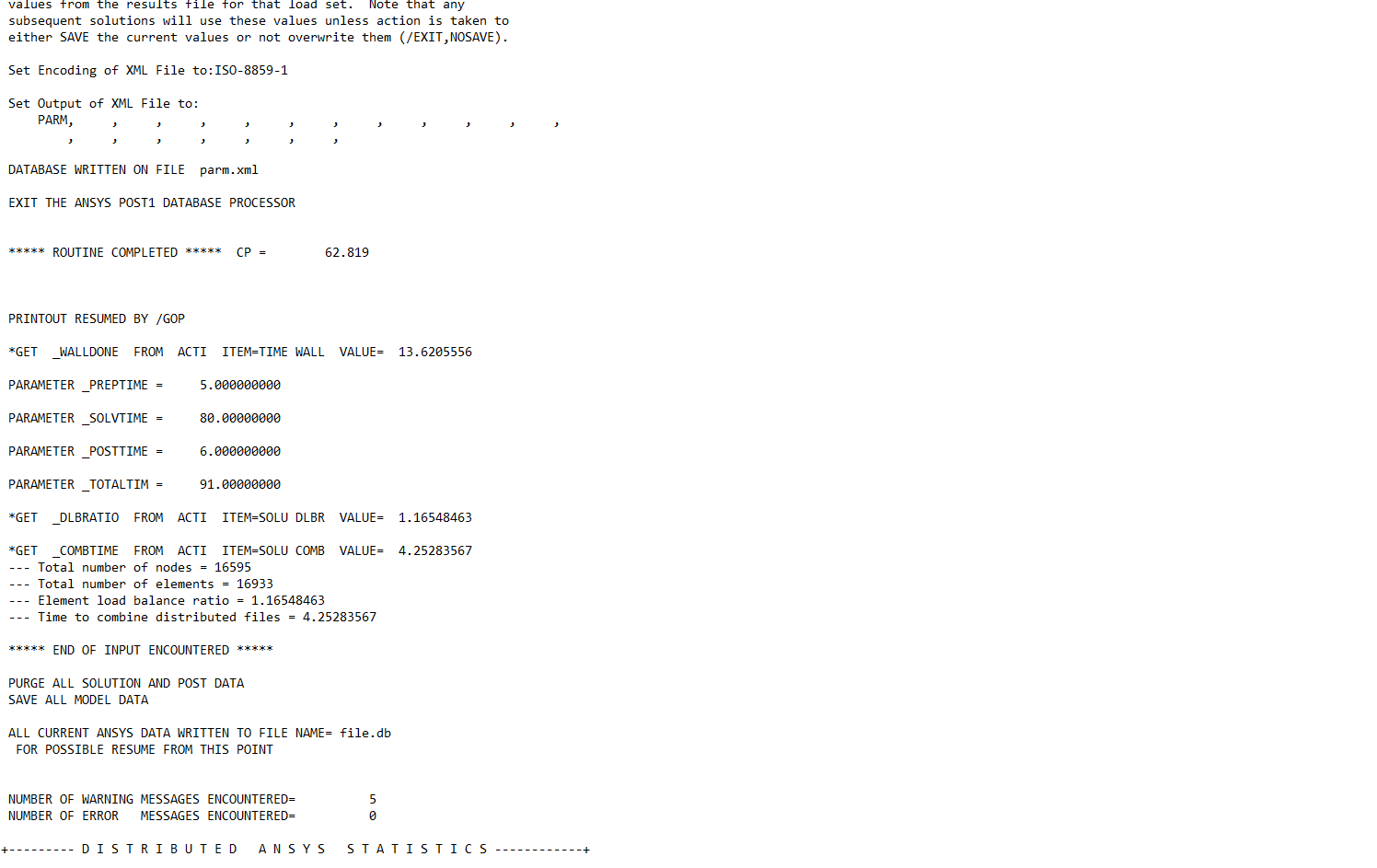
I subsequently created an input file (extension .inp using 'Write Input file') submitted it with my batch script and got the results including the results file, 'file.rst', which i then submitted through the Read Results file, snippets below for reference.

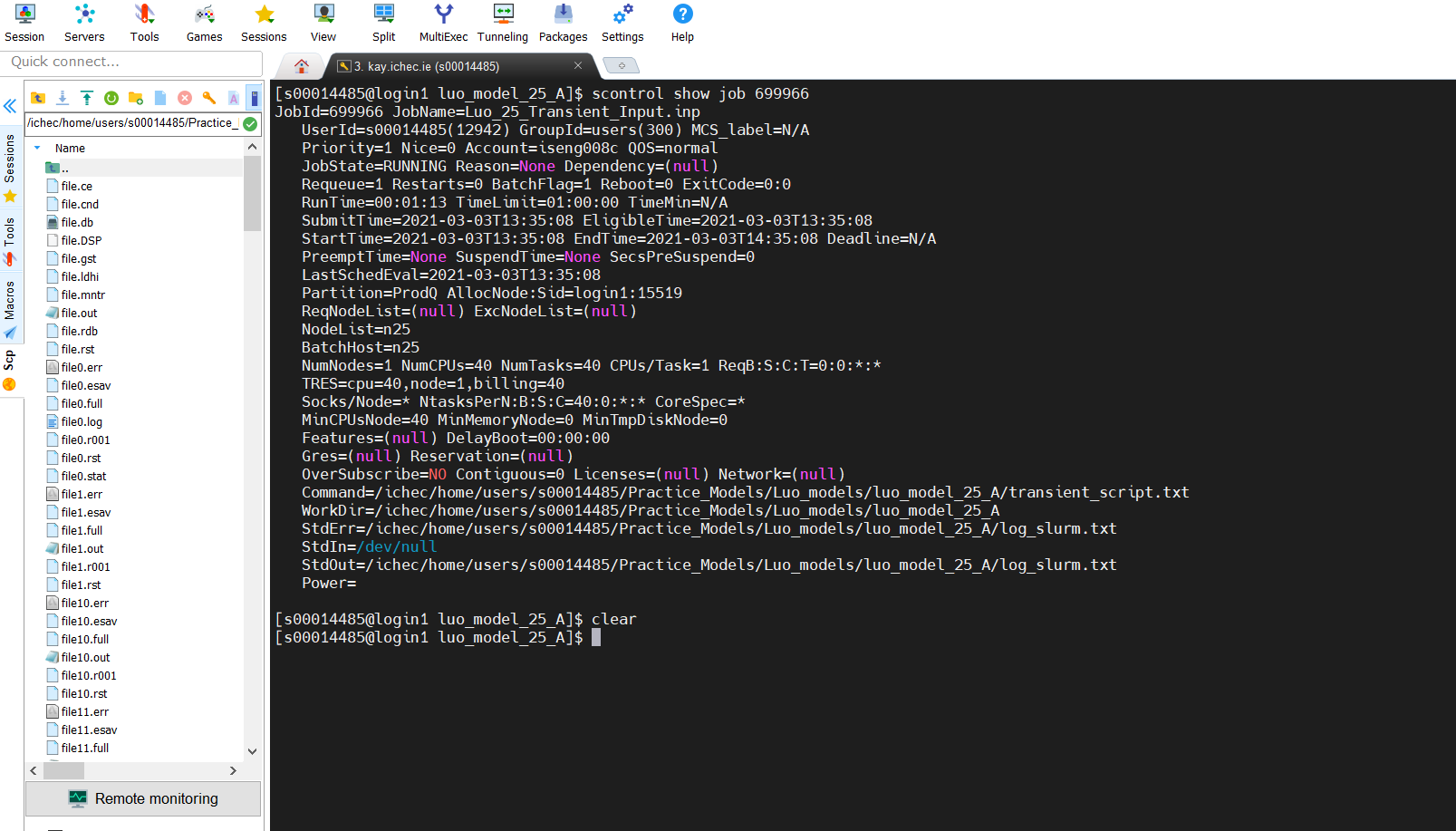
I am still having trouble opening the solution file with a number of errors appearing in Mechanical, and the status indicates a 'Solve Required' shown below. The .rst file is 1.4GB in size, so i presume i have selected the correct one and the analysis data has issued 5 warnings but it seems to have fully solved, in bottom snippet. Have you any idea why i cannot display the solution?
Thanks,
Michael
.
 March 3, 2021 at 3:43 pmAnsys EmployeeArray First be sure to select the file.rst to read in and not any of those with a number appended after the jobname file i.e. not file0.rst, file1.rst etc.
Next check the Time on the result objects. It's possible that one or more are set to a Time that was not actually solved for. For example say the model has one load step and its end time is 1. A result object trying to read in data at time 2 will fail, and fail the rest of the result file read.
Mike
March 3, 2021 at 6:27 pmSubscriber.Hi mrife
Yes the file i selected is 'file.rst', all the others are numbered 0-39, not sure why.
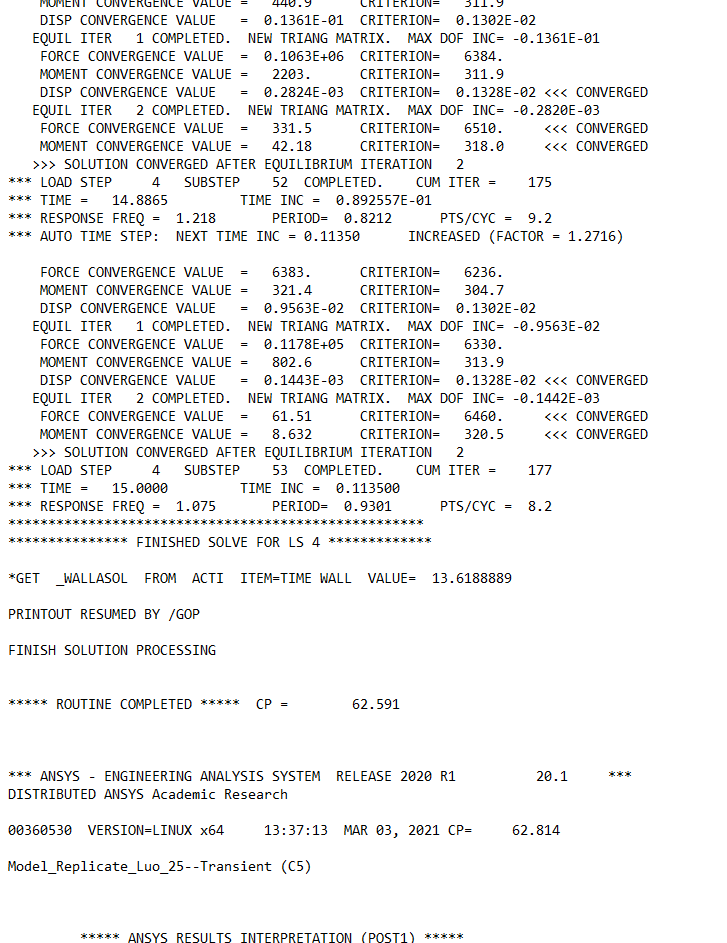
I don't fully understand the 'check the Time on the results objects', but what i did check was that the solution has solved at the end of the last load step no.4, this maybe the same thing.
As you can see below the analysis lasts 15 seconds and the second snippet below shows that the solution converged at time=15.0000 thus it finished the solve for LS 4.
In my mind i thought it would simply be a matter of loading the results to see deformation, stress etc!
Thanks,
Michael

.March 4, 2021 at 4:28 pmAnsys Employee.MickMack Hi. See the Details of some result object, like the Total Deformation in your model. Highlighted is the Time I mean:
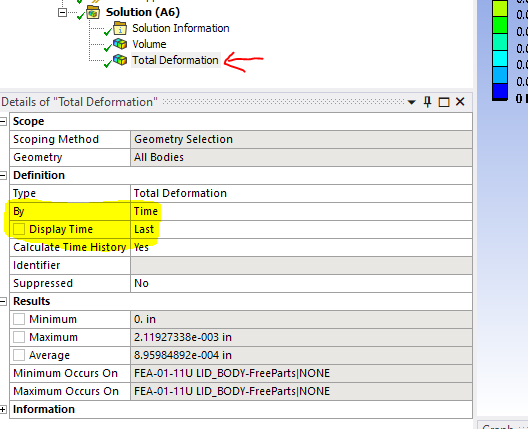 In your model if one of the result object had its 'Display Time' equal to say 16 seconds, then the importing of the result would fail as there are results only to 15 seconds.
 Regarding the solution file set with numbers appended to the names: distributed parallel solving splits the FEM into N portions when run on N cpu cores. Then N solve processes are started, each solving one of the N portions of the model. Each process is creating files so the files are differentiated by appending a number to the file name. The core numbers start at zero, so the 'first' process is on core 0 and creates file0.rst, file0.out etc. At the end of the solution the N rst files are combined into one large file.rst. Which Mechanical reads.
Mike
.March 4, 2021 at 5:17 pmSubscriberHi Array
Thanks very much for the explanation, i realise now i had read something to this effect before but i did not understand until now, as you have explained it quite eloquently.
At the moment we are having an issue with our license but i will check the 'Display Time' when i get back into Ansys. To eliminate this issue perhaps i should delete the results objetcs until i have the solution loaded.
Michael
March 10, 2021 at 4:10 pmSubscriberArray
Thanks very much for your assistance we got up and running today with the new Ansys and it is working perfectly. In conclusion i removed all result parameters deformation etc and i selected the output file named 'file.rst' , and imported it into mechanical by using the 'read result file' solution option.
I appreciate your patience in explaining this, cheers.
January 31, 2022 at 2:31 pmBen_Ben
Subscriber.I'm currently having a problem similar to this. Have followed the suggestions in this discussion. I'm having a problem where my file.rst doesn't contain U values. However my .out file is suggesting that the solution was completed without errors.
I have included the details in a new discussion post: /forum/discussion/35719/error-after-running-in-batch-mode-the-result-data-for-u-is-not-contained-in-the-result-file#latest
.Viewing 9 reply threads- The topic ‘How do i open the output from a hpc in workbench?’ is closed to new replies.
Innovation Space Trending discussions
 Top Contributors
-
peteroznewman
 6485
6485 -
scabo
 1906
1906 -
Dennis Chen
 1458
1458 -
javat33489
 1308
1308 -
Shyam Prasad V Atri
1022
Top Rated Tags
© 2026 Copyright ANSYS, Inc. All rights reserved.
Ansys does not support the usage of unauthorized Ansys software. Please visit www.ansys.com to obtain an official distribution.
-


 You are navigating away from the AIS Discovery experience