Ansys Assistant will be unavailable on the Learning Forum starting January 30. An upgraded version is coming soon. We apologize for any inconvenience and appreciate your patience. Stay tuned for updates.
Ansys Products

Ansys Products

Discuss installation & licensing of our Ansys Teaching and Research products.

ANSYS Workbench 19.1 Will Not Open

    • mijungry
      Subscriber

      I am currently running ANSYS Workbench 19.1 using Windows 10 on a boot camp Mac partition. Up until today ANSYS was working perfectly fine, but now when I try to open it up the logo for Workbench opens up for a brief moment and then a message pops up saying that "ANSYS Workbench has stopped working". I tried uninstalling and reinstalling the software but nothing has worked. Any help would be much appreciated. I have also tried running it as an administrator but the same thing keeps happening. 


      If I try to open a specific project this error pops up. 


    • tsiriaks
      Ansys Employee

      Open up CMD Prompt, then issue the following command


      move %appdata%ansys %appdata%ansys.old


      Does this help ?
      If not, in the CMD Prompt , issue this command


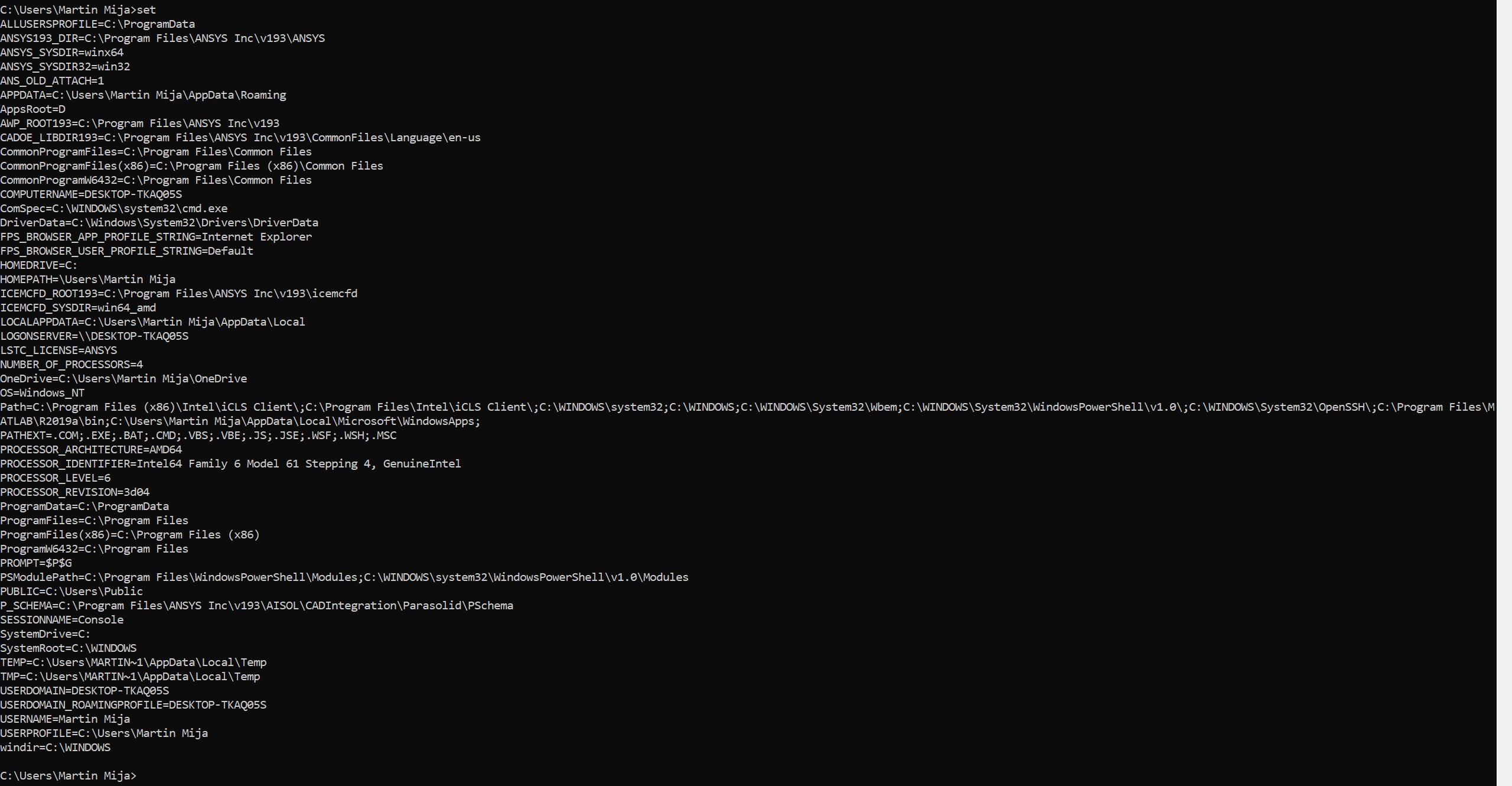
      set


      and post the output of it.


      Also, make sure all pending Windows updates are installed.


      Thanks,


      Win

    • mijungry
      Subscriber

    • mijungry
      Subscriber

      Spaceclaim still opens up but ANSYS Workbench will not open up.

    • JakeC
      Ansys Employee

      Hi mijungry,


      Please try the following from a command prompt:


      set PATH=C:windows;C:windowsSystem32Wbem;C:windowssystem32;


      press enter


      then type:


      "c:program filesansys incv193FrameworkbinWin64"runwb2


      Press enter.


      See if that launches workbench.


      Thank you,


      Jake

    • mijungry
      Subscriber

      It gave the same error as previously mentioned where the logo for Workbench opens up for a brief moment and then a message pops up saying that "ANSYS Workbench has stopped working".

    • JakeC
      Ansys Employee

      Does this happen for all projects, or just this one?


      Thank you,


      Jake

    • mijungry
      Subscriber

      It happens for all projects that are workbench files but Space Claim files will still open up. 

    • JakeC
      Ansys Employee

      The error message does look like a corrupted appdata setting as Win suggested earlier.


      When you renamed the %APPDATA%ansys directory was all of the ansys applications close?


      Can you try that again, and verify that the path looks like:


      C:UsersAppDataRoamingAnsys


      As you stated earlier it is possible that this is a corrupted install.


      Please rename the c:program filesansys incv191 directory and do the reinstall then.


      After that look at the c:program filesansys incinstall.log file and install.err files for errors during the install.


      Thank you,


      Jake



    • mijungry
      Subscriber

      Hi Jake, 


      When I try to the move appdataansys appdataansys.old command 


      I receive this output after trying to reinstall the software for the 4th time of: 


      C:UsersMartin Mija>move appdataansys appdataansys.old
      The system cannot find the file specified.


      ANSYS applications are not opened during this time, and I ran the install as an administrator and deleted all of the previous ANSYS files on my computer. 


      Best,


      Martin 


    • mijungry
      Subscriber

      Output of set command 


    • mijungry
      Subscriber

      Also if I try to reinstall it again do you have tips on what I should do while I uninstall the program to ensure that the next install will be succesdul?


      Best,


      Martin 

    • JakeC
      Ansys Employee

      Hi Martin,


      Please close all ansys applications.


      Open the windows file explorer.


      In the Path/Address bar type in:


      %APPDATA%


      Press enter


      Rename the Ansys directory to Ansys_old


      Then restart the ansys applications.


      Thank you,


      Jake


Viewing 12 reply threads
  • The topic ‘ANSYS Workbench 19.1 Will Not Open’ is closed to new replies.
[bingo_chatbox]