Ansys Assistant will be unavailable on the Learning Forum starting January 30. An upgraded version is coming soon. We apologize for any inconvenience and appreciate your patience. Stay tuned for updates.
Ansys Products

Ansys Products

Discuss installation & licensing of our Ansys Teaching and Research products.

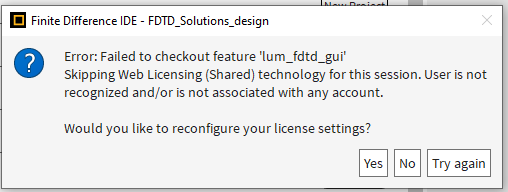
Error: User is not recognized and/or is not associated with any account

TAGGED: 

    • phwang
      Subscriber

      Hi all,


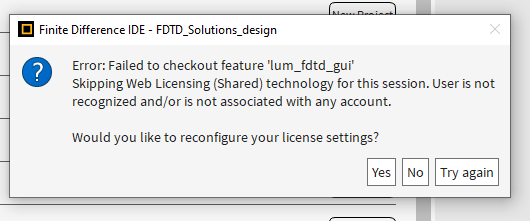
      I am currently try to access the Lumerical for simulation. However, I am encounterd with the issue that states I am not associated with any account. The license is currently active. 


      The attached is a screenshot of the error. Please let me know if there's anything wrong here. Thank you!

    • Lito
      Ansys Employee

      @phwang, 

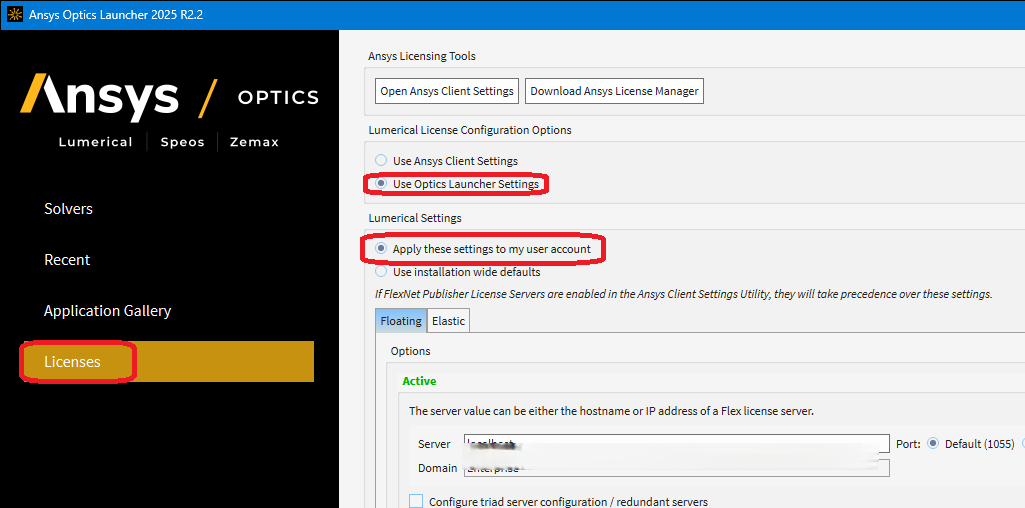
      Please configure Lumerical using the Optics Launcher License configuration utility - Do Not use the Ansys client licensing setting, Do Not enable anything in the Ansys client licensing settings.

      Make sure that you are able to connect to the license server on your local network. Otherwise, consult with your Ansys Support Coordinator/Licensing Admins for the correct license server information. 

      We have the following for reference:


    • phwang
      Subscriber

      Hi,

      1. I followed the second link (Lumerical license configuration with the Ansys Optics Launcher – Ansys Optics ) and
      2. don't follow the forth link (License configuration using the Ansys Client Licensing Settings app – Ansys Optics ), which means I disable all the connect at ansys licensing setting.

      But the issue still exist. Please let me know if there's anything I should fix. Thanks


    • Lito
      Ansys Employee

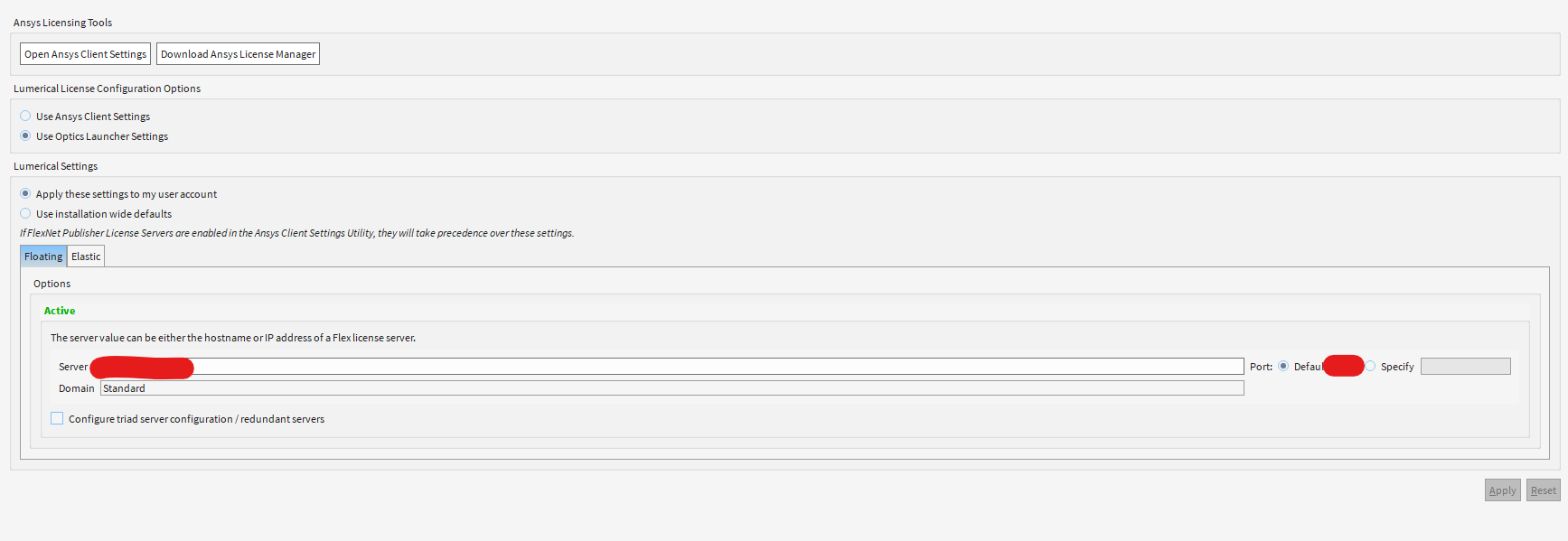
      Please send a screenshot of the Optics Launcher License Configuration Utility. 

    • phwang
      Subscriber

      Hi,

      Please see the followings, Thanks:


    • Lito
      Ansys Employee

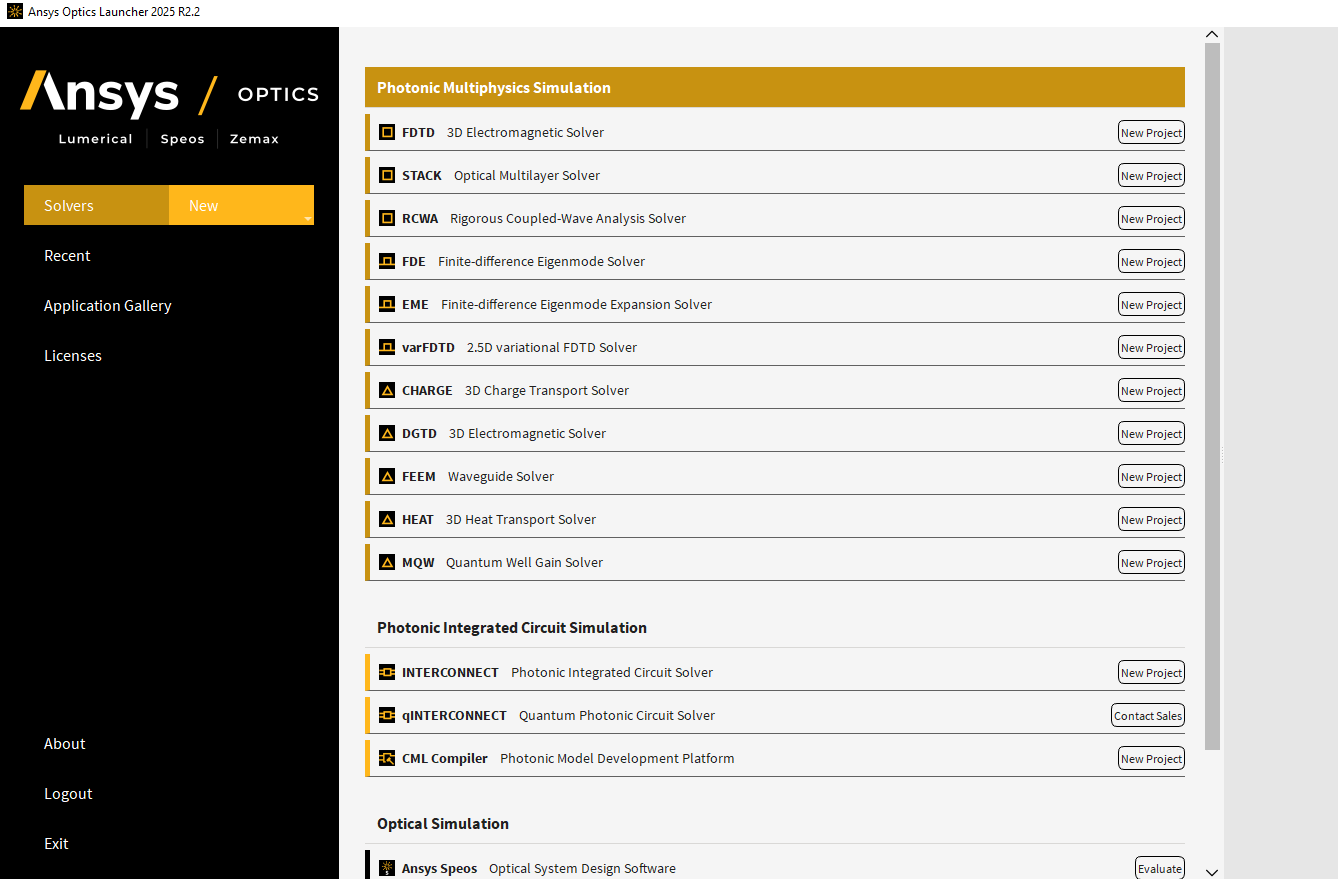
      Can you try to open and run Lumerical FDTD from the Optics Launcher ? >>Running the Ansys Lumerical CAD/IDE – Ansys Optics 

      Does it show "New Project" button on the Solvers' as shown on the KB above and image below?

      launcher-solver-new-proj.png


    • Lito
      Ansys Employee

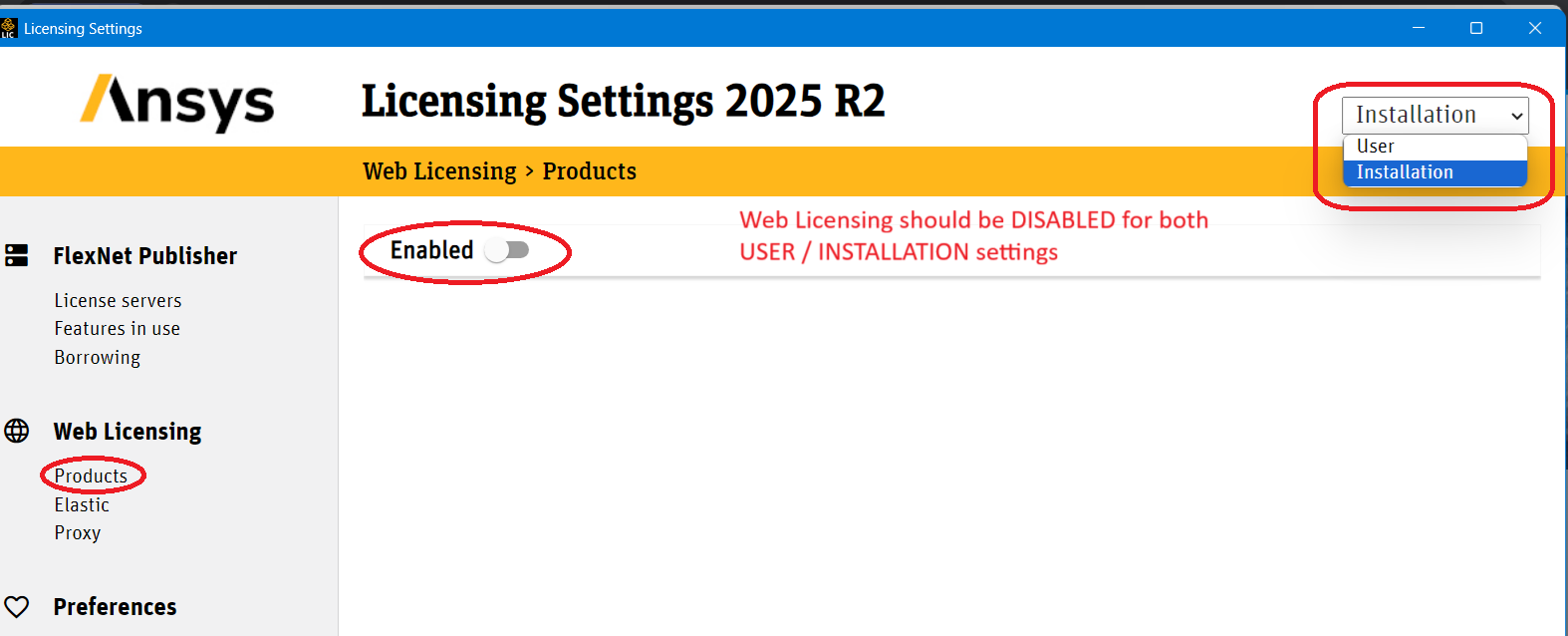
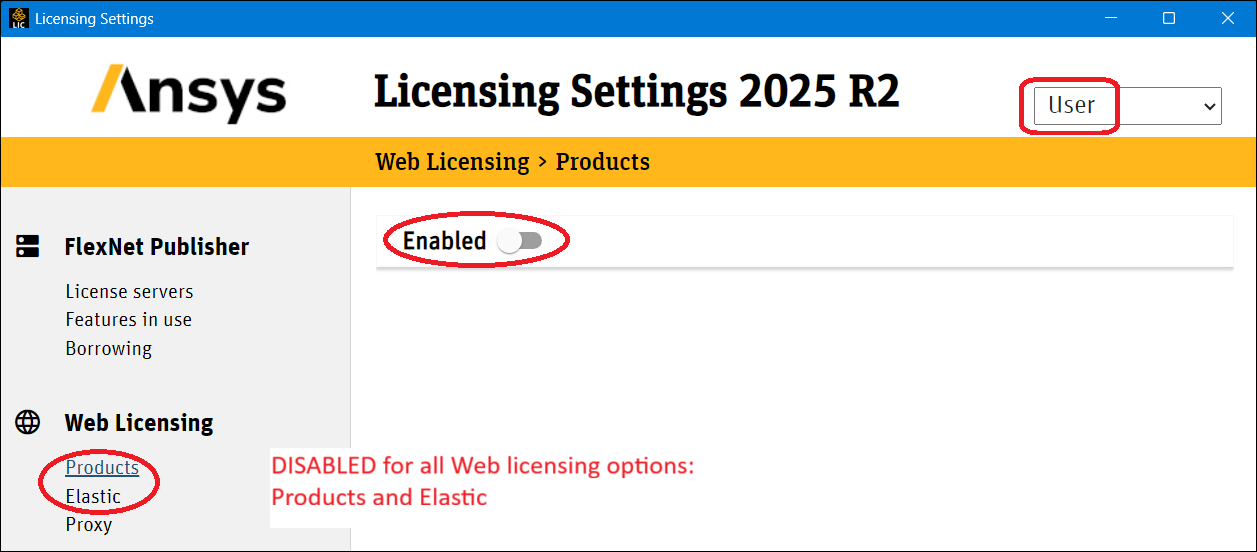
      By the way – ensure that Web licensing is NOT Enabled in the Ansys Client Licensing Settings. 


    • phwang
      Subscriber

      Yes. The above are all correct from my side as attached. However, the problem still exist.

    • phwang
      Subscriber

      The new project button exist. And the problem occurs after I clicked the new project button.

    • Lito
      Ansys Employee

      The screenshot of the error message you provided indicates that you are trying to access the Ansys shared web licensing and you are not accessing the on-prem license server.

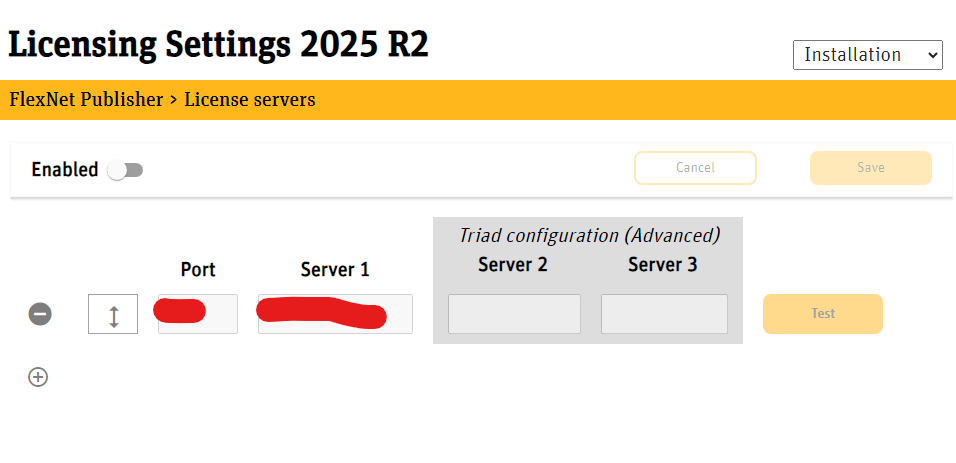
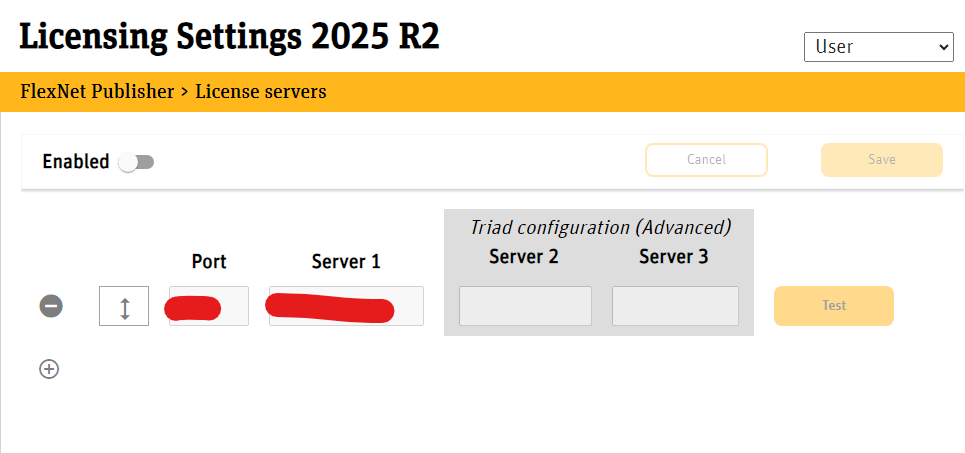
      • Ensure that all the settings in the Ansys client licensing settings are “Disabled” as shown in my previous screenshots. (resending below) 
      • And you are running the 2025 version of the Ansys license manager on your license server. 
      • 2025R2 products/software requires the newer version on the Ansys license manager as well. 

      Optics Launcher license configuration


      Ansys licensing settings – Web Licensing > Products & Elastic (Disabled for both USER & INSTALLATION) 


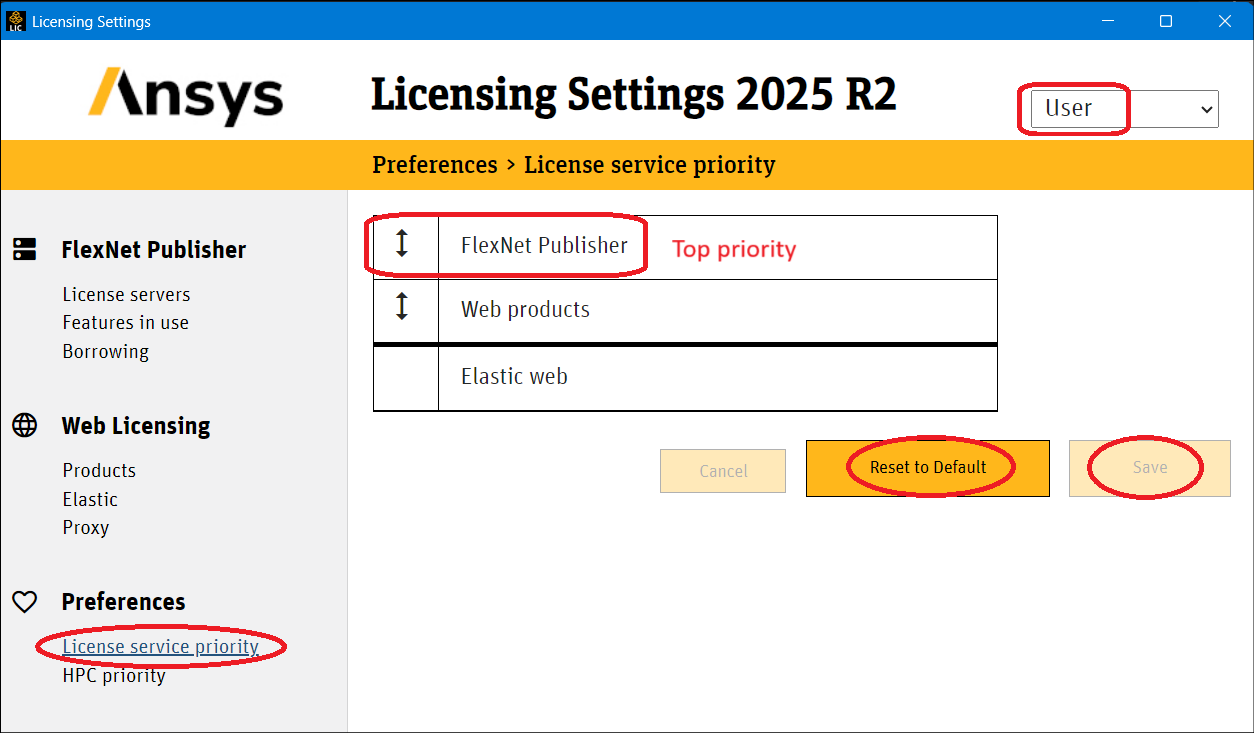
      Ansys licensing settings – Preferences > License service priority (set for both USER & INSTALLATION) 


Viewing 9 reply threads
  • You must be logged in to reply to this topic.
[bingo_chatbox]