Ansys Assistant will be unavailable on the Learning Forum starting January 30. An upgraded version is coming soon. We apologize for any inconvenience and appreciate your patience. Stay tuned for updates.
Ansys Products

Ansys Products

Discuss installation & licensing of our Ansys Teaching and Research products.

Another Work bench only opening a grey window [RESOLVED]

    • ParsleyNeale
      Subscriber

      Hello, 


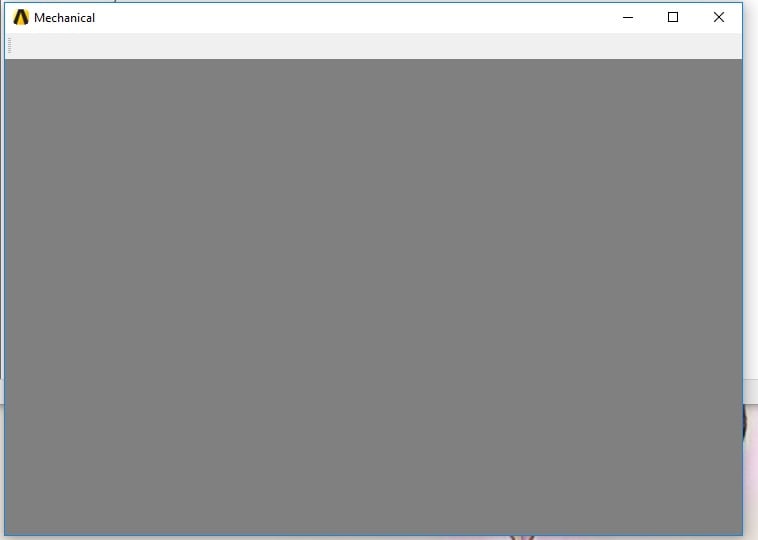
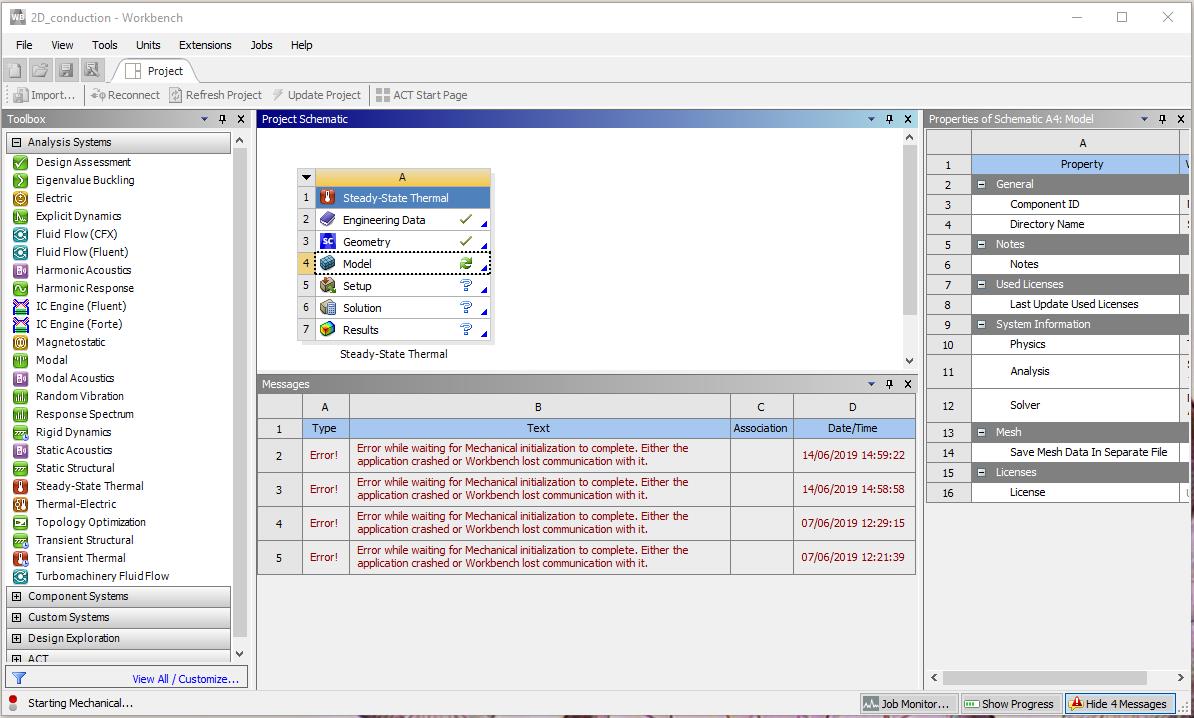
      I am following along with the video tutorials from cornell and get to the step where I double click model to open Mechanical, a grey window appears and nothing else, when exited this error is shown,


      'Error while waiting for Mechanical initialization to complete. Either the application crashed or Workbench los communication with it.'


      I have read similar problems in other posts how ever none of the fixes worked for me. I think it maybe due to installing on a different drive to that the OS is on? 


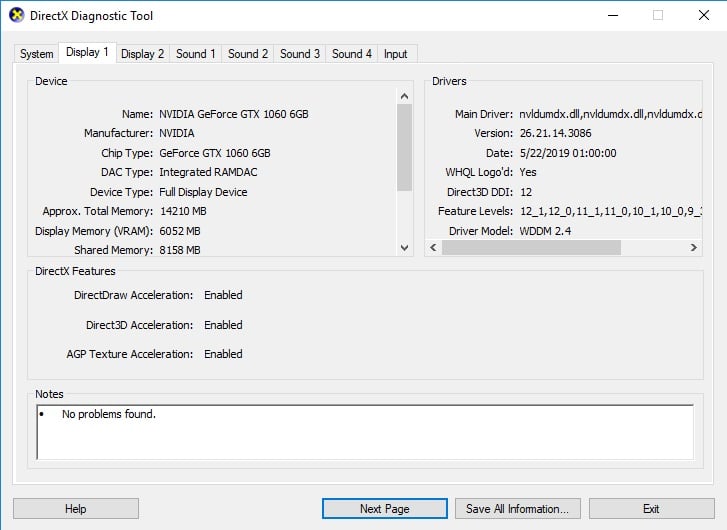
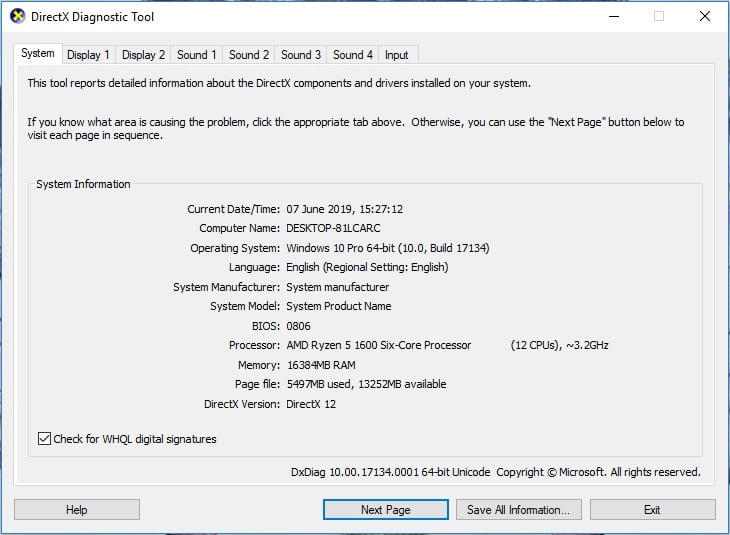
      I have included screenshots of things requested in other threads.


      Hope someone can help as Im also starting a university course where I need to use Ansys.


    • tsiriaks
      Ansys Employee

      Hi ParsleyNeale,

      Do you get the same issue if you were to open Design Modeler for the Geometry ?

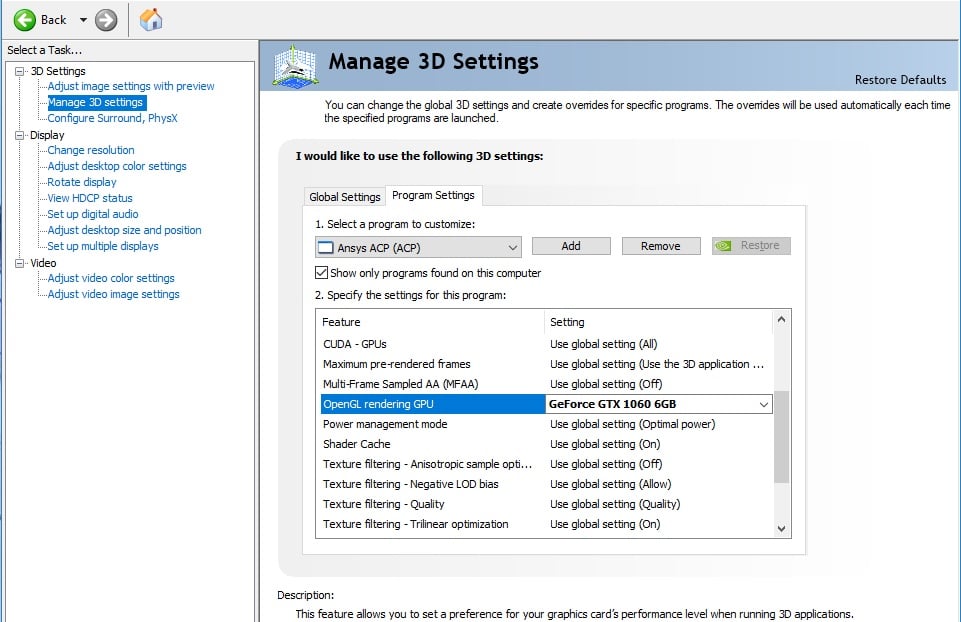
      Have you tried this setting for your Nvidia ?

      right click on the desktop then launch Nvidia Control Panel >> Manage 3D settings >> set Preferred graphics processor to be "High-performance NVIDIA processor.

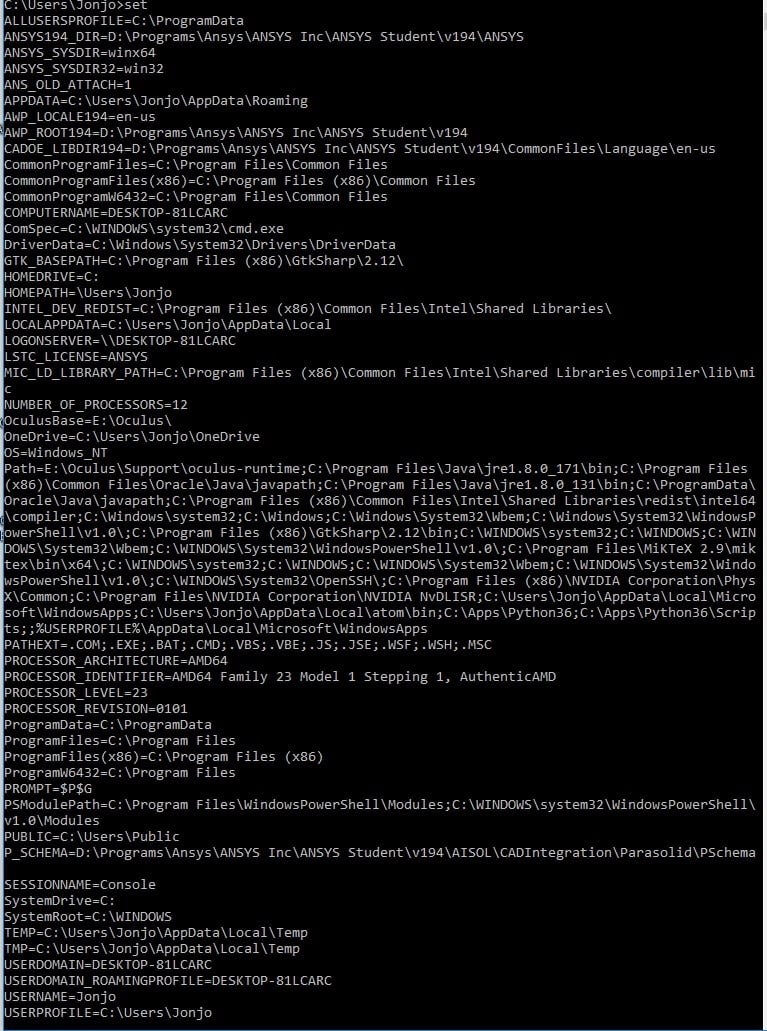
      Please also post the screenshot of the output of the 'set' command (without quote ' ' ) from CMD Prompt.

      Thanks,

      Win

    • ParsleyNeale
      Subscriber

      Thanks for the reply tsiriaks,

      no, the design modeler opens ok and am able to use it, I have downloaded latest drivers for the graphics card, and tried turning of the anti virus.

      I couldnt find the setting you suggested for the nvidia graphics card, I forced open gl to use the gfx instead of having it on auto, but this didnt help.

      Here is the screen i get when i follow your directions, and also the set CMd prompt.


    • tsiriaks
      Ansys Employee

      Hi ParsleyNeale,

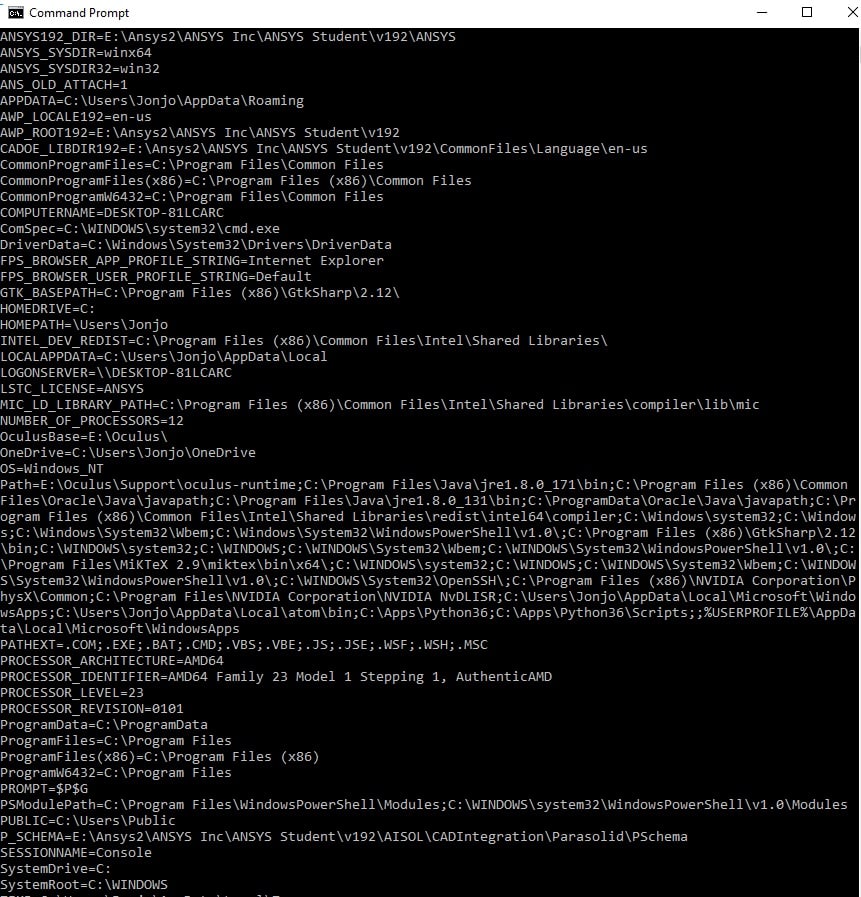
      Please also include the top part of the output of 'set' command.

      For the Nvidia setting, click 'Add' , then choose the Workbench shortcut. I think yours should be here 

      "E:ANSYS2ANSYS IncANSYS Studentv192FrameworkbinWin64runwb2.exe"

      then, make sure that you also set to use Geforce GTX , not Auto , for the OpenGL

      Thanks,

      Win

    • ParsleyNeale
      Subscriber

      Hello again,

      I tried adding the shortcut and using the setting you recomended, still no luck.

      Sorry, I didnt realise there was more onscreen of the set, heres the new image below.

      I shall try uninstalling19.2 and instaling the newer version to see if that version works.

    • ParsleyNeale
      Subscriber

      So installed the newest version of ansys and also put on a hard drive with much more space ( the drive on before was almost full) to see if that helped, 

      but alas exactly the same probem.

      Heres the updated set screen shot,

      any ideas would be very helpful.

    • ParsleyNeale
      Subscriber

      Also, not sure if this is anything to do with anything,

      but I can open ANSYS Academic Teaching Introductory Utility Menu, which I found by typing mechanical into the start bar,

      but this doesnt look like the mechanical window that opens in the cornell tutorial

    • tsiriaks
      Ansys Employee

      Thanks for the info.

      Trying a later version is a good test.

      I think you must have open the 'Mechanical APDL' GUI. Is the background black ? This is an old GUI back in the day before we have this Mechanical GUI in Workbench.

      Two more things that you can try

      1. Try with 1 monitor and make sure you are using Nvidia.

      2. Try launching Workbench with the following commands (in CMD Prompt)

      set PATH=C:WINDOWSsystem32;C:WINDOWS;C:WINDOWSSystem32Wbem

      "E:ANSYS2ANSYS IncANSYS Studentv192FrameworkbinWin64runwb2.exe"

      Thanks,

      Win


    • ParsleyNeale
      Subscriber

      Hi thanks for the response,

      Yes, the mechanical APDL is the older GU~I.

      I tried one monitor through the NVIDIA control panel, still no luck.

      I also tried the CMD prompts (Id previously tried these from looking at other posts, but did them fresh again) still just a grey mechanical window.

      I also tried recreating the project schematic ive been using from scratch following the tutorial again, to make sure it wasnt something i'd done wrong along the way to cause this.

      I really apreciate the help, and would love to try any more ideas you have?

    • ParsleyNeale
      Subscriber

      Could it be a license problem? I have tried starting mechanical with the property license setting set to "Use License Preference" and "ANSYS Academic Teaching Introduction "

    • ParsleyNeale
      Subscriber

      Also just tried unplugging every peripheral but one monitor, keyboard and mouse. 

      Still no change

    • ParsleyNeale
      Subscriber

      Sorry for all the posts, just putting here what i try as i do it.

      Added exceptions to my antivirus of Ansys folders in %appdata%

      Also deleted all ansys %appdata%, to force them to be created a new and fresh.

      Mechanical still not working.

    • tsiriaks
      Ansys Employee

      Thanks for the info.

      I don't' think you have a licensing issue but we can check

      What's the output of the following command

      "E:ANSYS2ANSYS IncANSYS StudentShared FilesLicensingWinx64ansysli_util" -checkout MECH_STRUCT


      Let's check your installation. Do you have any .err file under

      E:ANSYS2ANSYS IncANSYS Student

      If not, please post the content of your E:ANSYS2ANSYS IncANSYS Studentinstall.log

      Thanks,

      Win

    • ParsleyNeale
      Subscriber

       "D:ProgramsAnsysANSYS IncANSYS StudentShared FilesLicensingWinx64ansysli_util" -checkout MECH_STRUCT

      2019/06/12 20:116    INFO                Demo license file D:ProgramsAnsysANSYS IncANSYS StudentShared FilesLicensingstudent.lic exists.

      MECH_STRUCT OUT id=DESKTOP-81LCARC-Jonjo-12780-002378 shared_info=DESKTOP-81LCARC-Jonjo-12780-012693 is_sharable=yes server=53117@127.0.0.1 is_academic=yes has_academic_logo=yes max_h_elem=0 max_nodes=0 max_struct_nodes=0 max_faces=0 max_bodies=0 max_species=0 min_cell_size=0 max_depth=0

              Resolved by Feature: id=183 feature=aa_t_i product=ANSYS Academic Teaching Introductory

      No errors, i can see in the ANSYS Student folder, would they be generated as a text document? If so none there.

      Here is the content of my instal log,,,


      >>>--------------------------------------->

      Start Installation: Sat Jun 8 10:14:27 2019

      Revision: 2019 R2


      Platform specifics:

          Windows

      Username of Installer: DESKTOP-81LCARCJonjo

      User Has Administrator Privileges

      C:UsersJonjoAppDataLocalTempans_install_tmp12960instcore.exe -usetempdir C:UsersJonjoAppDataLocalTempans_install_tmp12960 -launchdir E:Ansys_zipANSYSACADEMICSTUDENT_2019R2_WINX64 -admin

      Initial mount directory:

          E:Ansys_zipANSYSACADEMICSTUDENT_2019R2_WINX64

      Installation Directory:

          D:ProgramsAnsysANSYS IncANSYS Student


      Windows x64


      Date verification complete...No conflicts found.


      The installation will copy the prerequisite setup files from the media in case you need to reconfigure later or if you need to configure client machines for products installed to a network share.

      This may take a while ...

      Successfully copied prerequisites from media.


      You don't need to install any prerequisites.


      Reading the installation media contents - please wait.


        Extraction: E:Ansys_zipANSYSACADEMICSTUDENT_2019R2_WINX64framewrkWINX64.7z ...

        Extraction: E:Ansys_zipANSYSACADEMICSTUDENT_2019R2_WINX64instcoretclCOMMON.TGZ ...

        Extraction: E:Ansys_zipANSYSACADEMICSTUDENT_2019R2_WINX64instcoretclWINX64.TGZ ...

        Extraction: E:Ansys_zipANSYSACADEMICSTUDENT_2019R2_WINX64commonWINX64.7z ...

        Extraction: E:Ansys_zipANSYSACADEMICSTUDENT_2019R2_WINX64commoninstallWINX64.7z ...

        Extraction: E:Ansys_zipANSYSACADEMICSTUDENT_2019R2_WINX64configscommonWINX64.7z ...

        Extraction: E:Ansys_zipANSYSACADEMICSTUDENT_2019R2_WINX64cpythextWINX64.7z ...

        Extraction: E:Ansys_zipANSYSACADEMICSTUDENT_2019R2_WINX64cpythnewWINX64.7z ...

        Extraction: E:Ansys_zipANSYSACADEMICSTUDENT_2019R2_WINX64turbogrdWINX64.7z ...

        Extraction: E:Ansys_zipANSYSACADEMICSTUDENT_2019R2_WINX64configstgWINX64.7z ...

        Extraction: E:Ansys_zipANSYSACADEMICSTUDENT_2019R2_WINX64cfxcomonWINX64.7z ...

        Extraction: E:Ansys_zipANSYSACADEMICSTUDENT_2019R2_WINX64instutilINSTUTIL.7z ...

        Extraction: E:Ansys_zipANSYSACADEMICSTUDENT_2019R2_WINX64instcoretclCOMMON.TGZ ...

        Extraction: E:Ansys_zipANSYSACADEMICSTUDENT_2019R2_WINX64instcoretclWINX64.TGZ ...

        Extraction: E:Ansys_zipANSYSACADEMICSTUDENT_2019R2_WINX64instcoretkCOMMON.TGZ ...

        Extraction: E:Ansys_zipANSYSACADEMICSTUDENT_2019R2_WINX64instcoretkWINX64.TGZ ...

        Extraction: E:Ansys_zipANSYSACADEMICSTUDENT_2019R2_WINX64configsclientlicensingWINX64.7z ...

        Extraction: E:Ansys_zipANSYSACADEMICSTUDENT_2019R2_WINX64configswbWINX64.7z ...

        Extraction: E:Ansys_zipANSYSACADEMICSTUDENT_2019R2_WINX64sgchartsWINX64.7z ...

        Extraction: E:Ansys_zipANSYSACADEMICSTUDENT_2019R2_WINX64fwgfxWINX64.7z ...

        Extraction: E:Ansys_zipANSYSACADEMICSTUDENT_2019R2_WINX64addinsWINX64.7z ...

        Extraction: E:Ansys_zipANSYSACADEMICSTUDENT_2019R2_WINX64addincfgwbWINX64.7z ...

        Extraction: E:Ansys_zipANSYSACADEMICSTUDENT_2019R2_WINX64corewbWINX64.7z ...

        Extraction: E:Ansys_zipANSYSACADEMICSTUDENT_2019R2_WINX64cadscadaisolWINX64.7z ...

        Extraction: E:Ansys_zipANSYSACADEMICSTUDENT_2019R2_WINX64cadscadregistryWINX64.7z ...

        Extraction: E:Ansys_zipANSYSACADEMICSTUDENT_2019R2_WINX64ekmWINX64.7z ...

        Extraction: E:Ansys_zipANSYSACADEMICSTUDENT_2019R2_WINX64addincfgekmWINX64.7z ...

        Extraction: E:Ansys_zipANSYSACADEMICSTUDENT_2019R2_WINX64meshingWINX64.7z ...

        Extraction: E:Ansys_zipANSYSACADEMICSTUDENT_2019R2_WINX64blademodelerWINX64.7z ...

        Extraction: E:Ansys_zipANSYSACADEMICSTUDENT_2019R2_WINX64apipsrvWINX64.7z ...

        Extraction: E:Ansys_zipANSYSACADEMICSTUDENT_2019R2_WINX64designmodelerWINX64.7z ...

        Extraction: E:Ansys_zipANSYSACADEMICSTUDENT_2019R2_WINX64syscplgWINX64.7z ...

        Extraction: E:Ansys_zipANSYSACADEMICSTUDENT_2019R2_WINX64cfxcomonWINX64.7z ...

        Extraction: E:Ansys_zipANSYSACADEMICSTUDENT_2019R2_WINX64rsmWINX64.7z ...

        Extraction: E:Ansys_zipANSYSACADEMICSTUDENT_2019R2_WINX64addincfgturbosysWINX64.7z ...

        Extraction: E:Ansys_zipANSYSACADEMICSTUDENT_2019R2_WINX64secWINX64.7z ...

        Extraction: E:Ansys_zipANSYSACADEMICSTUDENT_2019R2_WINX64ccmWINX64.7z ...

        Extraction: E:Ansys_zipANSYSACADEMICSTUDENT_2019R2_WINX64cadsacisparaWINX64.7z ...

        Extraction: E:Ansys_zipANSYSACADEMICSTUDENT_2019R2_WINX64ansysWINX64.7z ...

        Extraction: E:Ansys_zipANSYSACADEMICSTUDENT_2019R2_WINX64voxelWINX64.7z ...

        Extraction: E:Ansys_zipANSYSACADEMICSTUDENT_2019R2_WINX64configsansysWINX64.7z ...

        Extraction: E:Ansys_zipANSYSACADEMICSTUDENT_2019R2_WINX64addincfgansysWINX64.7z ...

        Extraction: E:Ansys_zipANSYSACADEMICSTUDENT_2019R2_WINX64solverWINX64.7z ...

        Extraction: E:Ansys_zipANSYSACADEMICSTUDENT_2019R2_WINX64aasWINX64.7z ...

        Extraction: E:Ansys_zipANSYSACADEMICSTUDENT_2019R2_WINX64dataDATA.GZ ...

        Extraction: E:Ansys_zipANSYSACADEMICSTUDENT_2019R2_WINX64apdlAPDL.GZ ...

        Extraction: E:Ansys_zipANSYSACADEMICSTUDENT_2019R2_WINX64geomparaWINX64.7z ...

        Extraction: E:Ansys_zipANSYSACADEMICSTUDENT_2019R2_WINX64addincfgmechWINX64.7z ...

        Extraction: E:Ansys_zipANSYSACADEMICSTUDENT_2019R2_WINX64autodynWINX64.7z ...

        Extraction: E:Ansys_zipANSYSACADEMICSTUDENT_2019R2_WINX64addincfgautodynWINX64.7z ...

        Extraction: E:Ansys_zipANSYSACADEMICSTUDENT_2019R2_WINX64cfxWINX64.7z ...

        Extraction: E:Ansys_zipANSYSACADEMICSTUDENT_2019R2_WINX64addincfgcfxWINX64.7z ...

        Extraction: E:Ansys_zipANSYSACADEMICSTUDENT_2019R2_WINX64configscfxWINX64.7z ...

        Extraction: E:Ansys_zipANSYSACADEMICSTUDENT_2019R2_WINX64postWINX64.7z ...

        Extraction: E:Ansys_zipANSYSACADEMICSTUDENT_2019R2_WINX64cfxcomonWINX64.7z ...

        Extraction: E:Ansys_zipANSYSACADEMICSTUDENT_2019R2_WINX64cffWINX64.7z ...

        Extraction: E:Ansys_zipANSYSACADEMICSTUDENT_2019R2_WINX64fluentcWINX64.7z ...

        Extraction: E:Ansys_zipANSYSACADEMICSTUDENT_2019R2_WINX64fluentsWINX64.7z ...

        Extraction: E:Ansys_zipANSYSACADEMICSTUDENT_2019R2_WINX64fluentaWINX64.7z ...

        Extraction: E:Ansys_zipANSYSACADEMICSTUDENT_2019R2_WINX64fluentuWINX64.7z ...

        Extraction: E:Ansys_zipANSYSACADEMICSTUDENT_2019R2_WINX64fluentpWINX64.7z ...

        Extraction: E:Ansys_zipANSYSACADEMICSTUDENT_2019R2_WINX64fluentmWINX64.7z ...

        Extraction: E:Ansys_zipANSYSACADEMICSTUDENT_2019R2_WINX64fluent2dWINX64.7z ...

        Extraction: E:Ansys_zipANSYSACADEMICSTUDENT_2019R2_WINX64fluent2ddpWINX64.7z ...

        Extraction: E:Ansys_zipANSYSACADEMICSTUDENT_2019R2_WINX64fluent3dWINX64.7z ...

        Extraction: E:Ansys_zipANSYSACADEMICSTUDENT_2019R2_WINX64fluent3ddpWINX64.7z ...

        Extraction: E:Ansys_zipANSYSACADEMICSTUDENT_2019R2_WINX64addincfgfluentWINX64.7z ...

        Extraction: E:Ansys_zipANSYSACADEMICSTUDENT_2019R2_WINX64configsfluentWINX64.7z ...

        Extraction: E:Ansys_zipANSYSACADEMICSTUDENT_2019R2_WINX64distcompWINX64.7z ...

        Extraction: E:Ansys_zipANSYSACADEMICSTUDENT_2019R2_WINX64addincfgcfdpostWINX64.7z ...

        Extraction: E:Ansys_zipANSYSACADEMICSTUDENT_2019R2_WINX64aviewWINX64.7z ...

        Extraction: E:Ansys_zipANSYSACADEMICSTUDENT_2019R2_WINX64configsaviewWINX64.7z ...

        Extraction: E:Ansys_zipANSYSACADEMICSTUDENT_2019R2_WINX64spaceclmWINX64.7z ...

        Extraction: E:Ansys_zipANSYSACADEMICSTUDENT_2019R2_WINX64configsspaceclmWINX64.7z ...

        Extraction: E:Ansys_zipANSYSACADEMICSTUDENT_2019R2_WINX64icemwbWINX64.7z ...

        Extraction: E:Ansys_zipANSYSACADEMICSTUDENT_2019R2_WINX64electroWINX64.7z ...

        Extraction: E:Ansys_zipANSYSACADEMICSTUDENT_2019R2_WINX64ecadxltrWINX64.7z ...

        Extraction: E:Ansys_zipANSYSACADEMICSTUDENT_2019R2_WINX64cadsspatialiopWINX64.7z ...

        Extraction: E:Ansys_zipANSYSACADEMICSTUDENT_2019R2_WINX64cadsspatialWINX64.7z ...

        Extraction: E:Ansys_zipANSYSACADEMICSTUDENT_2019R2_WINX64acpWINX64.7z ...

        Extraction: E:Ansys_zipANSYSACADEMICSTUDENT_2019R2_WINX64addinsacpWINX64.7z ...

        Extraction: E:Ansys_zipANSYSACADEMICSTUDENT_2019R2_WINX64configsacpWINX64.7z ...

        Extraction: E:Ansys_zipANSYSACADEMICSTUDENT_2019R2_WINX64hlphlpviewerHLPVIEWER.7z ...

        Extraction: E:Ansys_zipANSYSACADEMICSTUDENT_2019R2_WINX64configshelpWINX64.7z ...

        Extraction: E:Ansys_zipANSYSACADEMICSTUDENT_2019R2_WINX64tpWINX64.7z ...

        Extraction: E:Ansys_zipANSYSACADEMICSTUDENT_2019R2_WINX64tphdf5WINX64.7z ...

        Extraction: E:Ansys_zipANSYSACADEMICSTUDENT_2019R2_WINX64tpzlibWINX64.7z ...

        Extraction: E:Ansys_zipANSYSACADEMICSTUDENT_2019R2_WINX64tpjreWINX64.7z ...

        Extraction: E:Ansys_zipANSYSACADEMICSTUDENT_2019R2_WINX64chemkinWINX64.7z ...

        Extraction: E:Ansys_zipANSYSACADEMICSTUDENT_2019R2_WINX64configschemkinWINX64.7z ...

        Extraction: E:Ansys_zipANSYSACADEMICSTUDENT_2019R2_WINX64forteWINX64.7z ...

        Extraction: E:Ansys_zipANSYSACADEMICSTUDENT_2019R2_WINX64addincfgforteWINX64.7z ...

        Extraction: E:Ansys_zipANSYSACADEMICSTUDENT_2019R2_WINX64configsforteWINX64.7z ...

        Extraction: E:Ansys_zipANSYSACADEMICSTUDENT_2019R2_WINX64fensapWINX64.7z ...

        Extraction: E:Ansys_zipANSYSACADEMICSTUDENT_2019R2_WINX64configsfensapWINX64.7z ...

        Extraction: E:Ansys_zipANSYSACADEMICSTUDENT_2019R2_WINX64studentWINX64.7z ...

        Extraction: E:Ansys_zipANSYSACADEMICSTUDENT_2019R2_WINX64licenseWINX64.7z ...

      RSS is disabled


      Performing licensing configuration via the following command...

         "D:ProgramsAnsysANSYS IncANSYS StudentShared Filesbinwinx64tclsh.exe" "D:ProgramsAnsysANSYS IncANSYS StudentShared FilesLicensinglicadminscriptsLicAdminMain.itcl"  -silentinstallclient -release "2019 R2" -lang en-us 


      Licensing configuration has completed.


      Running D:ProgramsAnsysANSYS IncANSYS Studentv194commonfilesconfigswinx64configAnsConfigCommon.exe

      Configuring ANSYS TurboGrid ...


      Running D:ProgramsAnsysANSYS IncANSYS Studentv194commonfilesconfigswinx64configAnsConfigTG.exe

      Creating Start menu items for ANSYS client licensing ...

      Running D:ProgramsAnsysANSYS IncANSYS Studentv194commonfilesconfigswinx64configAnsConfigWB.exe


      Running D:ProgramsAnsysANSYS IncANSYS Studentv194FrameworkbinWin64Ans.DriverSetup.exe


      Failed to add/update profile.

      Running "D:ProgramsAnsysANSYS IncANSYS Studentv194RSMbinAnsConfigRSM.exe" -encodingUTF8


      Configuring RSM...


      Configuring default RSM and ARC Port numbers for 2019 R2 ...


      Done!


      User has Administrator privileges


      ----------------------------------------------------------------------------------


      Creating Start Menu Shortcut for RSM 2019 R2 Configuration...


      Created Shortcut C:ProgramDataMicrosoftWindowsStart MenuProgramsANSYS 2019 R2Remote Solve ManagerRSM Configuration 2019 R2.lnk


      Creating Start Menu Shortcut for RSM 2019 R2 Job Monitor...


      Created Shortcut C:ProgramDataMicrosoftWindowsStart MenuProgramsANSYS 2019 R2Remote Solve ManagerRSM Job Monitoring 2019 R2.lnk


      Creating Start Menu Shortcut for RSM 2019 R2 Cluster Monitor...


      Created Shortcut C:ProgramDataMicrosoftWindowsStart MenuProgramsANSYS 2019 R2Remote Solve ManagerRSM Cluster Monitoring 2019 R2.lnk


      Creating Start Menu Shortcut for ARC 2019 R2 Configuration...


      Created Shortcut C:ProgramDataMicrosoftWindowsStart MenuProgramsANSYS 2019 R2Remote Solve ManagerARC Configuration 2019 R2.lnk

      Running D:ProgramsAnsysANSYS IncANSYS Studentv194commonfilesconfigswinx64configAnsConfigANSYS.exe


      Adding write permissions for Users and Administrators group ...

      Running D:ProgramsAnsysANSYS IncANSYS Studentv194commonfilesconfigswinx64configAnsConfigCFX.exe

      Configuring ANSYS Viewer ...

      Running D:ProgramsAnsysANSYS IncANSYS Studentv194commonfilesconfigswinx64configAnsConfigSpaceClaim.exe

      Configuring ACP ...


      Running D:ProgramsAnsysANSYS IncANSYS Studentv194commonfilesconfigswinx64configAnsConfigACP.exe

      Configuring Help ...


      Running D:ProgramsAnsysANSYS IncANSYS Studentv194commonfilesconfigswinx64configAnsConfigHelp.exe


      ANSYS Internet Doc has been configured.

      Running D:ProgramsAnsysANSYS IncANSYS Studentv194commonfilesconfigswinx64configAnsConfigCHEMKIN.exe

      Running D:ProgramsAnsysANSYS IncANSYS Studentv194commonfilesconfigswinx64configAnsConfigFORTE.exe

      Running D:ProgramsAnsysANSYS IncANSYS Studentv194commonfilesconfigswinx64configAnsConfigFENSAP.exe

      Running "D:ProgramsAnsysANSYS IncANSYS Studentv194aisol..commonfilesCADbinwinx64Ans.CadInt.CADConfigurationUtility.exe"


      Log files is D:ProgramsAnsysANSYS IncANSYS Studentv194CADConfigLogsLatestCADConfigurationMgr.log


      MessageLogger.logFilePath is D:ProgramsAnsysANSYS IncANSYS Studentv194CADConfigLogsLatestCADConfigurationMgr.log


      ErrorLogger.errorFilePath is D:ProgramsAnsysANSYS IncANSYS Studentv194CADConfigLogsCADConfigurationMgr.err


      Prerequisites ..... Configure Success


      SCDM  Workbench  PlugIn ..... Configure Success


      Successfully created file associations.


      Installation Complete: Sat Jun 8 10:24:07 2019

      <---------------------------------------<<<



    • tsiriaks
      Ansys Employee

      Hmm, this looks good.

      Do you have any security software (Firewall, Anti-virus, etc.) ? If so, can you try turning all of them off , for a quick test ? If it helps, we can turn them back on and add exclusions afterwards.

      If that doesn't work, please post the screenshot of this grey Mechanical window with the setup in Workbench project GUI.

      Thanks,

      Win


    • ParsleyNeale
      Subscriber

      No luck with turning of firewall/antivirus

      heres the greyed out window and settings

    • tsiriaks
      Ansys Employee

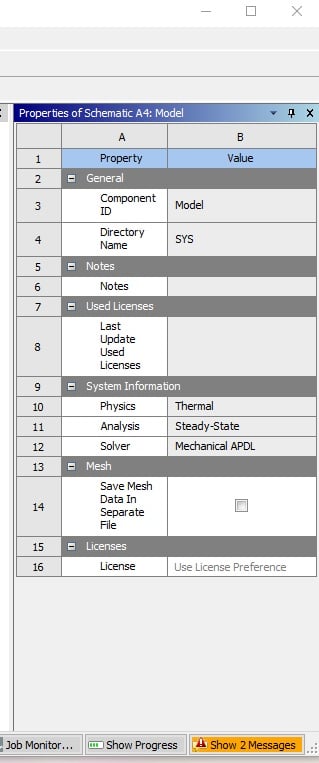
      Can you post the entire Workbench window while this Mechanical hangs ? Also, make sure to click the 'Show 2 Messages' in Workbench.

    • ParsleyNeale
      Subscriber

      Sure, here it is. This is while mechanical is open but greyed out, a new identical error message appears when I give up and cross off the mechanical window.

      Ive waited up to an hour to make sure, but usually around 5 minutes, also when using task manager ansys and an ansys module with the same icon as mechanical comes up with 0% processing used.


    • ParsleyNeale
      Subscriber

      I also just skipped a head in the cornell tutorials to create a new broject involving importing some geometry,

      Mechanical still hangs even in this new project too.

    • tsiriaks
      Ansys Employee

      hmm, that's odd.

      Just for a kick, can you

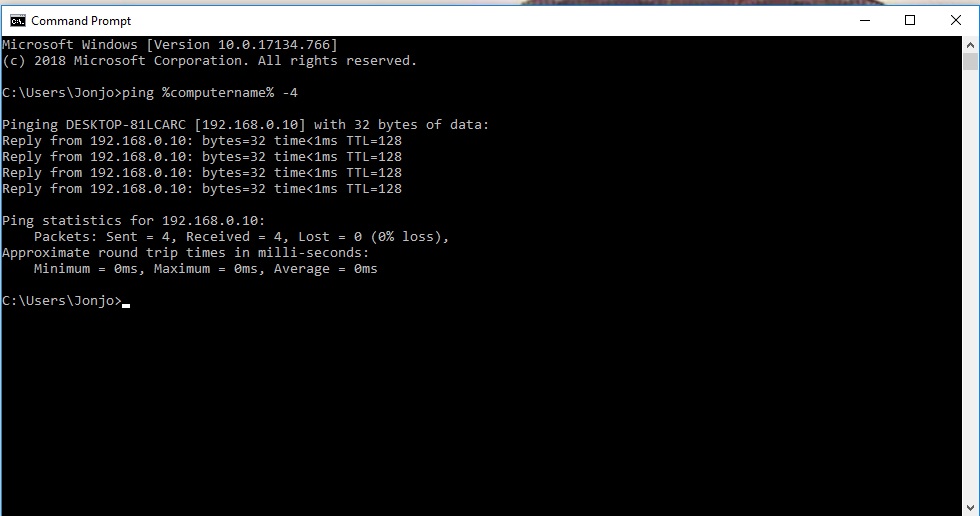
      ping localhost -4

      also

      ping 127.0.0.1

    • tsiriaks
      Ansys Employee

      Also, not sure if you have tried this

      Manually register the DLLs listed below by starting a Command Prompt "as administrator" , then issue the following command

      regsvr32.exe ole32.dll

      regsvr32.exe atl.dll

      regsvr32.exe oleaut32.dll

      regsvr32.exe scrrun.dll

      regsvr32.exe jscript.dll

      regsvr32.exe vbscript.dll


    • ParsleyNeale
      Subscriber

      The pings,,,,

      C:UsersJonjo>ping localhost -4


      Pinging DESKTOP-81LCARC [127.0.0.1] with 32 bytes of data:

      Reply from 127.0.0.1: bytes=32 time<1ms TTL=128

      Reply from 127.0.0.1: bytes=32 time<1ms TTL=128

      Reply from 127.0.0.1: bytes=32 time<1ms TTL=128

      Reply from 127.0.0.1: bytes=32 time<1ms TTL=128


      Ping statistics for 127.0.0.1:

          Packets: Sent = 4, Received = 4, Lost = 0 (0% loss),

      Approximate round trip times in milli-seconds:

          Minimum = 0ms, Maximum = 0ms, Average = 0ms


      C:UsersJonjo>ping 127.0.0.1


      Pinging 127.0.0.1 with 32 bytes of data:

      Reply from 127.0.0.1: bytes=32 time<1ms TTL=128

      Reply from 127.0.0.1: bytes=32 time<1ms TTL=128

      Reply from 127.0.0.1: bytes=32 time<1ms TTL=128

      Reply from 127.0.0.1: bytes=32 time<1ms TTL=128


      Ping statistics for 127.0.0.1:

          Packets: Sent = 4, Received = 4, Lost = 0 (0% loss),

      Approximate round trip times in milli-seconds:

          Minimum = 0ms, Maximum = 0ms, Average = 0ms


      Trying the manual registration of DLLs now


    • ParsleyNeale
      Subscriber

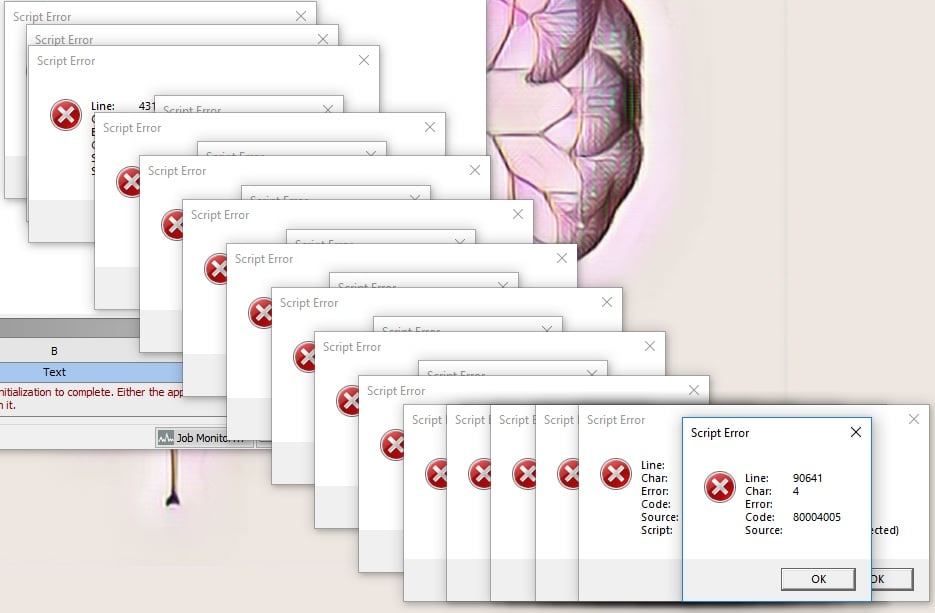
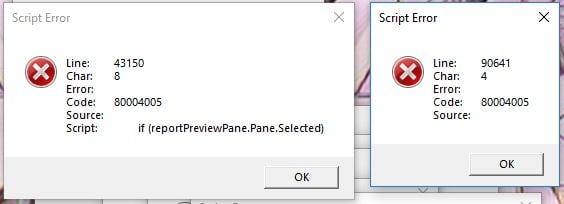
      Well the manualregistrations of DLLs did something, i am now getting two script error warnings over and over again instead of the grey window.

      I know that this is more likely to be a step backwards, but im just glad to be staring at something different

    • tsiriaks
      Ansys Employee

      Can you try deleting (or renaming) the C:UsersAppDataRoamingansys

      does it work ?

      or can you try creating a new/test Windows user account and see if that user has the same issue ?

      Thanks,

      Win

    • ParsleyNeale
      Subscriber

      Deleting the app data works! 

      Must have been in conjunction with registering the DLL's.

      Thanks so much, was begining to loose hope, youv'e been an amazing help.

      Id be interested to know your thoughts on where all the trouble came from?

    • tsiriaks
      Ansys Employee

      That's great !

      Yes, Workbench must have saved some data of when the DLL's were corrupted , so we had to rename the %appdata% again.

      Sorry, I can't really say why some of these DLL's were corrupted, it's in your Windows file systems.

      Could you mark the thread as 'resolved' ('Is Solution') , so we know this has been addressed ?

      Thanks,

      Win

    • ParsleyNeale
      Subscriber

      Sure, and thanks again

    • Paul67
      Subscriber
      .

      Hello,


      i have the same Problem with the grey screen and i did everything (all steps which are written down here) to solve it, but the design modeler and mechanical does not work ....

      Have someone an idea ?


      Thanks for helping

      .
    • cmn10
      Subscriber

      Hello,

              How was this resolved?  I seem to be getting the same errors.  Thanks.

Viewing 28 reply threads
  • The topic ‘Another Work bench only opening a grey window [RESOLVED]’ is closed to new replies.
[bingo_chatbox]