-
-
February 23, 2024 at 11:54 am
-
February 24, 2024 at 11:42 am
mjmiddle
Ansys EmployeeThis will not work for the face of a solid. Your face must be a surface body:
body1 = GetRootPart().Bodies[0]
#body1 = GetRootPart().Components[0].Content.Bodies[0].Master # If body in component
mass = body1.MassProperties.Mass
volume = body1.Shape.Volume
centroid = body1.MassProperties.PrincipleAxes.Origin
totalSurfaceArea = body1.Shape.SurfaceArea
principalXAxis = body1.MassProperties.PrincipleAxes.DirX
principalYAxis = body1.MassProperties.PrincipleAxes.DirY
principalZAxis = body1.MassProperties.PrincipleAxes.DirZ
principalMomentXAxis = body1.MassProperties.GetMoment(body1.MassProperties.PrincipleAxes.AxisX) # only matches when no material is assigned so that mass=0
principalMomentYAxis = body1.MassProperties.GetMoment(body1.MassProperties.PrincipleAxes.AxisY)
principalMomentZAxis = body1.MassProperties.GetMoment(body1.MassProperties.PrincipleAxes.AxisZ)
If no material and width is assigned, you get area properties, not mass properties. -
February 26, 2024 at 5:05 pm
Tom Ber
SubscriberPerfect Thanks, this is exactly what I need.
I also need to read the Ixy.
I tried to use GetInertiaTensor(), but didn't get the right value.
Could you help me with that too? Should I create new topic?
-
February 27, 2024 at 3:23 pm
mjmiddle
Ansys Employeeinertia = body1.MassProperties.GetInertiaTensor(body1.MassProperties.PrincipleAxes)
inertia[0,0] # 3x3 matrix. Since frame used principal axes, all entries are zero except the diagonal: [0,0], [1,1], [2,2] -
February 28, 2024 at 5:31 pm
Tom Ber
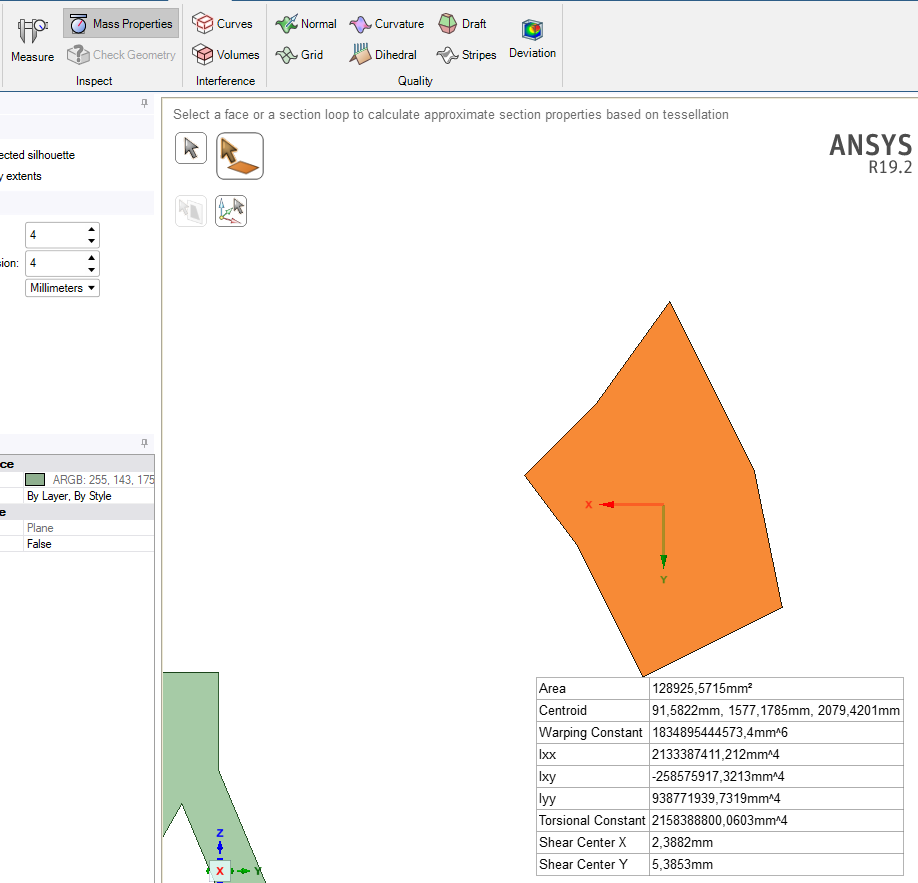
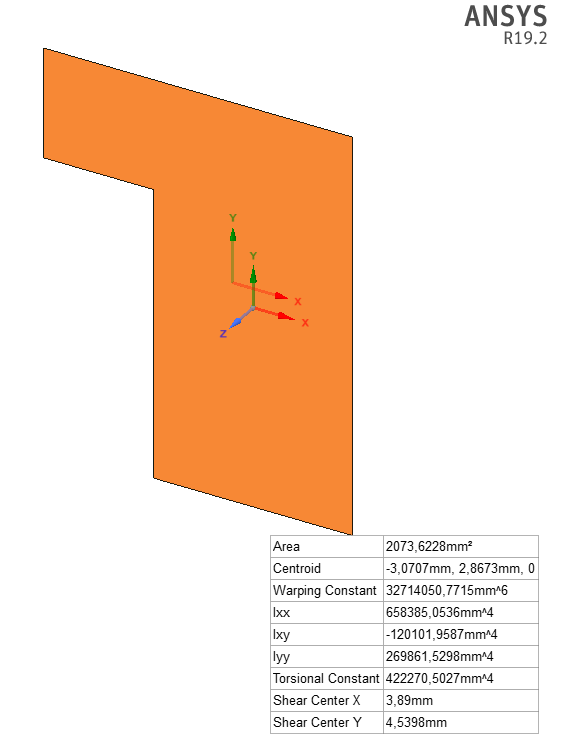
SubscriberHi mjmiddle,Thanks a lot for the answer. As i understand, If the body/face is not point-symmetric, then Ixy should be other than 0.Below I am sending you the code with the printed() values and the picture where you can see the values from "Mass Properties" tool. I wonder why the values read from Mass Properties are different from those read from GetInertiaTensor().selected_bodies = Selection.GetActive().Filter[IDesignBody]()Body1 = selected_bodies.Items[0]Centroid = Body1.MassProperties.PrincipleAxes.OriginInertia_Tensor = Body1.MassProperties.GetInertiaTensor(Body1.MassProperties.PrincipleAxes)print("Centroid:{} mm".format(Centroid*1e3))Centroid:Point: (-3,07067122925524, 2,867257943362, 0) mmprint("Ixx:{} mm^4".format(Inertia_Tensor[0,0]*1e12))Ixx:235733.0278 mm^4print("Iyy:{} mm^4".format(Inertia_Tensor[1,1]*1e12))Iyy:692513.5556 mm^4print("Izz:{} mm^4".format(Inertia_Tensor[2,2]*1e12))Izz:928246.5834 mm^4print("Ixy:{} mm^4".format(Inertia_Tensor[0,1]*1e12))Ixy:0.0 mm^4print("Ixz:{} mm^4".format(Inertia_Tensor[0,2]*1e12))Ixz:0.0 mm^4 -
February 28, 2024 at 6:34 pm
mjmiddle
Ansys EmployeePrincipal axes through the centroid should have zero terms for the product of inertia terms. The argument in the command is a Frame:
Inertia_Tensor = Body1.MassProperties.GetInertiaTensor(Body1.MassProperties.PrincipleAxes)
The Body1.MassProperties.PrincipleAxes is a Frame with principal axes all going through the body origin. If you create a different frame not going through origin, the product of inertia terms will be non-zero.
For the non-matching value to the GUI printout, see the comment in the code I sent:
# only matches when no material is assigned so that mass=0
So the values given by code are volume and area moments of interia, not mass moment of inertia. So you'll have to compute the mass moments of inertia.
-
- The topic ‘Read Ixx, Iyy and the Centroid of selected face using 19.2 scripting’ is closed to new replies.

-
5874
-
1906
-
1420
-
1306
-
1021
© 2026 Copyright ANSYS, Inc. All rights reserved.