Ansys Assistant will be unavailable on the Learning Forum starting January 30. An upgraded version is coming soon. We apologize for any inconvenience and appreciate your patience. Stay tuned for updates.
Ansys Products

Ansys Products

Discuss installation & licensing of our Ansys Teaching and Research products.

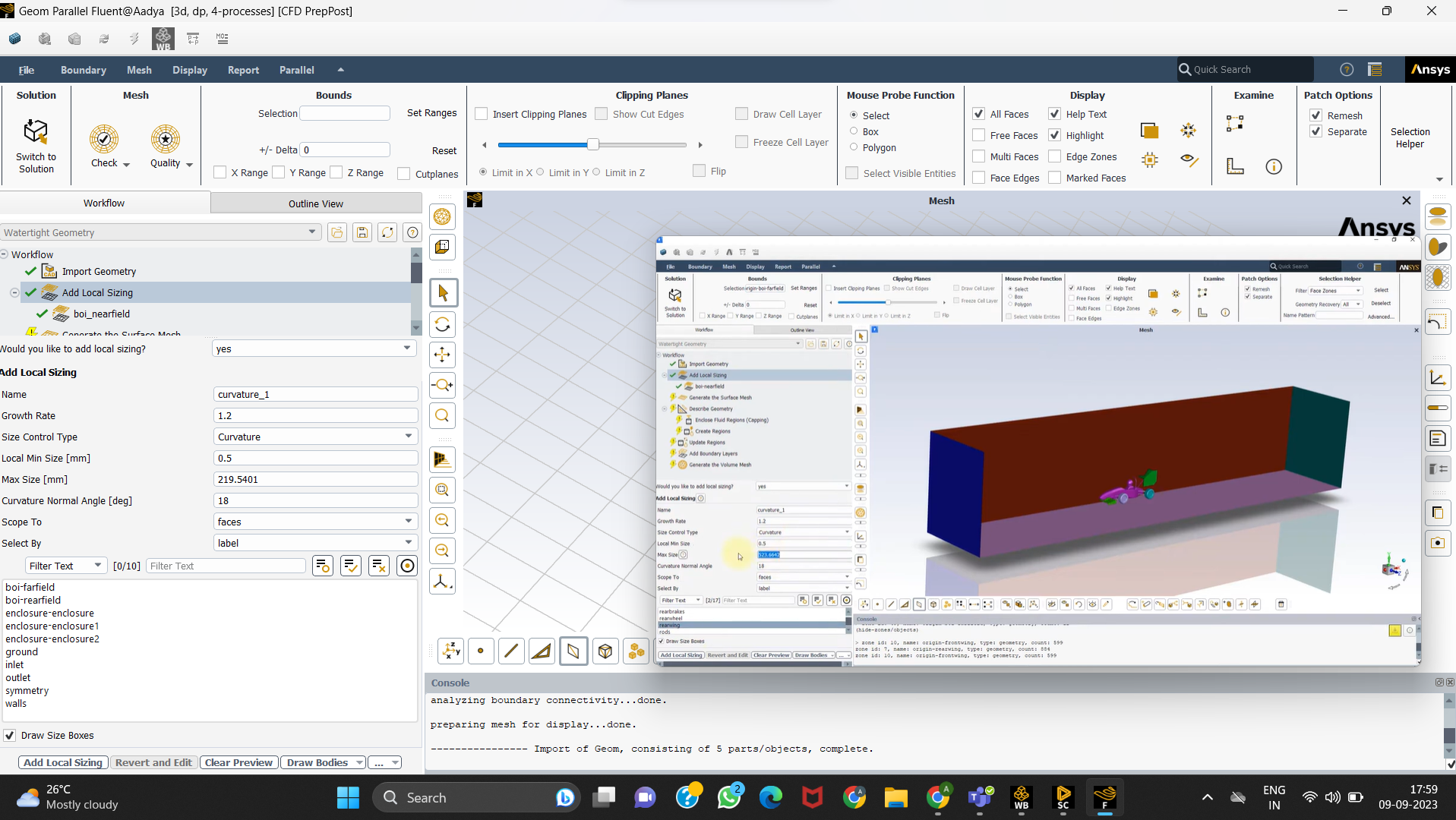
Help with Add Local Sizing (named selections not showing up)

    • Aadya Goel
      Subscriber

      Following this video @4:14

      &list=PLtt6-ZgUFmMIshN9C0Moyx93VpunjKnUC&index=3&ab_channel=AnsysLearning 

      For me the named selections aren't showing up in local sizing 

    • Nikhil N
      Subscriber

      Hello, 

      Ensure that you have assigned all the required Named Selections at the CAD level, if not already done. 

      Refer to the lesson 1 of this course (You may skip ahead to 8 minutes and 30 seconds).


      https://youtu.be/1-HwPKBSoM0?si=jTmzGvuz0ZCa0-20

    • Nikhil N
      Subscriber

      Glad you figured that out. There's also a workaround. If you've already assigned named selections to the car surfaces, when creating the enclosure, select the 'Create shared topology' option under Options-Enclosure. This will create and assign an equivalent named selection on the similar enclosure surface.

    • Nikhil N
      Subscriber

      ...later the faces can be unshared, while retaining the named selections on the enclosure. 

Viewing 3 reply threads
  • The topic ‘Help with Add Local Sizing (named selections not showing up)’ is closed to new replies.

[bingo_chatbox]