

-
-
May 29, 2026 at 4:01 am
 SolutionParticipant
Use the Index of Features to browse Rocky’s capabilities and discover which tutorial covers each one.
Explore 25 tutorials that take you from basic concepts to advanced knowledge in the Learning Paths.
 Index of Features
Find Tutorials by Feature.
Looking for a specific Rocky capability?
Expand a category, select a feature, and instantly see the tutorials where it is covered. The Feature Index helps you quickly find relevant learning content and explore different use cases across Rocky workflows.
Modules
Boundary Collision Statistics
Tutorial 6. High Pressure Grinding Roll (HPGR)
Tutorial 12. Static Structural
Intra Particle Collision Statistics
Liquid Bridge Model
Multibody Dynamics FMU Coupling
Spherical Region
Physics
Hysteretic Linear Spring
Tutorial 2. Static Angle of Repose Test
Tutorial 6. High Pressure Grinding Roll (HPGR)
Tutorial 11. Discharge Air Flow
Tutorial 12. Static Structural
Linear Spring Coulomb Limit
Tutorial 2. Static Angle of Repose Test
Tutorial 6. High Pressure Grinding Roll (HPGR)
Tutorial 11. Discharge Air Flow
Tutorial 12. Static Structural
Type C: Linear Spring Rolling Limit
Tutorial 2. Static Angle of Repose Test
Tutorial 11. Discharge Air Flow
Morris et al. Area
Morris et al. Area+Time
Materials
Adds Boundary Material
Changes Particle-Particle Interaction
Tutorial 2. Static Angle of Repose Test
Tutorial 6. High Pressure Grinding Roll (HPGR)
Changes Particle-Boundary Interaction
Tutorial 2. Static Angle of Repose Test
Motion Frames
Keep in Place
Regular Frames
Tutorial 2. Static Angle of Repose Test
Tutorial 6. High Pressure Grinding Roll (HPGR)
Nested Frames
Cone Crusher Frame
Particles
Type (Shape)
Tutorial 2. Static Angle of Repose Test
Tutorial 6. High Pressure Grinding Roll (HPGR)
Tutorial 11. Discharge Air Flow
Tutorial 12. Static Structural
Size
Tutorial 2. Static Angle of Repose Test
Tutorial 6. High Pressure Grinding Roll (HPGR)
Tutorial 12. Static Structural
Movement
Tutorial 2. Static Angle of Repose Test
Tutorial 11. Discharge Air Flow
Composition
Contacts
Inlets and Outlets
Create
Tutorial 2. Static Angle of Repose Test
Tutorial 6. High Pressure Grinding Roll (HPGR)
Tutorial 11. Discharge Air Flow
Particle Inlet
Tutorial 6. High Pressure Grinding Roll (HPGR)
Tutorial 11. Discharge Air Flow
Volumetric Inlet
Particle Custom Inlet
Outlet
CFD Coupling
1-Way Constant
1-Way LBM
1-Way Fluent
Domain Settings
 Learning Path
Follow a structured learning journey designed to help you build your Rocky expertise step by step. Choose a path based on your experience level or area of interest and progress through tutorials in a recommended sequence.
/ Rocky Introductory Tutorials
New to Rocky? Start here. This path covers the fundamental concepts, workflows, and tools needed to build a strong foundation in particle simulation.
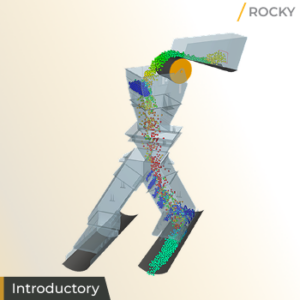
1. Transfer Chute
What will I learn in this tutorial?
Click here
Learn the essential steps to process a simulation from start to finish and understand fundamental post-processing features.
This foundational tutorial serves as an entry point into Rocky, establishing the logic required for subsequent simulations. It introduces the User Interface and the standard project workflow.
- How to define Physics;
- Import Geometries;
- Create Particle Groups;
- Control Inlets and Outlets;
- Configure Material Interactions and process a simulation;
- Understand fundamental post-processing features, such as 3D View windows, animation creation and the use of Cube and Plane User Processes for analyzing results.
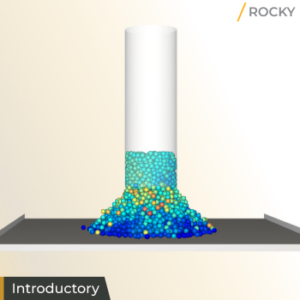
2. Static Angle of Repose Test
What will I learn in this tutorial?
Click here
Learn to use the Calibration Suite’s Material Wizard alongside batch-processing via Rocky Scheduler to streamline the material characterization process.
Calibration is critical for accuracy. This tutorial focuses on the “Angle of Repose,” a standard test to ensure your digital materials behave like their real-world counterparts.
- Use Motion Frames to configure Geometry movement;
- Utilize Volumetric Inlets for precise particle input;
- Explore both manual and automatic post-processing;
- Learn how to use the PrePost Script tool.
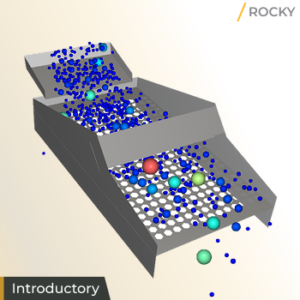
3. Vibrating Screen
What will I learn in this tutorial?
Click here
Master the ability to visualize results through PSD Histograms and optimize simulation parameters using optiSlang’s integration and design optimization resources.
Analyzing the efficiency of sorting equipment requires the use of periodic motions and particle size distributions.
-
- Set up a Periodic Translation (Vibration) Motion Frame;
- Define Particle Size Distribution (PSD) and Mass Flow;
- Use the Filter User Processes and Custom Curves to measure screen performance.
4. SAG Mill
What will I learn in this tutorial?
Click here
Gain the ability to perform comprehensive Energy Balance analyses, tracking mechanical energy and dissipated power to optimize grinding efficiency.
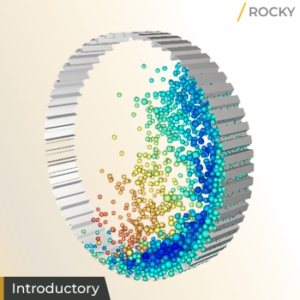
Mining and grinding operations involve extreme wear and complex energy transfers. This lesson tackles the heavy-duty environment of a SAG Mill.
-
- Learn to activate and use Rocky Modules such as the Particles Energy Spectra;
- Enable Geometry Wear Models;
- Set up a Periodic Domain;
- Enable Contacts Collection;
- Utilize the Eulerian Statistics User Process for a better look at mill performance.
5. Drop Weight Test
What will I learn in this tutorial?
Click here
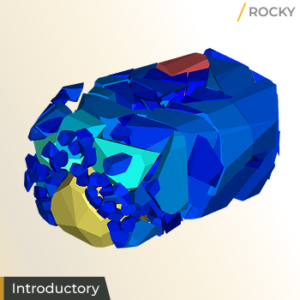
Develop the skills to simulate realistic material failure and track the resulting fragments through detailed histograms.
Understanding how materials break under impact is vital for product durability and processing.
-
- Configure Breakage Models to simulate particle fragmentation;
- Set up Geometry movements that respond to physical forces;
- Track broken particles;
- Analyze free body motion trajectories.
/ Rocky Advanced Tutorials
Take your Rocky skills to the next level. Explore advanced modeling techniques, specialized features, and more complex simulation workflows.
6. High Pressure Grinding Roll (HPGR)
What will I learn in this tutorial?
Click here
This tutorial focuses on high-pressure environments where force and moment calculations are essential.
- Collect data related to Boundary collision;
- Use Free Body Rotation and Spring-Dashpot Moment Motion Frames;
- Analyze Wear Volume Loss and Shear Wear Color Maps;
- Calculate Power Measure to evaluate machine energy consumption;
- Identify how to visualize displacement areas;
- Analyze breakage patterns within high-compression machinery.
7. Conical Dryer
What will I learn in this tutorial?
Click here
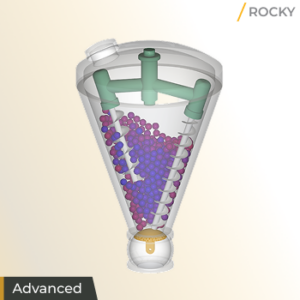
Thermodynamics play a massive role in pharmaceutical and chemical processing. This lesson introduces heat transfer.
- Model conductive heat transfer by enabling the thermal model;
- Use Motion Frames to define complex, combined motions in the simulation of a Conical Double Screw Vacuum Dryer;
- Use the Cell Inspector to evaluate individual particle temperatures;
- Set and reuse Exact Views for consistent data reporting across project contexts;
- Learn to evaluate particle temperature changes over time using Time Plots, ensuring consistent drying or heating results.
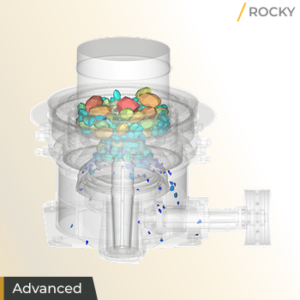
8. Cone Crusher
What will I learn in this tutorial?
Click here
Crushing simulations require specialized models to handle the transition from large rocks to smaller fragments.
-
- Learn how to define the mantle and shaft movements required for a Cone Crusher simulation;
- How to set up Tavares breakage model parameters;
- Set Random Particle Orientation for realistic feed conditions;
- Use Division Tagging to isolate and analyze specific fragments;
- Calculate Power Draw and analyze product size distributions to refine crusher settings for maximum output.
9. Tablet Coater
What will I learn in this tutorial?
Click here
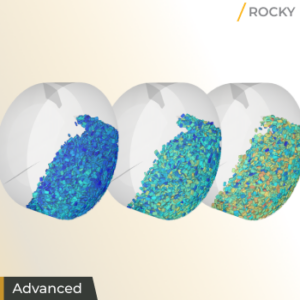
In the pharmaceutical industry, coating uniformity is a critical factor. This tutorial focuses on the intricacies of tablet movement and spray zone evaluation.
- Make use of the Intra and Inter-particle Collision Statistics Modules;
- Import a custom Particle Shape;
- Use the Coating Visibility Wizard to evaluate spray zone coverage;
- Calculate Inter-tablet Variability (CoV) and Residence Time;
- Quantify coating quality through Intra-particle and Inter-particle collision statistics;
- Eulerian time statistics;
- Learn to use the Coating Visibility Wizard.
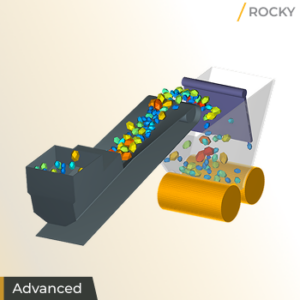
10. Bucket Conveyor
What will I learn in this tutorial?
Click here
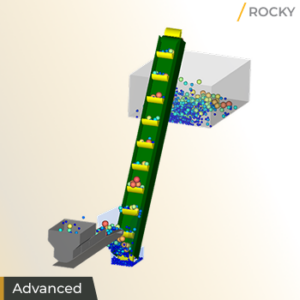
Transporting bulk solids efficiently requires understanding how surge feeds and constant feeds affect mechanical loads.
- Use Motion Frames to define a motion that can be repeated on a periodic basis;
- Replicate a geometry component multiple times along a defined path;
- Simulate a surge loading scenario by using periodic injection;
- Plot Particle Count;
- Evaluate Bucket Mass over time.
- Visualize particle trajectories to identify potential spill points or areas of mechanical stress on the conveyor system.
11. Discharge Air Flow
What will I learn in this tutorial?
Click here
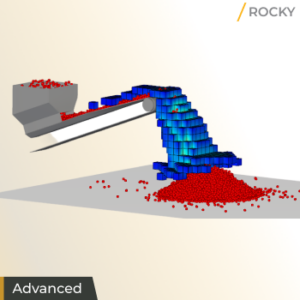
Set up and process a simulation using the 1-Way coupling abilities within Rocky, between DEM and the Lattice-Boltzmann Method (LBM), this method is useful for comparing how equipment design affects the flow of dust and air due to particle interactions. This analysis is established by using the Filter User Process.
- Understand how to analyze Particles flow effects over fluids within your Rocky simulation.
12. Static Structural
What will I learn in this tutorial?
Click here
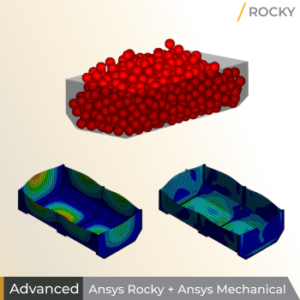
Presents a Workflow within Ansys Workbench to integrate Rocky and Mechanical simulations in a one-way fashion.
- Learn to create a Workbench project and import a shared geometry;
- Connect the Workbench project to both Rocky and Ansys Static Structural – Mechanical;
- Access Rocky through Workbench and ensure that Rocky is set up for FEA analysis;
- Refine the geometry mesh for optimal analysis;
- Define which load data to share with Mechanical;
- Utilize Design Exploration within Workbench for multi-simulation studies.
- Successfully perform a one-way mechanical coupled simulation to see how material loads cause stress and deformation in your equipment.
13. Windshifter
What will I learn in this tutorial?
Click here
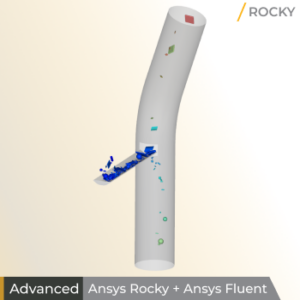
In material processing, separating components based on their physical properties is essential. This tutorial evaluates how air flowing upwards through a pipe affects the separation of different materials discharging into it.
- Set up a CFD case in Ansys Fluent and a DEM project in Rocky through Ansys Workbench;
- Perform a one-way coupled simulation to analyze particle-fluid interactions;
- Collect CFD Coupling Particle Statistics, specifically evaluating drag forces on different particle groups such as metal, paper, stone, and wood;
- Use Ansys Discovery to prepare geometries and the Cube User Process to isolate regions for detailed analysis of particle flow and distribution;
- Learn to create a link between Rocky and Fluent in Workbench;
- Configure fluid forces models;
- Analyze the combined effects of drag, gravity, and temperature on particle trajectories.
14. Fluidized Bed
What will I learn in this tutorial?
Click here
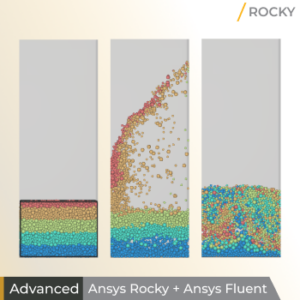
In the chemical industry, fluidized beds are essential for enhancing mixing and improving heat and mass transfer. This tutorial explores a scenario where a bed of initially hot particles is fluidized by a colder air current.
- Set up a single-phase CFD case in Ansys Fluent, enabling energy and turbulence models;
- Import the Fluent case directly into Rocky and use a Volumetric Inlet to establish particle injection;
- Use the Save for Restart feature to begin the coupled analysis from a pre-settled particle configuration;
- Perform a 2-Way Fluent coupled simulation to account for fluid forces acting on particles and the transfer of particle information back to the fluid solver;
- Analyze particle segregation and mixing efficiency through Divisions Tagging and Eulerian Statistics;
- Quantify the cooling process by plotting particle and fluid temperature changes, and calculate the pressure drop across the container using Cube User Processes;
- Learn to visualize solid volume fractions and fluid velocity profiles to evaluate the system’s performance.
- Learn to establish a two-way coupled simulation to replicate complex processes where particle-fluid interactions drive critical outcomes like particle segregation and efficient thermal cooling.
15. Transient Structural
What will I learn in this tutorial?
Click here
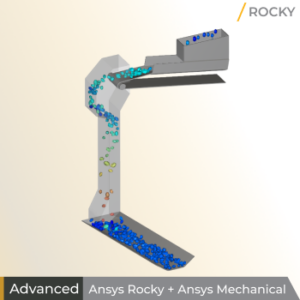
In industrial material handling, ensuring the structural durability of equipment under dynamic loads is vital. This tutorial focuses on evaluating the structural integrity of a transfer chute subjected to varying feeder belt speeds.
- Create an Ansys Workbench project to establish a one-way coupled DEM-FEA simulation between Rocky and Ansys Transient Structural – Mechanical;
- Refine the geometry mesh to ensure an adequate pressure field resolution and enable the Boundary Collision Statistics module with Forces for FEM Analysis selected;
- Configure the External Coupling to export transient Wall Loads specifically for the chute geometry to the FEA solver;
- Use Mechanical to process the structural analysis and visualize the resulting Total Deformation and Equivalent (von-Mises) Stress on the chute surfaces;
- Learn to analyze how varying input parameters, such as the feeder’s Belt Speed, affect the maximum stress levels and structural safety through the Workbench Parameter Set.
- Master the coupling between DEM and transient FEA to understand how dynamic operational changes directly influence the mechanical stress and deformation of industrial equipment over time.
16. Mixing Tank
What will I learn in this tutorial?
Click here
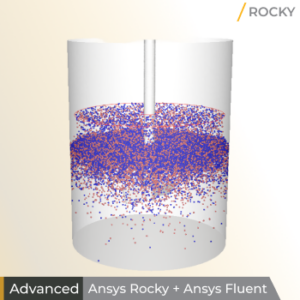
In industries like chemical and pharmaceutical processing, mixing solids into liquids is a fundamental requirement. This tutorial simulates a scenario where particles fall through air into water while being stirred by a rotating impeller.
- Set up a Multiphase CFD case in Ansys Fluent with three Eulerian phases (water, air, and a dispersed particle phase);
Configure mesh motion for the impeller and shaft; - Import the Fluent case and data files into Rocky to synchronize geometry motions and initialize the fluid field;
- Enable Coarse Grain Modeling (CGM) to simulate micron-sized particles efficiently;
- Perform a two-way coupled Multiphase simulation that accounts for drag and turbulent dispersion interactions;
- Learn to manage complex interactions between particles and multiple fluid phases, synchronize rotating boundary motions between solvers;
- Utilize the CFD Coupling Particle Statistics module to analyze the resulting forces and velocities;
- Master two-way multiphase coupling to simulate intricate industrial environments where particles interact with multiple fluid phases and rotating equipment, ensuring accurate representation of mass and momentum exchange in complex mixing processes.
17. Mixing Tee
What will I learn in this tutorial?
Click here
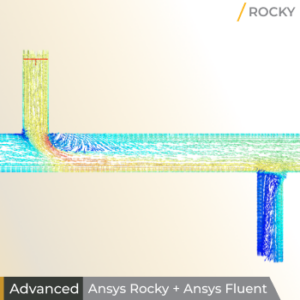
In process engineering, handling pneumatic transport of micrometer-sized particles efficiently is a common challenge. This tutorial focuses on simulating the distribution of fine particles within a mixing tee and identifying potential wear zones.
- Set up a single-phase CFD case in Ansys Fluent, enabling energy and turbulence models;
- Set up a simulation using Coarse Grain Modeling (CGM) to scale up micron-sized particles, significantly reducing computational time while maintaining accurate system behavior;
- Import steady-state CFD results from Ansys Fluent via an .f2r file to perform a one-way coupled simulation;
- Enable the Boundary Collision Statistics module to collect Intensities data, specifically to support later shear work analysis;
- Learn to identify when a system reaches a steady-state particle flow using Time Plots;
- Use Cube User Processes and Particles Time Selection to quantify mass flow through different outlets;
- Evaluate particle size segregation with Histograms;
- Build Custom Properties using mathematical expressions to estimate the total work of shear forces on geometry surfaces to predict wear susceptibility;
- Master Coarse Grain Modeling to simulate large populations of micro-particles feasibly;
- Utilize one-way steady-state coupling to pinpoint geometry regions most susceptible to wear based on cumulative shear work.
18. Ribbon Blender
What will I learn in this tutorial?
Click here
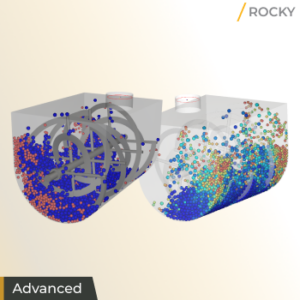
In the food, chemical, and pharmaceutical industries, achieving a uniform mixture of dry and wet components is vital. This tutorial evaluates the mixing performance of a ribbon blender combining a dry powder with a wet additive.
- Create an Ansys Workbench project to establish a one-way coupled DEM-FEA simulation between Rocky and Ansys Transient Structural – Mechanical;
- Install and enable the Liquid Bridge Model module to simulate the adhesive forces and liquid film redistribution that occur when wet particles interact;
- Set up the tank and ribbon geometries, assigning a rotating Motion Frame to the ribbon;
- Configure a Volumetric Inlet to pre-fill the tank with dry powder and a Particle Inlet to inject the wet additive, creating distinct layers for mixing analysis;
- Learn to quantify mixing quality by calculating the Lacey Mixing Index (LMI) through Cylinder and Eulerian Statistics User Processes, which divide the domain into discrete sampling cells;
- Use Tagging and Filter User Processes to isolate particle groups and track the transfer of Liquid Mass from wet to dry particles;
- Analyze mixing efficiency and liquid dispersion over time using Histograms and Time Plots with custom mathematical expressions;
- Master the use of the Liquid Bridge Model and the Lacey Mixing Index to simulate complex wet-mixing processes and determine the exact time required to reach a fully homogeneous state.
19. Backhoe Loader
What will I learn in this tutorial?
Click here
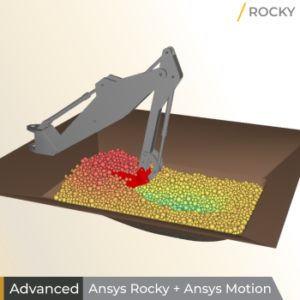
Evaluating backhoe excavation requires handling complex, multi-body movements. This tutorial compares Rocky’s built-in motion tools with advanced 2-way coupling via Ansys Motion.
- Enable the Multibody Dynamics FMU Coupling module and import a Functional Mock-Up Unit (FMU) to manage interdependent geometry motions;
- Initialize a pre-filled pit using a Particle Custom Inlet;
- Refine the bucket mesh for accurate force collection;
- Analyze particle forces during digging and unloading phases;
- Quantify excavation efficiency via carried mass using a Cube User Process;
- Identify wear-prone regions by visualizing Tangential Stress;
- Master 2-way coupling with Ansys Motion to simulate advanced mechanisms where complex, interdependent motions and heavy particle loads drive machine performance and structural durability.
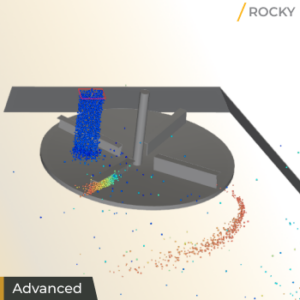
20. Fertilizer Spreader
What will I learn in this tutorial?
Click here
Evaluating a crop spreader’s performance requires accounting for air resistance to accurately predict distribution patterns. This tutorial simulates fertilizer broadcasting using a rotating spreader within a constant fluid field.
- Configure a rotation motion for the spreader and enable 1-Way Constant CFD Coupling to account for air resistance directly in Rocky;
- Define custom Domain Settings to optimize processing for high particle counts;
- Identify steady-state flow via Particles Count curves;
- Layer nested Particles Time Selection, Cube, Eulerian Statistics, and Filter User Processes to generate a Cumulative Mass Field;
- Learn to create custom Eulerian properties to quantify and map the spatial mass distribution;
- Master 1-Way Constant CFD coupling and nested user processes to accurately map and analyze the spatial distribution of particles influenced by fluid resistance.
21. Bottling Line
What will I learn in this tutorial?
Click here
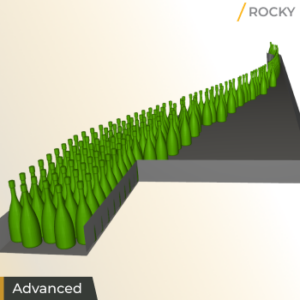
In the packaging industry, consolidating items into a single high-speed line is a common task. This tutorial simulates a bottling line that transports and aligns champagne bottles using 13 conveyors with increasing velocities.
- Import a Custom Polyhedron particle shape, treating it as concave to preserve geometry, and define a custom Center of Mass and Moments of Inertia to represent a filled bottle;
- Use a Particle Custom Inlet via a .csv file to define specific release positions, times, and orientations;
- Enable the Inter-particle Collision Statistics module to track impact velocities during transport;
- Verify line efficiency using Particles Count and Residence Time to detect obstructions or stuck bottles;
- Use the Coordinate: Y property to identify tipped bottles and visualize Normal Impact Velocity to pinpoint zones of potential bottle damage during consolidation;
- Master Particle Custom Inlets and custom mass properties to accurately simulate the high-speed handling and orientation of complex, sensitive industrial products.
22. Lawn Mower
What will I learn in this tutorial?
Click here
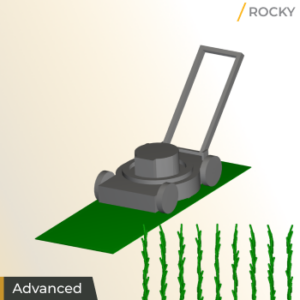
In equipment design, evaluating the efficiency of cutting mechanisms is essential. This tutorial simulates a lawn mower cutting individual grass plants represented by flexible, breakable fibers.
- Define a Custom Fiber particle shape using a .csv file, enabling Multiple Elements for flexibility and Joint Breakage (Shear Stress Criterion) to simulate cutting;
- Use a Particle Custom Inlet with Frozen Segments to “root” the fibers in specific positions and attach them to a translation motion frame;
- Configure mower blades with a rotation motion and enable Boundary Collision Statistics to collect intensity data;
- Learn to visualize fiber breakage through Particle Mass;
- Calculate the blades’ Torque and Power using custom curves and distill the results into single, comparable values with Output Variables;
- Use mathematical expressions to compute cumulative shear work on blade surfaces to identify regions most susceptible to wear;
- Master Multi-Element Custom Fibers and Frozen Segments to simulate breakable, flexible biological materials and quantify the mechanical performance and durability of industrial cutting equipment.
23. Solver SDK
What will I learn in this tutorial?
Click here
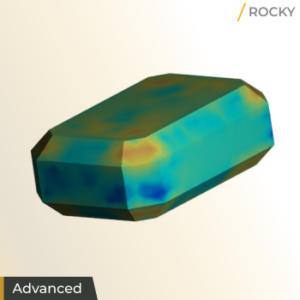
The Rocky Solver SDK allows users to expand Rocky’s core capabilities by creating custom modules that implement unique physical models, laws, or specialized functions. This tutorial covers configuring the development environment and building a “Spherical Region” example module to mark particles within a defined space.
- Install the Solver SDK files, CUDA Toolkit 12.8, and Build Tools, and configure essential environment variables;
- Understand the module’s structure, composed of five files: Info (.plugin) for identity, Python (.py) for UI integration, CUDA (.cu) for C++ solver logic, CMake for compilation, and an optional PDF for documentation;
- Learn to compile and install the custom module;
- Test the module’s performance by applying it to a simulation to track the “Inside Sphere Flag” property on particles entering the specified region;
- Master the Rocky Solver SDK to develop and compile bespoke C++ modules, enabling the implementation of specialized physics or custom analysis tools tailored to specific industrial requirements.
24. Dam Break
What will I learn in this tutorial?
Click here
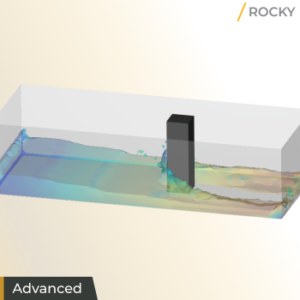
This tutorial introduces Smoothed Particle Hydrodynamics (SPH) to simulate a dam break scenario and its interaction with surrounding geometries. This approach is essential for modeling free-surface flows and their structural impacts.
- Enable the SPH Boundary Interaction Statistics module to collect nodal forces and boundary curves;
- Import the container, gate, and column geometries, assigning a Translation motion to the gate to trigger the fluid release;
- Configure the fluid material properties;
- Use Volumetric Inlet to initialize the domain with SPH elements;
- Utilize Eulerian Solution views and the Water Surface property to track fluid movement and free-surface behavior;
- Analyze the resulting fluid forces acting on the container and column through the statistical data collected during processing;
- Master SPH modeling in Rocky to simulate complex free-surface fluid events and quantify their dynamic mechanical interaction with industrial structures.
25. Slurry Mill
What will I learn in this tutorial?
Click here
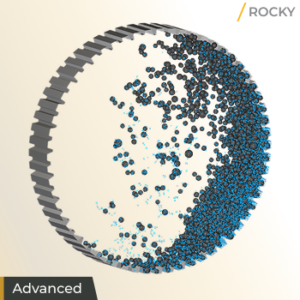
In mineral processing, SAG mills often operate with liquid to form a slurry, which significantly impacts performance. This tutorial simulates a rotating mill containing both solid particles and fluid elements.
- Enable SPH to model the slurry and configure the fluid material properties. Use a Volumetric Inlet to initialize the mill with a pre-defined volume of both particles and fluid elements;
- Perform a coupled DEM-SPH simulation to analyze the interaction between the grinding media, ore, and liquid;
- Learn to calculate slurry filling levels and perform a detailed Power Analysis, specifically evaluating how slurry pooling affects the equipment’s total power draw;
- Visualize the combined slurry behavior and particle trajectories to evaluate grinding efficiency;
- Master combined DEM-SPH modeling to quantify how slurry levels and fluid-particle interactions influence the mechanical power consumption and operational performance of industrial grinding mills.
/ Rocky Coupling Tutorials
Learn how Rocky integrates with other Ansys solutions. This path covers coupling workflows that enable multiphysics simulations and deeper analysis capabilities.
Ansys Rocky + Ansys Fluent
13. Windshifter
What will I learn in this tutorial?
Click here
In material processing, separating components based on their physical properties is essential. This tutorial evaluates how air flowing upwards through a pipe affects the separation of different materials discharging into it.
- Set up a CFD case in Ansys Fluent and a DEM project in Rocky through Ansys Workbench;
- Perform a one-way coupled simulation to analyze particle-fluid interactions;
- Collect CFD Coupling Particle Statistics, specifically evaluating drag forces on different particle groups such as metal, paper, stone, and wood;
- Use Ansys Discovery to prepare geometries and the Cube User Process to isolate regions for detailed analysis of particle flow and distribution;
- Learn to create a link between Rocky and Fluent in Workbench;
- Configure fluid forces models;
- Analyze the combined effects of drag, gravity, and temperature on particle trajectories.
14. Fluidized Bed
What will I learn in this tutorial?
Click here
In the chemical industry, fluidized beds are essential for enhancing mixing and improving heat and mass transfer. This tutorial explores a scenario where a bed of initially hot particles is fluidized by a colder air current.
- Set up a single-phase CFD case in Ansys Fluent, enabling energy and turbulence models;
- Import the Fluent case directly into Rocky and use a Volumetric Inlet to establish particle injection;
- Use the Save for Restart feature to begin the coupled analysis from a pre-settled particle configuration;
- Perform a 2-Way Fluent coupled simulation to account for fluid forces acting on particles and the transfer of particle information back to the fluid solver;
- Analyze particle segregation and mixing efficiency through Divisions Tagging and Eulerian Statistics;
- Quantify the cooling process by plotting particle and fluid temperature changes, and calculate the pressure drop across the container using Cube User Processes;
- Learn to visualize solid volume fractions and fluid velocity profiles to evaluate the system’s performance.
- Learn to establish a two-way coupled simulation to replicate complex processes where particle-fluid interactions drive critical outcomes like particle segregation and efficient thermal cooling.
16. Mixing Tank
What will I learn in this tutorial?
Click here
In industries like chemical and pharmaceutical processing, mixing solids into liquids is a fundamental requirement. This tutorial simulates a scenario where particles fall through air into water while being stirred by a rotating impeller.
- Set up a Multiphase CFD case in Ansys Fluent with three Eulerian phases (water, air, and a dispersed particle phase);
Configure mesh motion for the impeller and shaft; - Import the Fluent case and data files into Rocky to synchronize geometry motions and initialize the fluid field;
- Enable Coarse Grain Modeling (CGM) to simulate micron-sized particles efficiently;
- Perform a two-way coupled Multiphase simulation that accounts for drag and turbulent dispersion interactions;
- Learn to manage complex interactions between particles and multiple fluid phases, synchronize rotating boundary motions between solvers;
- Utilize the CFD Coupling Particle Statistics module to analyze the resulting forces and velocities;
- Master two-way multiphase coupling to simulate intricate industrial environments where particles interact with multiple fluid phases and rotating equipment, ensuring accurate representation of mass and momentum exchange in complex mixing processes.
17. Mixing Tee
What will I learn in this tutorial?
Click here
In process engineering, handling pneumatic transport of micrometer-sized particles efficiently is a common challenge. This tutorial focuses on simulating the distribution of fine particles within a mixing tee and identifying potential wear zones.
- Set up a single-phase CFD case in Ansys Fluent, enabling energy and turbulence models;
- Set up a simulation using Coarse Grain Modeling (CGM) to scale up micron-sized particles, significantly reducing computational time while maintaining accurate system behavior;
- Import steady-state CFD results from Ansys Fluent via an .f2r file to perform a one-way coupled simulation;
- Enable the Boundary Collision Statistics module to collect Intensities data, specifically to support later shear work analysis;
- Learn to identify when a system reaches a steady-state particle flow using Time Plots;
- Use Cube User Processes and Particles Time Selection to quantify mass flow through different outlets;
- Evaluate particle size segregation with Histograms;
- Build Custom Properties using mathematical expressions to estimate the total work of shear forces on geometry surfaces to predict wear susceptibility;
- Master Coarse Grain Modeling to simulate large populations of micro-particles feasibly;
- Utilize one-way steady-state coupling to pinpoint geometry regions most susceptible to wear based on cumulative shear work.
Ansys Rocky + Ansys Mechanical
15. Transient Structural
What will I learn in this tutorial?
Click here
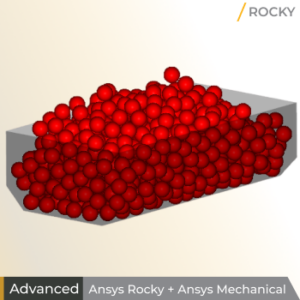
In industrial material handling, ensuring the structural durability of equipment under dynamic loads is vital. This tutorial focuses on evaluating the structural integrity of a transfer chute subjected to varying feeder belt speeds.
- Create an Ansys Workbench project to establish a one-way coupled DEM-FEA simulation between Rocky and Ansys Transient Structural – Mechanical;
- Refine the geometry mesh to ensure an adequate pressure field resolution and enable the Boundary Collision Statistics module with Forces for FEM Analysis selected;
- Configure the External Coupling to export transient Wall Loads specifically for the chute geometry to the FEA solver;
- Use Mechanical to process the structural analysis and visualize the resulting Total Deformation and Equivalent (von-Mises) Stress on the chute surfaces;
- Learn to analyze how varying input parameters, such as the feeder’s Belt Speed, affect the maximum stress levels and structural safety through the Workbench Parameter Set.
- Master the coupling between DEM and transient FEA to understand how dynamic operational changes directly influence the mechanical stress and deformation of industrial equipment over time.
12. Static Structural
What will I learn in this tutorial?
Click here
Presents a Workflow within Ansys Workbench to integrate Rocky and Mechanical simulations in a one-way fashion.
- Learn to create a Workbench project and import a shared geometry;
- Connect the Workbench project to both Rocky and Ansys Static Structural – Mechanical;
- Access Rocky through Workbench and ensure that Rocky is set up for FEA analysis;
- Refine the geometry mesh for optimal analysis;
- Define which load data to share with Mechanical;
- Utilize Design Exploration within Workbench for multi-simulation studies.
- Successfully perform a one-way mechanical coupled simulation to see how material loads cause stress and deformation in your equipment.
Ansys Rocky + Ansys Motion
19. Backhoe Loader
What will I learn in this tutorial?
Click here
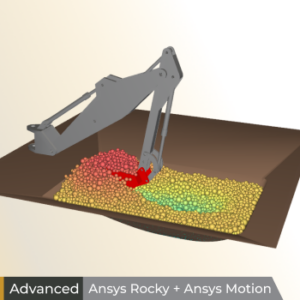
Evaluating backhoe excavation requires handling complex, multi-body movements. This tutorial compares Rocky’s built-in motion tools with advanced 2-way coupling via Ansys Motion.
- Enable the Multibody Dynamics FMU Coupling module and import a Functional Mock-Up Unit (FMU) to manage interdependent geometry motions;
- Initialize a pre-filled pit using a Particle Custom Inlet;
- Refine the bucket mesh for accurate force collection;
- Analyze particle forces during digging and unloading phases;
- Quantify excavation efficiency via carried mass using a Cube User Process;
- Identify wear-prone regions by visualizing Tangential Stress;
- Master 2-way coupling with Ansys Motion to simulate advanced mechanisms where complex, interdependent motions and heavy particle loads drive machine performance and structural durability.
-


Introducing Ansys Electronics Desktop on Ansys Cloud
The Watch & Learn video article provides an overview of cloud computing from Electronics Desktop and details the product licenses and subscriptions to ANSYS Cloud Service that are...
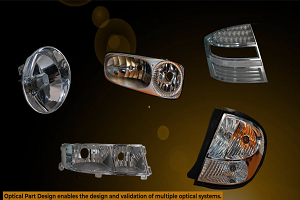
How to Create a Reflector for a Center High-Mounted Stop Lamp (CHMSL)
This video article demonstrates how to create a reflector for a center high-mounted stop lamp. Optical Part design in Ansys SPEOS enables the design and validation of multiple...
Introducing the GEKO Turbulence Model in Ansys Fluent
The GEKO (GEneralized K-Omega) turbulence model offers a flexible, robust, general-purpose approach to RANS turbulence modeling. Introducing 2 videos: Part 1 provides background information on the model and a...
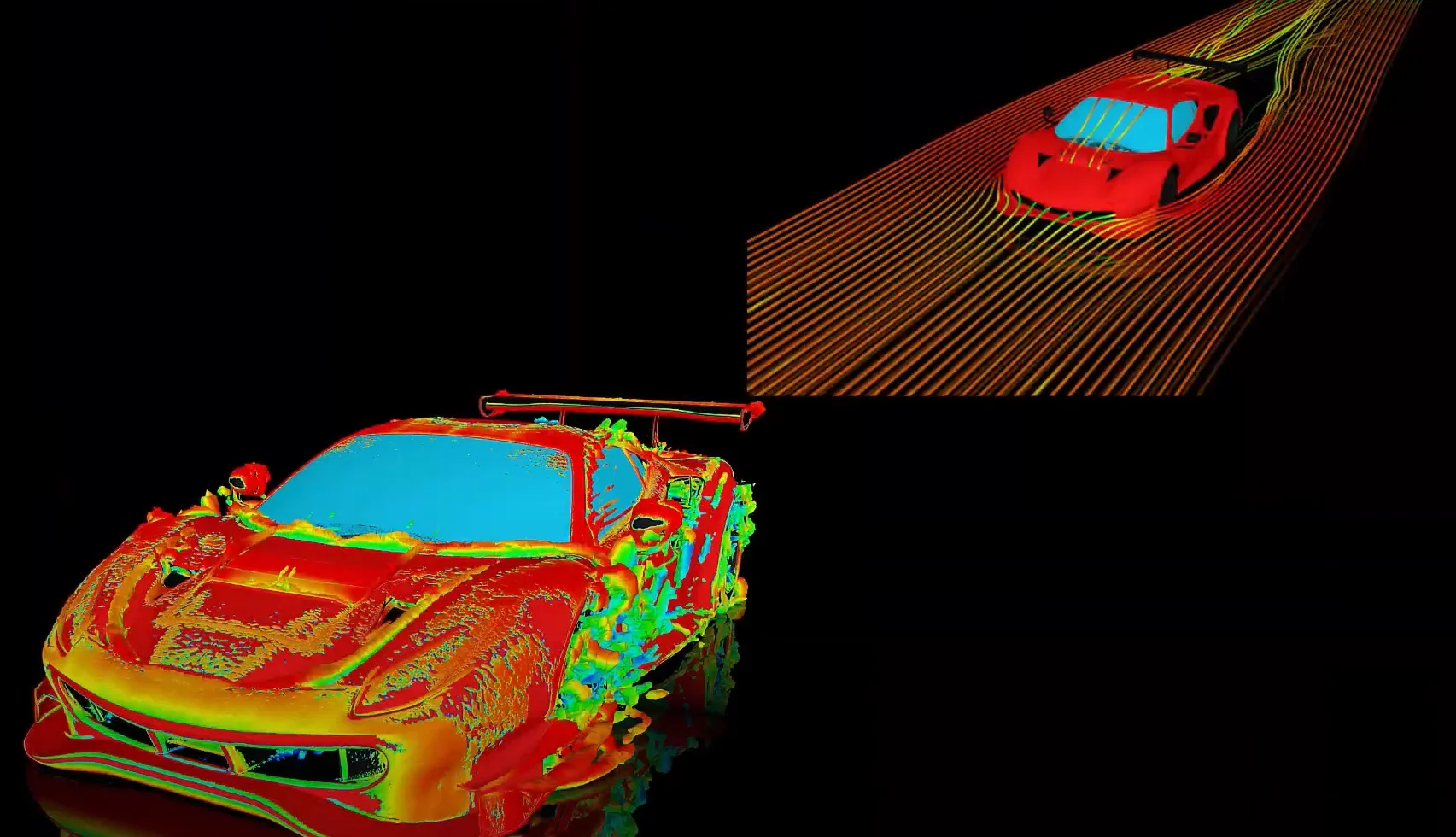
Postprocessing on Ansys EnSight
This video demonstrates exporting data from Fluent in EnSight Case Gold format, and it reviews the basic postprocessing capabilities of EnSight.

- Rocky GPU Buying Guide
- Enhance your simulations with Rocky Ready-to-use Modules
- Ansys Rocky 2024 R2 Release Highlights
- Ansys Rocky 2025 R1 Release Highlights
- Automate with Rocky Ready-to-use Scripts
- Ansys Rocky 2025 R2 Release Highlights
- Ansys Rocky 2024 R1 Release Highlights
- Ansys Rocky 2026 R1 Release Highlights
- 5 great Rocky Modules to improve your simulations
- Customize with Ansys Rocky Solver SDK Package

© 2026 Copyright ANSYS, Inc. All rights reserved.

 You are navigating away from the AIS Discovery experience