-
-
February 7, 2019 at 9:58 pm
user deleted
SubscriberHi. I use Ansys from universuty licenses. When i use "Mesh" I take title" The Meshing editor does not have a valid license. Please refer the following directory for more information: C:Users???????AppDataLocalTemp.ansys." What can I do here?

-
February 7, 2019 at 11:04 pm
tsiriaks
Ansys EmployeeCan you try logging in to the computer with an English username or just create one test (Windows) user account, you can name it something like abc, a123 ?
-
February 8, 2019 at 8:08 am
user deleted
Subscriber
Can you try logging in to the computer with an English username or just create one test (Windows) user account, you can name it something like abc, a123 ?
Yes. I have username "Alexey"
-
February 8, 2019 at 5:41 pm
tsiriaks
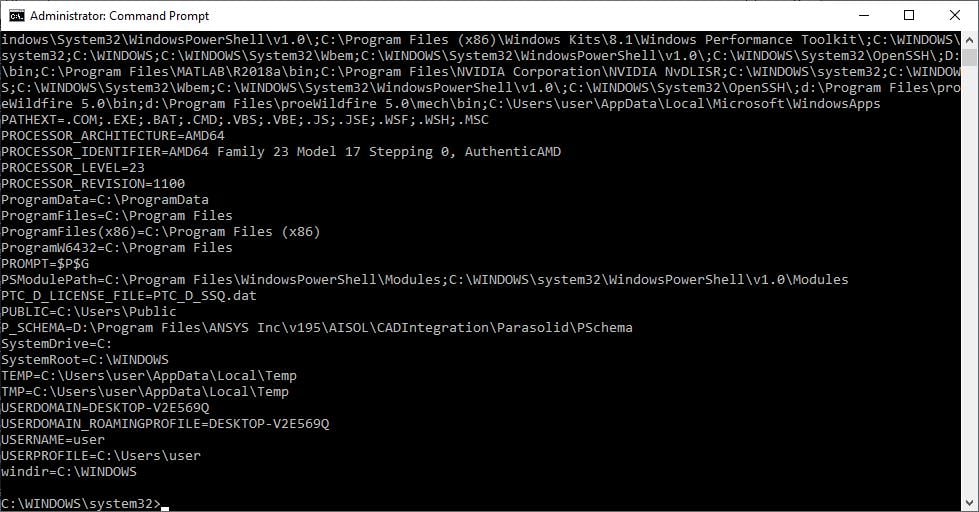
Ansys EmployeeWhen you are logging in as Alexey , open CMD Prompt, then type
set
and post the screenshot of the output here
-
February 8, 2019 at 7:57 pm
user deleted
Subscriber
When you are logging in as Alexey , open CMD Prompt, then type
set
and post the screenshot of the output here
I undestand you mean. But what should i do? This is screenshot: https://ibb.co/x743FNT
-
February 8, 2019 at 7:58 pm
-
February 8, 2019 at 10:14 pm
tsiriaks
Ansys EmployeeI meant for you to type 'set' (without quote ' ' ) in the CMD Prompt , then press 'Enter' . This would print out certain info I wanted to see.
But I think I got the info I needed just by this screenshot that you post.
Your username is not showing in English. You can see in the CMD Prompt that it's showing
C:UsersA#####
So, you will have to create a pure English username Windows account , login as that user, then try the mesh again. -
February 9, 2019 at 11:39 am
-
February 9, 2019 at 2:46 pm
-
February 9, 2019 at 3:25 pm
-
February 12, 2019 at 12:38 am
tsiriaks
Ansys EmployeeThat's great ! I'm glad that it's working for you now.
-
October 10, 2019 at 7:09 am
havrilovjonh94
SubscriberHi! I have the same problem as Alexey1998 had. But changing language or user`s name hasn`t solved the problem.
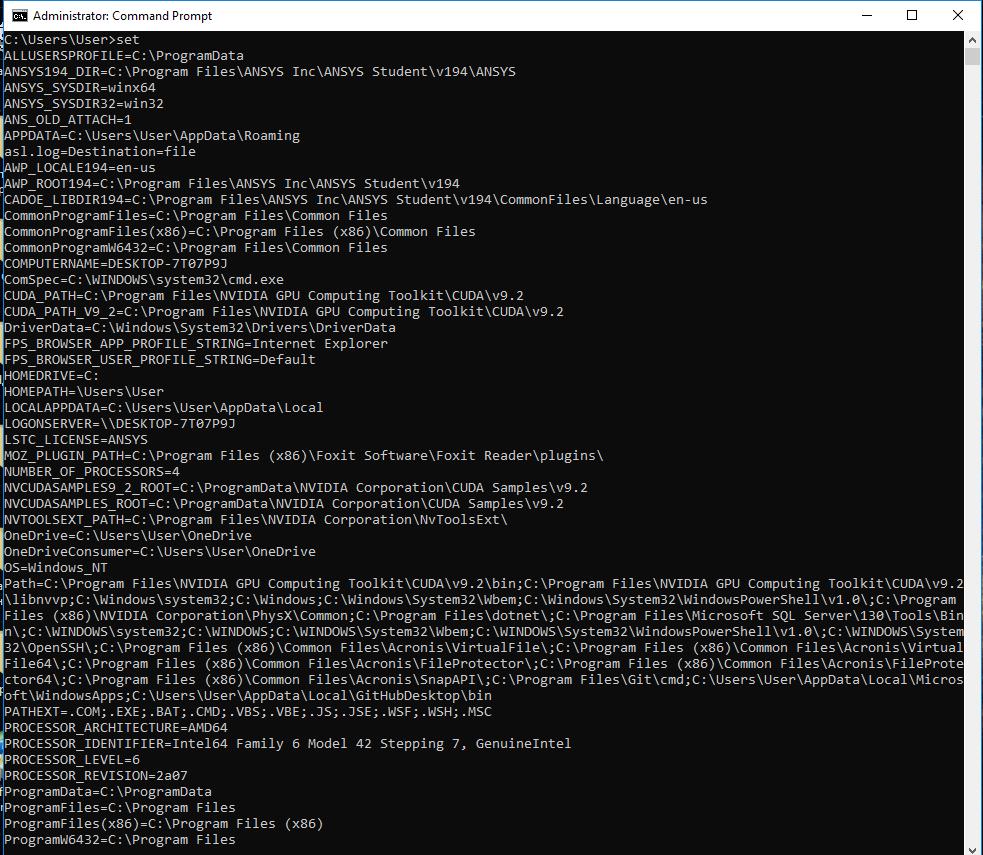
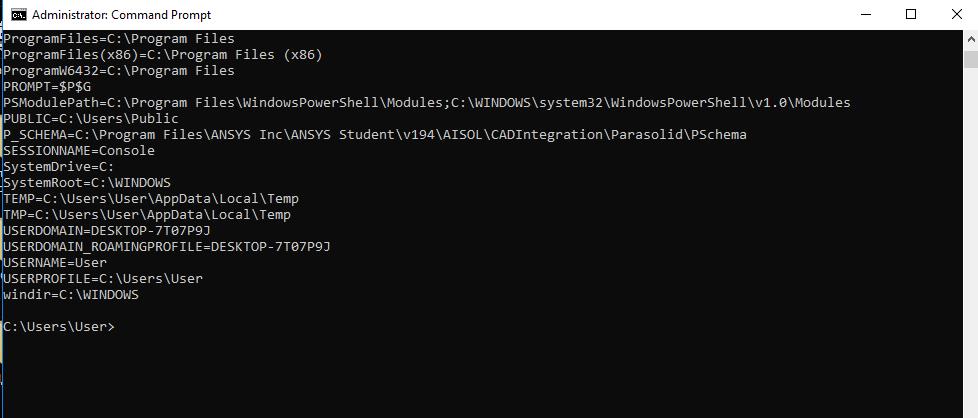
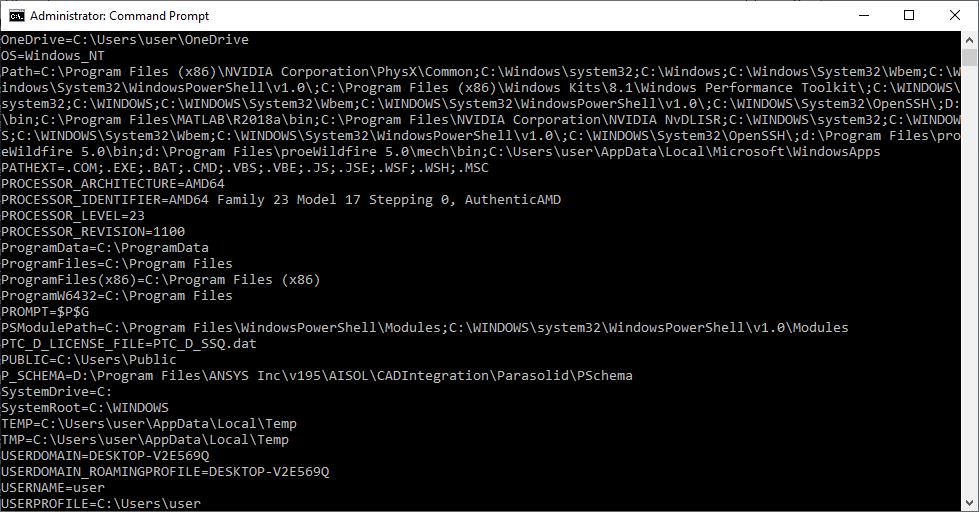
So, this is the CMD prompt:
tsiriaks, Do you have any suggestions?
-
October 11, 2019 at 4:00 pm
tsiriaks
Ansys EmployeeHi Havrilov,
Thanks for the info.
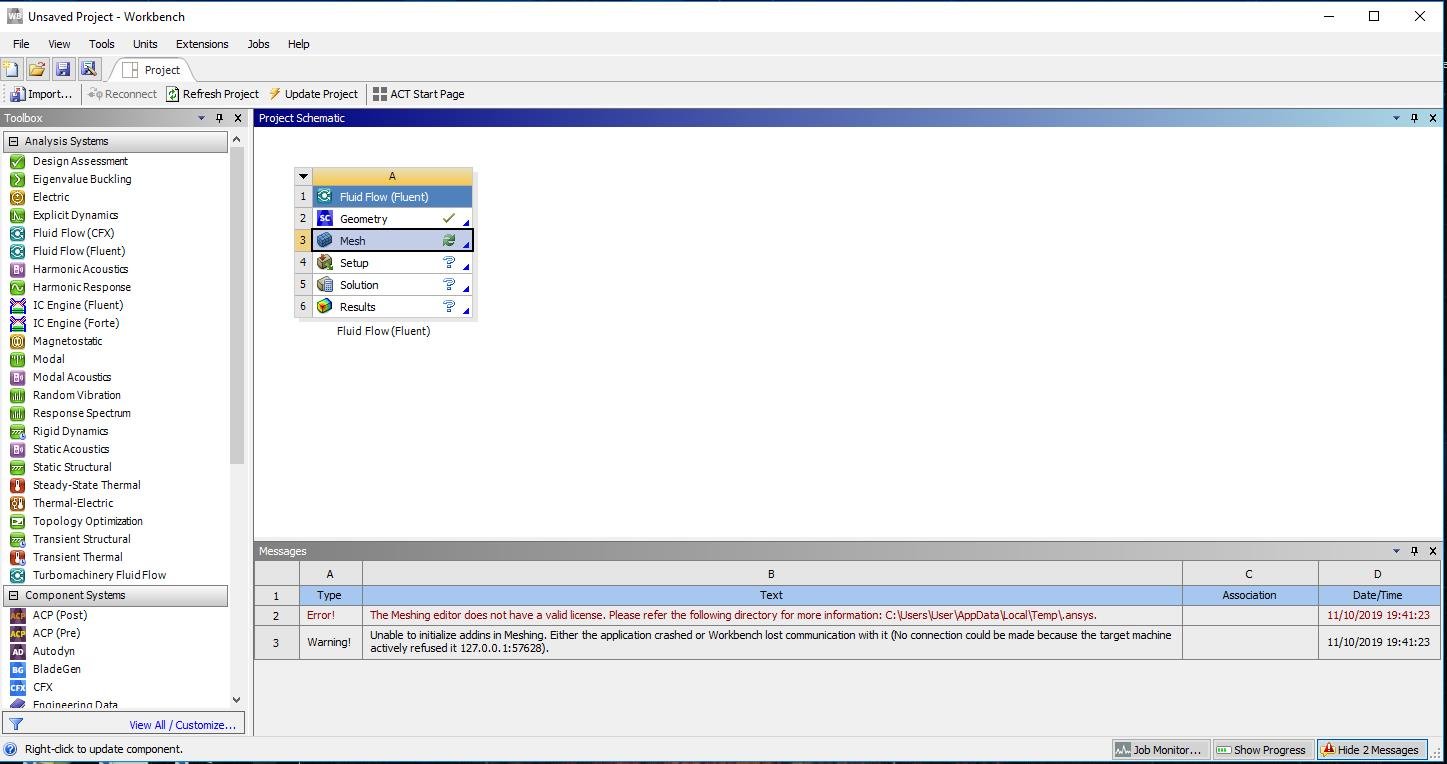
Could you provide screenshot of the issue you see ?
Thanks,
Win
-
October 11, 2019 at 4:46 pm
-
October 11, 2019 at 9:11 pm
tsiriaks
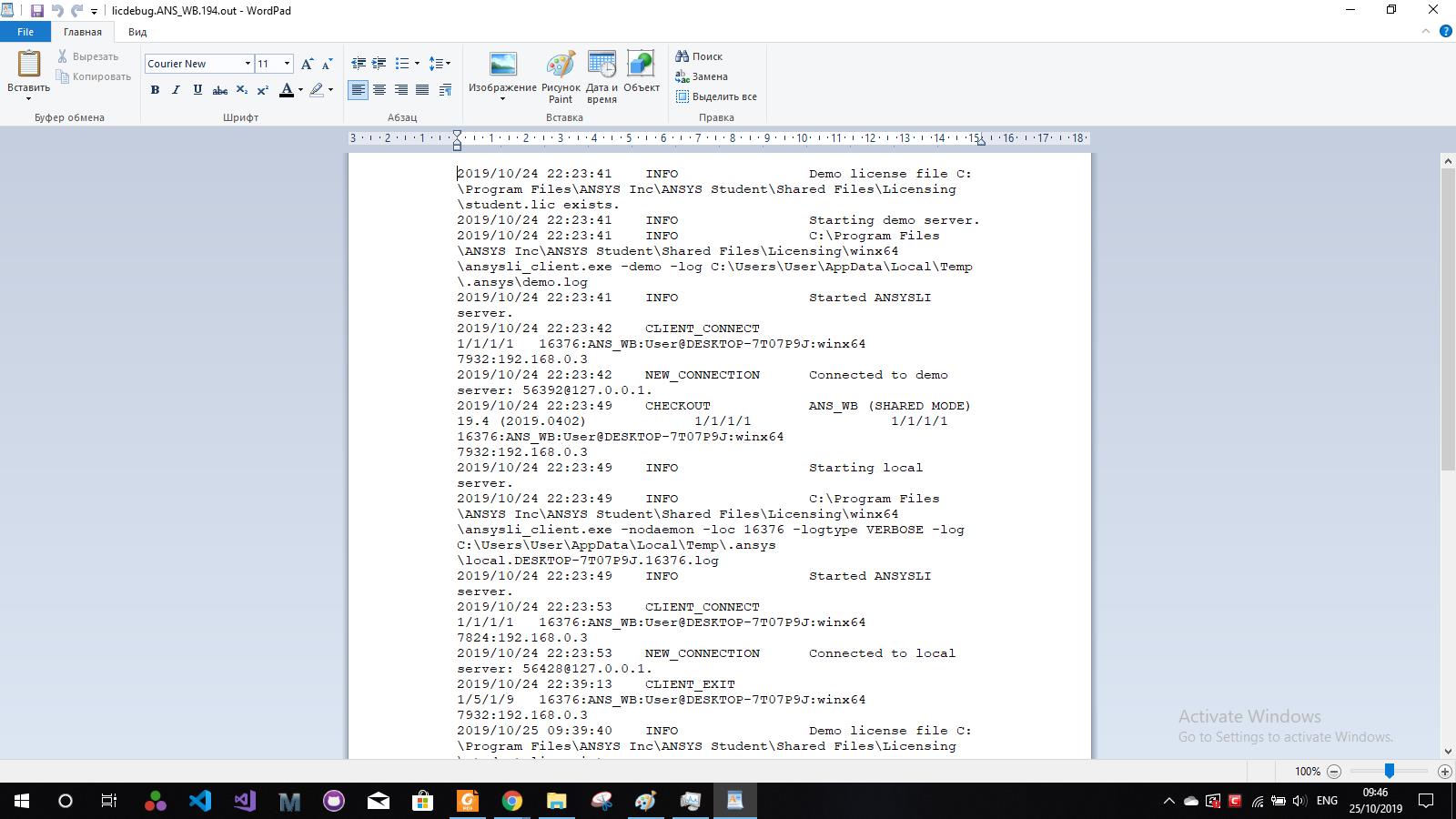
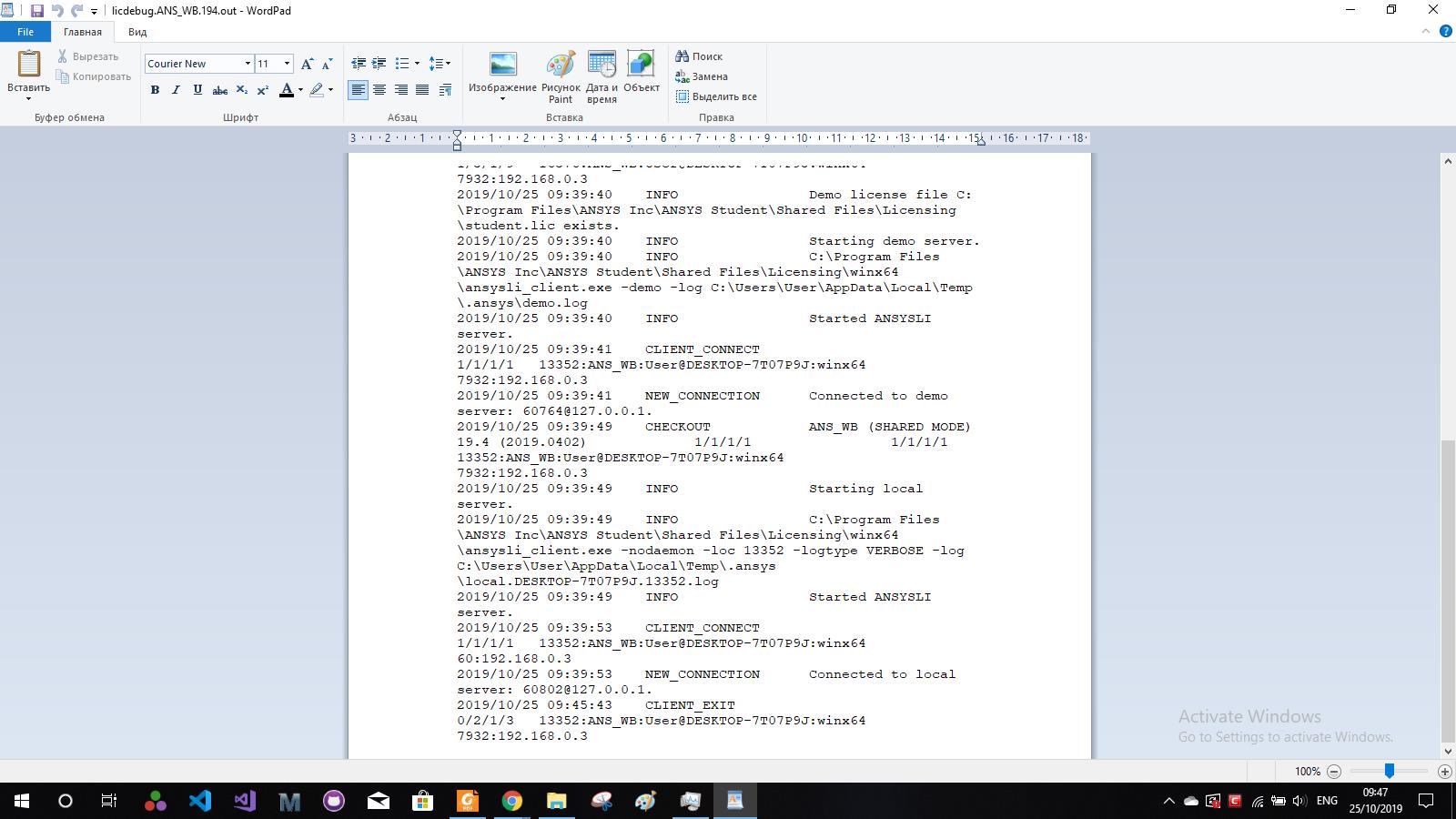
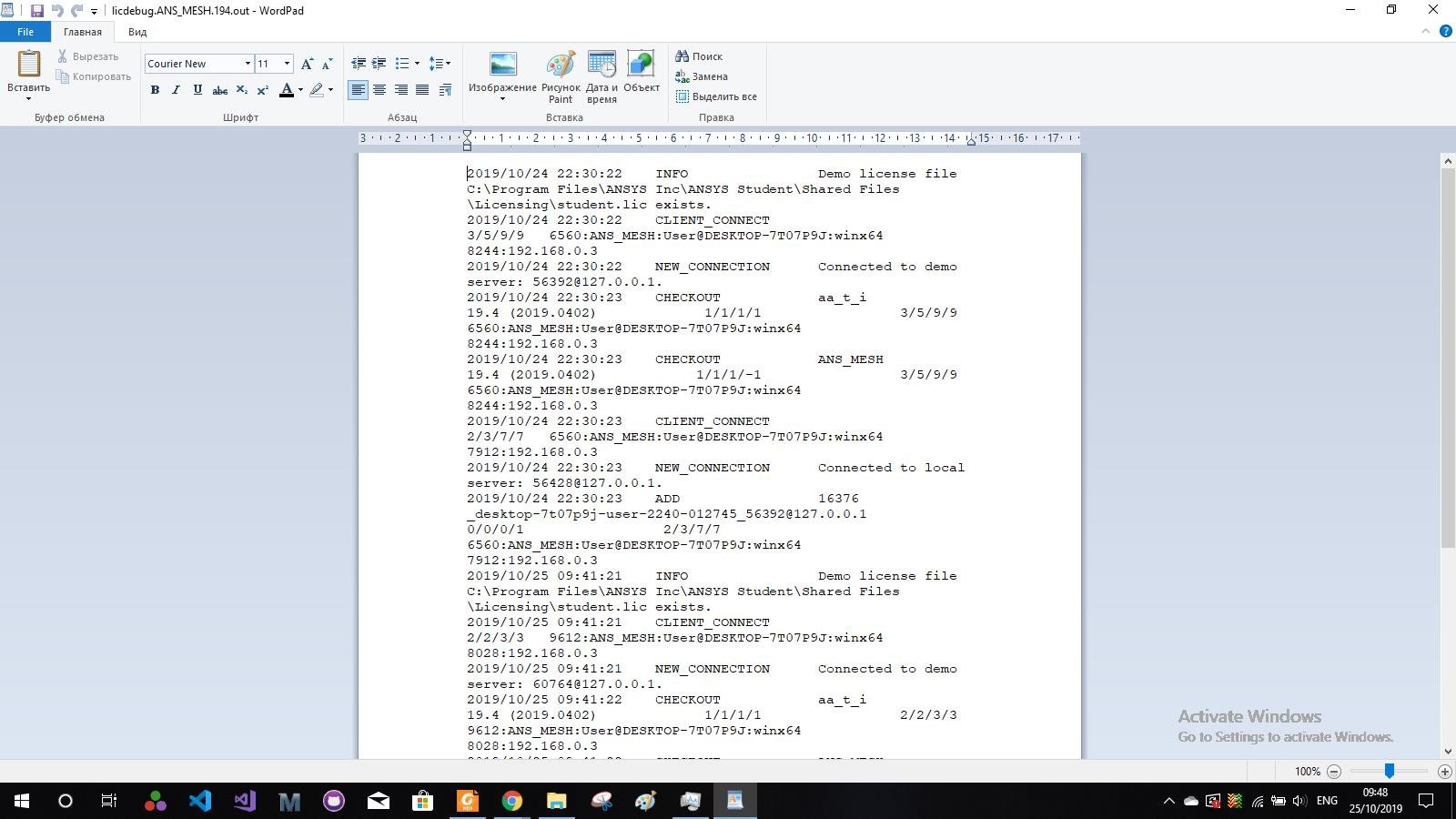
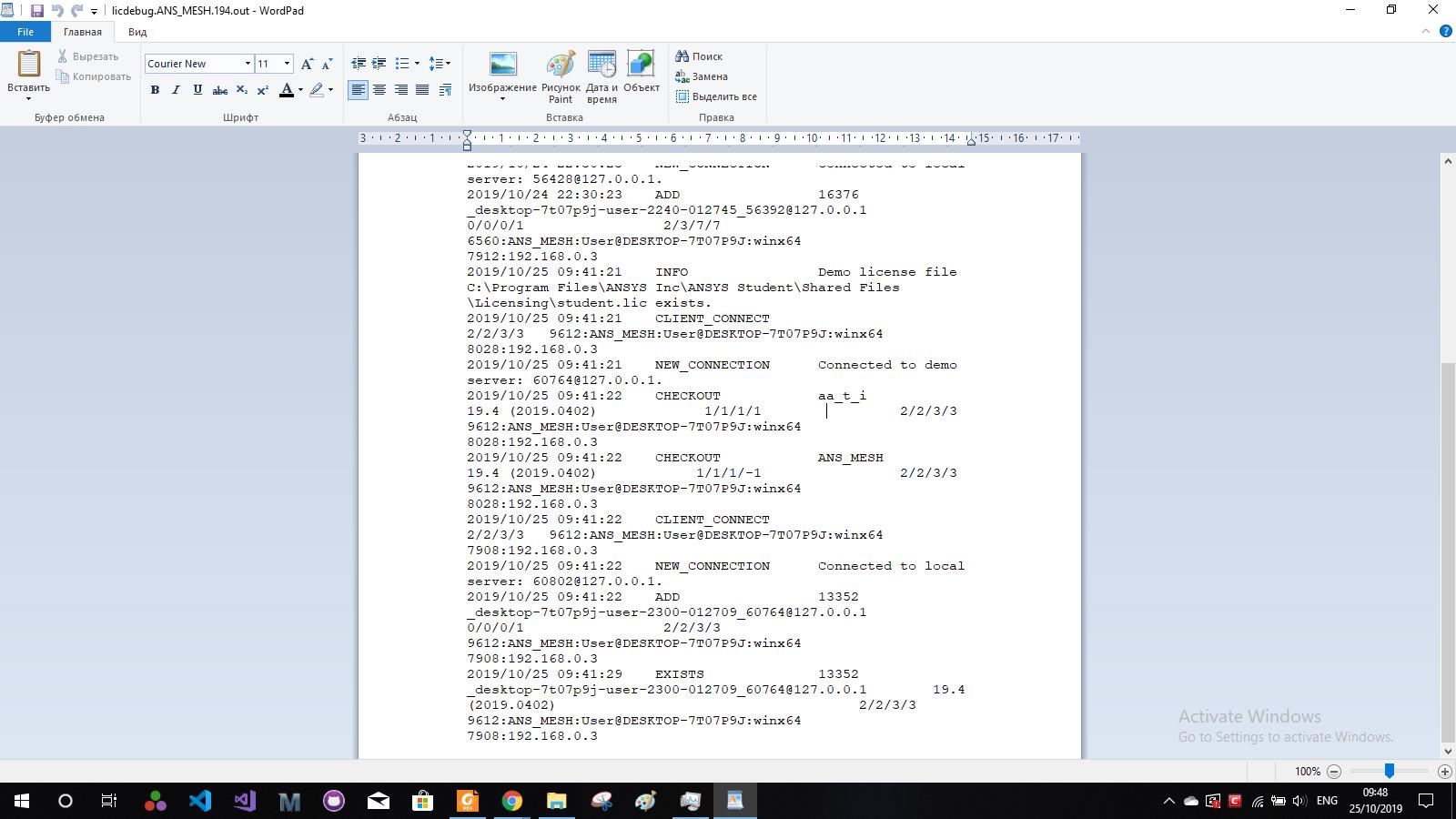
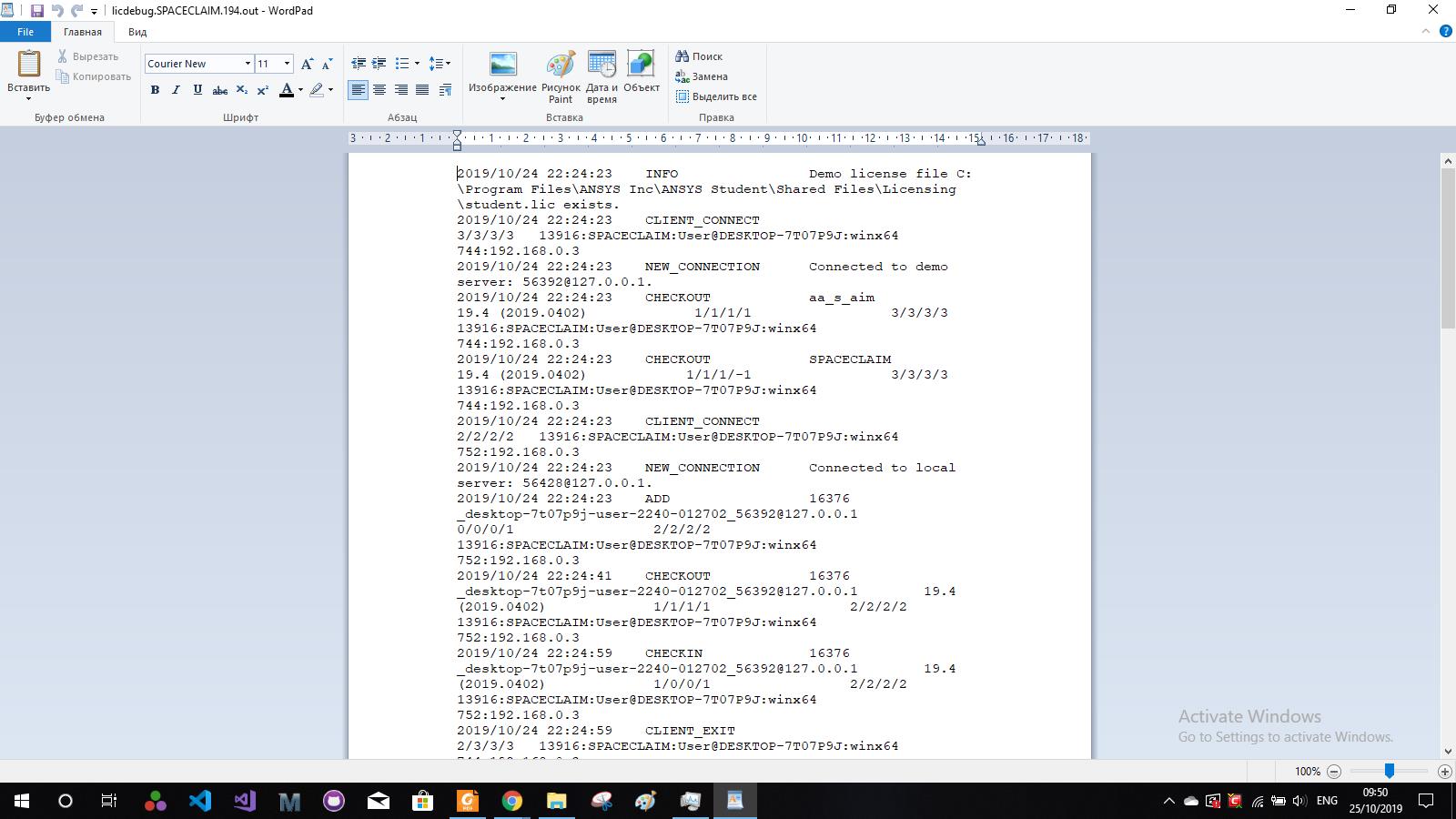
Ansys EmployeeCan you open up that directory that the error is stating (the .ansys folder) , then look for the file with latest modified date, open it up and see the logs at the bottom, does it show any error or denied ?
Also, can you try temporarily turning off Firewall and Anti-virus on the machine ?
-
October 12, 2019 at 8:22 am
-
October 15, 2019 at 10:06 pm
tsiriaks
Ansys EmployeeOpen CMD Prompt, then type
move "%appdata%ansys" "%appdata%ansys.old"
do you still encounter the issue ? If so, mark the timestamp when error occurs in Workbench (column D in the Workbench Messages window) , then go to .ansys folder and check all the files that have timestamp around this time and post screenshots of them all (please also provide the exact date/time, or screenshot of Workbench GUI)
Thanks,
Win
-
October 16, 2019 at 1:52 pm
-
October 17, 2019 at 9:24 pm
tsiriaks
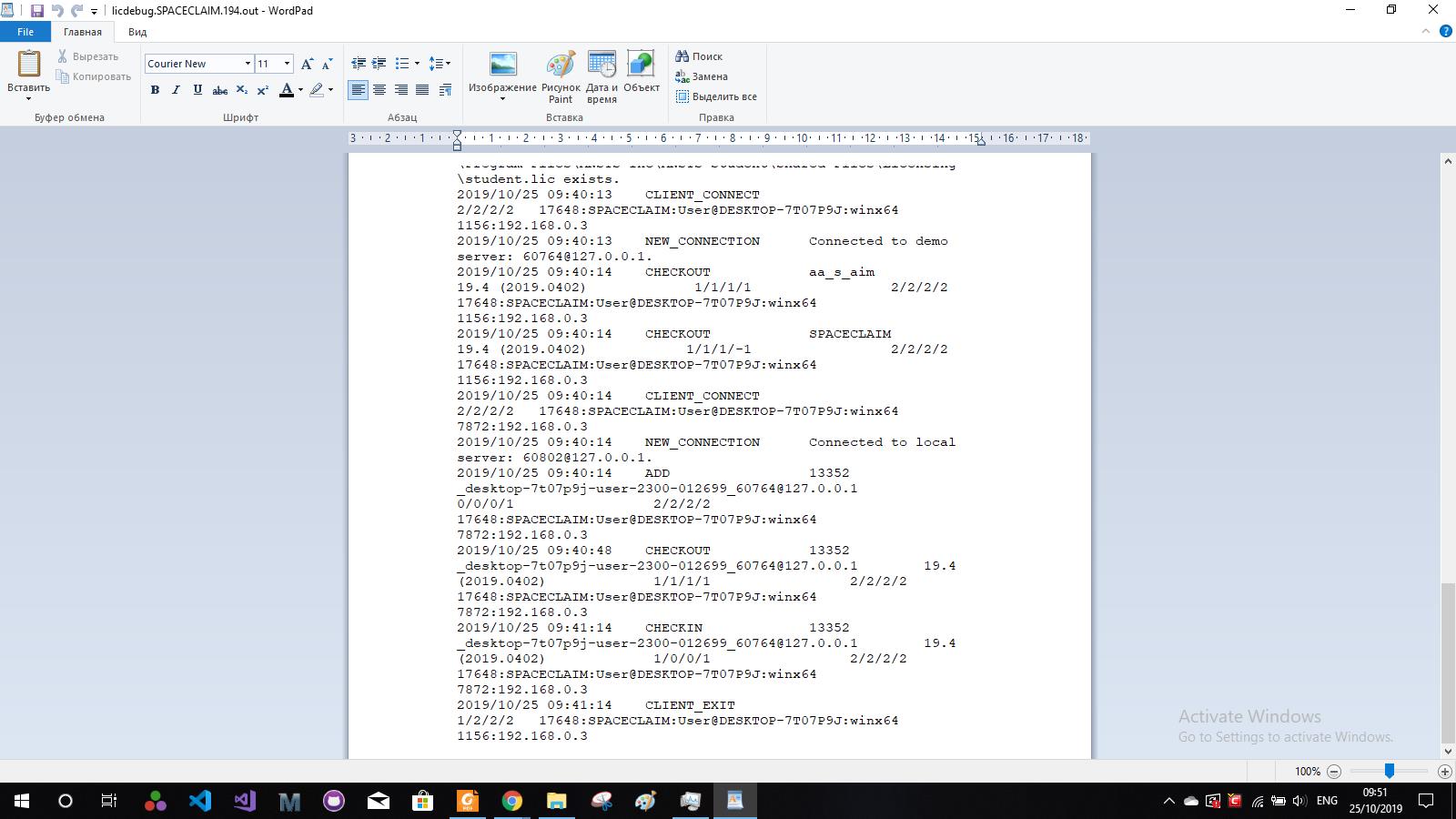
Ansys EmployeeOpen all of those files and post the screenshots or the entries that are around 16/10/2019 16:40:41
-
October 25, 2019 at 7:45 am
-
October 25, 2019 at 6:30 pm
tsiriaks
Ansys EmployeeHmm, I don't see any licensing denial or issue.
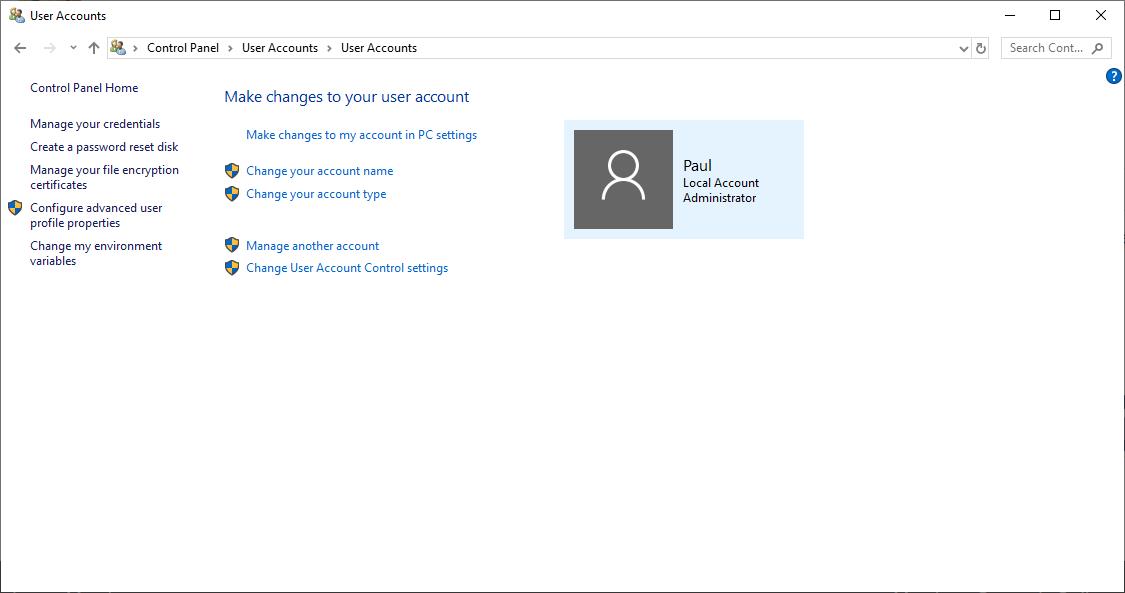
Can you try creating a dummy username like abc , and see if you have issue ?
-
March 22, 2020 at 11:46 am
Paul1234
Subscriber -
March 23, 2020 at 10:20 pm
tsiriaks
Ansys EmployeeWhat is the name of the installation package that you used ?
-
October 28, 2020 at 10:28 pm
Vinwang
SubscriberHi, I'm experiencing the same problem. I have no problem opening the workbench and the designer molder, but have license problems loading the mesh and Fluent from the workbench. Besides, it sounds strange but I can run a blank Fluent window seperately without any problem and run simulations.nnVinn
-
- The topic ‘The Meshing editor does not have a valid license.’ is closed to new replies.

-
4818
-
1587
-
1386
-
1242
-
1021
© 2026 Copyright ANSYS, Inc. All rights reserved.