-
-
February 4, 2025 at 3:46 pm
giovanni.merlo
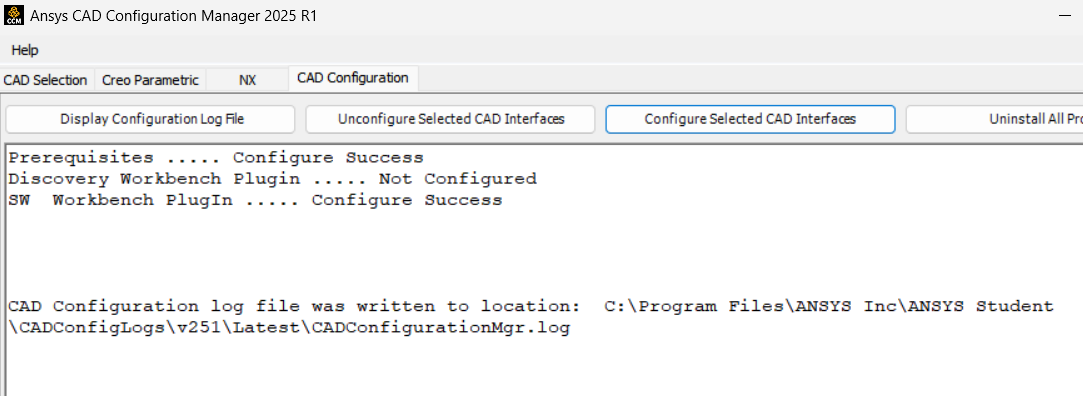
SubscriberAs per title, I've been trying to configure the solidworks plugin in the new Ansys version. For that I executed the CAD configuration manager as an administrator, selected the wished associative interface and received a confirmation of the successful installation.
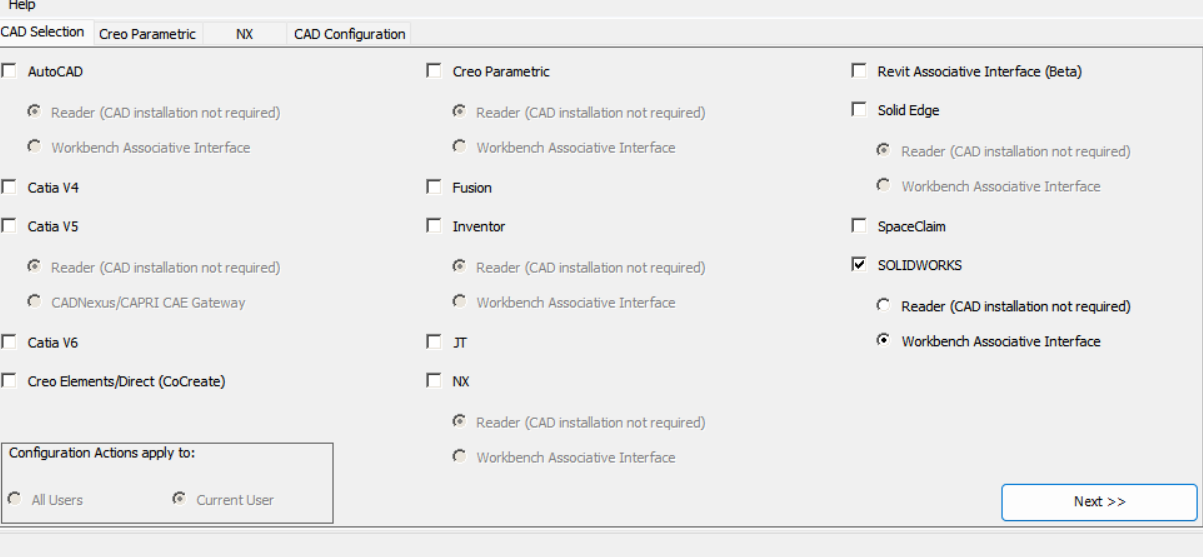
Â
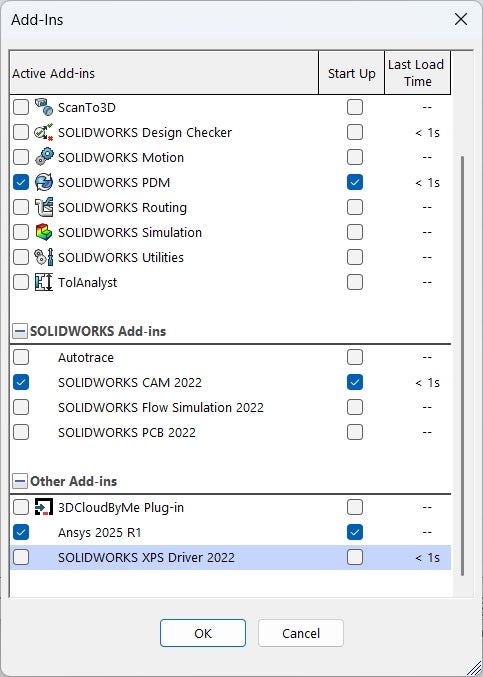
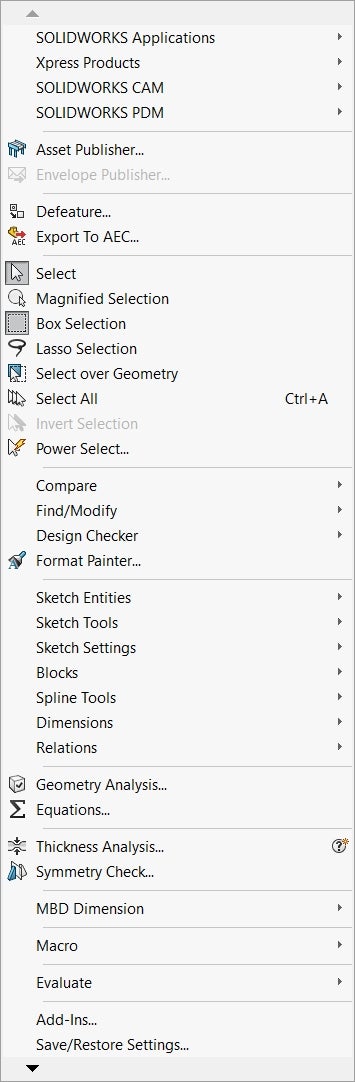
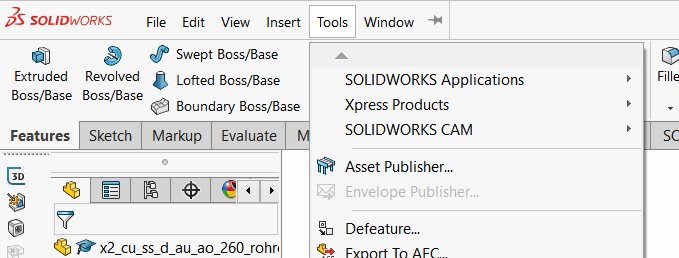
After that I tried to add the add in in solidworks as shown, but it keeps not appearing in the "Tools" bar where it should be.
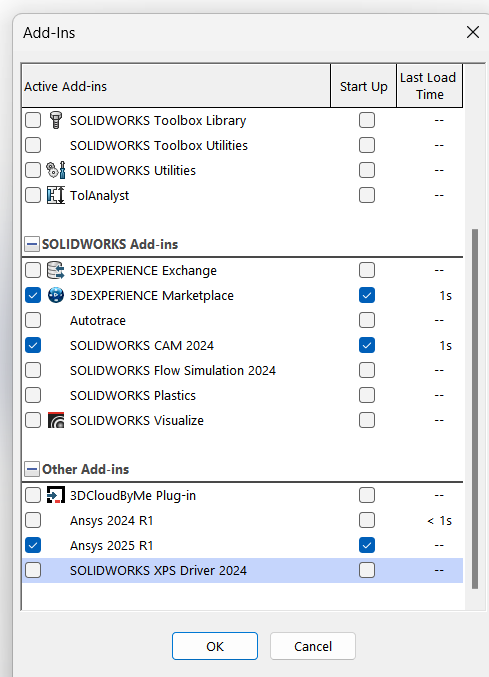
There should namely be an "ANSYS2025R1" option among the Solidworks plugins. With the 2024 version everything worked fine. I thank y'all in advance for your help!
-
February 6, 2025 at 2:42 pm
Mrunali Barde
Ansys EmployeeHello giovanni.merlo,Â
Can you launch CAD configuration manager as admin and try reconfiguring it again? I hope this helps.Â
Else, Go to 'C:\Program Files\ANSYS Inc\ANSYS Student\v2xx' run Productconfig.exe as adminÂ
Step 1: Unconfigure products and CAD --> select allStep 2: use the same tool to 'Configure' products and CAD --> Select all
Wishes,Â
Mrunali.ÂÂ
Â
-
February 10, 2025 at 9:38 am
giovanni.merlo
SubscriberHello Mrunali,Â
I did as requested but it´s seemingly still not working. The SW interface is marked as configured but it´s not available in Solidworks. I suppose it´s a version-related issue, since it worked perfectly fine in 2024R1 and 2024R2.
Would you recommend uninstalling and switching back to 2024R2?
Thanks,
Giovanni
-
-
February 7, 2025 at 1:35 pm
b.ayscough
SubscriberHello,Â
I am having the same issue and have attempted to reconfigure as admin but it has not helped. I am using solidworks 2023 and ansys 2025R1 with a commercial license.
Any help would be greatly appreciated,
Thanks,
Ben
-
February 7, 2025 at 1:56 pm
Mrunali Barde
Ansys EmployeeHello Ben,Â
Can you please reach out to your Account Manager/ Sales rep and ask to create a service request?
One of us will contact you to help with this.Â
Happy Friday!Wishes,Â
Mrunali.
-
-
February 19, 2025 at 10:38 pm
dgordon
SubscriberI'm running SW 2022. I can see the 2025 R1 plugin in SW. I click both windows trying to run C:\Program Files\ANSYSInc\v251\aisol\CADIntegration\SOLIDWORKS\winx64\WB251PlugInSWCOM.dll in the SW Add-Ins path. I press OK and still Ansys 2025 R1 doesn't appear in the SW Tools Menu. My admins swear it isn't their security software..... Dave G.
-
February 19, 2025 at 10:45 pm
-
February 19, 2025 at 10:46 pm
-
- You must be logged in to reply to this topic.
-
5159
-
1836
-
1387
-
1249
-
1021
© 2026 Copyright ANSYS, Inc. All rights reserved.