Ansys Assistant will be unavailable on the Learning Forum starting January 30. An upgraded version is coming soon. We apologize for any inconvenience and appreciate your patience. Stay tuned for updates.
Ansys Products

Ansys Products

Discuss installation & licensing of our Ansys Teaching and Research products.

Solidworks Associative Interface not configuring properly.

    • Patryk Sienkiewicz
      Subscriber

      Hello there,

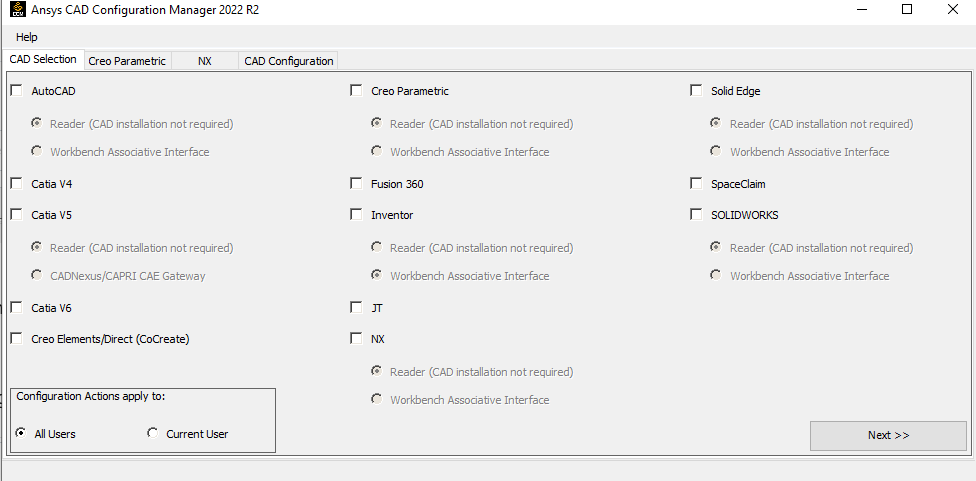
      I wanted to configure SW Associative Interface for Workbench 2022 R2, in order to use parameters from Solidworks in Ansys. When I open the CAD Configuration Manager as administrator, I see that Solidworks is set to Reader. I switch it to Workbench Associative Interface and go next -> configure.

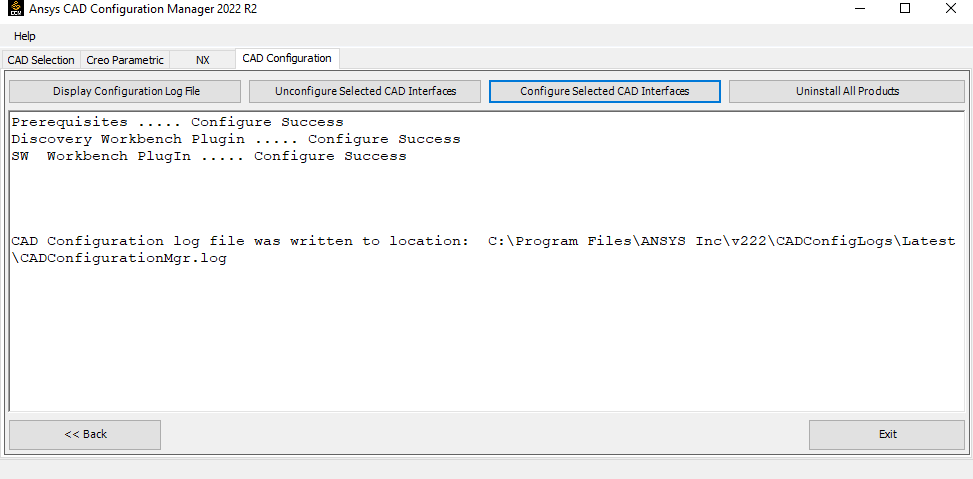
      It says it's configured and I'm ready to go. However, when I import Solidworks geometry and open it in Mechanical, I can't see the parameters, even those with DS or ANS prefix. When I open the CCM again, it's back to Reader, and not Associative Interface like I configured it.

      I've tried reconfiguring it for like 10 times, but it will still be switched back to reader when opening it again. What should I do in order for it to work? I'm on a research license. Thanks in advance.

    • Aniket Chavan
      Forum Moderator

      student versions do not support CAD connections. Assuming that you have research or commercial license which can support this, try the following all with administrative access:

      1. Close all workbench and CAD instances
      2. Unconfigure for all users reader mode, you may also unconfigure for the current user after that
      3. unconfigure for all users associative mode, you may also unconfigure for the current user after that
      4. now check Windows (ansys.com) (https://ansyshelp.ansys.com/account/secured?returnurl=/Views/Secured/corp/v202/en/ref_cad/cadWindows.html) for supported versions of the CAD in Plugin mode and check if you are using a supported version of the CAD
      5. now configure in associative mode and start new session of CAD and see if you can see a separate menu for starting the workbench in the CAD, if you see that, the configuration is successful in the associative mode
      6. Now create a simple cube, and save the CAD file and then start workbench from CAD, keep prefixes as blank, and open the geometry in Mechanical. This should read all parameters.

      -Aniket

      How to access Ansys help links

      Guidelines for Posting on Ansys Learning Forum

      • Patryk Sienkiewicz
        Subscriber

        Unconfiguring all associative interfaces and configuring it again worked, thanks Aniket :) Problem solved

Viewing 1 reply thread
  • The topic ‘Solidworks Associative Interface not configuring properly.’ is closed to new replies.

[bingo_chatbox]