-
-
March 23, 2019 at 8:35 am
Manu007
SubscriberI am designing a receiver-transmitter setup in HFSS.
How do i setup the port configuration for receiver antenna?
How is the simulation environment created?
And is this even possible ?
to setup Rx-Tx design
Â
-
March 25, 2019 at 5:01 pm
hawaslsh
SubscriberI would try this on the IE side of HFSS. You dont need an air box or anything of the sorts with MoM solving. It looks like you can drive your strip line with lumped ports too. It shouldn't matter which antenna you designate as the transmit or receive, you are simply looking for S21?
-
March 25, 2019 at 5:44 pm
Sorceress Gia
Ansys EmployeeIn the case of your model as shown in the screenshot you uploaded - you can assign the outside of each air box as a Hybrid 'FE-BI' boundary. Alternatively you can just add one large region around both antennas and assign it as a 'Radiation' Boundary.
-
March 25, 2019 at 5:54 pm
Manu007
SubscriberI used a single radiation box of air, with lumped ports for excitation
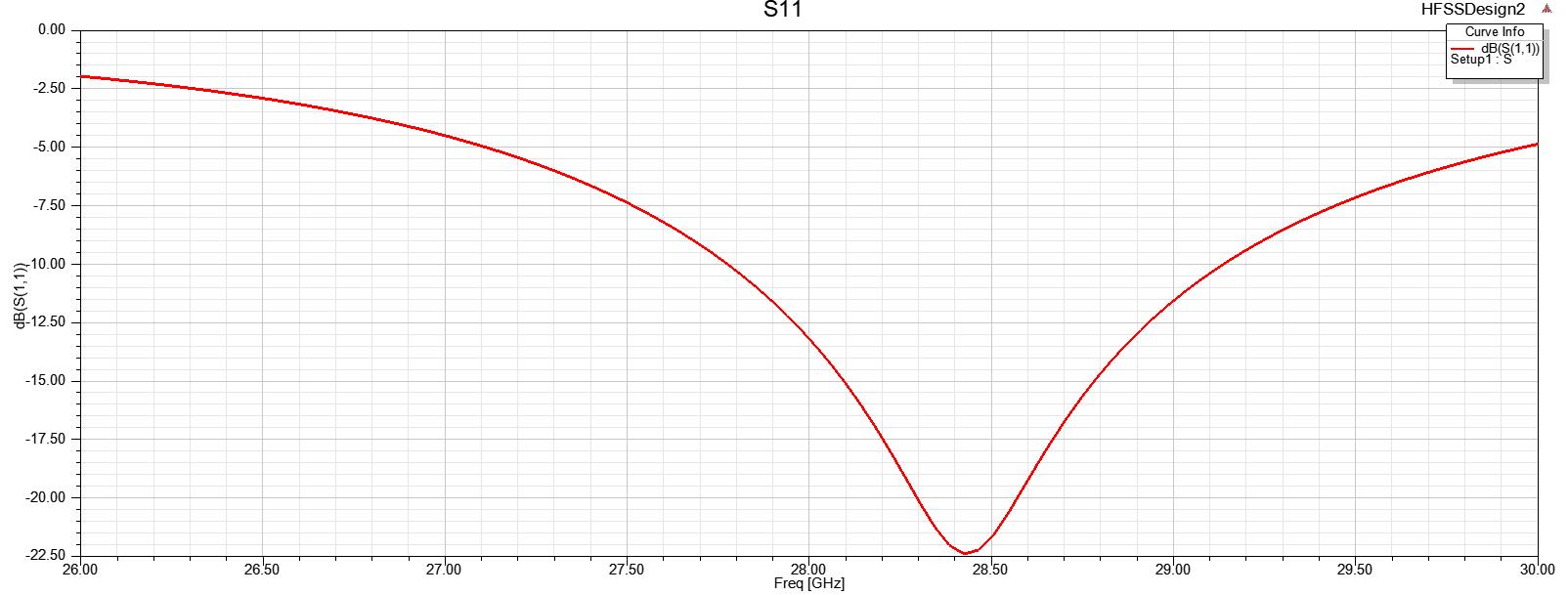
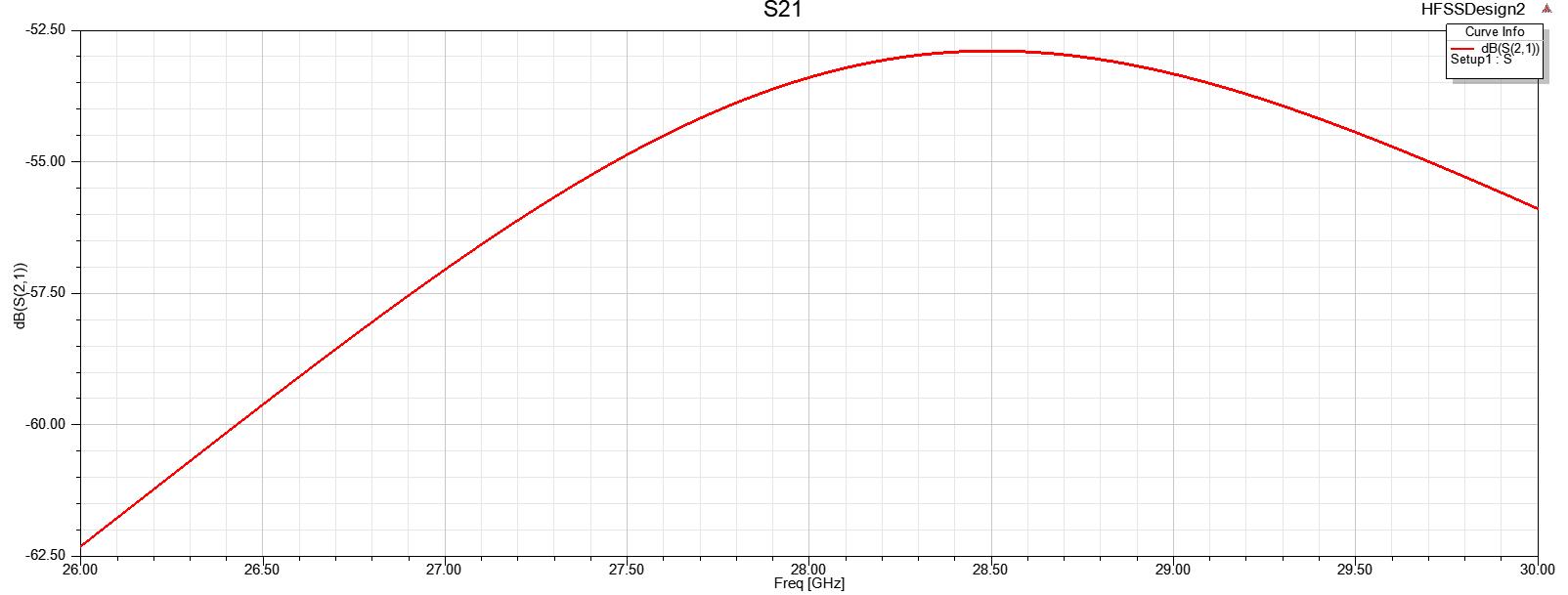
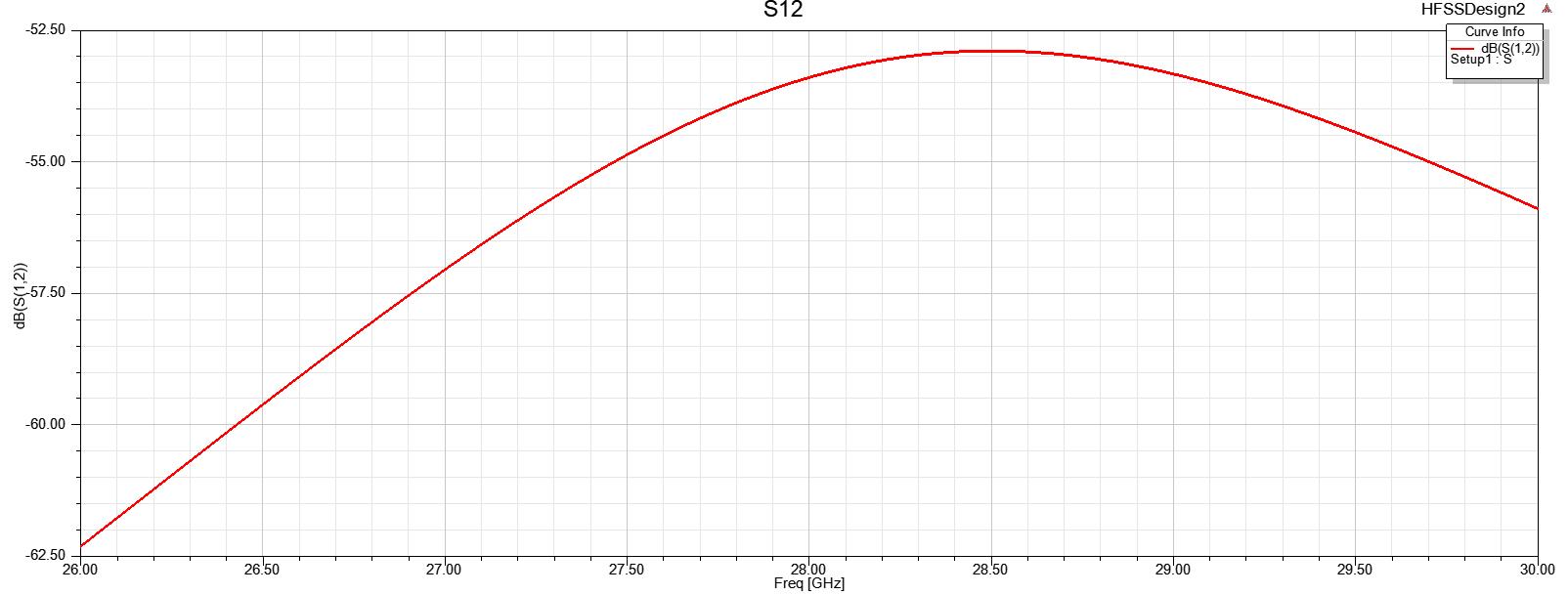
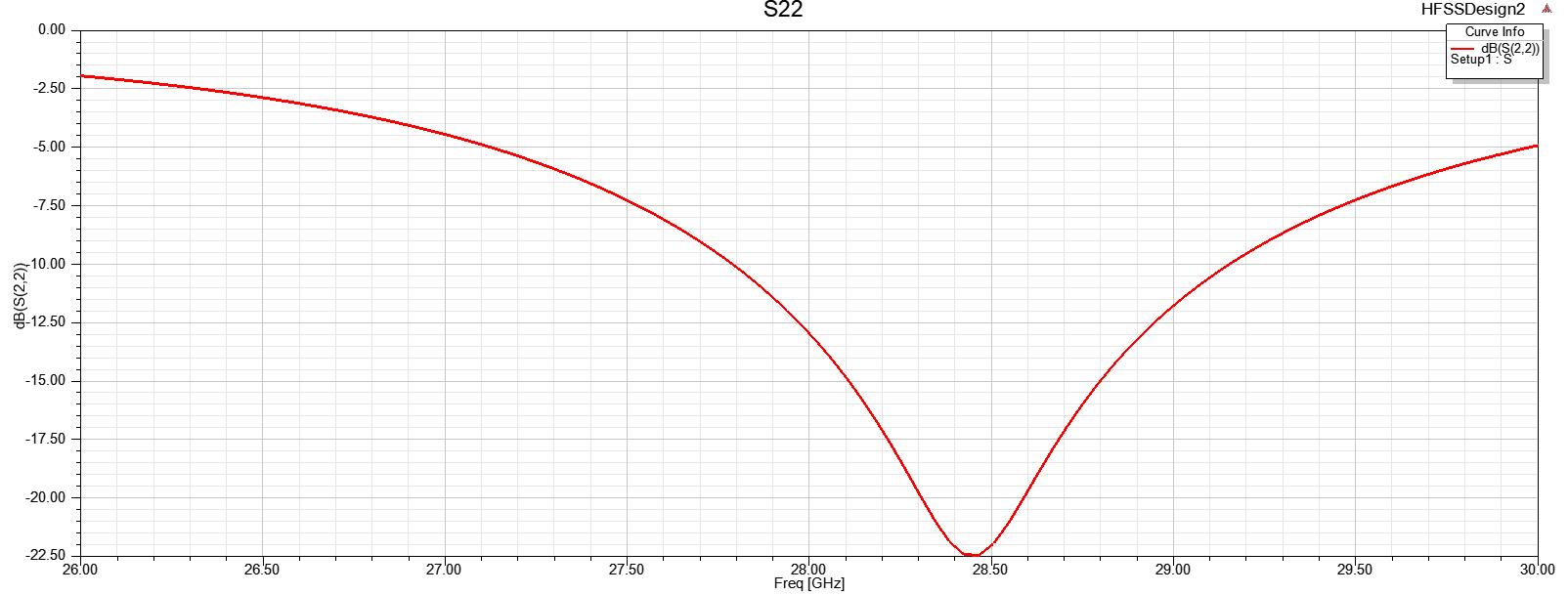
But the problem is I am getting both S12 and S21 same .
Also edited the source excitations to 1W for port 1 and 0W for port2.
Also recently used separate hybrid regions to check , but still same results
I simply want to make one antenna has transmitting and other receiver.
Thanks for replying
Â
-
March 25, 2019 at 5:57 pm
Manu007
SubscriberHi peterÂ
I actually tried both .
Still same results.
How do i make a antenna has receiving antenna to plot S21 plot
1-Tx
2-Rx
Â
-
March 25, 2019 at 6:03 pm
-
March 25, 2019 at 11:13 pm
Sorceress Gia
Ansys EmployeeThese results are correct - you are looking at S parameters - which are calculated by exciting one port at a time while the others are terminated by 50 ohms.
S21 is the transfer of energy when the Tx antenna is excited and the Rx antenna port is terminated with 50 ohms. S12 is the transfer of energy when the Rx antenna is excited and the Tx antenna port is terminated with 50 ohms.
You are using the same antenna for both Tx and Rx - spaced equally apart - so it makes perfect sense that S21 = S12.
S-Parameters are independent of any particular driving condition. - They are like the frequency response of a linear system - they do not change depending on what is input into the system - which is why you don't see any changes when you change the power levels in the 'Edit Sources' dialog.
Generally antennas are not modeled in the way you are doing - since due to the "theory of reciprocity" - the Tx profile and Rx profile of an antenna are inherently the same - if an antenna is tuned and matched to a particular frequency, it will work as either a transmitter or receiver - which is why only a single antenna is typically modeled.
Â
-
March 26, 2019 at 5:39 am
Manu007
SubscriberI get what your saying , so there is no way i can measure S21 without both the antennas being excited.
As said earlier i want just one antenna to excited for the whole run of simulation.
Â
-
March 26, 2019 at 7:47 pm
Sorceress Gia
Ansys EmployeeThe excitation is meaningless. S21 does not change whether you are exciting one, both, or NEITHERÂ of the antennas! - Even if you are transmitting from both simultaneously, they will both receive energy from the other antenna at the level described by S21/S12.
Consider an analogy to LTI system theory: HFSS is solving for the system's transfer function. - You are asking for the output of the transfer function when excited with a given input. - Which you can do and see the change in fields by setting the power level of each port in the 'edit sources' dialog. But, by definition of what S-Parameters are, they do not change based on the excitation - so you are asking for something that does not exist.
I believe I understand what you are thinking - you are expecting S21 to be closer to 0dB when transmitting and -50dB when receiving but this is just not how S-Parameters work. S-Parameters fully describe the transfer of energy from one port to another for any infinite combinations of power being excited into any ports of the system.
-
- The topic ‘Receiver design setup Ansys HFSS’ is closed to new replies.
-
6465
-
1906
-
1458
-
1308
-
1022
© 2026 Copyright ANSYS, Inc. All rights reserved.