-
-
April 20, 2025 at 2:18 am
-
April 21, 2025 at 5:20 am
Takeshi Itadani
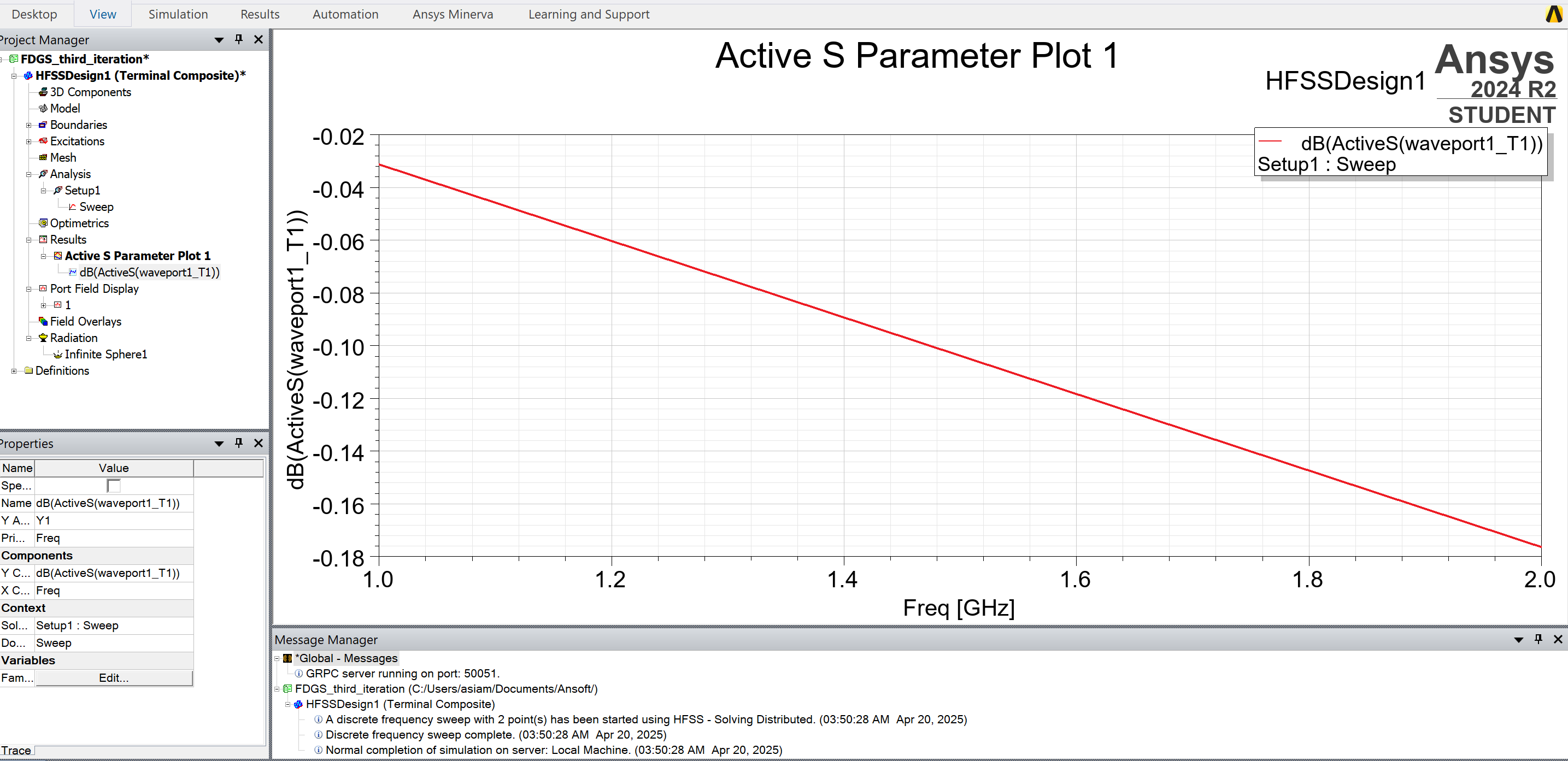
Ansys EmployeeTo obtain S11, you must select Network Analysis instead of Composite Excitation in the Solution Type Options.
When plotting results, select Terminal S Parameter from Category.-
April 22, 2025 at 12:57 am
-
-
April 22, 2025 at 1:09 am
Takeshi Itadani
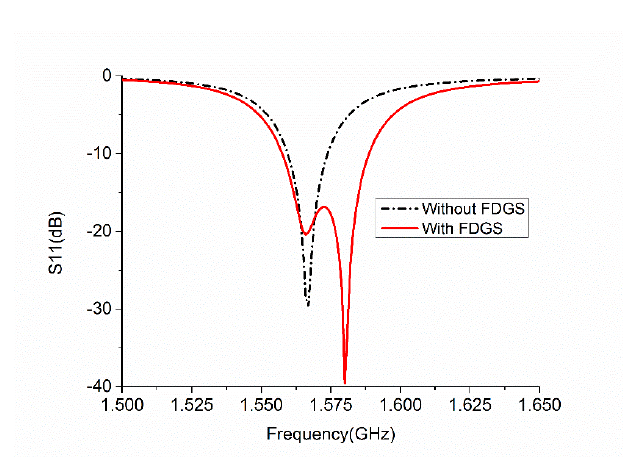
Ansys EmployeeI am not sure what “With FDGS” in the plot refers to, but it could be varying the dimensions of the antenna or matching the impedance of the antenna's port. If a slot is provided, you might consider actually adding a slot section to the model.
-
April 22, 2025 at 2:33 am
-
-
April 22, 2025 at 4:06 am
Takeshi Itadani
Ansys Employee-
April 24, 2025 at 3:23 pm
g24a8170
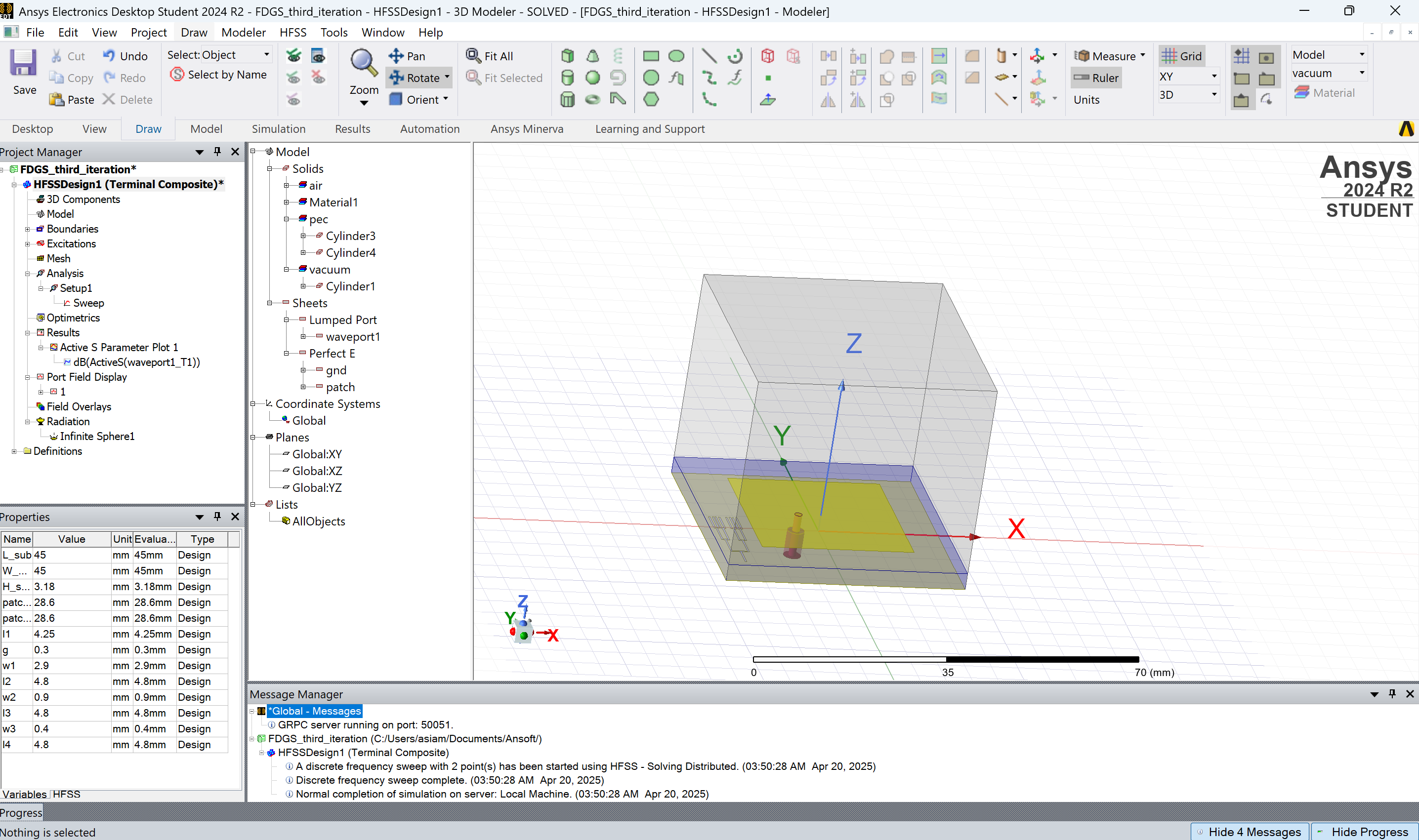
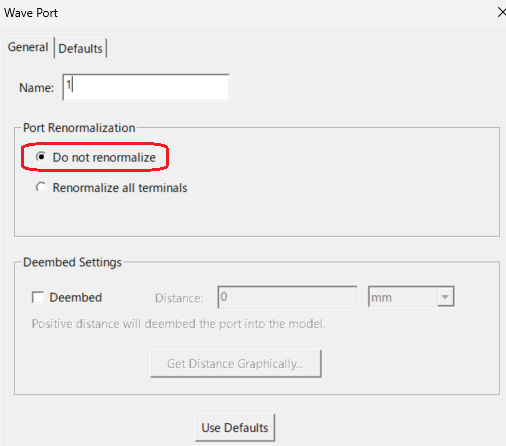
SubscriberI am really sorry for the late reply. I had an urgent interruption at school that prevented me from working on the design. I am using a waveport and have selected 'Do Not Renormalize'. The plot remains the same as before.
-
-
April 25, 2025 at 4:59 am
Takeshi Itadani
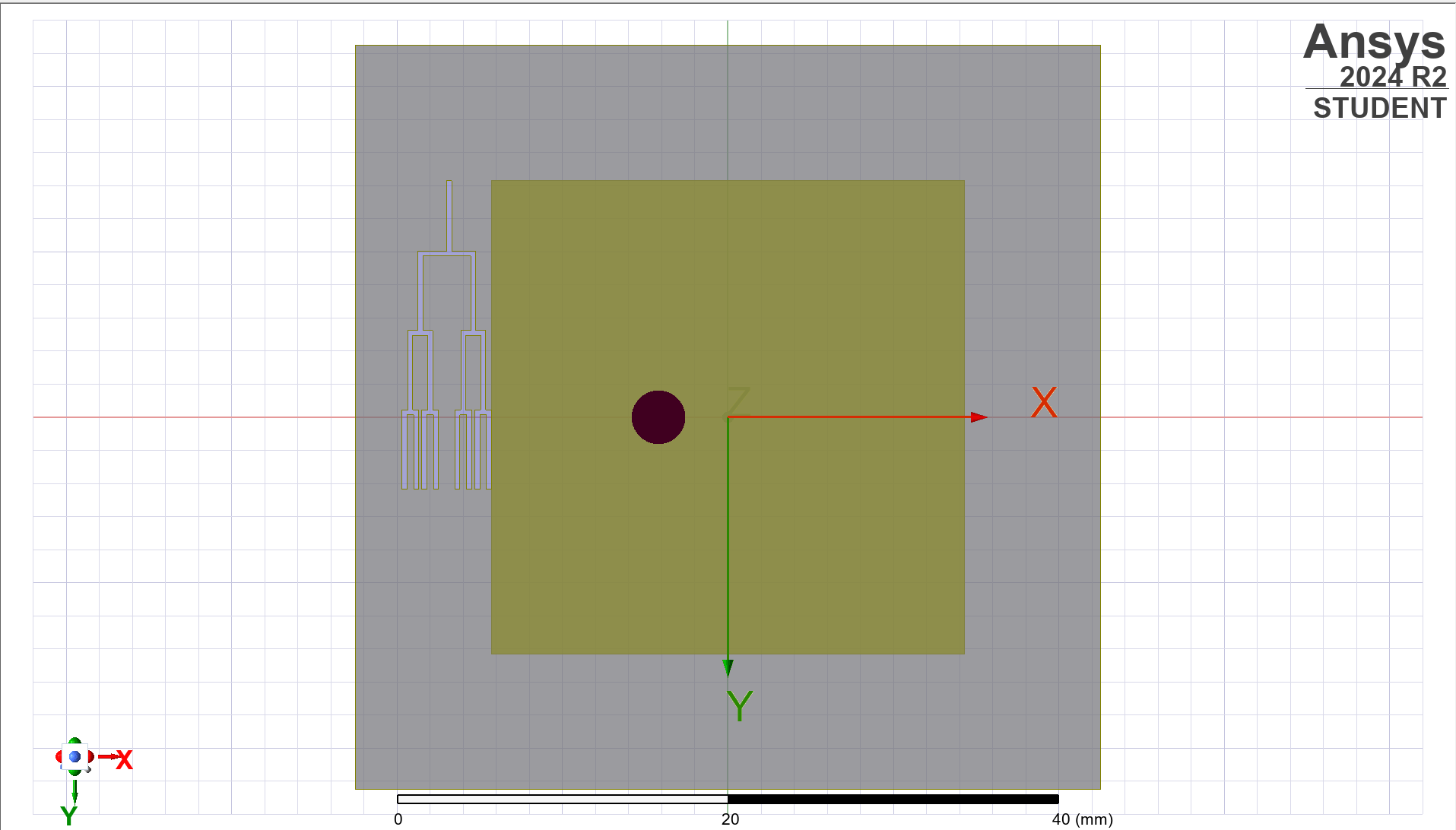
Ansys EmployeeWhat are the material properties of the FDGS on the Ground Structure? It is probably different from the Ground Structure. How about reproducing it as a model?
-
April 28, 2025 at 1:04 am
g24a8170
SubscriberI think the FDGS is a vacuum since it is a cutaway from the ground structure. The ground structure has been assigned a Perfect E boundary. How do I reproduce it as a model?
-
-
April 28, 2025 at 1:11 am
Takeshi Itadani
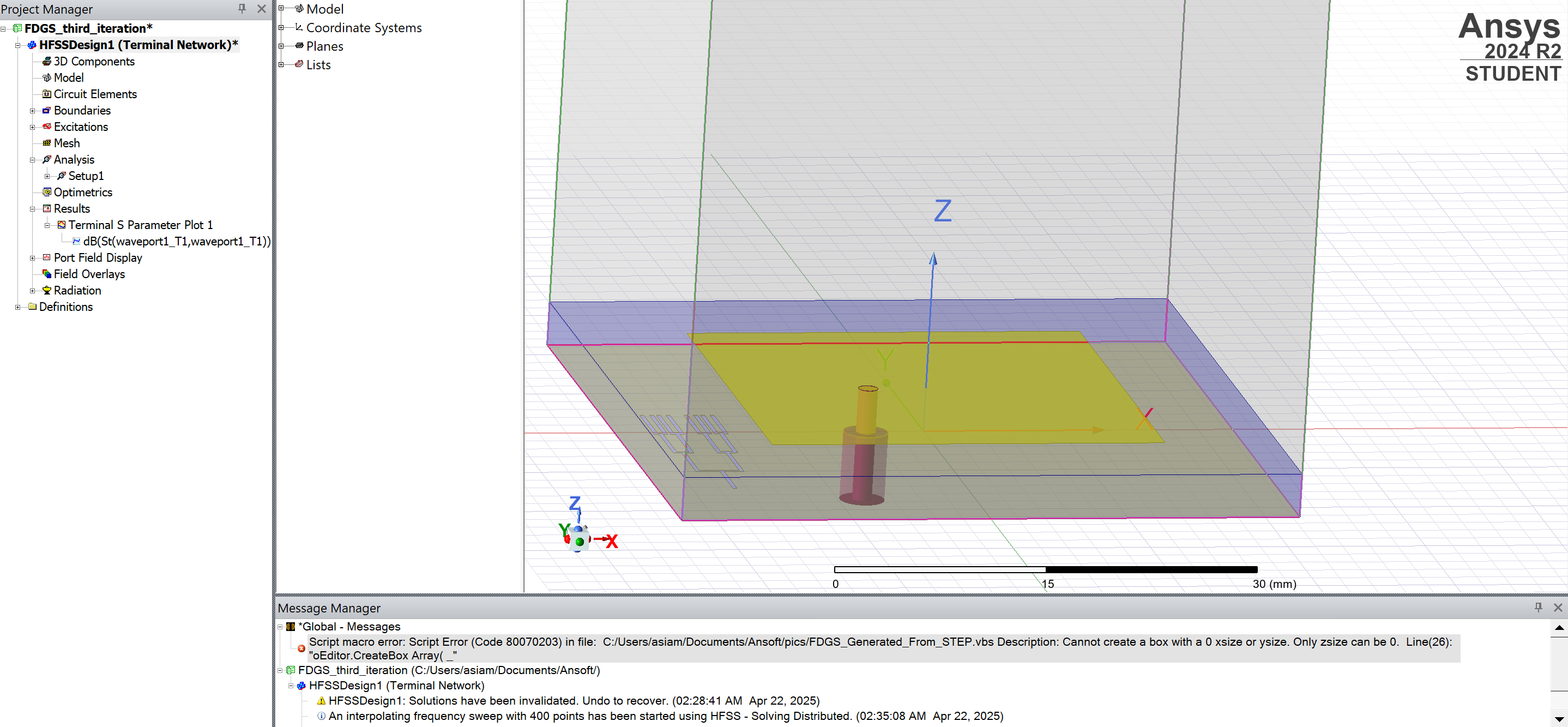
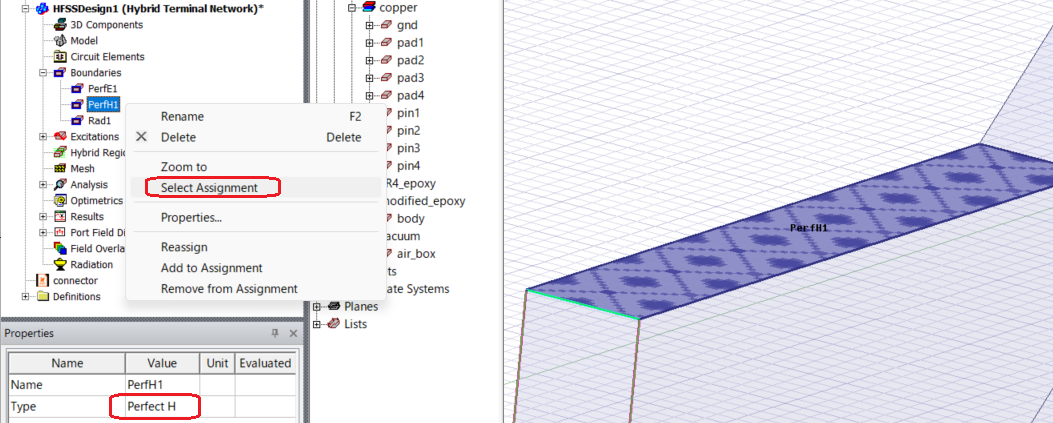
Ansys EmployeeIf FDGS is set up on a 2D sheet, set and check the Pefect H boundary.
-
April 28, 2025 at 4:09 pm
-
May 12, 2025 at 2:53 am
g24a8170
SubscriberHow do I set and check the Pefect H boundary.? Finding challenges.
-
-
May 12, 2025 at 4:25 am
Takeshi Itadani
Ansys Employee-
May 12, 2025 at 3:39 pm
g24a8170
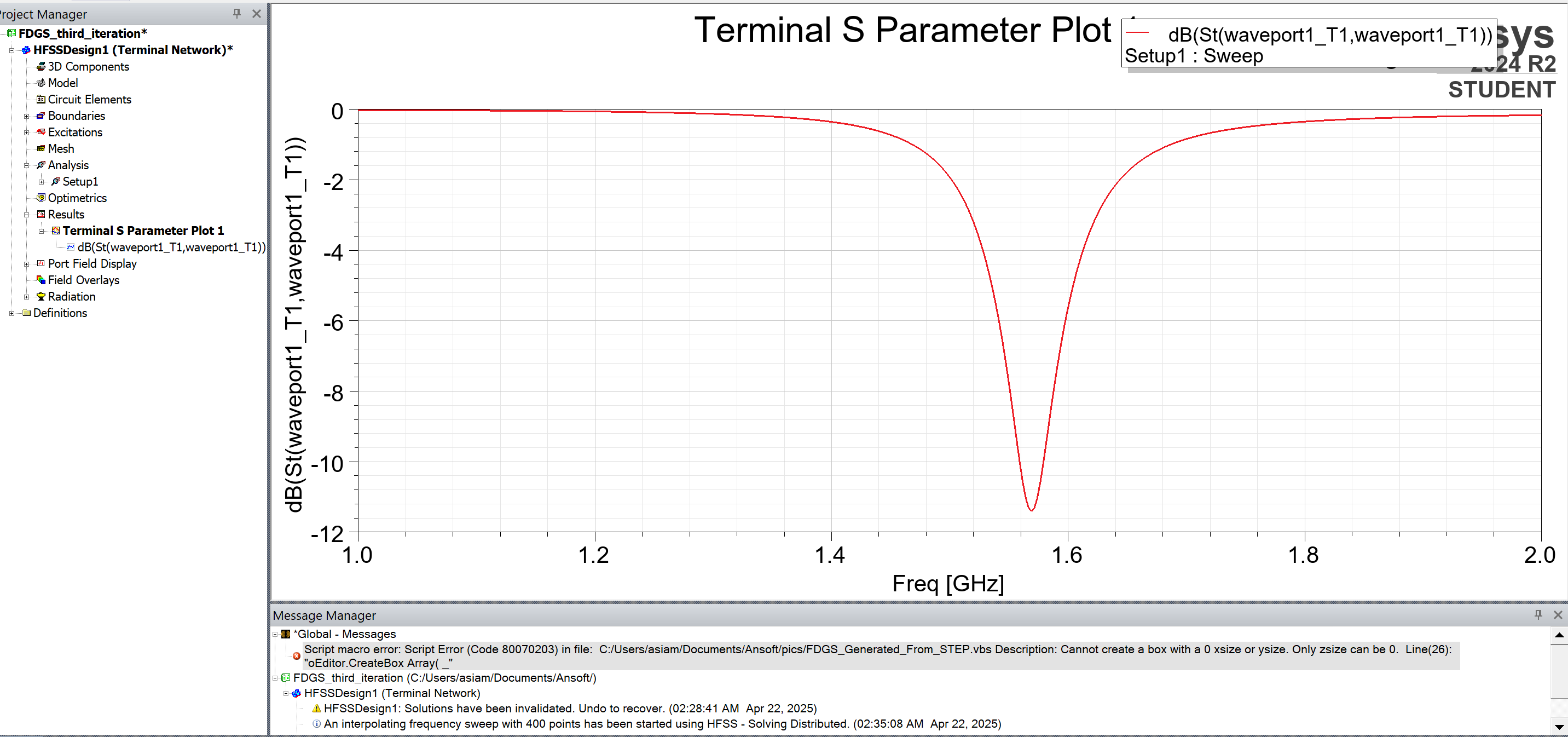
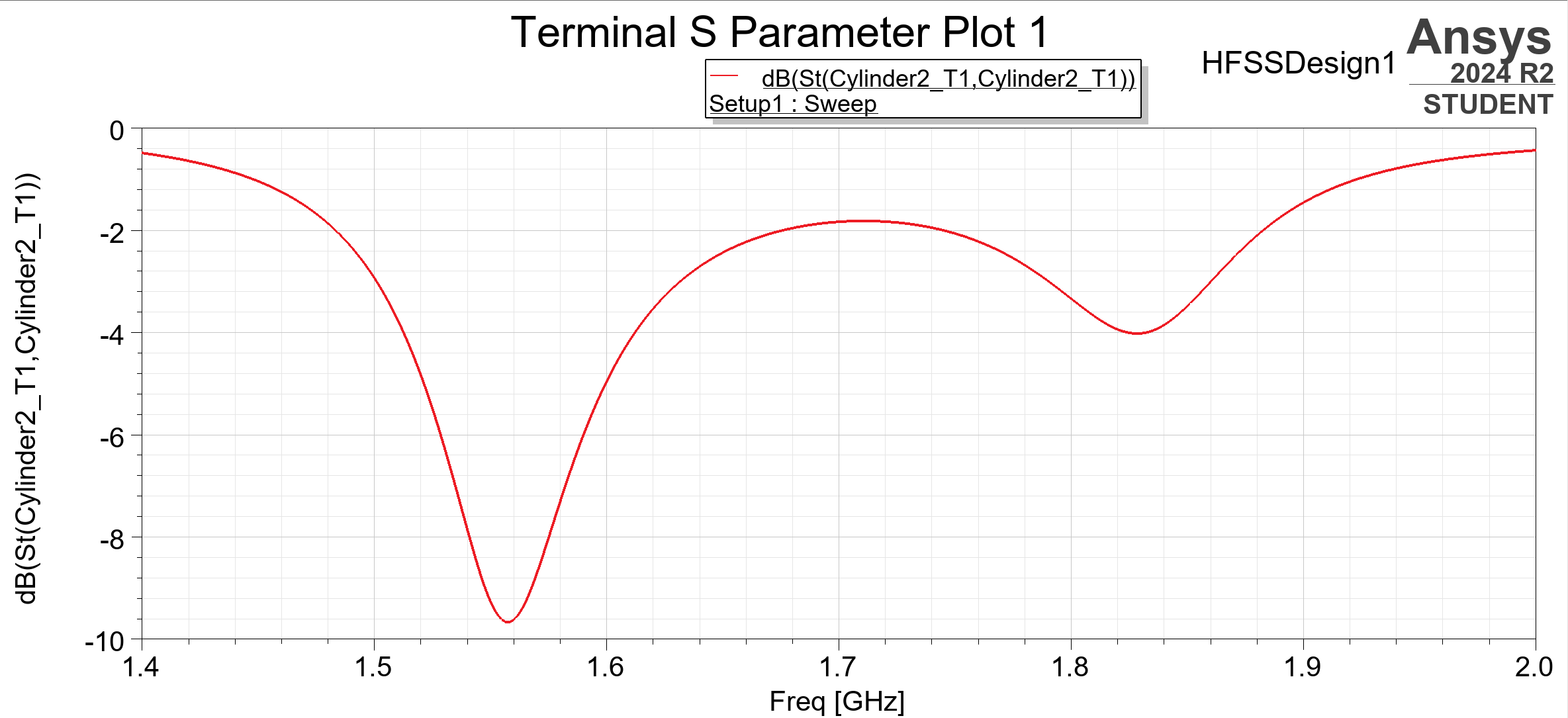
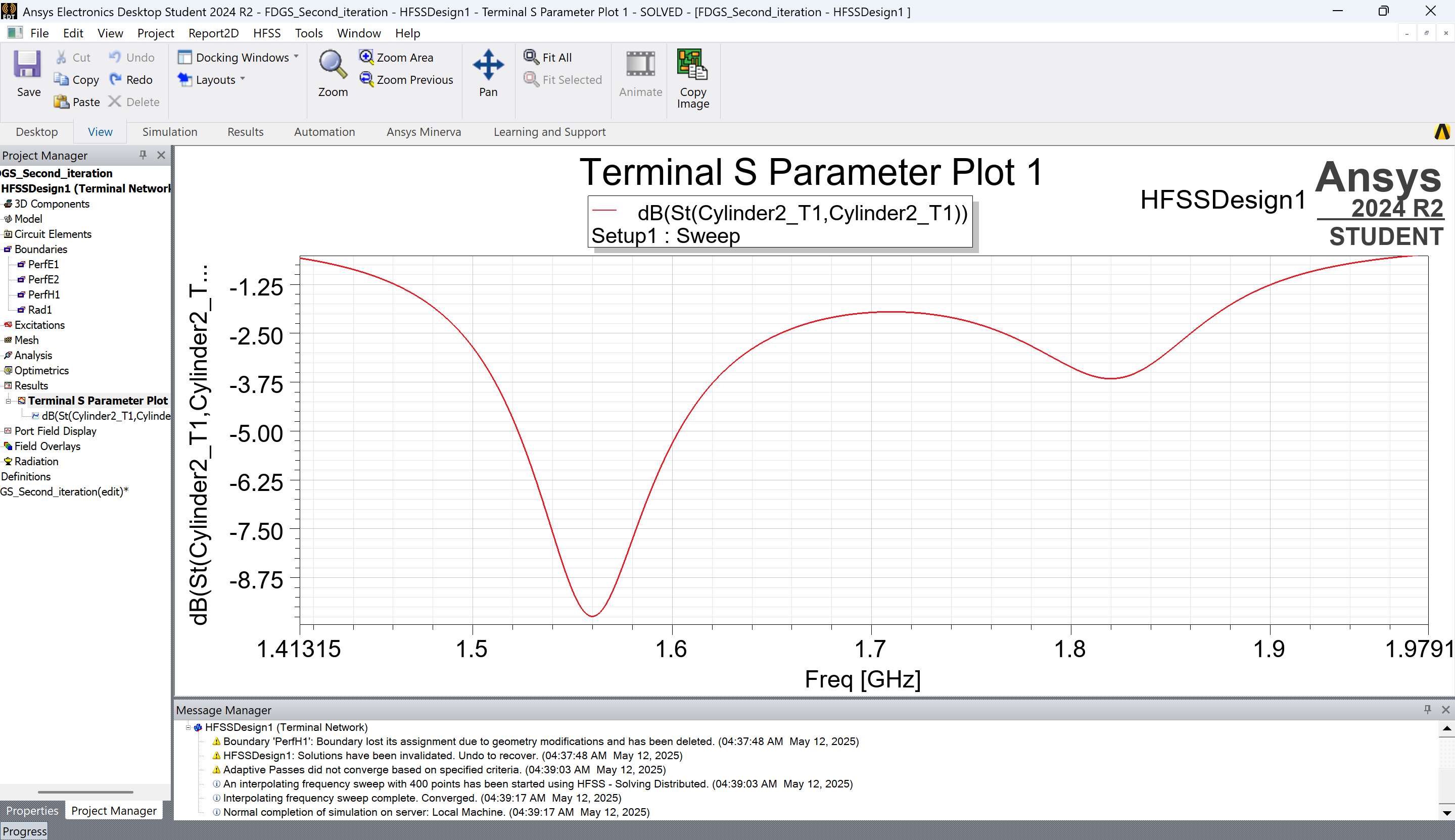
SubscriberThis is the S11 plot I obtained after setting the FDGS to a Perfect H boundary. I first subtracted the FDGS from the ground plane and then applied the Perfect H boundary to the space created. Attempting to set a Perfect H boundary directly on the ground without first performing the subtraction resulted in errors.
I am currently facing an issue where the plot does not match the expected results, and I am unable to identify the mistake. While I have successfully replicated the same model in Altair FEKO, I have not been able to achieve the same outcome in Ansys, which is the antenna design software referenced in the paper. I need help.
-
-
May 12, 2025 at 11:45 pm
Takeshi Itadani
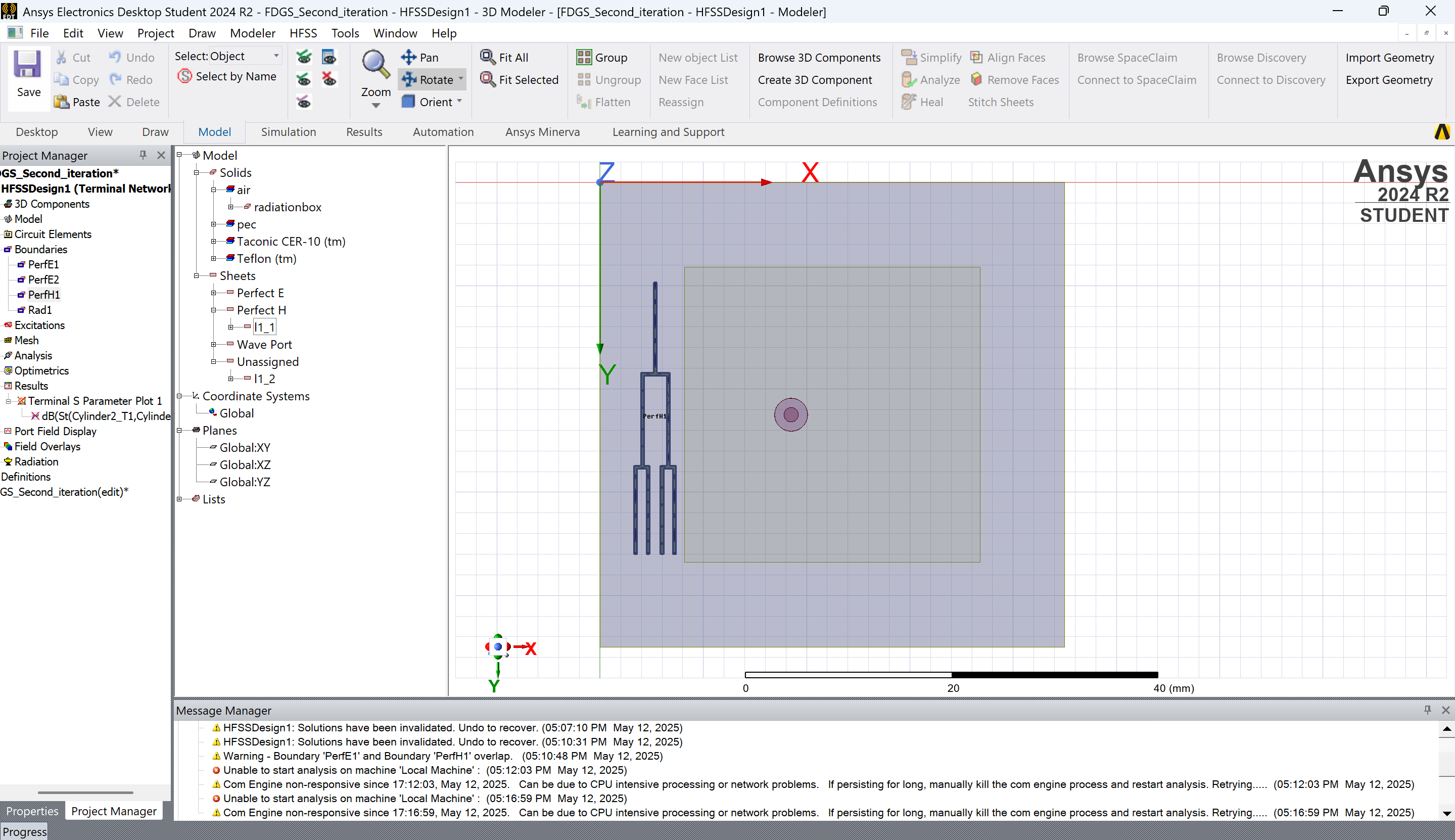
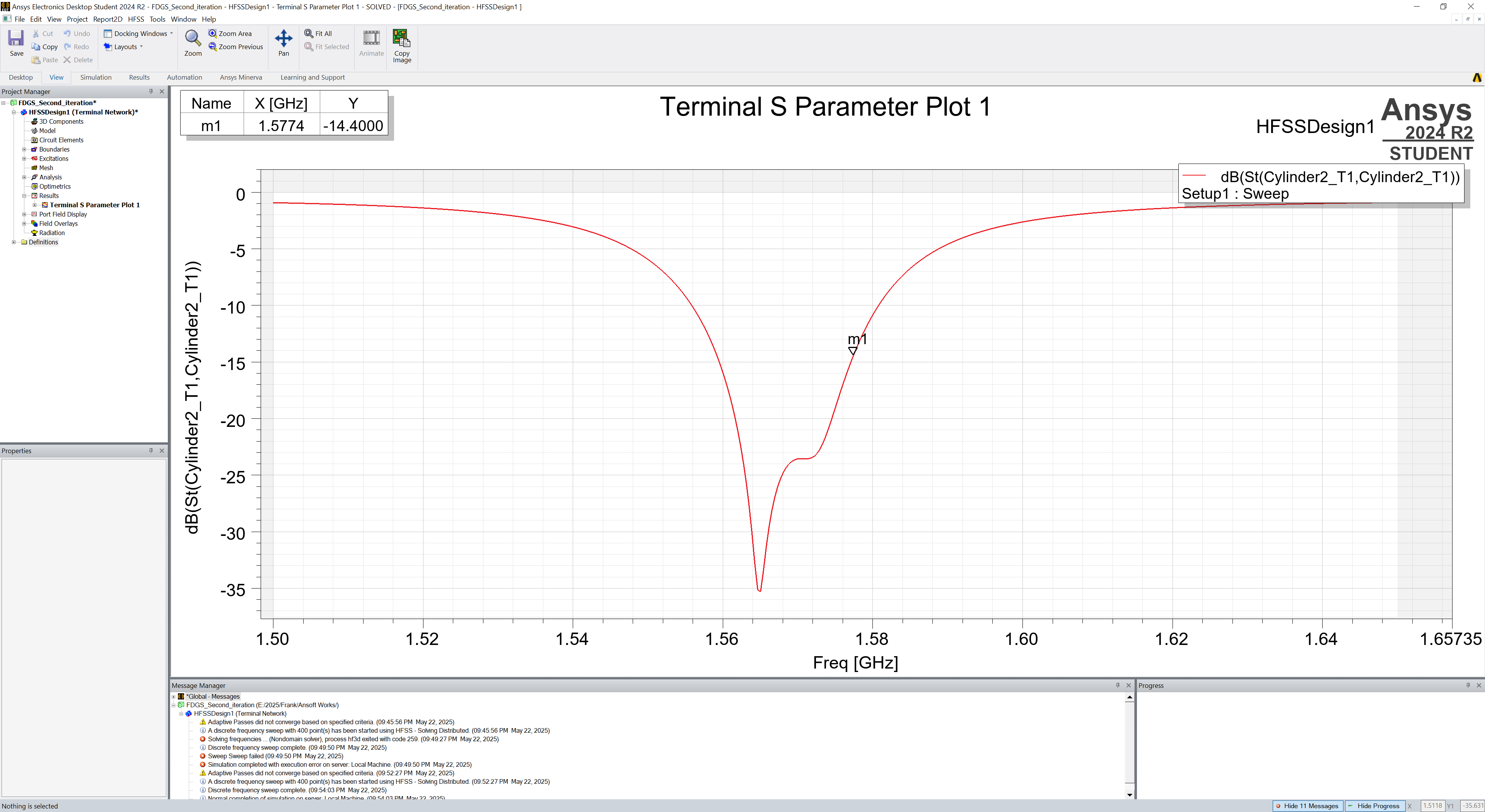
Ansys EmployeeIn the Message Manager, there is a Warning for PerfE1 and PerfH1 overlap, you may want to raise the priority of PerfH1, right click on Boudaries in the Project Manager and select Reprioritize... Try to make PerfH1 the Highest.
If Altair FEKO is giving you the expected results, check the difference between the two settings.
Also, try lowering the Maximum Delta S value in Setup, as it may be a problem with the accuracy of the analysis.
Also, if you are using Interpolating Sweep, consider using Discrete Sweep.-
May 22, 2025 at 8:07 pm
-
-
- You must be logged in to reply to this topic.
-
6465
-
1906
-
1458
-
1308
-
1022
© 2026 Copyright ANSYS, Inc. All rights reserved.