Hello,
Is your LSTC license server a virtual machine (VM)? VMs are prone to hostid changes as seen by the LSTC license manager and so we recommend installing the LSTC license manager on a physical (bare metal) server.
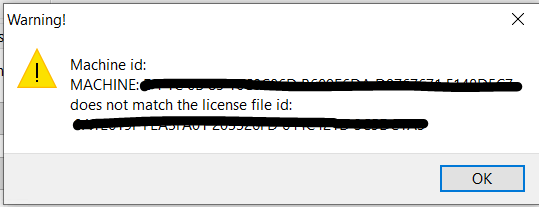
The error message you are getting means the hostid of the LSTC license server does not match the hostid in the license file (server_data). To fix this problem, you usually need to do a license server change (sign an LCF form) and get a new license file. Please contact your Ansys account manager to get a new license file.
Have you installed the program manager? If so, please uninstall it and all LSTC products and use the LSTC license manager on the license server and LS-RUN on the client machine to run LS-DYNA.
Have you installed the latest LSTC license manager on the license sever? You can download it here:
https://ftp.lstc.com/user/Download-Instructions/Job-License-Manager/
username: user
password: computer
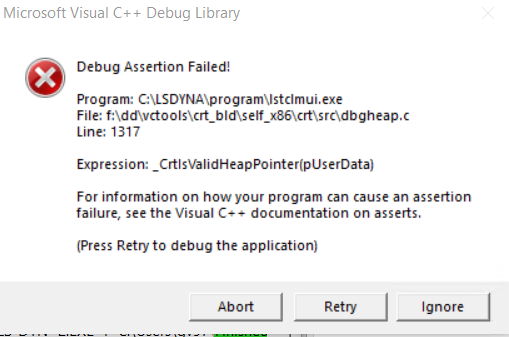
After installing the LSTC license manager on the license server, run the lstclmui.exe as administrator and uninstall and then install the LSTC service for Windows:
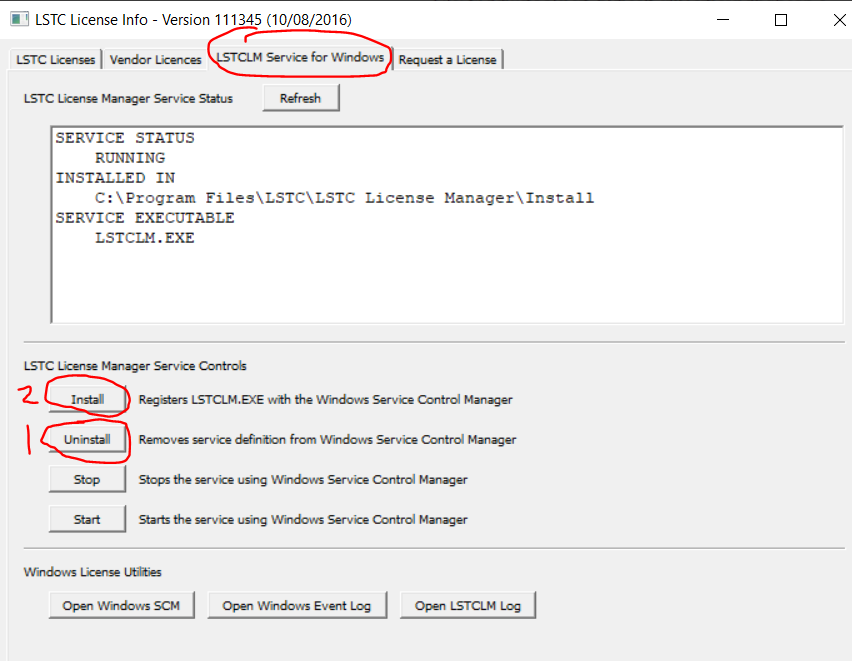
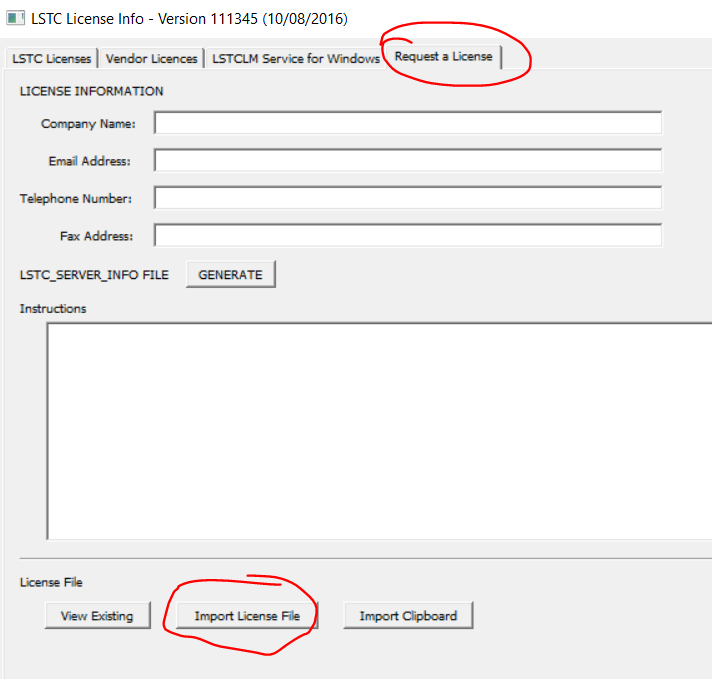
Then, you can import the license file:
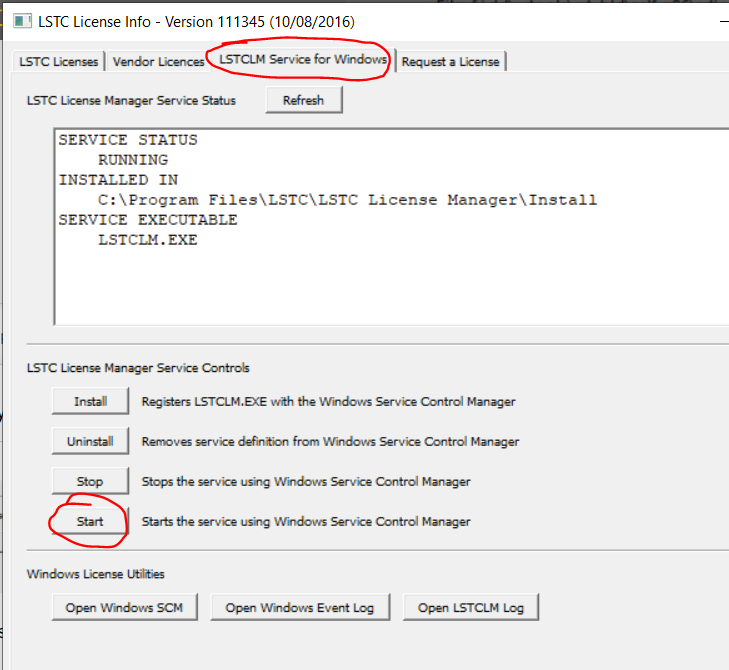
And start the service:
You will find all the LSTC license manager documentation here:
https://ftp.lstc.com/user/download-instructions/License-Manager/LSTC_LicenseManager-InstallationGuide.pdf
You can download LS-RUN here:
https://ftp.lstc.com/anonymous/outgoing/lsprepost/LS-Run/
And you will find a video tutorial on LS-RUN here:
https://www.youtube.com/watch?v=ymkTJCefm30
Finally, you can download the latest LSPP here:
https://ftp.lstc.com/anonymous/outgoing/lsprepost/4.9/
Let me know how it goes.
Reno.


















 You are navigating away from the AIS Discovery experience