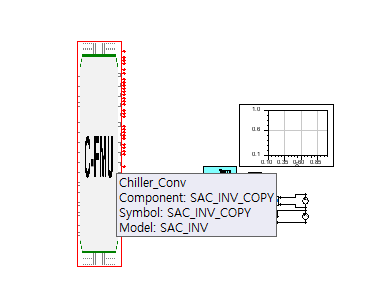
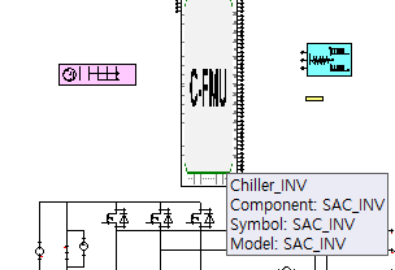
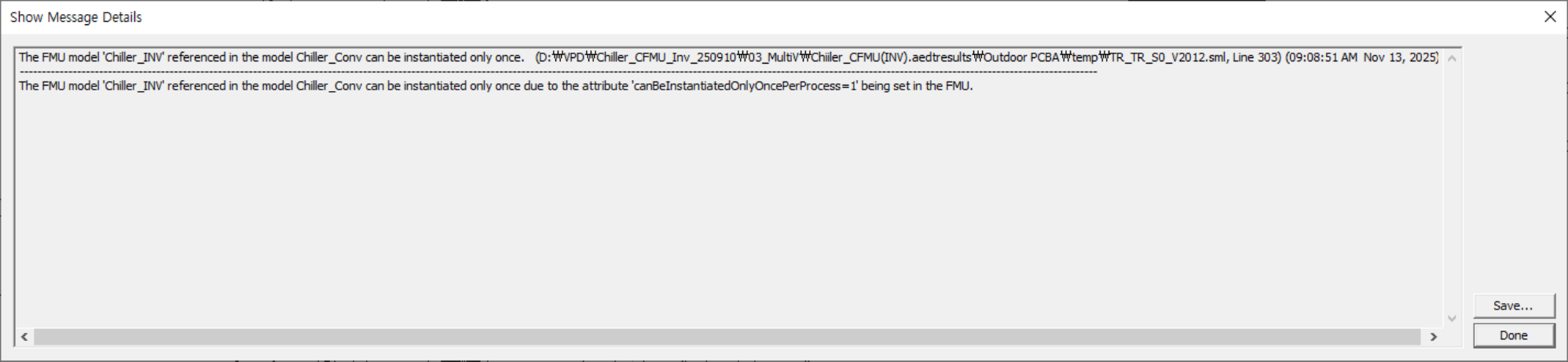
To address the limitation of the FMU model 'Chiller_INV', you may try the below:
Use Separate Processes: Since the FMU can only be instantiated once per process, you can run multiple instances of the FMU in separate processes. This approach allows each process to have its own instance of the FMU, effectively bypassing the limitation
Modify the FMU: If you have access to the source code or the ability to modify the FMU, consider changing the 'canBeInstantiatedOnlyOncePerProcess' attribute to allow multiple instantiations. However, this requires a deep understanding of the FMU's internal workings and should be done with caution.
Utilize a Master Tool: Implement a master tool that can manage multiple FMUs by coordinating their execution. This tool can handle the instantiation and communication between different FMUs, ensuring that they operate within the constraints of the FMI standard. The FMUs act as slave components, and the master tool organizes their execution. Introduction to Ansys SCADE Suite - Ansys Learning Hub
Consider Co-Simulation: If the FMU is used in a co-simulation setup, ensure that the simulation environment supports co-simulation FMUs. Ansys Fluent, for example, supports co-simulation FMUs using FMI 2.0, but only one FMU file can be imported at a time. This setup might require restructuring the simulation to fit within these constraints.
By implementing the above strategies, you may be able to effectively manage the instantiation limitation and ensure that your simulation environment can handle multiple FMUs efficiently.
I may not be exactly pin-pointing to real cause of the error, still the given below information should help though
- To effectively read and manage multiple FMUs in a simulation environment, it is crucial to utilize a platform that supports the FMI standard, allowing each FMU to be imported and executed as a separate entity. This setup facilitates the integration of different models, such as plant and controller, within a single simulation framework, promoting modular and scalable system design. For instance, LS-DYNA supports co-simulation by integrating multiple simulation tools like Simulink, Hopsan, and Python to solve coupled, multi-physics problems. Each tool contributes its specific solution results, and the simulation is synchronized using specified communication time steps. This approach ensures that each FMU can be simulated independently or as part of a larger framework. FMI (Functional Mock-up Interface) in LS-DYNA
- In Ansys Fluent, co-simulations with FMU files are supported using the Functional Mock-up Interface technology. Fluent allows the import and use of FMU files, where the simulation participants run independently and only exchange data. However, it is important to note that Ansys Fluent only supports co-simulation FMUs using FMI 2.0, and only one FMU file can be imported at a time. This setup ensures that the simulation results are accurate and meaningful, especially when dealing with different physical domains or subsystems. 3.27. Coupled Simulations in Ansys Fluent with Functional Mock-up Unit (FMU) Files
- Additionally, the use of surrogate models and machine learning techniques can significantly accelerate the simulation process. These methods reduce the computational effort required to simulate and optimize systems composed of multiple FMUs, making it feasible to handle large and complex models. Proper management of model parameters and initial conditions is essential to ensure that each FMU is configured correctly, which is crucial for obtaining accurate simulation results.
























 You are navigating away from the AIS Discovery experience