Ansys Assistant will be unavailable on the Learning Forum starting January 30. An upgraded version is coming soon. We apologize for any inconvenience and appreciate your patience. Stay tuned for updates.
Ansys Innovation Courses

Ansys Innovation Courses

Provide feedback or ask questions related to the Ansys Innovation Courses content.

I have completed the course and the button to obtain the badge doesn’t work

TAGGED: 

    • alvaropas42
      Subscriber

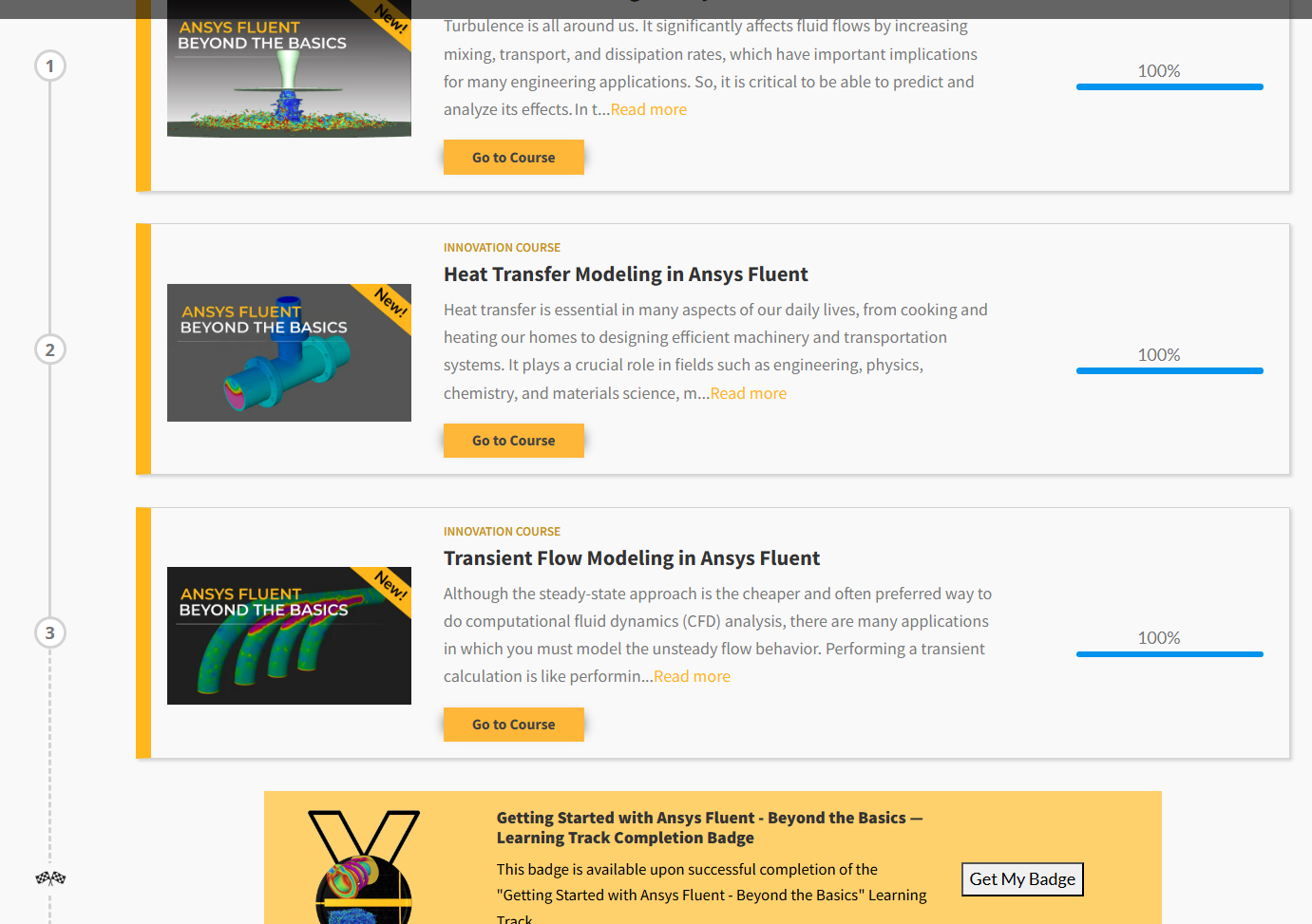
      I have completed the course "Getting Started with Ansys Fluent - Beyond the Basics" and the option to obtain a badge appears, but I am not given or receiving any badge.

    • Ashish Khemka
      Forum Moderator

      Hello,

      Please write to ansysbadges@ansys.com

      Regards,

      Ashish Khemka

    • omkar.junnarkar
      Subscriber

      Hello, I am facing the same problem where I can not see the Get badge option. I tried writing to the above Email ID, from the same origanization account, from which I have an Ansys account, but the Email didn't go through, and I got this error-Email in return telling that: 550 5.7.193 UnifiedGroupAgent; Delivery failed because the sender isn't a group member or external senders aren't permitted to send to this group.  

    • Ashish Khemka
      Forum Moderator

      Hello,


      Thanks for sharing this! Let me check on the same with the team.


      Thanks and Regards,

      Ashish Khemka

    • Ashish Khemka
      Forum Moderator

      Hello,


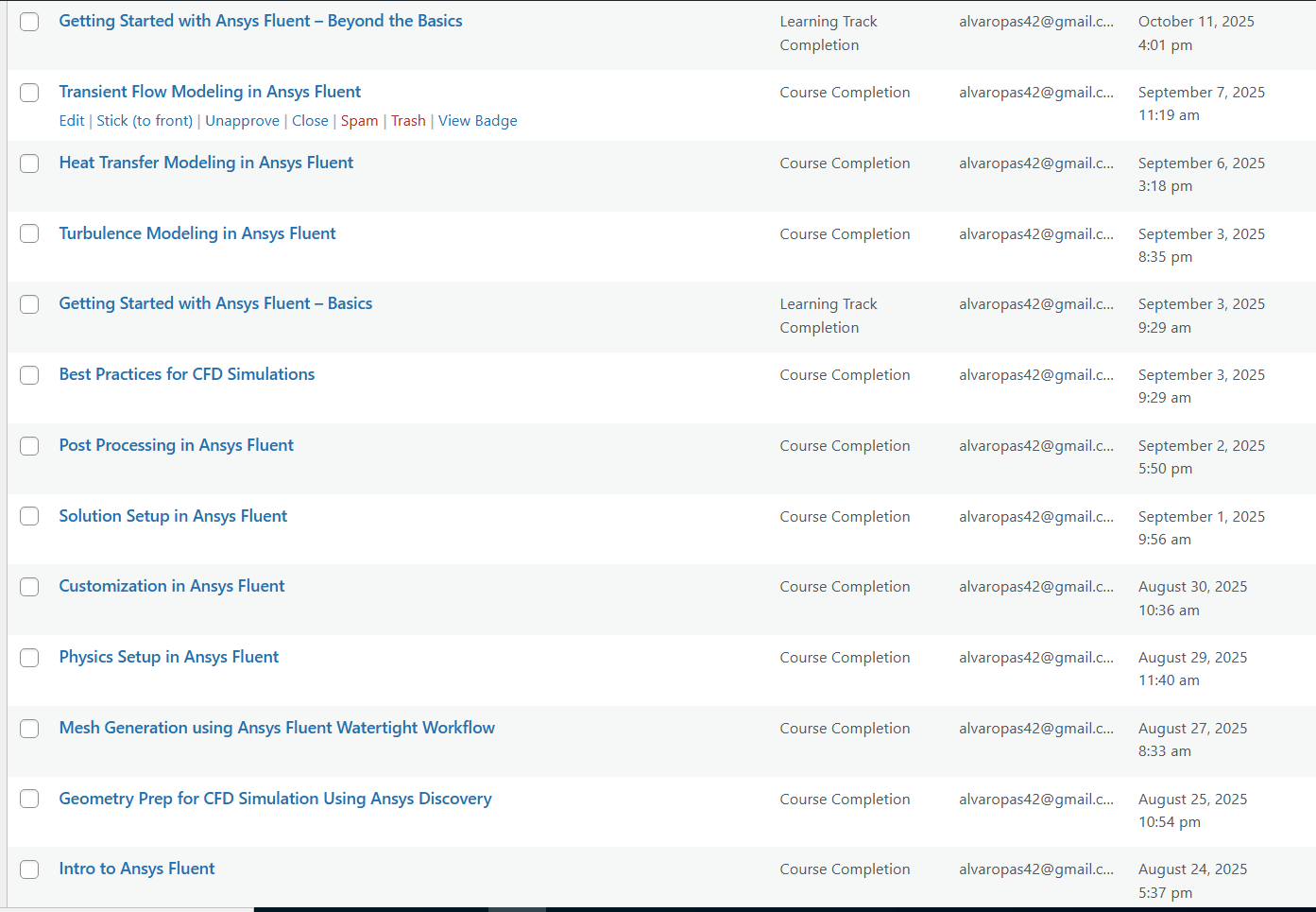
      We have issued the badges:


      Please check.


      Thanks and Regards,

      Ashish Khemka

    • Ashish Khemka
      Forum Moderator

      For any issues please respond to ansys-badges@synopsys.com


      Regards,

      Ashish Khemka

    • gs09nffcrbt
      Subscriber

      Hello Support Team, I completed three courses ("Intro to Ansys Fluent", "Stress Analysis in Solid Mechanics", and "Getting Started with Ansys Mechanical") on June 06, 2026. However, on my "My Badges" dashboard, the status still shows "Badge not yet activated" for all of them.

      Could you please look into this and trigger the activation from the backend?

      Thank you!

    • Rob
      Forum Moderator

      Have you emailed the address as per Ashish's message? 

    • Mahesh T
      Forum Moderator
      Dear Student

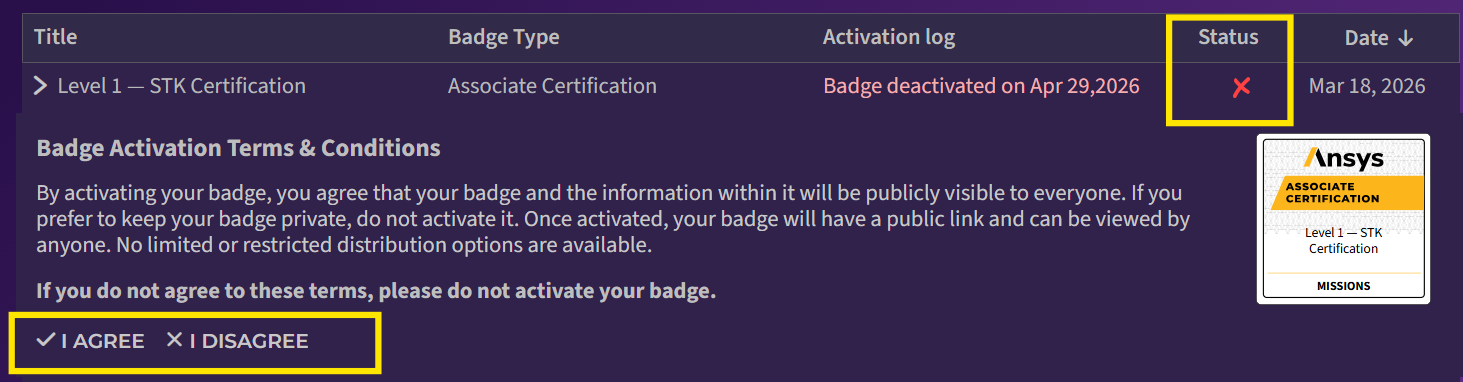
      We’ve recently updated our badges platform, with the new update, badges can now be activated by clicking the “✗” icon next to the badge (as shown in the screenshot below).
      Hovering over the “✗”icon will display a tooltip with activation guidance. When the icon is clicked, you will be prompted to accept the Terms and Conditions. Once the Terms are accepted, the badge status will change to Activated, and you will be able to download the badge
      Please let us know if you need any further support.

Viewing 8 reply threads
  • You must be logged in to reply to this topic.
[bingo_chatbox]