

TAGGED: cleanup-connections, export, geometry, hfss, layout
-
-
April 13, 2022 at 5:24 pm
Dwight Bragdon
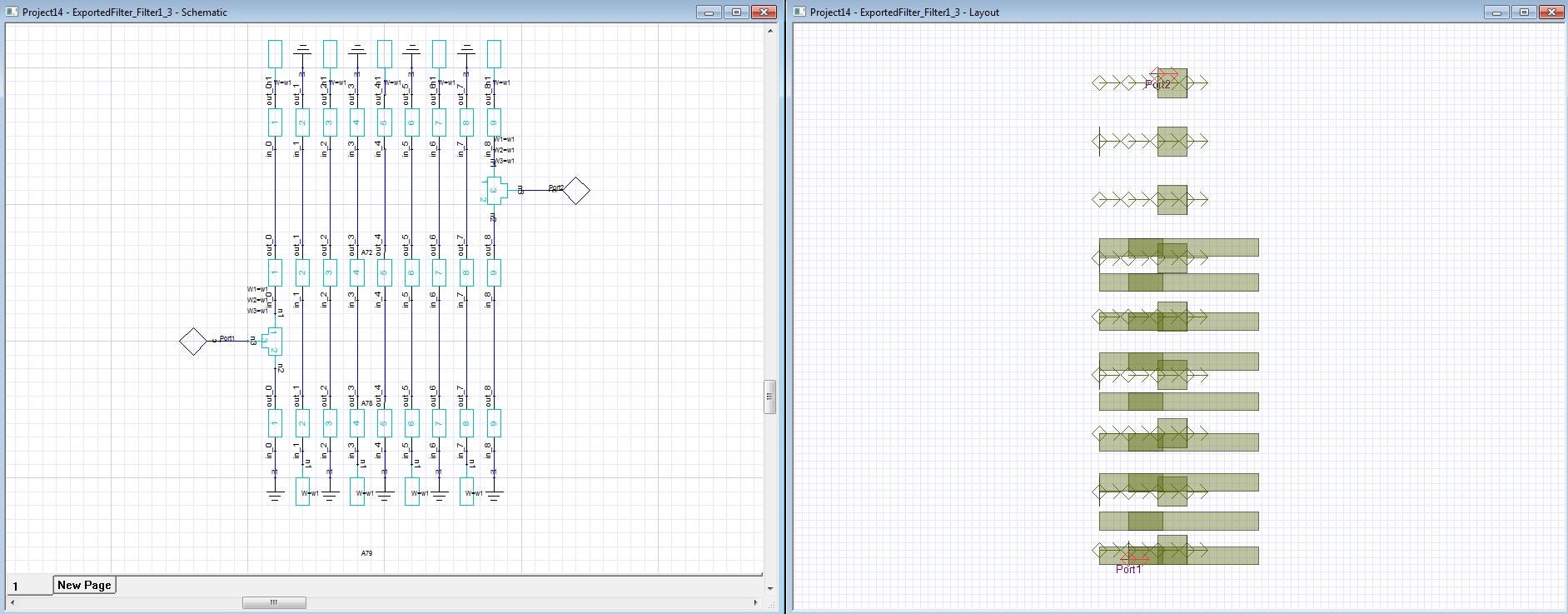
SubscriberAfter exporting a physical circuit from the Filter Design Wizard in HFSS the geometry in the Layout Editor is not connected according to the schematic as shown below.
April 27, 2022 at 11:56 amPraneeth Munaga
Ansys Employee
May I know which version of AEDT are you using?
The Filter design wizard is very old.
Please update to the latest version and I would recommend you to use "Filter Solution" pack which is more advanced.
All the very best Praneeth.
August 13, 2022 at 8:54 pmSubscriberI am using Release 19.0.0
Upgrading to the lastest version seems to be drastic solution given the cost of said upgrade.
I am posting the solution for the benefit of others who may have the same question.
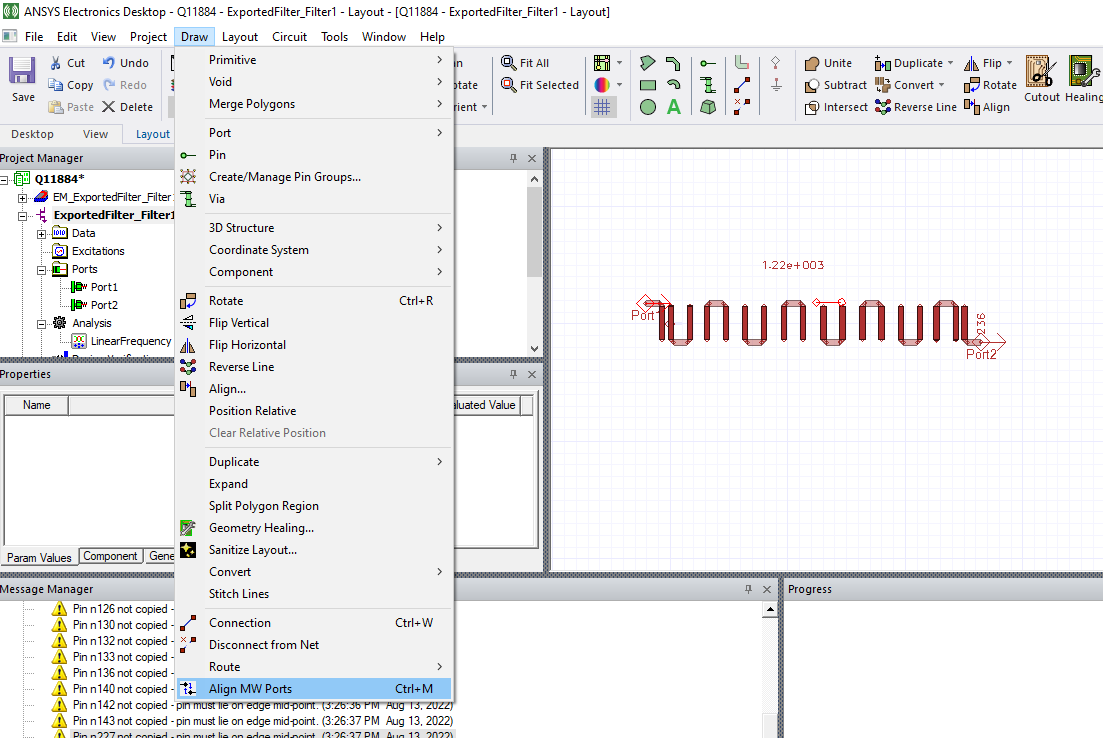
As shown below, with all the geometry highlighted, select Draw>Align MW Ports
or enter Ctrl+M
 Viewing 2 reply threads
- The topic ‘How to snap geometry in layout’ is closed to new replies.
Innovation Space Trending discussions
 Top Contributors
-
peteroznewman
 6019
6019 -
scabo
 1906
1906 -
Dennis Chen
 1425
1425 -
javat33489
 1308
1308 -
Shyam Prasad V Atri
1021
Top Rated Tags
© 2026 Copyright ANSYS, Inc. All rights reserved.
Ansys does not support the usage of unauthorized Ansys software. Please visit www.ansys.com to obtain an official distribution.
-


The Ansys Learning Forum is a public forum. You are prohibited from providing (i) information that is confidential to You, your employer, or any third party, (ii) Personal Data or individually identifiable health information, (iii) any information that is U.S. Government Classified, Controlled Unclassified Information, International Traffic in Arms Regulators (ITAR) or Export Administration Regulators (EAR) controlled or otherwise have been determined by the United States Government or by a foreign government to require protection against unauthorized disclosure for reasons of national security, or (iv) topics or information restricted by the People's Republic of China data protection and privacy laws.

 You are navigating away from the AIS Discovery experience