Ansys Assistant will be unavailable on the Learning Forum starting January 30. An upgraded version is coming soon. We apologize for any inconvenience and appreciate your patience. Stay tuned for updates.
LS Dyna

LS Dyna

Topics related to LS-DYNA, Autodyn, Explicit STR and more.

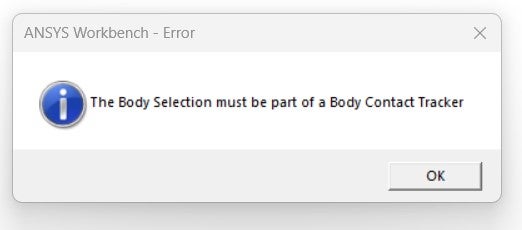
Error: The Body Selection must be a part of Body Contact Tracker

    • e217733
      Subscriber

      I am trying to extract contact force using contact force tracker (added by right clicking the 'Solution Information') scoped to a rigid body (tool) interacting with a flexible body (workpiece), when trying to simulate an orthogonal cutting process in ANSYS 2021R1 LS-DYNA. I only used 'body interaction' as a connection between these two bodies, with a frictional coffecient entered as 0.3, with no other contacts built betweeen these bodies (like bonded, etc). However, when I try to evaluate the results after solution has finished, the contact force tracker doesn't work, and generates me this error as I am sharing in the picture. I don't know how to add the body contact tracker, because I don't see any option to add it from anywhere (like it doesn't show up in the 'Solution Information'). Can you tell me how should I address this issue?

    • Nanda
      Ansys Employee

      Hello User,

      Please follow the below steps:

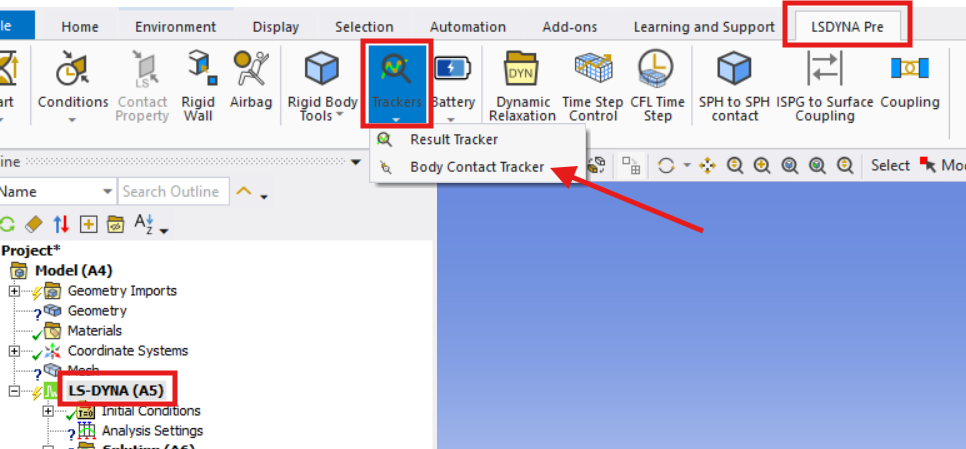
      • Open the LS-DYNA Pre toolbar before solving your model.
      • Insert a Body Contact Tracker and scope it to the rigid body (tool) or any relevant body for which you want to extract contact force.
      • Ensure the tracker is set up prior to running the solution. Post-processing contact forces is only possible if the tracker is present before solving.
      • After the solution, use the Body Contact Tracker to evaluate and plot the contact force results.

      Regards,

      Nanda.

      Have a look at our public help documentation website: Ansys Help

      For more exciting courses and certifications, hit this link: Ansys Innovation Courses | ANSYS Innovation Space

      Guidelines for Posting on Ansys Learning Forum

    • e217733
      Subscriber

      @Nanda, thank you for your timely response.

      Actually, I am trying to retrieve the tangential (F_c) and axial (F_t) forces acting on the tool (rigid body) to compare it against the experimental results recorded for this 3D orthogonal cutting setup. My initial understanding was that the contact forces on the tool body would directly relate to these F_c and F_t forces, however, upon extracting these contact forces, I realized that these were substantially smaller than the ones recorded during the experiments. The material properties, setup, etc is cross-checked beforehand to ensure that this issue doesn't stem from these determinants.

      I then tried using the reaction force probe to evaluate the reaction force on the rigid body. However, this is the error I encountered:
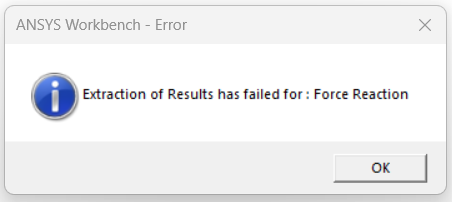

       I had to drag and drop the boundary condition scoped to the rigid body, onto the Solution Information because when I tried to directly insert a force reaction tracker, the 'Boundary Condition' box was yellow, which I believe signifies that the solver hasn't identified any valid boundary conditions whose force reactions can be calculated. I used only one Displacement BC on the rigid body, with z = free (velocity direction), x = y = 0. Can you please help me spotting where exactly I am making a mistake?  

    • e217733
      Subscriber

      @Nanda, could you please respond back to my query? I would be tremendously grateful.

    • Nanda
      Ansys Employee

      Hello,

      Sorry, I missed your earlier reply notification.

      The recommended and most accurate approach is to extract forces using a Rigid Body History Output (or *DATABASE_RCFORC at the keyword level), which provides the total resultant forces acting on the tool, including all physical contributions. You should also define a local coordinate system aligned with the cutting and feed directions to correctly resolve Fc and Ft components from the resultant force vector. I believe, the discrepancy you are observing can be resolved by switching to rigid body force outputs with proper coordinate system alignment.

      Also, in situations like this, the experimental forces (Fc and Ft) include not only contact contributions but also inertia, material deformation resistance, and other dynamic effects inherent to explicit analysis; therefore, relying solely on contact forces may underestimate the actual values. How big of a difference do you see now?

      Best,
      Nanda

    • e217733
      Subscriber

      @Nanda, thank you for your response.

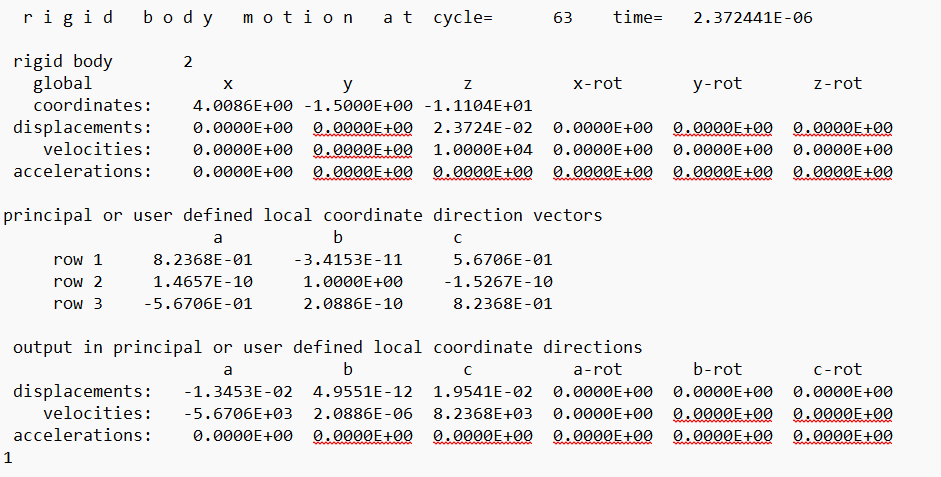
      I tried what you suggested. Since I am operating LS-DYNA through ANSYS WB interface, I went to the 'Time History Output Controls' under the Analysis Settings, and I chose the Rigid Body Data option from the drop-down menu. I guess this is what you meant by the 'Rigid Body History Output', isn't it? However, after locating the Solver Files Directory and opening the created RBDDOUT file, this is what I found (I am just sharing a portion of the file for explanatory purposes):

      I couldn't see any resutant forces, but just displacements, velocities, and accelerations. So I am a bit puzzled. Secondly, the SPCFORC file, to my shock, empty. Could you please elaborate what am I missing esentially? The setup is simply a rectangular block (workpiece) undergoing orthogonal cutting by a rigid tool, so nothing fancy. Thank you.

Viewing 5 reply threads
  • You must be logged in to reply to this topic.
[bingo_chatbox]