Ansys Assistant will be unavailable on the Learning Forum starting January 30. An upgraded version is coming soon. We apologize for any inconvenience and appreciate your patience. Stay tuned for updates.
Ansys Products

Ansys Products

Discuss installation & licensing of our Ansys Teaching and Research products.

Changing remote displacement location when changing geometry parameter

    • Michel Hekers
      Subscriber

      Hello,

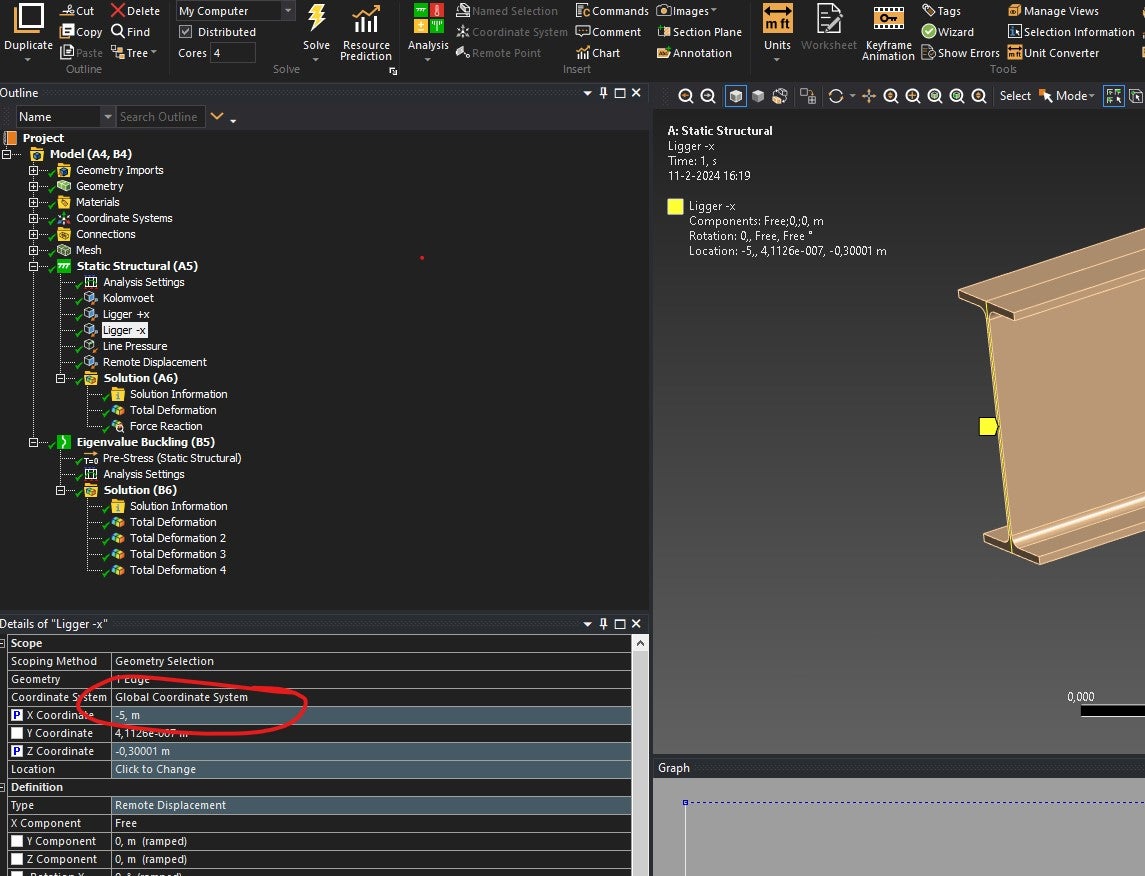
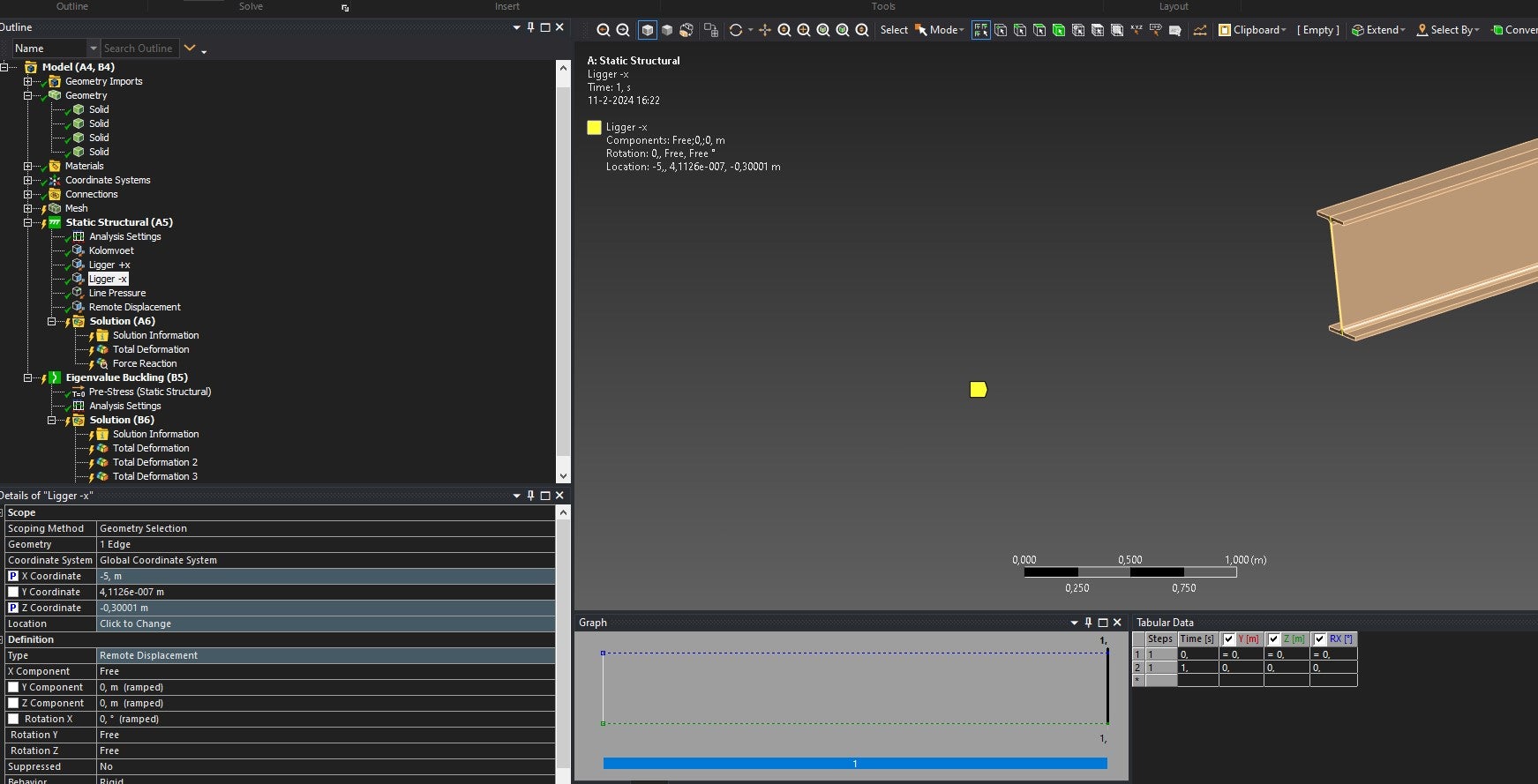
      I defined a beam in designmodeler. The length of the beam can be changed with a parameter. In Ansys mechanical at the ends of the beam i support the beam using remote displacements. 

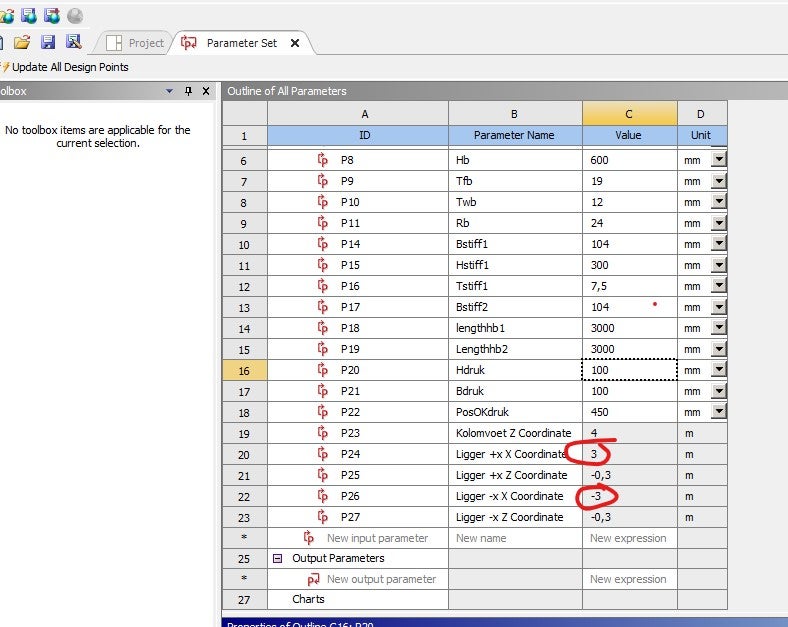
      If i define the length of the beam to lets say 5000mm and insert the remote displacements on the face the X,Y and Z coordinates are inserted correctly. but when i change the parameter of the geometry to lets say 3000mm the X,Y and Z coordinate do not update. I have tried making the coordinates a parameter aswell and using expressions but it doesnt seem to update.

      How can i define my supports to scale with my geometry automatically? 

    • Matthew Middleton
      Ansys Employee

      You have to make a new coordinate sytem with location scoped to geometry such as that edge, in which case the coordinate system would be located at the centroid of the edge. Then in the remote displacement, set the location to use that coordinate system, and then the location would typically be zero in xyz, but is not required to be zero. Coordinate sytems scoped to geometry will relocate when the geometry moves, but remote boundary conditions will not alter their specified coordinates when geometry moves.

Viewing 1 reply thread
  • The topic ‘Changing remote displacement location when changing geometry parameter’ is closed to new replies.

[bingo_chatbox]