Ansys Assistant will be unavailable on the Learning Forum starting January 30. An upgraded version is coming soon. We apologize for any inconvenience and appreciate your patience. Stay tuned for updates.
Ansys Products

Ansys Products

Discuss installation & licensing of our Ansys Teaching and Research products.

cannot open ensight of ansys19.0

    • luckfan
      Subscriber

      I tried to install Ansys many times include 19.0 and 19.2,also installed separately, but I always couldn't open the Ensight module.When I clicked Ensight there with a Flashing blank command box,then nothing happens.When I clicked envision,there are the following tips in attached pictures.I really hope to get someone's help.Thank you!

    • Rob
      Forum Moderator

      Please put the images in with the text: staff are not permitted to open/download attachments. I'm not sure when Ensight was bundled into Ansys, so also check the licence file. 

    • luckfan
      Subscriber

      Very grateful for your help!


      I know that some users install it with the same steps, but they can be opened, but I ca n’t, is it a problem with my computer?


      The Ensight did not respond at all, so I opened Envision with the following prompt:


      This is EnVision 10.2.3(b) (12/21/2017) build: 55095 ANSYS_R19


      ---- --


      Running on computer: DESKTOP-P75EHBF


      getenv(CEI_HOME) returned [C:Program FilesANSYS Incv190CEIbin..]


      Couldn't find a valid slim8.key license file in the standard


      locations. Please check your environment variables as indicated in the


      Getting Started manual and make sure you have a valid slim8.key license


      file installed and that slimd8 is running if using a floating license.


      Using ANSYS licensing


      Setting Python Home to C:Program FilesANSYS Incv190CEIbin..apex32machineswin64Python-2.7.11


      Python interpreter started (2.7.11 (default, May 24 2016, 17:06:05) [MSC v.1800 64 bit (AMD64)])


      ****************** EnVision Console window ******************


      DO NOT CLOSE THIS WINDOW; it will terminate your application!


      *************************************************************


      hostname = [DESKTOP-P75EHBF]


      architecture = [win64]


      calling license_info()


      Failed to load resource icon:


      No 3D input device available.


      Detected 4 CPU core(s)


      ensight102.client using 1 thread(s).



    • tsiriaks
      Ansys Employee

      Do you have ANSYS Ensight license hosted with the ANSYS License Manager on a license server ? Please show the content of the license file installed on there.


      If you are using the legacy Ensight license, that will need certain people to help you.


      Thanks,


      Win

    • luckfan
      Subscriber

      Win,


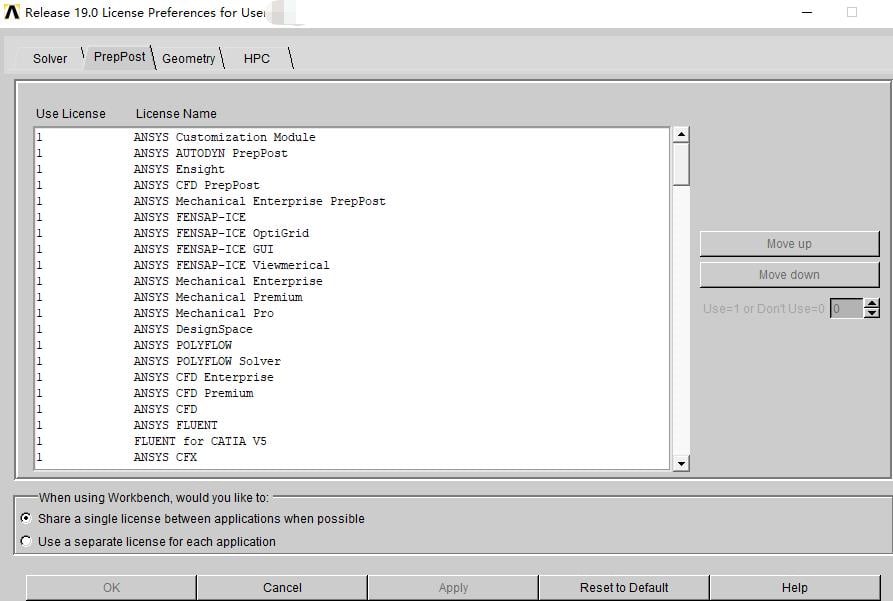
      Is this the license you said? The 19.0 version I installed could not find the  ANSYS License Manager  you said. I put what I found in the attached picture.


      Thanks,


      luckfan


      image.png


    • tsiriaks
      Ansys Employee

      Sorry, could you re-post your image again, it doesn't show up correctly


      Thanks,


      Win

    • luckfan
      Subscriber

      This is the image!


      Thanks,


      Luckfan


    • DrAmine
      Ansys Employee

      Can you provide your account ID?

    • luckfan
      Subscriber

      Customer number = 20120530


      Thanks, Luck

Viewing 8 reply threads
  • The topic ‘cannot open ensight of ansys19.0’ is closed to new replies.
[bingo_chatbox]