-
-
October 27, 2018 at 1:30 pm
-
October 28, 2018 at 11:11 am
-
October 29, 2018 at 11:13 pm
tsiriaks
Ansys EmployeeHi invalidz,
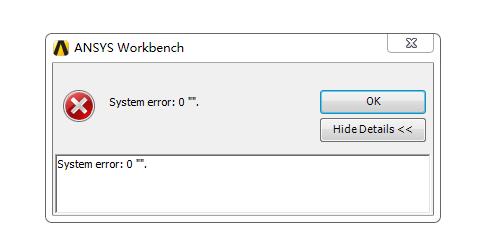
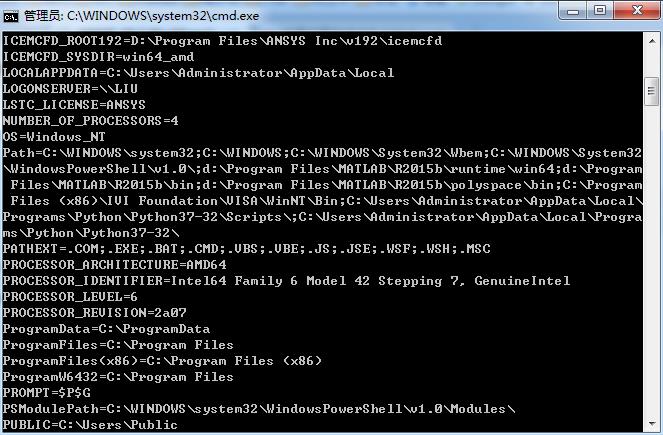
I'm guessing your username or computer name might have some non-english language or some special character
Could you post the screenshot of the output of the 'set' command (without quote ' ') from the CMD Prompt ?
Thank you,
Win
-
October 30, 2018 at 8:24 am
-
October 30, 2018 at 9:25 am
seeta gunti
Ansys EmployeeHiÂ
Â
Looks like installation issue. Can you uninstall and install again and check whether you are able to open workbench. Make sure you give the right license file.
Regards,
Seeta
Â
Â
Â
Â
Â
Â
Â
Â
-
October 30, 2018 at 11:55 am
dingkang_liu
SubscriberHi Seeta,
I have uninstall and install again.but it still has the same problem.
Thank you
-
October 30, 2018 at 4:18 pm
tsiriaks
Ansys EmployeeHi dingkang_liu ,
Can you try with other username that's not 'Administrator' ?
Also, try setting the default language of your computer to be English.
https://www.windowscentral.com/how-properly-change-system-default-language-windows-10
If these don't help, please follow this step
in the Windows search (from taskbar), type
%temp%.ansys
then look for the file that says 'demo.
.log'Â
Open this file up and scroll to the bottom of the file and post the screenshots of it. Essentially I would like to see the screenshot similar to what will4074 is posting here /forum/forums/topic/ansys-workbench-18-2-4/
Thank you,
Win

-
October 31, 2018 at 9:14 am
dingkang_liu
SubscriberHi tsiriaks,
Â
After I change the language to English,this problem is solved.
Â
Thank you very much.
liu
-
October 31, 2018 at 5:56 pm
tsiriaks
Ansys EmployeeHi liu,
That's great !
Thank you for the update.
Win
-
November 3, 2018 at 2:46 pm
-
- The topic ‘ANSYS 19.2 Workbench Problem’ is closed to new replies.
-
4602
-
1510
-
1386
-
1209
-
1021
© 2025 Copyright ANSYS, Inc. All rights reserved.