Ansys Assistant will be unavailable on the Learning Forum starting January 30. An upgraded version is coming soon. We apologize for any inconvenience and appreciate your patience. Stay tuned for updates.
Ansys Products

Ansys Products

Discuss installation & licensing of our Ansys Teaching and Research products.

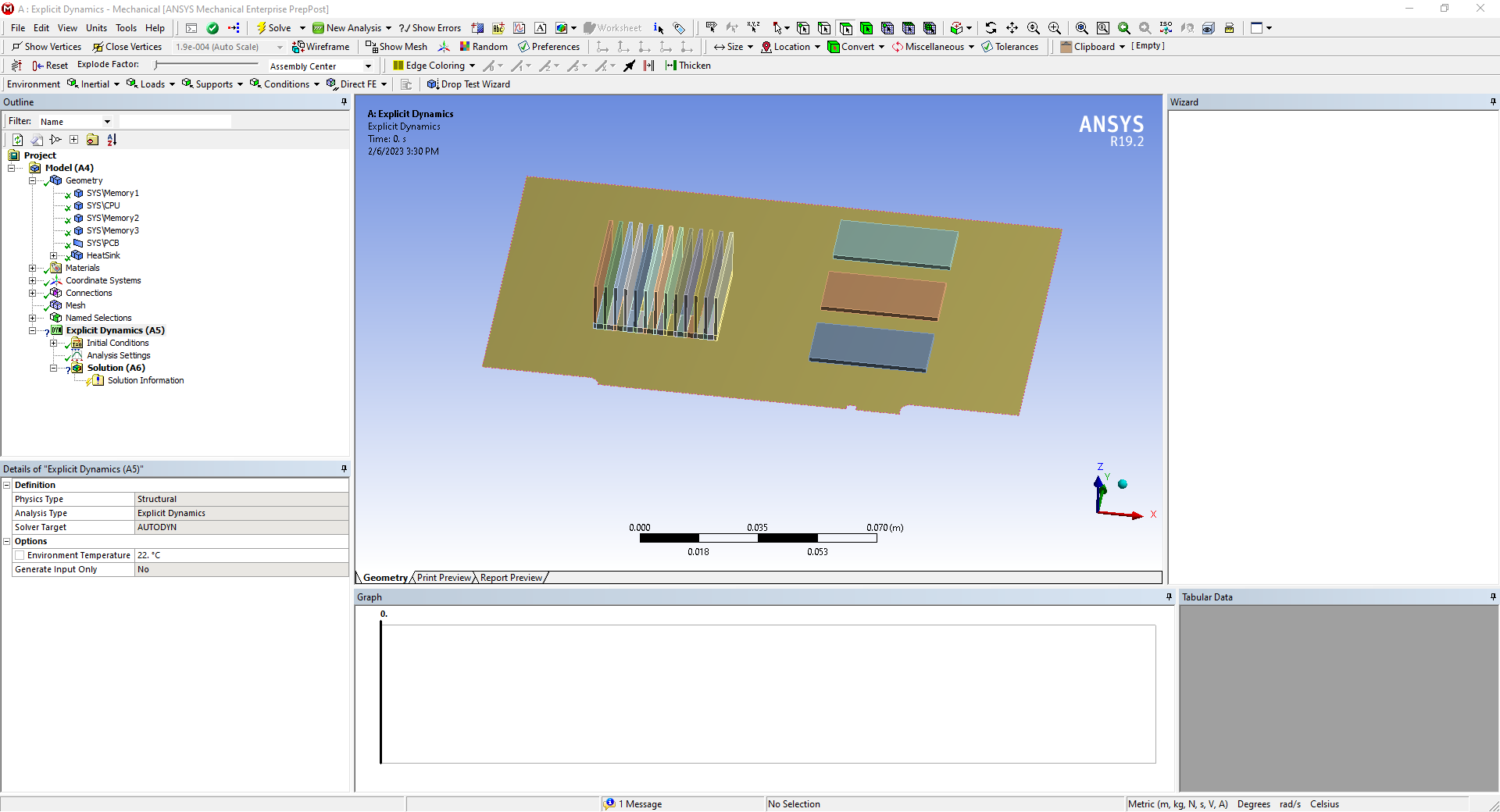
Ansys 19.2 Mechanical ~ Drop Test Wizard BLANK

    • jhicks
      Subscriber

      Hi,

      When I try to use the Drop Test Wizard in Workbench Mechanical, the exstion is just blank (see right side of the Geometry display). I don't see any posts addressing this issue in the forum. Is there a known solution to solve this?


      Thanks!

      John

    • jhicks
      Subscriber


      I’m having the same issue in 2020 R1 Mechanical as well. I've already uninstalled and re-installed 2020 R1 and no luck ?


    • Gary_S
      Ansys Employee


      Try cleaning up the %APPDATA%\Ansys\vNNN folder to see if it resolves the issue. 

      Exit Ansys completely.

      In the File Explorer address field

      Enter: %APPDATA%

      …An Explorer Window will open

      Open the Ansys folder…

      Rename the vNNN folder to vNNN.old for the appropriate version.


      ( v221 = 2022R1, v212 = 2021R2, v192 = 19.2 etc)

      If you see a windows popup asking you if you want to permit the ACT tool running make sure you click OK to allow ACT tool to run in your computer.

      Also, try starting with a new Project.


    • jhicks
      Subscriber


      Renaming the vNNN folder and trying on a new project, both did not work. 

      I haven’t permited the ACT tool to run. Because I don’t recall seeing a window popup asking me to permit the ACT tool running, or I must have missed it. My “ACT Start Page” is completely blank in workbench. And right-click > “reload” doesn’t work either. I don’t think it’s supposed to be blank, after looking up online at what it is supposed to show.

      Is there a way to check if the tool has been granted access?


    • Gary_S
      Ansys Employee

      If the Workbench ACT Start Page is blank, a common issue is due to a security policy FIPS being enabled on your computer. 

      You may need assistance from your IT department to determine if FIPS is enabled at your site.

      This is an excellent article on the issue. You may want to have IT temporarily disable FIPS, then test the ACT. 

      https://www.howtogeek.com/245859/why-you-shouldnt-enable-fips-compliant-encryption-on-windows/

    • Max Nager
      Subscriber

      Is there a way to fix the issue while keeping FIPS enabled?

    • Gary_S
      Ansys Employee

      Max: What verison of the program are you using? 
      The reason for asking is that later version of the program have resolved this issue.


    • Max Nager
      Subscriber

      Gary, I am using Workbench 2020 R1.

    • Gary_S
      Ansys Employee

      Hi Max

      Are you certain that your site has FIPS enabled? 

      Gary


Viewing 8 reply threads
  • The topic ‘Ansys 19.2 Mechanical ~ Drop Test Wizard BLANK’ is closed to new replies.

[bingo_chatbox]