Ansys Assistant will be unavailable on the Learning Forum starting January 30. An upgraded version is coming soon. We apologize for any inconvenience and appreciate your patience. Stay tuned for updates.
Electronics

Electronics

Topics related to HFSS, Maxwell, SIwave, Icepak, Electronics Enterprise and more.

After mesh, material is changed. How do I fix it?

    • A.sanchai
      Subscriber
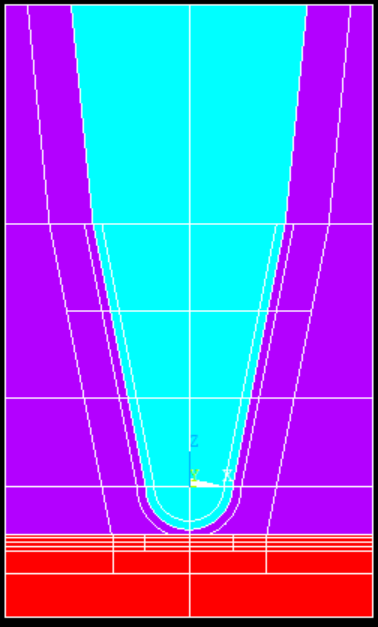
      I created a geometry and assign material for each of them.
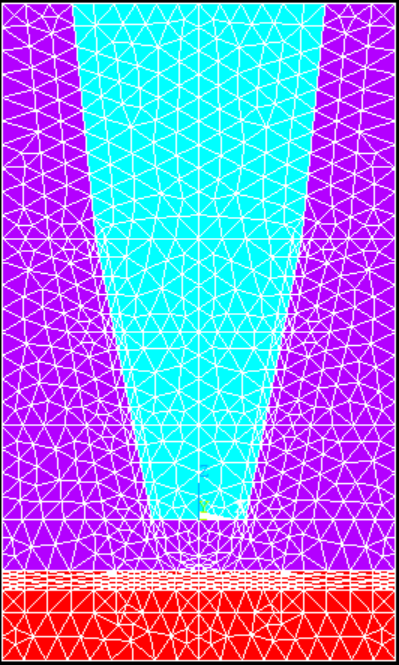
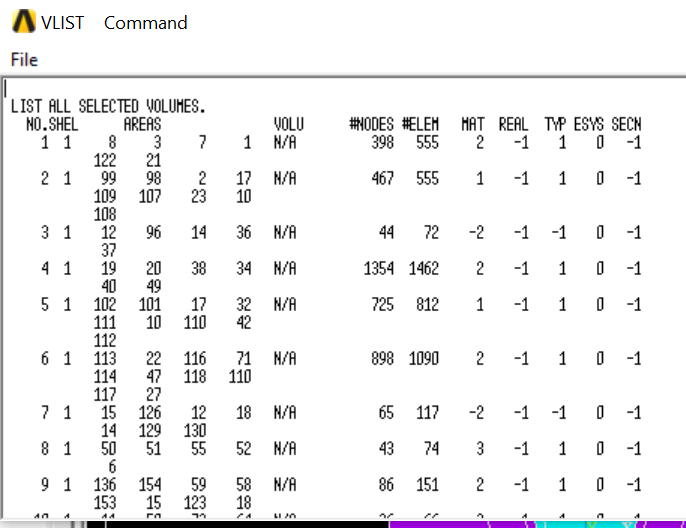
      But after meshing end of the cone is gone/ the material change from mat 1 to mat 2 ? I check Vlist shows negative value (-2) in material of volume 3,7 (are the end of cone).
      But I assign mat 1 for those regions, why it is changed?
       
      This is how I mesh
      Meshtool>Element attributes: Global
      Mesh: volumes
      Shape: tet, free
      pick all
       
      Error says: Mid-nodes of some elements have been modified to lie on straight edges because of distortion with the original mid-nodes. This condition is sometimes eliminated by tetrahedron element improvement when enabled. Issue ESEL,,STRAIGHTENED to select such elements for listing or plotting.
       
      Thank you!


    • Ashish Khemka
      Forum Moderator

      Hi,


      Try using the EMODIF command.


      20 APDL Commands Every ANSYS Mechanical User Should Know - PADT (padtinc.com)


      Regards,

      Ashish Khemka

Viewing 1 reply thread
  • The topic ‘After mesh, material is changed. How do I fix it?’ is closed to new replies.

[bingo_chatbox]