I have tried as u suggested above but still the error remains the same.
What we have tried so far:
Renaming %APPDATA% Ansys folders
Uninstalling Ansys and reinstalling
Tried it with different versions (17.1 / 19 / 2019 / 2020)
Deleting environment variable
Deleting registries and reinstalling
Even tried to install other extensions, no luck
Everything had be done running the installation as administrator
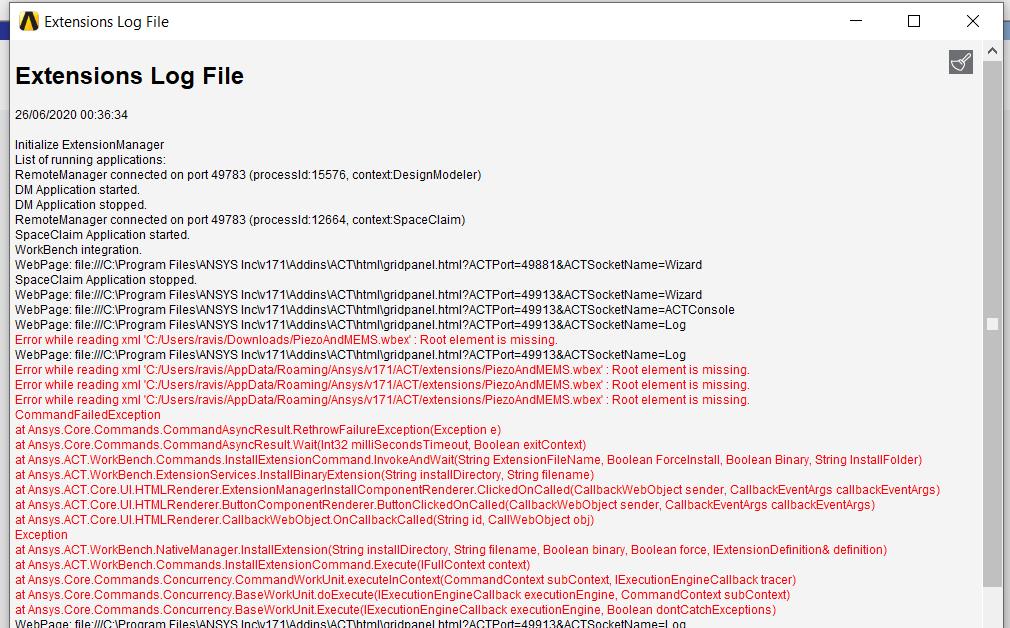
Error while reading xml 'C:Program FilesANSYS Incv201AddinsACTextensionsLSDYNA.wbex' : Root element is missing.
Error while reading xml 'C:Program FilesANSYS Incv201aisolWBAddinsMechanicalExtensionsAdditiveWizard.wbex' : Root element is missing.
Error while reading xml 'C:Program FilesANSYS Incv201aisolWBAddinsMechanicalExtensionsAqwaLoadMapping.wbex' : Root element is missing.
Error while reading xml 'C:Program FilesANSYS Incv201aisolWBAddinsMechanicalExtensionsBladeInterference.wbex' : Root element is missing.
Error while reading xml 'C:Program FilesANSYS Incv201aisolWBAddinsMechanicalExtensionsExternalStudyImporter.wbex' : Root element is missing.
Error while reading xml 'C:Program FilesANSYS Incv201aisolWBAddinsMechanicalExtensionsMechanicalDropTest.wbex' : Root element is missing.
Error while reading xml 'C:Program FilesANSYS Incv201aisolWBAddinsMechanicalExtensionsMotionLoads.wbex' : Root element is missing.
Error while reading xml 'C:Program FilesANSYS Incv201aisolWBAddinsMechanicalExtensionsOffshore.wbex' : Root element is missing.
Error while reading xml 'C:Program FilesANSYS Incv201aisolWBAddinsMechanicalExtensionsVariableLoad.wbex' : Root element is missing.
List of running applications:
Error while reading xml 'C:TempPiezoAndMEMS.wbex' : Root element is missing.
WebPage: file:///C:Program FilesANSYS Incv201AddinsACThtmlgridpanel.html?ACTPort=52695&ACTSocketName=Log
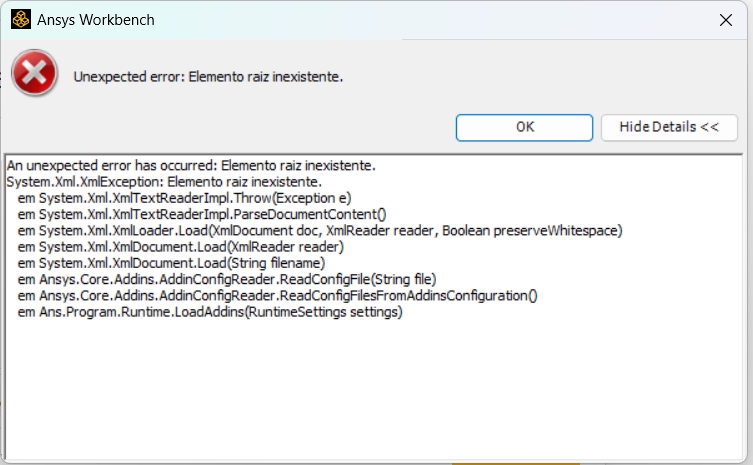
As you can see, Ansys yet is not even opening the preinstalled addins.
We have no idea what is wrong here




















 You are navigating away from the AIS Discovery experience