-
-
November 5, 2025 at 7:39 pm
vyuha
SubscriberHello everyone,
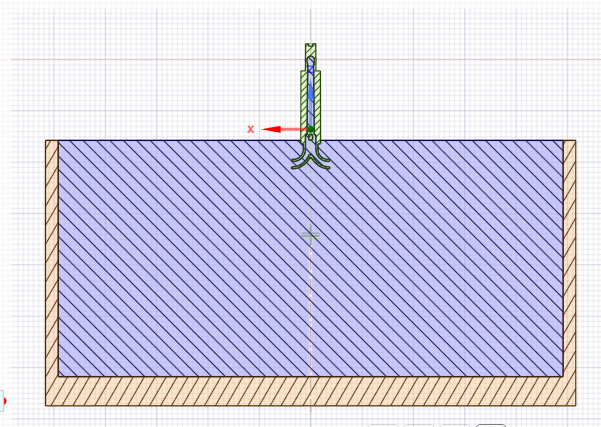
I am working on my thesis project and trying to simulate a vertical pump that is half submerged in a water tank. The geometry was cleaned in SpaceClaim, and I combined the pump and tank into a single fluid region.
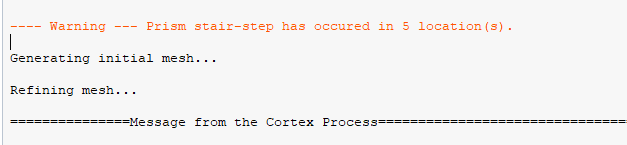
In Fluent Meshing, all steps complete successfully until the volume mesh generation, where I get the warning:
Warning — Prism stair-step has occurred in 5 location(s).
I have tried different volume mesh methods and re-cleaned the geometry, but the error still occurs.
Additional details:
Geometry: Vertical pump partially submerged in a tank (see attached images)
Boundary condition: Inlet pressure applied at the air–water interface
Geometry prep: Cleaned in SpaceClaim, share topology not used
Mesh: Surface meshes generate successfully before volume mesh
I would appreciate any suggestions on how to fix or avoid the “prism stair-step” issue, or whether enabling share topology might help resolve it.

-
November 6, 2025 at 9:38 am
Anilkumar
Ansys EmployeeHello,
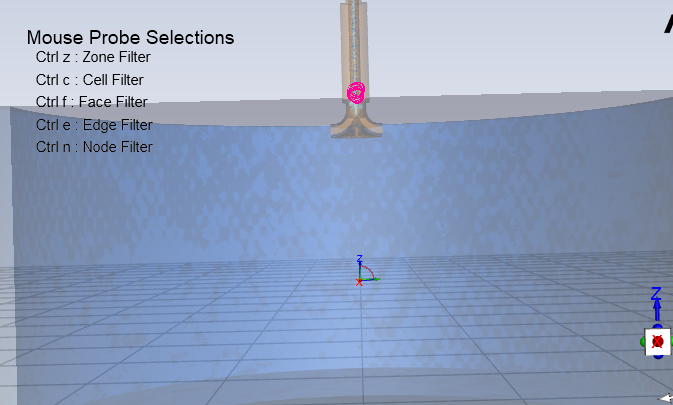
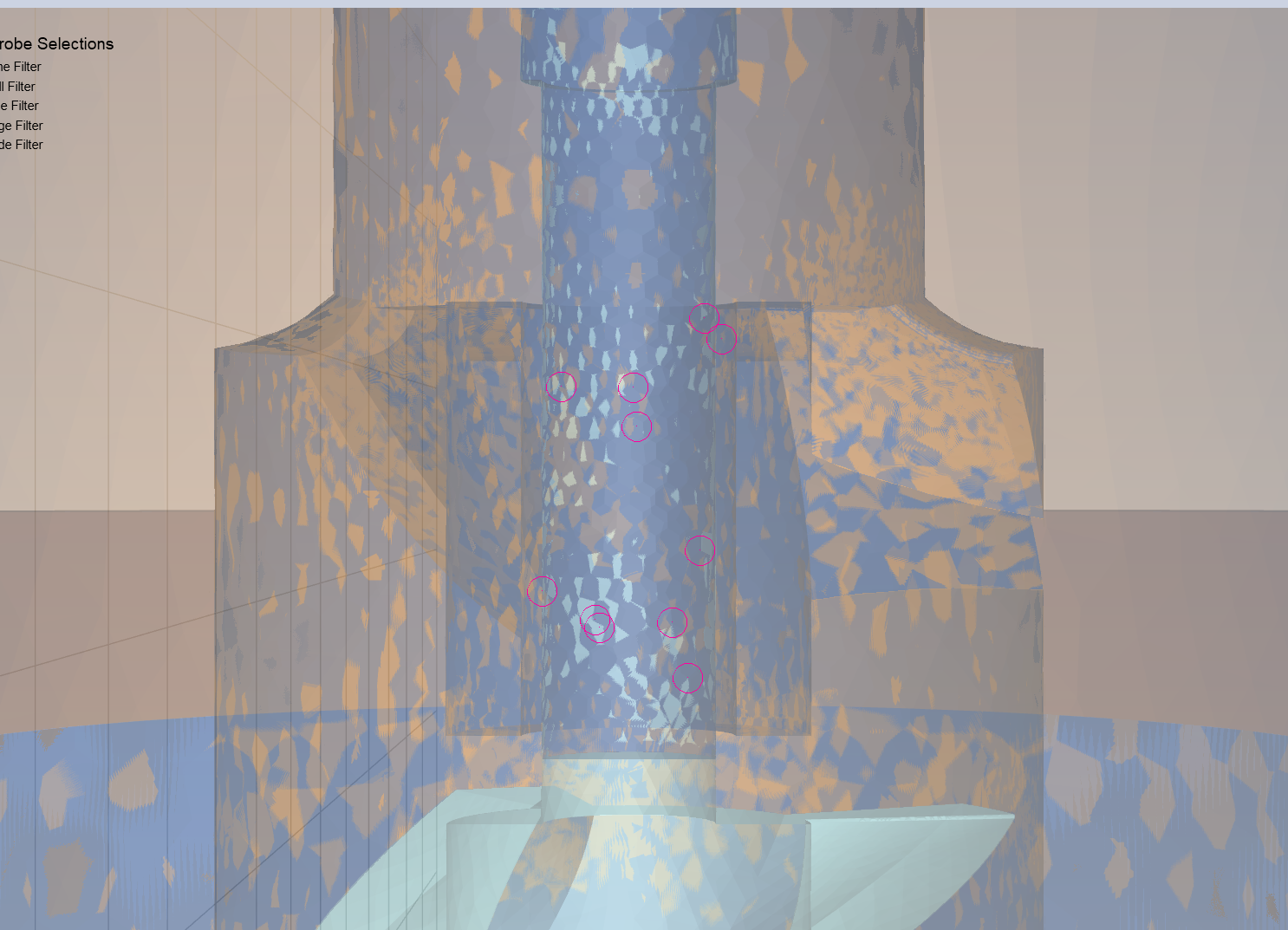
The first thing you can check is where those stair stepping is happening. You can check it from the Quality tab > Diagnostics tool > Stair stepping location and mark them and check one by one to understand the location.
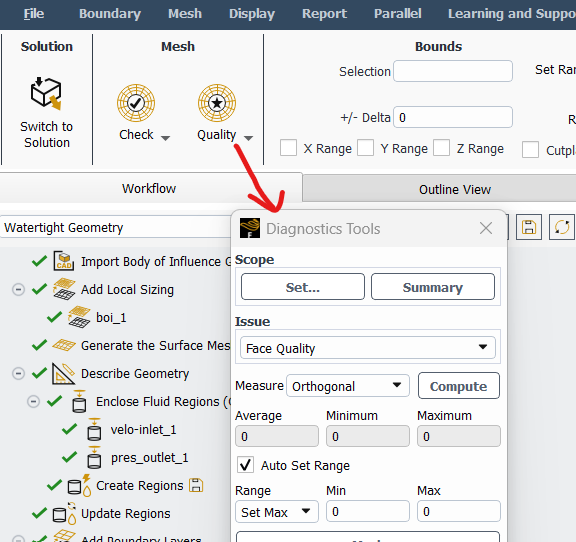
In most of the scenario's it will be due to non-manifold junctions of proximity area's where prism will have challenges to create all the layers. So, it will stair stepp the prism layers at those locations and proceed with mesh.
If the area's are not very critical for simulation then you can proceed with the simulation on this mesh, else you need to take a corrective action like changing prism control to appropriate ones, modifying the geometry, using advance options to resolve the non-manifold junction by spheres in the latest version etc.
If you can share the image of prism stair step locations it will be easy to comment further.
I hope this will be helpful to at least debug your problem.
Regards,
Anil

-
November 12, 2025 at 12:19 am
vyuha
SubscriberHello Anil,
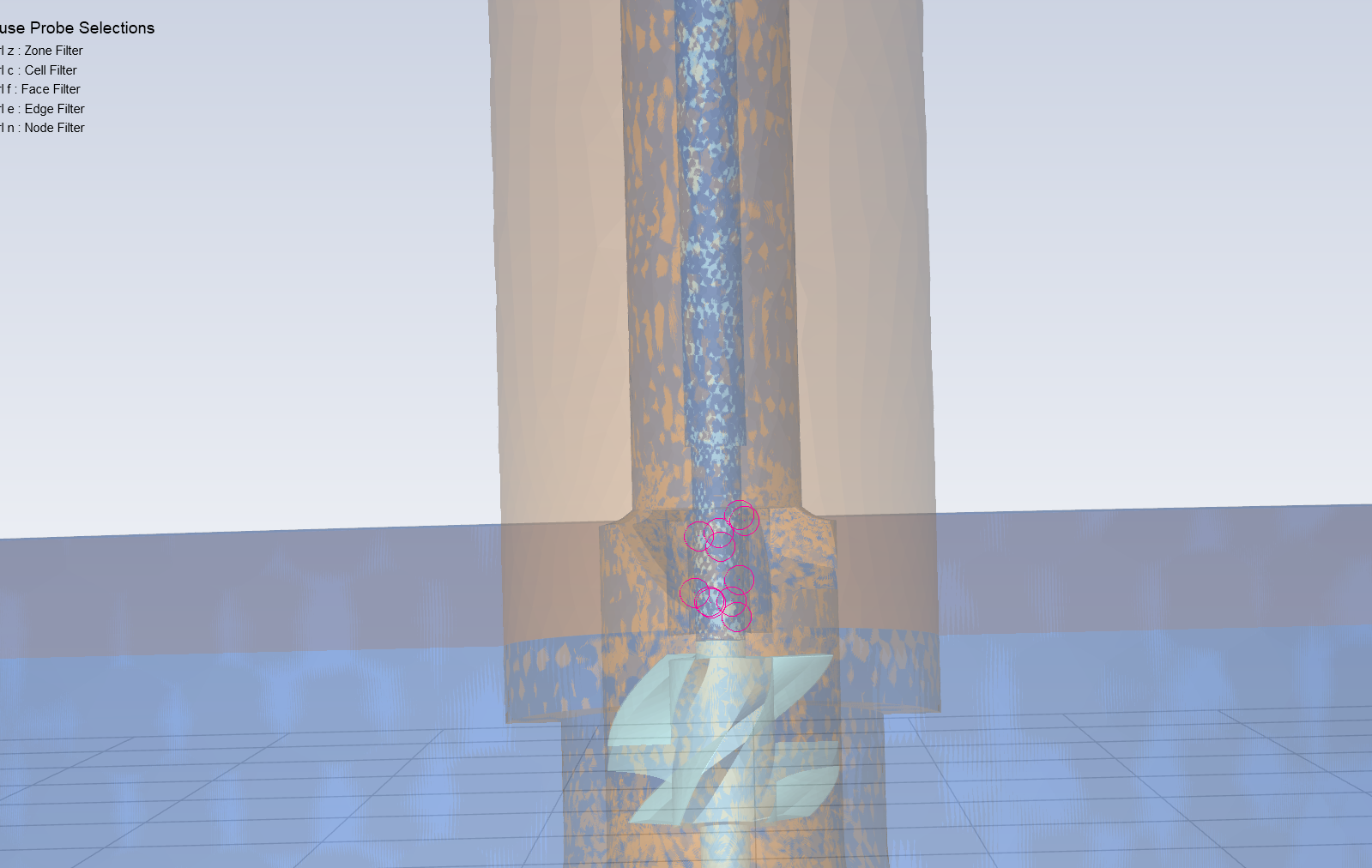
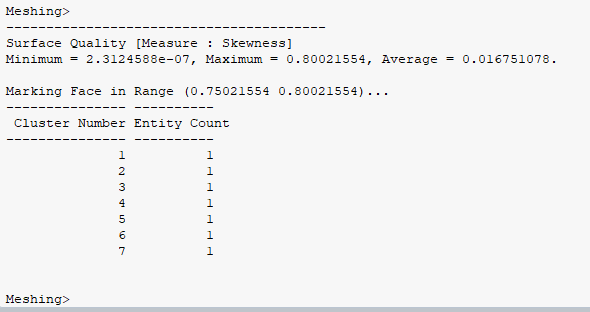
Thank you so much for your response. I followed the steps you provided to locate the stair-step regions. I’m attaching the screenshots of those locations here for your reference.
Also, I wanted to ask could this issue be related to me combining the fluid regions of the pump and tank into a single fluid body in SpaceClaim? Would it be better to keep them as separate fluid regions instead?
I really appreciate your help and would be grateful if you could share your thoughts.
-
November 12, 2025 at 11:04 am
Anilkumar
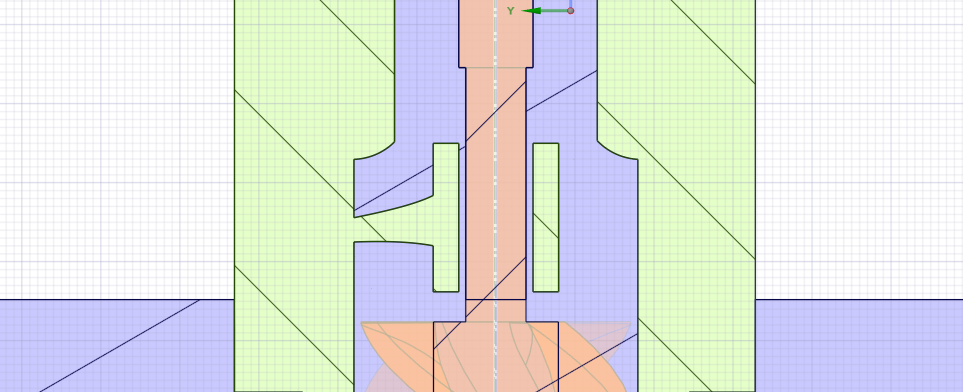
Ansys EmployeeHi, Can you please share the cut section image from geometry zoomed at this prism stair step location?
If there is very small proximity between walls from both the sides and the given prism sizes are not appropriate then the stair step can happen, similarly if there are 2 different cell zones and prism has to take a sharp turn from one zone to other at juntion then also it may stair step.
So, if you can share the image from geometry, it will be much clear to me and I can guide further.
Regards,
Anil

-
November 13, 2025 at 2:52 pm
-
November 16, 2025 at 3:07 pm
Anilkumar
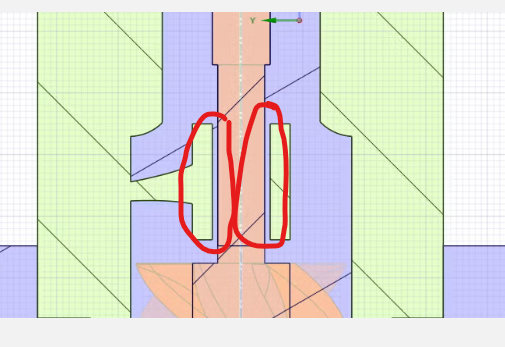
Ansys EmployeeHI, Thanks for sharing the image, the issue is coming due to proximity at this junction.
Your local surface mesh size seems to be coarse and the given prism controls are not suitable to get the desired continous mesh in this region so the layers are getting stair stepped.
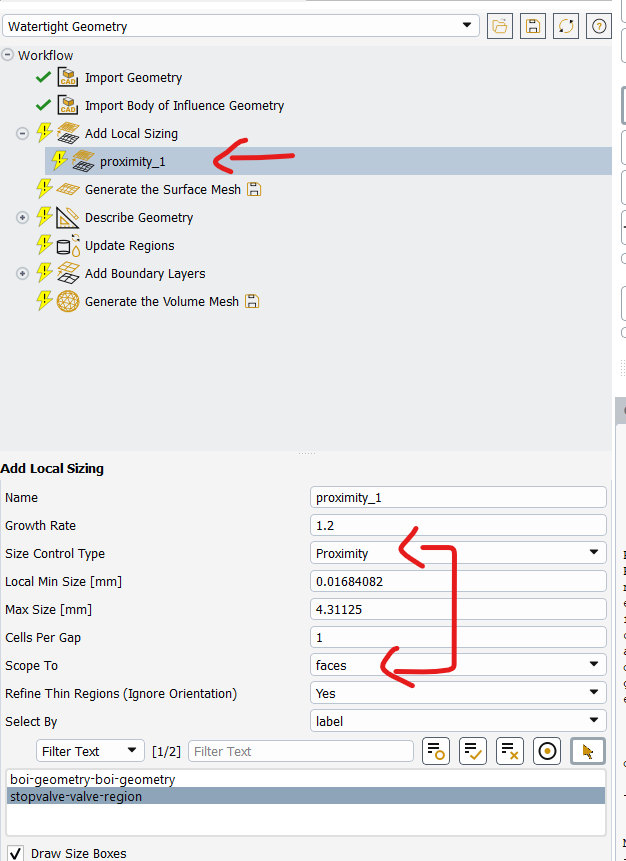
This marked region blue cavity has prism from both the sides of wall but it seems that local surface size is coarse and your mesh is not having the proximity defined during surface mesh. You can have separate named selection for those surfaces and add local proximity control on only these surfaces with 1-2 cell through thickness as shown in the images below. use the local min and max sizes accordingly so that you can get at least 1 cell through thickness.
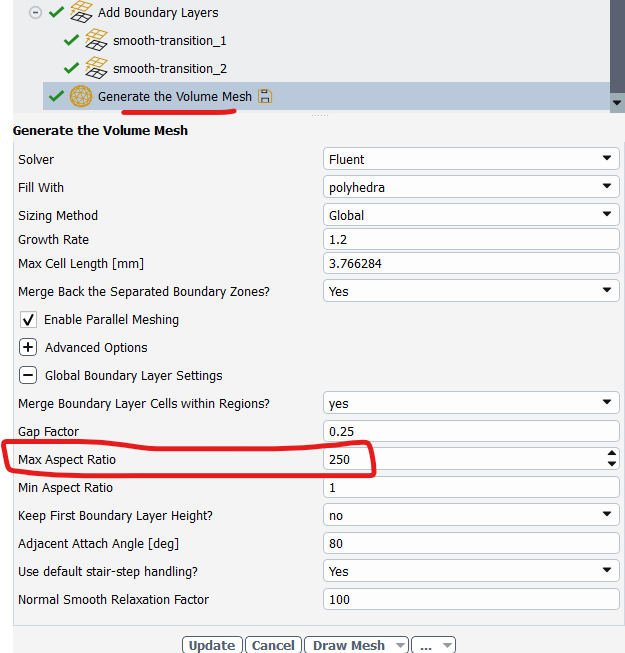
Also, during volume mesh you can increase the aspect ratio for prisms from 25 default to 250 or 300 so that it will compress the prism in this small proximity region and you may not see this stair stepping.
I am sharing image from Fluent meshing which will help you understand the above options.
-
November 24, 2025 at 12:28 am
vyuha
SubscriberHi,
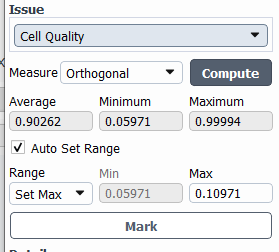
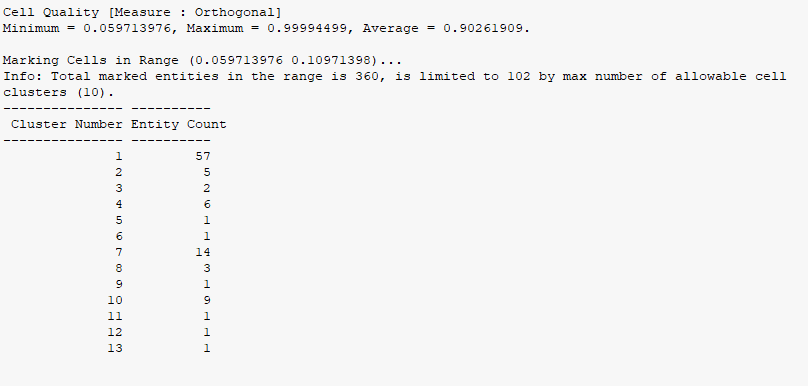
Thank you so much for your response it really helped, and I was able to complete the volume mesh. However, when I checked the mesh quality, I noticed that the minimum orthogonality is 0.05 and the maximum is 0.99.
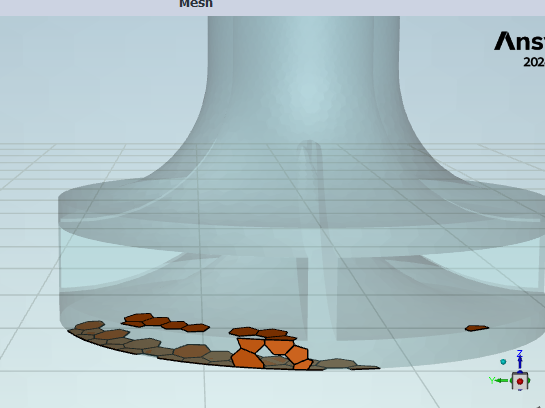
Do you think this is acceptable for the simulation? If not, could you please guide me on how I can improve the orthogonality? I’m attaching the screenshots of the volume mesh quality and the marked low-orthogonality cells for your reference.
Thank you again for your support.
-
November 24, 2025 at 4:14 am
Anilkumar
Ansys EmployeeHi,
Thanks for the update!
Yes you can proceed with your simulation, however if you want to further improve the quality you can improve by tweaking the mesh controls.
1) After volume mesh > RMB on generate volume mesh task > Insert improve volume mesh task and improve upto 0.1 orthogonal quality.
2) Going back to surface mesh > reducing the surface mesh max size to 2/3rd or 1/2th of current size, and increasing the 1st cell hight of your prism settings in case you are using uniform or last ratio prism method instead of smooth transition. or you can use smooth transition method directly.
Regards,
Anil
-
November 25, 2025 at 11:59 pm
vyuha
SubscriberHi,
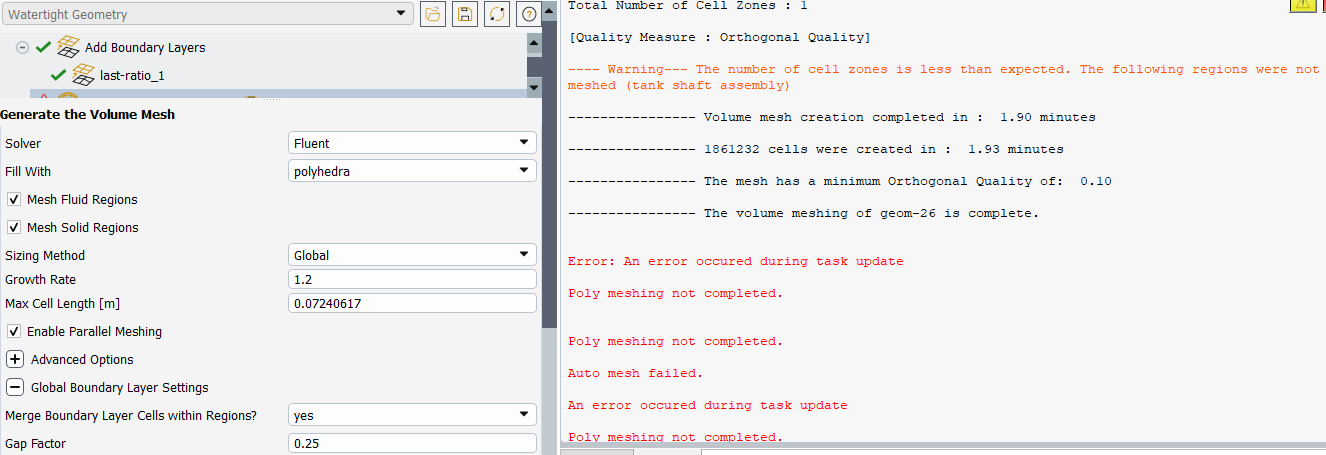
I was using the Improve Volume Mesh task before, but the orthogonality was still low. I tried your suggestion of reducing the max mesh size to 1/2. After that, I had issues generating the surface mesh, so I had to decrease the min size as well to successfully complete the surface mesh task. But in the end, I encountered errors while generating the volume mesh again. I couldn’t change the first-layer height since I calculated it based on the y+ value. My professor is not satisfied with the mesh quality I have now.
I am attaching a picture of the error for your reference. I would appreciate any guidance you can provide on how to improve it further.
-
November 26, 2025 at 3:30 am
Anilkumar
Ansys EmployeeHI,
I see that final mesh was completed with ~1.8M mesh count and quality of around 0.1 but somehow Fluent meshing exited with error.
Can you please try meshing from scratch?
Looking at the geometry image and mesh locations I suggested you that more refinement of mesh is needed to get good quality mesh. You need to decide on what could be best sizes as per your geometric features and getting them well captured with the given local and global mesh sizes.
These advance options would help you to get good quality mesh but again it all depends on how we have captured the geometry, what all complexities or proximities present in the geometry etc. I would recommend you to also go through our Fluent WTM meshing course to get more idea on those advance option and how they can help you achieve desired mesh.
https://innovationspace.ansys.com/courses/learning-track/ansys-fluent-meshing-watertight-geometry-workflow/
Regards,
Anil

-
- You must be logged in to reply to this topic.
-
5824
-
1906
-
1420
-
1305
-
1021
© 2026 Copyright ANSYS, Inc. All rights reserved.