Ansys Assistant will be unavailable on the Learning Forum starting January 30. An upgraded version is coming soon. We apologize for any inconvenience and appreciate your patience. Stay tuned for updates.
Ansys Products

Ansys Products

Discuss installation & licensing of our Ansys Teaching and Research products.

Unable to update mesh in project due to overlap error despite no overlap.

    • mario.toller
      Subscriber

      When I finish meshing my model and close mechanical, the lightning bolt remains. When I then try updating the project, I get the following errors: 1. "Update of the Mesh component in Fluid Dynamics (Fluent) failed.  Error updating the Mesh cell in the Fluid Dynamics (Fluent) system."
      2. "(DP 0) Update of the Mesh component in Fluid Dynamics (Fluent) failed: Error updating the Mesh cell in the Fluid Dynamics (Fluent) system."

      When I then open Mechanical again, I see this error: The mesh file export was unable to resolve the cyclic dependencies in the overlapping contact areas. Please try the “Repair overlapping contact areas” function.

      However, when I then open Discovery and try the identify overlapping contact areas function, the program tells me that there are no overlapping contact areas.

      What could be causing this?

    • Anilkumar
      Ansys Employee

      Hello,

      This is not related to the overlapping geometries. This issue is due to contacts/connections might have some duplicates or if your geometry is properly shared and no contact regions then please check your Named Selections for any duplicate or overlapping NS. maybe if you can share the screen shot of your model tree then it can help us know more.

      https://ansyshelp.ansys.com/public/account/secured?returnurl=////Views/Secured/corp/v242/en/wb_msh/msh_overlapping_NS.html

      https://ansyshelp.ansys.com/public/account/secured?returnurl=////Views/Secured/corp/v242/en/wb_msh/msh_overlapping_contacts.html

      Once you resolve this issue then the mesh transfer to Fluent will be successful.

      Hope this helps you!

      Regards,

      Anil

    • mario.toller
      Subscriber

      Hello Anil, 

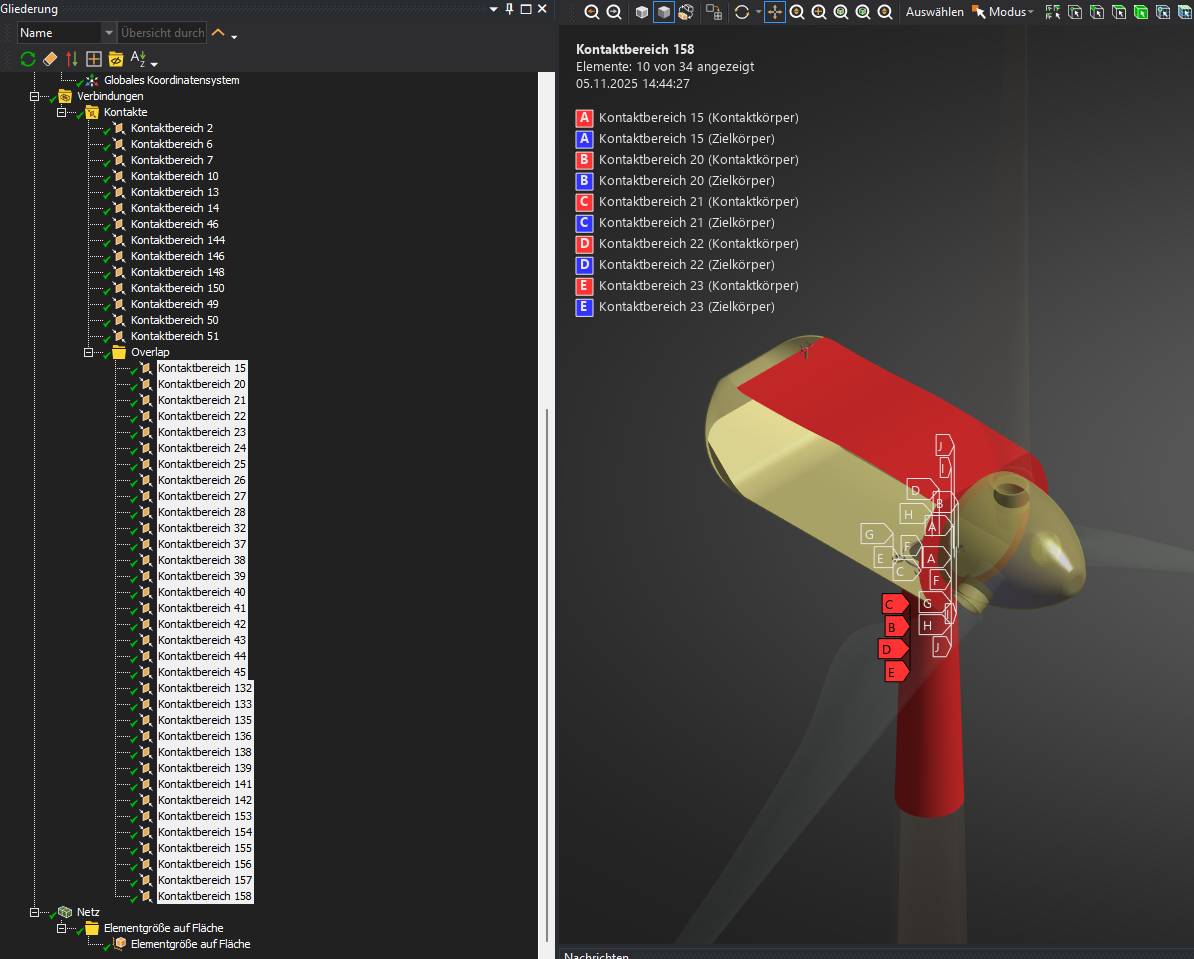
      the issue seem to be overlapping contact regions, see screenshot:

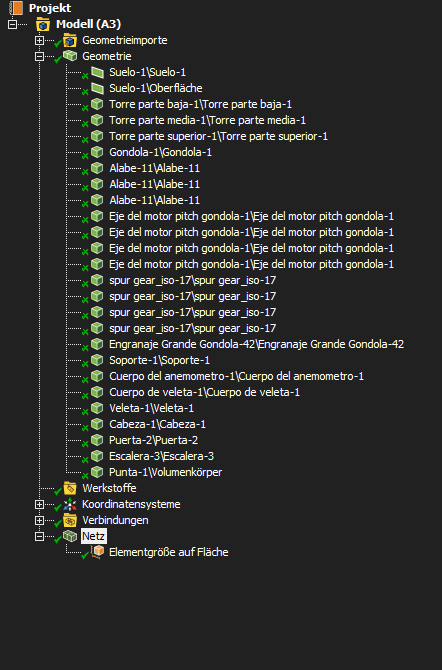
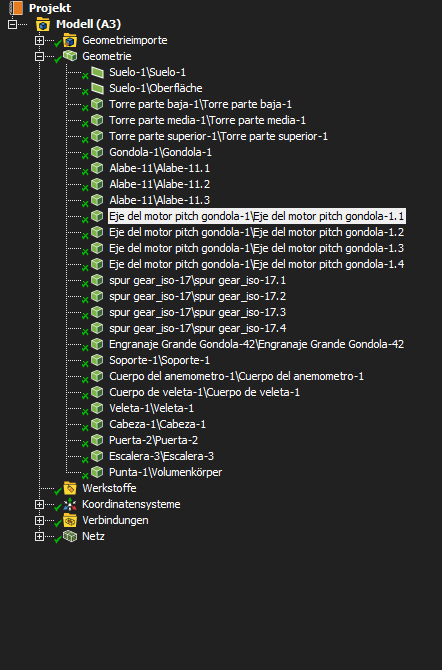
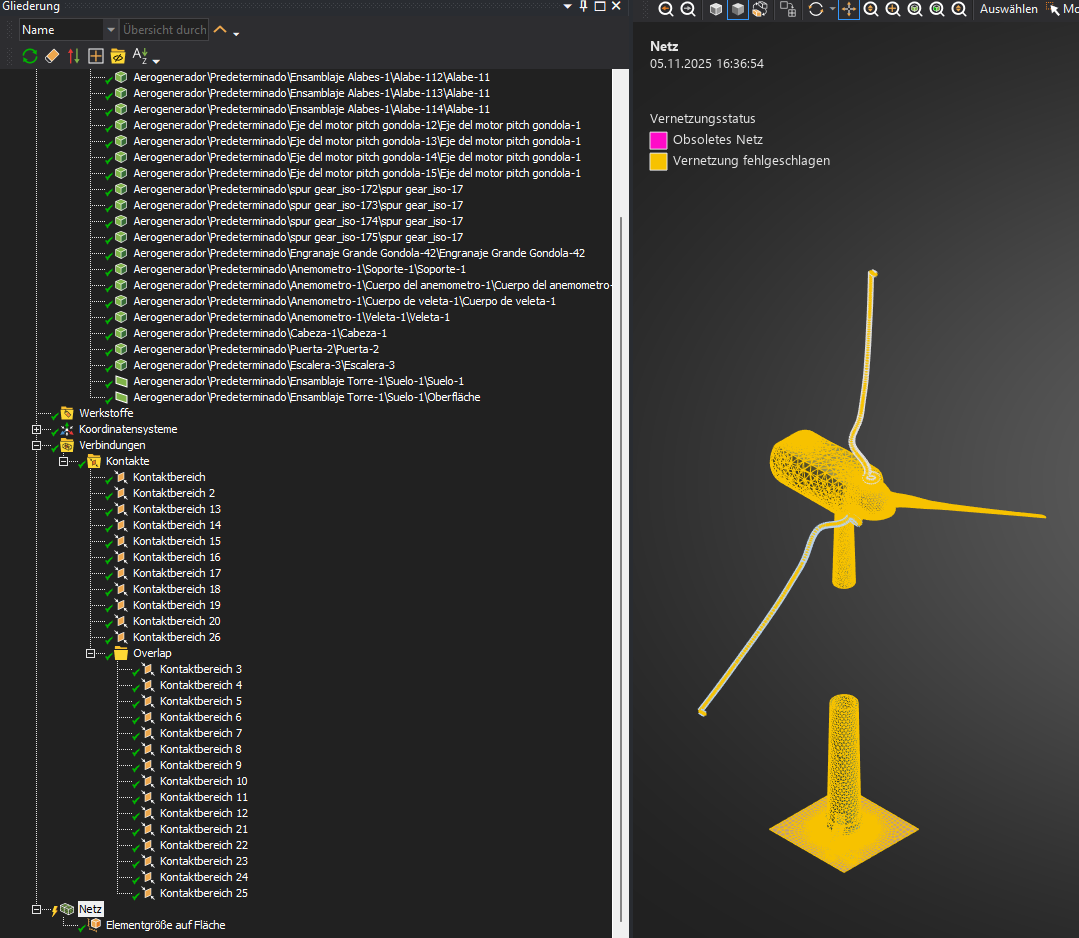
      As for the model tree, this is how it looked before I renamed the duplicates and how it loos after:

      Renaming those in Discovery or Spaceclaim for some reason changes the name of all the geometries with the same name.

      I'm assuming the issue are the Cyclic Redundancies as the error refers to cyclic dependencies and all those contacts are touching multiple regions each like in Figure 29 in the help guide you sent.

      How do I imprint those?

    • Anilkumar
      Ansys Employee

      Hi, Thanks for sharing the screen shots. I see that you have mix of Solid volumes and surface bodies, I believe those surface bodies are baffles within the volumes.

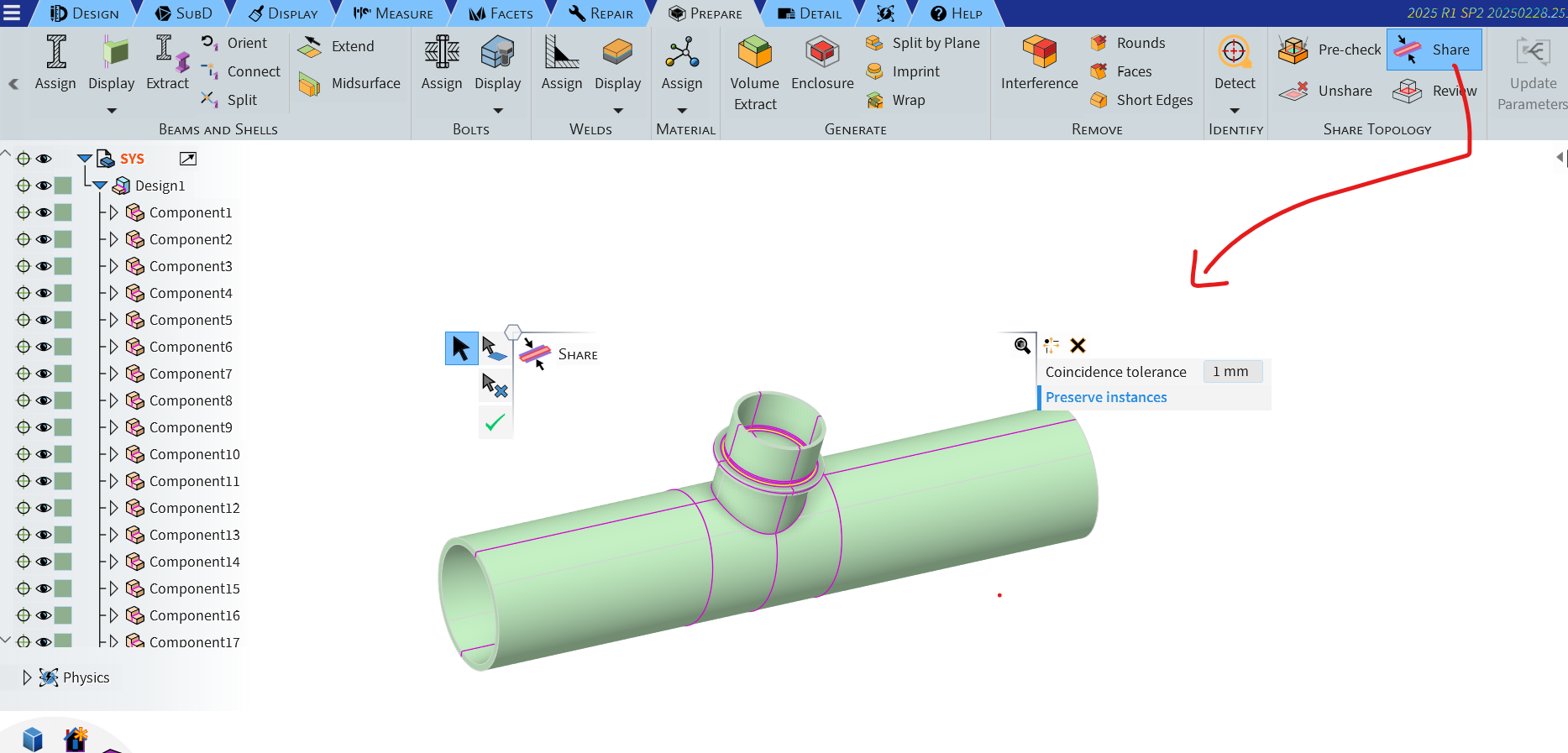
      You can perform the share topology within Discovery/SpaceClaim and then bring the CAD to meshing which should remove all the contacts/connections as everything will be properly stitched at the common interfaces and ready for the conformal meshing.

      As you can see in the image all the parts are connected with sharing, the pink lines representation.

    • mario.toller
      Subscriber


      Those surface bodies aren’t baffles, just the base the wind turbine in standing on.

      I tried the share topology option in Discovery, however doing so caused the meshing to take extra time to just fail, which it didn’t do previously.

      Also, there is still overlap, see screenshot:

      By the way, I need the Turbine part to spin so that I can compare moving reference frame and sliding mesh as part of my project, so that part can't be connected to the rest of the model.

    • Anilkumar
      Ansys Employee

      Hi,

      I think your domain is not correct. You can add some thickness to the bottom base where surface is there.

      You need the MRF region to be created around the turbine rotor as separate cell zone. Maybe you can refer some of the material available online on how to model the domain for wind turbine external aerodynamics CFD to get an idea.

      I am sharing couple of resources from the AIS.

      https://innovationspace.ansys.com/product/wind-blade-analysis-for-wind-power/

      https://innovationspace.ansys.com/courses/courses/wind-blade-analysis-for-wind-power-using-ansys-fluent/lessons/geometry-lesson-3-23/?template=rocky

      So, Ideally in your case you should have 2 domains, one external stationary domain and another Boolean subtracted MRF with rotor imprints.

      Then perform share topology on these domains and get the mesh generated for your CFD simulations.

      Regards,

      Anil

Viewing 5 reply threads
  • You must be logged in to reply to this topic.
[bingo_chatbox]