Fluids

Fluids

Topics related to Fluent, CFX, Turbogrid and more.

Layering mesh with two touching zones

    • zwong32
      Subscriber

      Hi all,

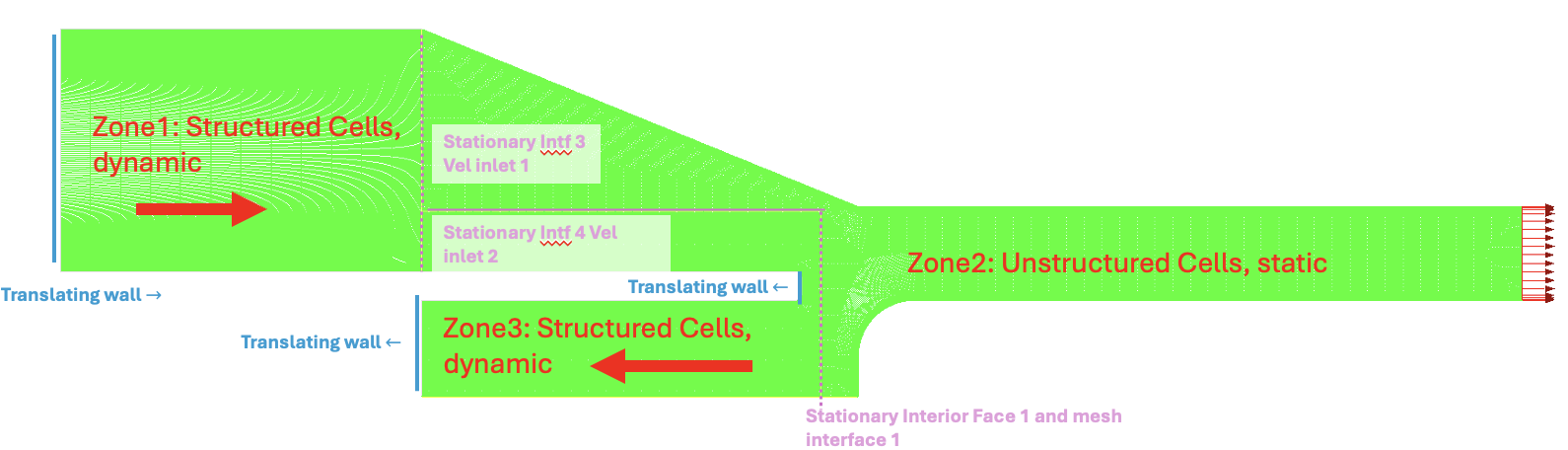
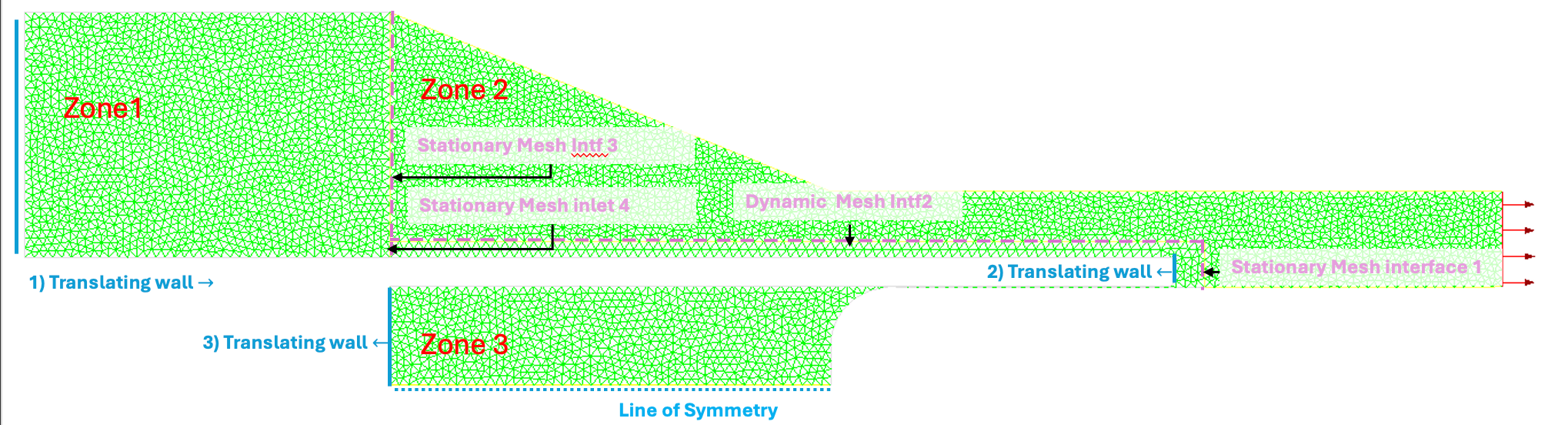
      Hope all is well with you. I'm trying to implement 2 layering zones inside my simulation both of which are occurring at the same time. I get a SIGSEGV error with the message "free(): corrupted unsorted chunks." I don't think my UDF is a problem because I tested it on a simpler dynamic case, and didn't get this error. I think my error comes from how I specify the boundary conditions but I wanted to double check (see figure below). My question is: Is it possible for two touching zones to layer in opposite directions provided that the mesh interface between the two zones are stationary? Thank you again so much!


    • Federico
      Ansys Employee

      Hello, 

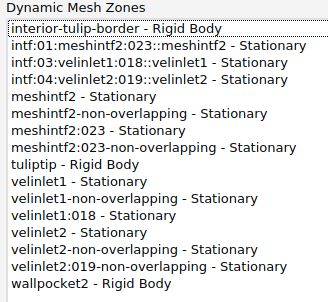
      hard to tell without having the labels for each dynamic mesh zone on your screenshot. I assume that both walls translating to the left move together, right?

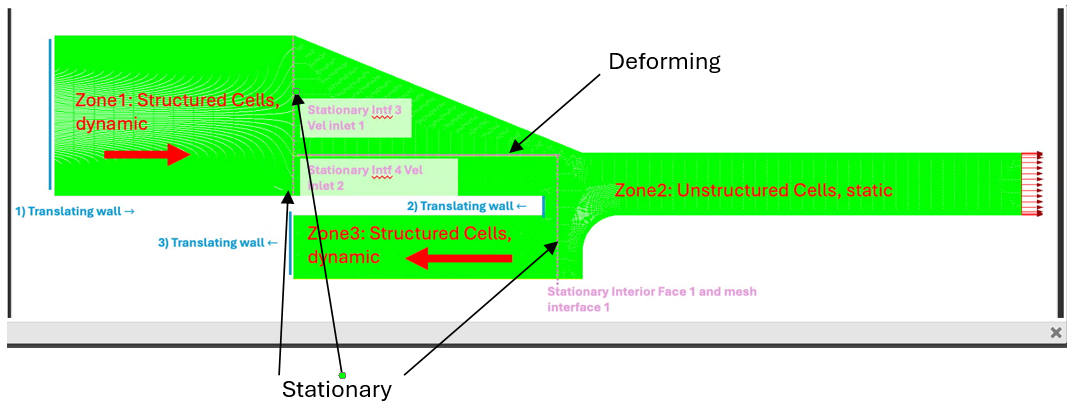
      If so, this motion is possible. Horizontal interfaces should be set as Deforming. What is interior-tulip-border?

    • zoelle.wong
      Subscriber

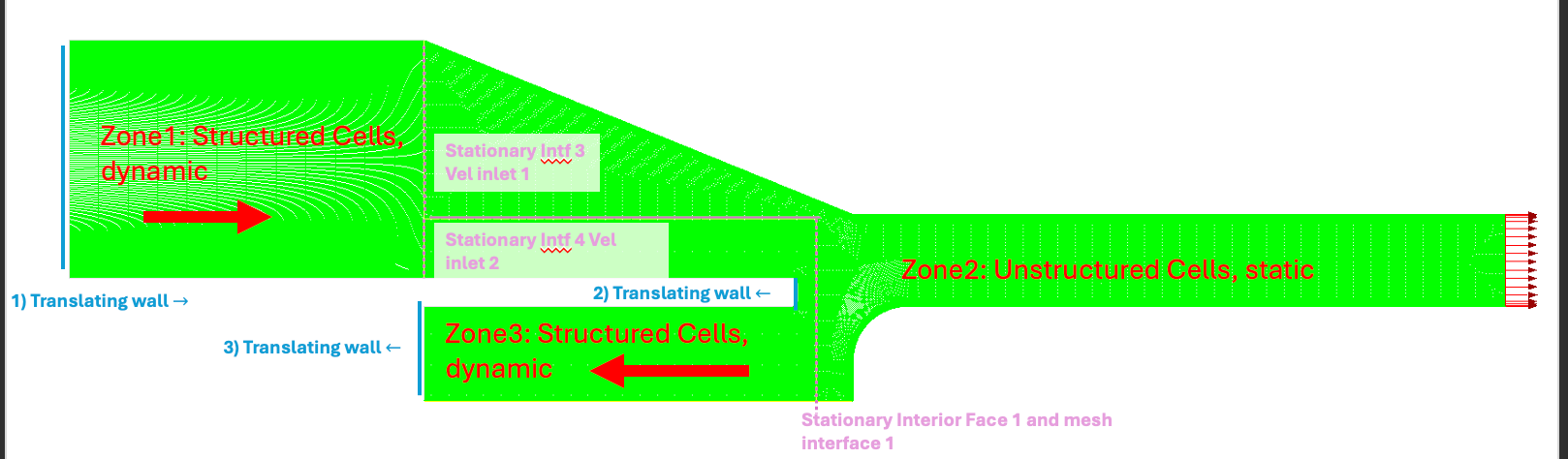
      Apologies; there are 3 translating walls with the arrow indicating the direction (see below). Interior-Tulip-Border is the name of Zone 3 below in the figure below. 


      By horizontal interfaces, do you mean Stationary Intf3 and Stationary Intf 4? 

      • Federico
        Ansys Employee

        I am referring to both walls moving towards the left. They need to be moving together for layering to work.

    • Federico
      Ansys Employee

      This is what I would suggest:


      Set Zone 1 and Zone 3 with rigid body motion (the cell zones, not interior-faces). With this approach, you ensure that layering occurs away from the moving boundaries, which is better for the solver.

    • zoelle.wong
      Subscriber

      Ah ok - makes sense. Will follow up as questions arise, thank you for helping!

      • Federico
        Ansys Employee

        Let us know how it goes!

    • zoelle.wong
      Subscriber

      It worked out! It looks SO cool- thank you thank you!

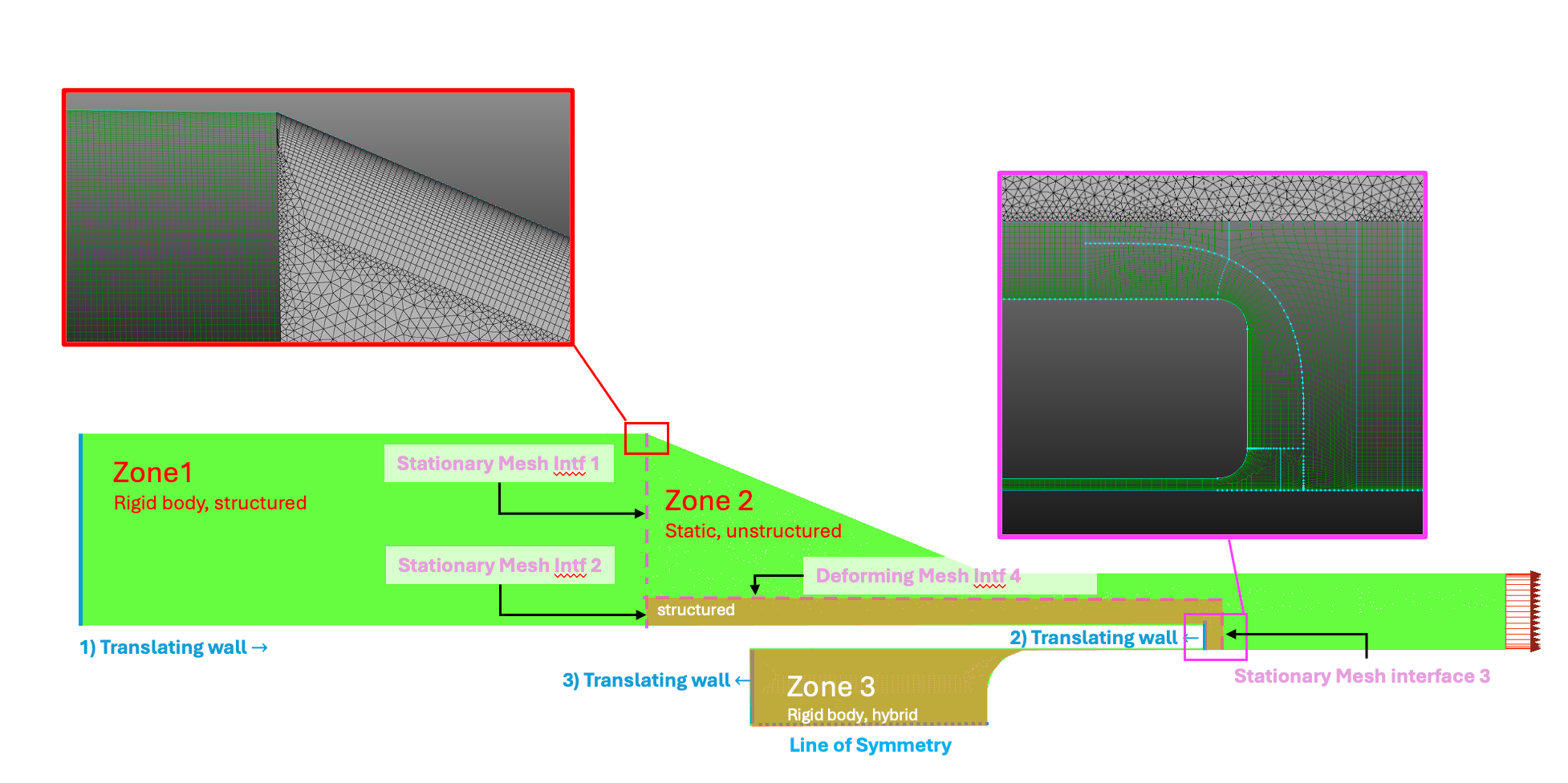
      Have another follow up question: This time, I need to have a very small gap distance between two walls as seen in the figure below. Zone 1 will be a block of structured cells in the final simulation. I'm running into trouble with Zone 3. I need a very small gap distance between the two walls, and FLUENT can't generate a mesh interface at "mesh inlet 4".. (looking into this and will prob post another follow-up question about this).

      My thought process is to either (1): prescribe the interior of zone 3 as a block of unstructured cells that are "deforming" rather than "layering" or (2): split zone 2 into 2 blocks, one consistenting of structured cells and the second consisting of  unstructured cells. Would (2) be more stable than (1)?

      Thank you again so much!!

      • Federico
        Ansys Employee


        Awesome! I’m glad you got this to work!

        Regarding your latest question, we should look into why you cannot generate a mesh interface at Mesh inlet 4. I’ll look for your next post.

        Here is what I would suggest:

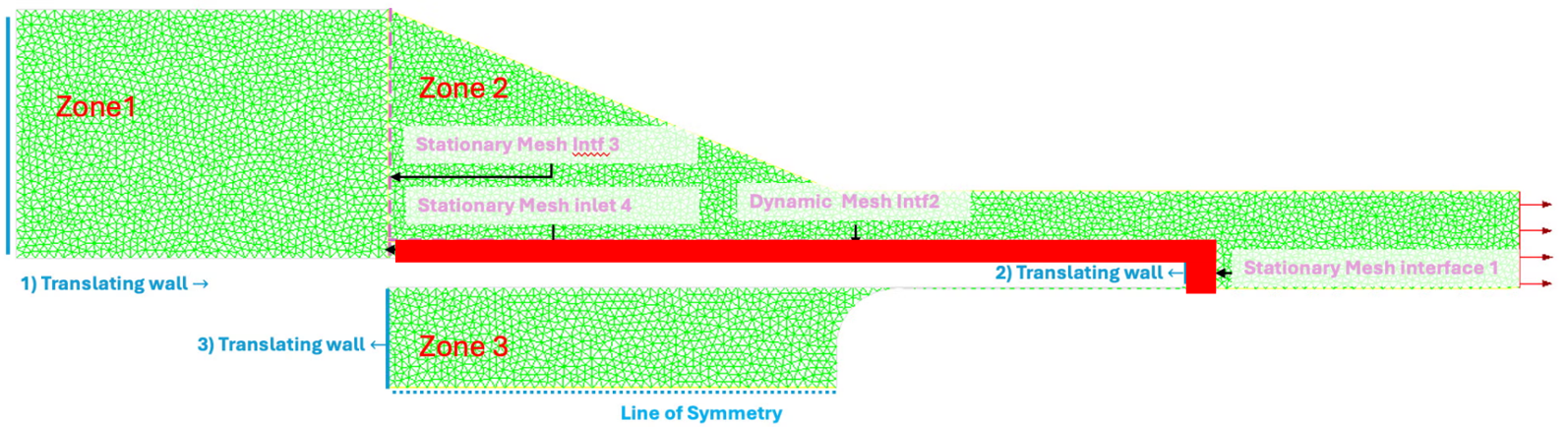
        Make a separate zone (red below). Let’s call it Zone 4. Zone 4 should be structured mesh, to allow layering. Set mesh inlet 4 and Mesh interface 1 as Stationary and have Zone 4 with Rigid body motion. You should see collapsing layers at Mesh inlet 4 and adding layers at Mesh interface 1.

        Have Zone 3 with the same Rigid body motion. You can leave it as unstructured if it is easier for you to achieve a better quality mesh, since Zone 3 will be moving rigidly.

         

    • zoelle.wong
      Subscriber

      Hello again! have some more follow-up questions

      Good news: I got the case above to work (just had to change the mesh quality in certain areas) and it looks super cool!! I had to make the mesh as closely structured as possible. 

      Since posting previously I had to implement cell refinment to account for boundary layers. Consequently, it's harder to force the mesh to be structured; I included layers of structured cells near mesh interfaces (1), (2), (3) to help with layering. The semi-good news is that I got Zone 1 in the figure below to layer but I can't get Zone 3 to layer. The mesh BCs are the same as discussed previously and I get the message "cannot create surface from sliding interface zone"  or a seg fault error. I'm not sure if it's because mesh interface 2 is a triangular mesh next to a quadrilateral mesh. Would re-meshing zone 1 to have have structured cells near mesh interface (4) help?

      Thank you again so much!!


    • zoelle.wong
      Subscriber

      [Update]: Making zone 3 to "deforming" instead of "rigid body motion" did not result in a SEGSEV error, but new cells weren't being made at walls (2) and (3)

Viewing 7 reply threads
  • You must be logged in to reply to this topic.