-
-
February 10, 2025 at 8:44 pm
ushakr
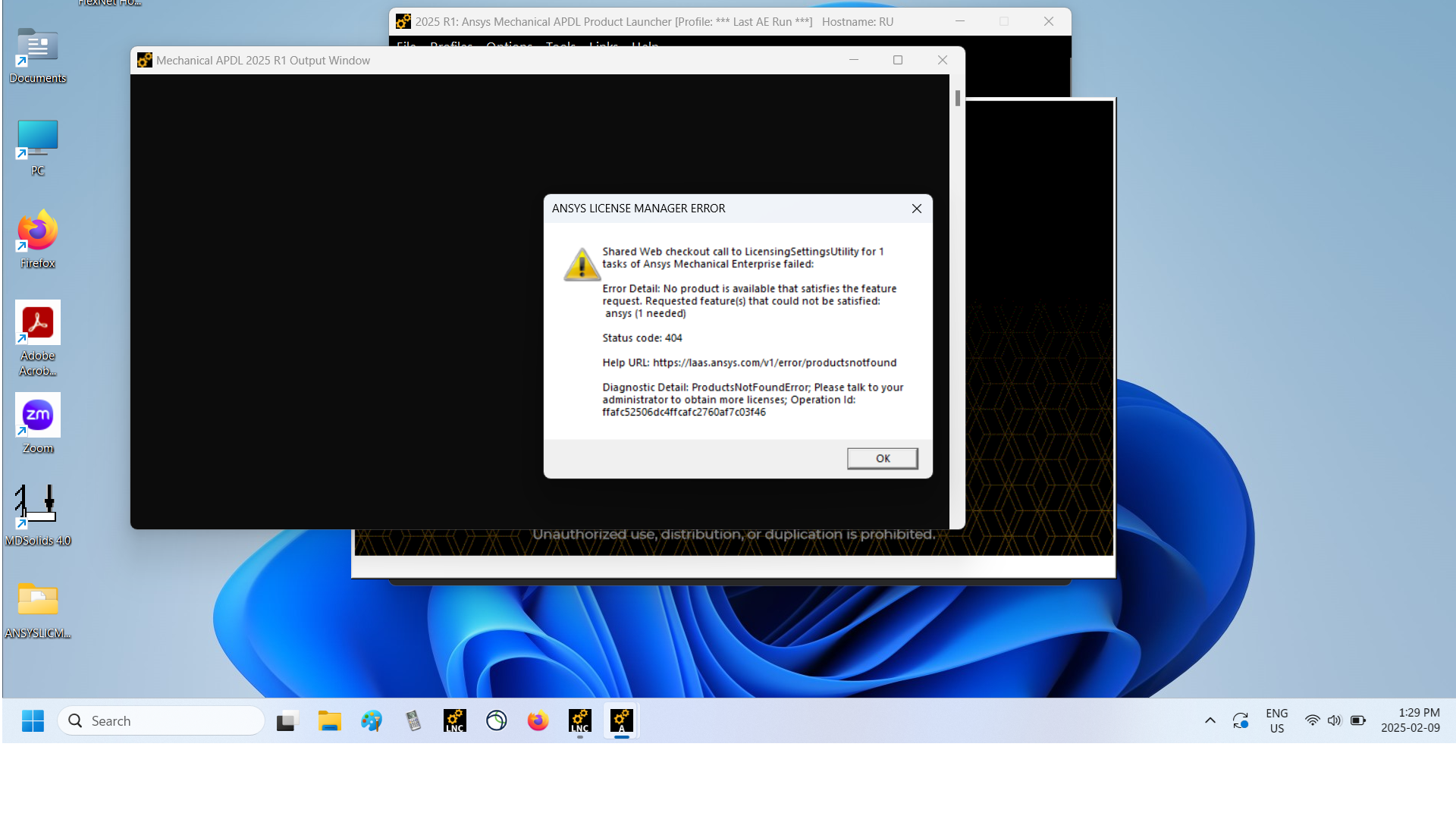
SubscriberHi,I recived an email infoming that I can have access to Ansys again. I bought a new (Windows) laptop and maybe the new Host ID was an issue. I tried to Rehost, although I don't know maybe exactly what I'm talking about! So, I generated the new license file with the new host id for my new machine. I even started the license file successfully but I keep on getting the attached error message. Sometimes after few seconds, it Stopped the license file and I had to Start it again! I thought maybe the Administrator issue that sometimes we get on our machines was the reason. To my best knowledge, I believe I am the administrator of my own machine!Reza -
February 10, 2025 at 10:56 pm
Lito
Ansys Employee@ushakr,
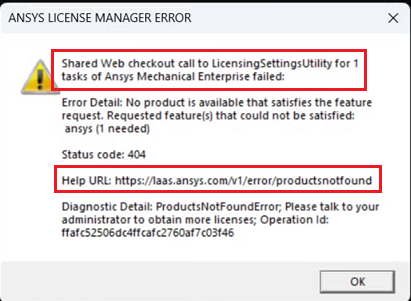
The error indicates that you are trying to obtain/checkout the license shared web licenses and not from your local installation of the Ansys License Manager.
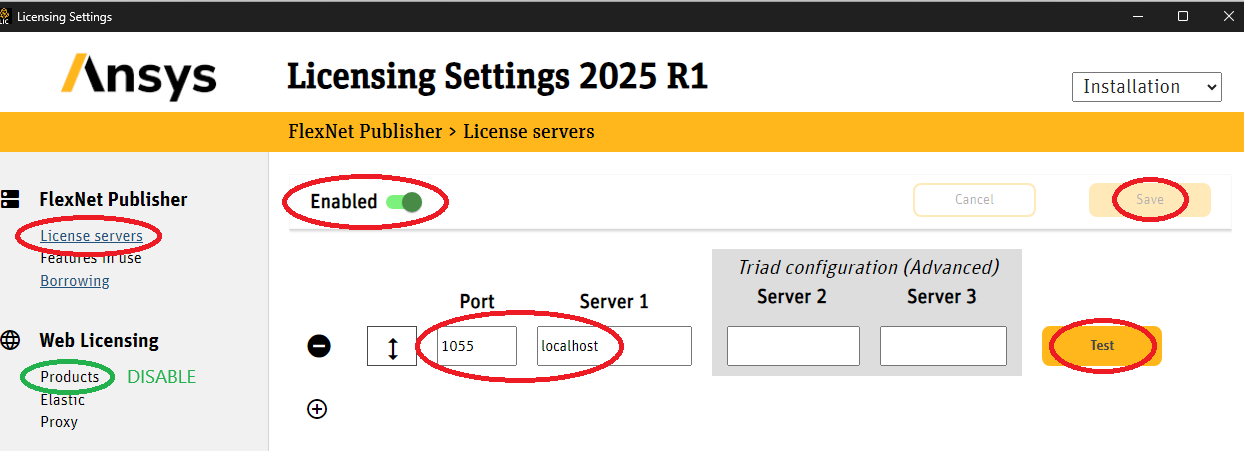
If you installed and run the Ansys license manager on the same machine where you are running Ansys Mechanical;
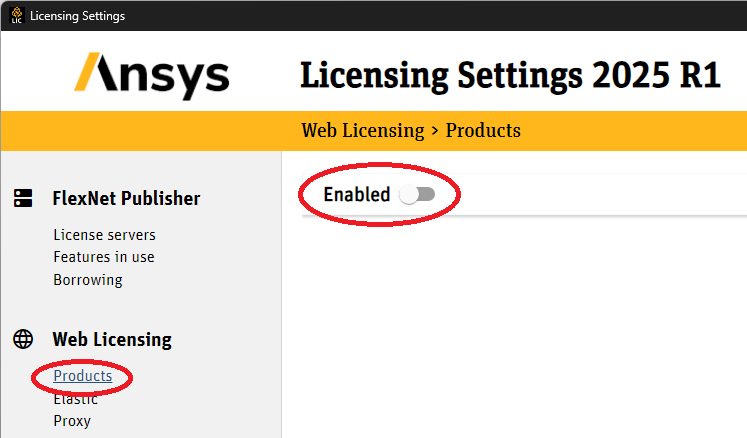
- Configure Ansys client licensing settings to obtain the license from the "localhost".
- And "Disable" Web Licensing as shown in the images below.
-
February 11, 2025 at 11:08 pm
ushakr
SubscriberHow can I do step 1 exactly? I could not locate it.
For step 2, I belive everything is not Enabled already on my setting.
-
February 12, 2025 at 3:00 am
Lito
Ansys Employee@ushakr,
Based on the screenshot of the error message the application is trying to checkout the license from Shared Web licensing.
Open/Run the Ansys Licensing Settings to check Step 1 & 2 from my previous post:
"C:\Program Files\ANSYS Inc\v251\licensingclient\winx64\LicensingSettings.exe"
Or from the Windows Start Menu > All Apps > Ansys 2025 R1 > Ansys licensing settings
-
February 12, 2025 at 3:57 pm
ushakr
SubscriberThanks.
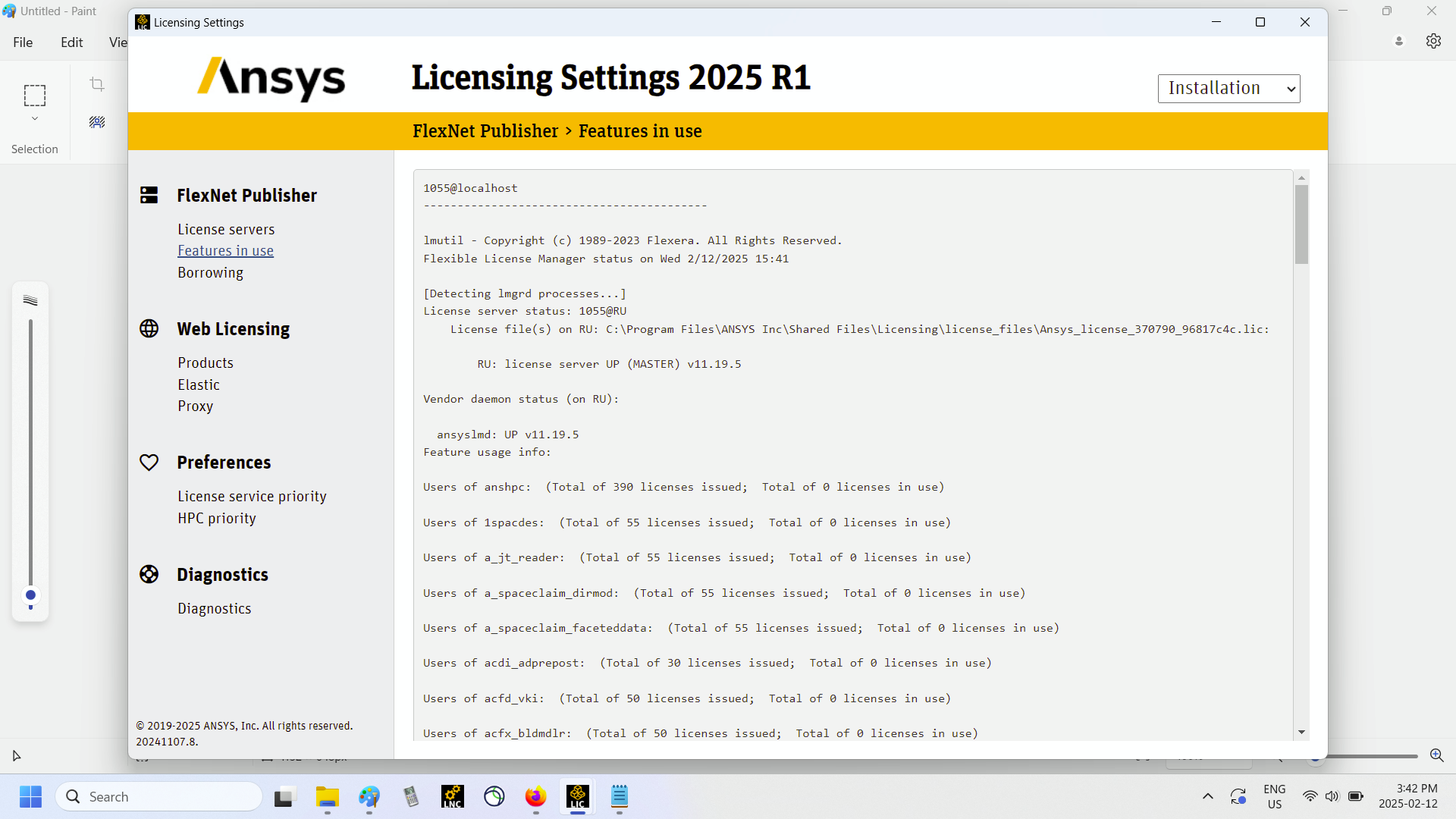
Everything is similar to what you have. The Test gave me green confirmation. Still doe s not work. I generated the licese file again and put it in the license file directory of Ansys through the Program folder on my machine. I restrted the license file successfully. But nothing works. Maybe rehosting using the Host ID of my new laptop is the issu? If I send you the Host ID of my new laptop, would it help if we start over?
-
February 12, 2025 at 7:18 pm
Lito
Ansys Employee- Please reboot the machine,
- Copy and paste the contents of the ansyslmd.ini file from the folders:
- “C:\Program Files\ANSYS Inc\Shared Files\licensing\”
- %appdata%\.ansys_licensing\
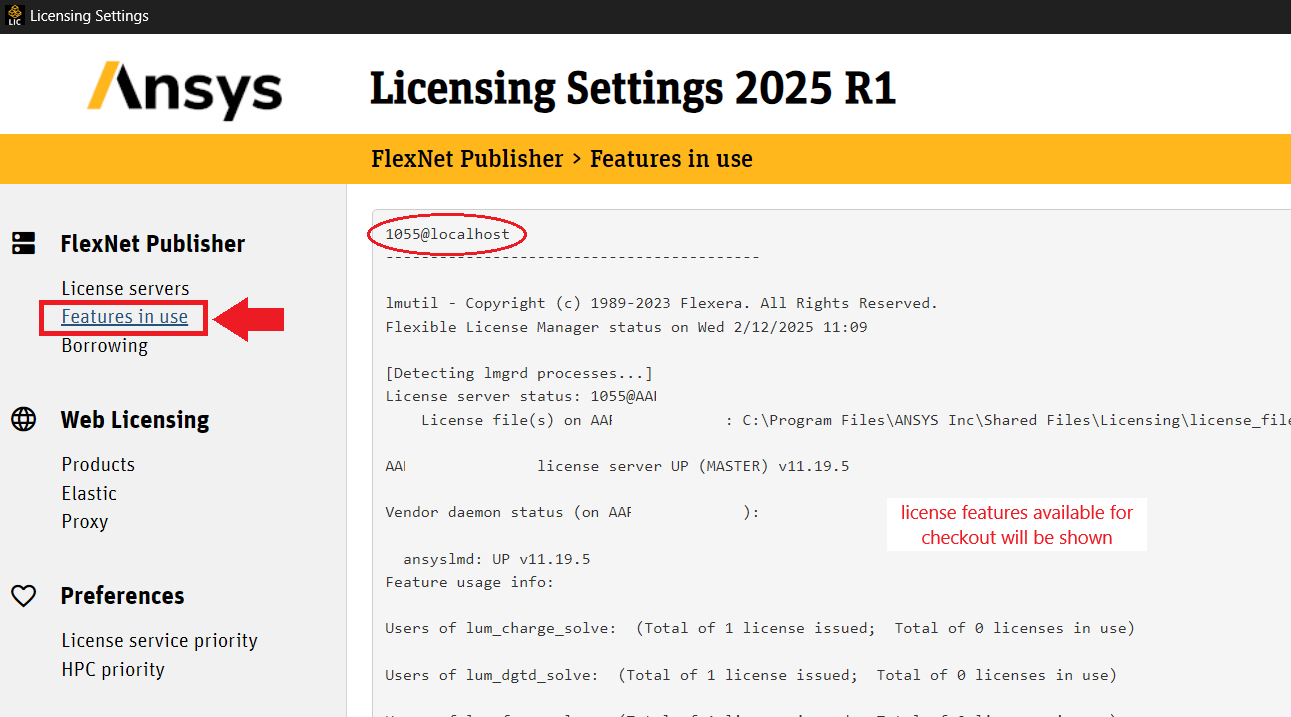
- Send a screenshot of the Ansys licensing settings > FlexNet Publisher > Features in use page (similar to the image below).
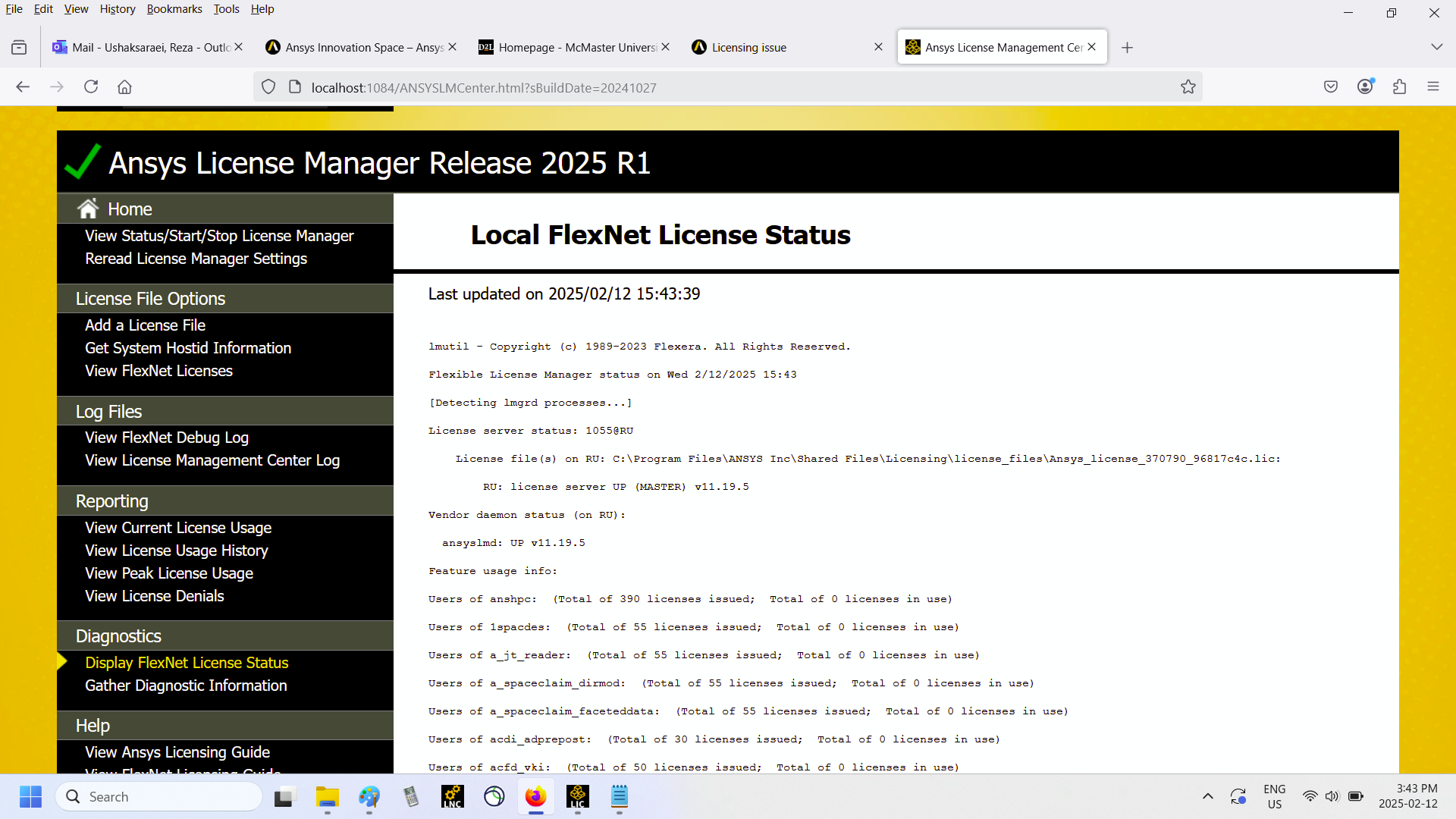
- Also send a screenshot of the Ansys license management center > Display FlexNet license status page showing the licenses available for checkout – see this KB for details and this screenshot/image.
If the above are set and working, you should be able to open and run Ansys simulation tool on the same machine.
If there is an issue with the Ansys license manager, send screenshot of the error message from the Ansys license management center. Thank you.
-
February 12, 2025 at 8:44 pm
-
February 12, 2025 at 9:15 pm
ushakr
SubscriberGood news! Out of the blue, it's working now!
-
February 12, 2025 at 9:46 pm
Lito
Ansys EmployeeThe Ansys LM shows its up and running and shows the licenses available for checkout. You should be able to open and run the Ansys application for which you have licenses for.
I am glad to hear that is working.
-
-
- The topic ‘Licensing issue’ is closed to new replies.
-
6044
-
1906
-
1431
-
1308
-
1021
© 2026 Copyright ANSYS, Inc. All rights reserved.