Ansys Assistant will be unavailable on the Learning Forum starting January 30. An upgraded version is coming soon. We apologize for any inconvenience and appreciate your patience. Stay tuned for updates.
Ansys Products

Ansys Products

Discuss installation & licensing of our Ansys Teaching and Research products.

Null body error

    • seyidkhadija.mirjafarli
      Subscriber

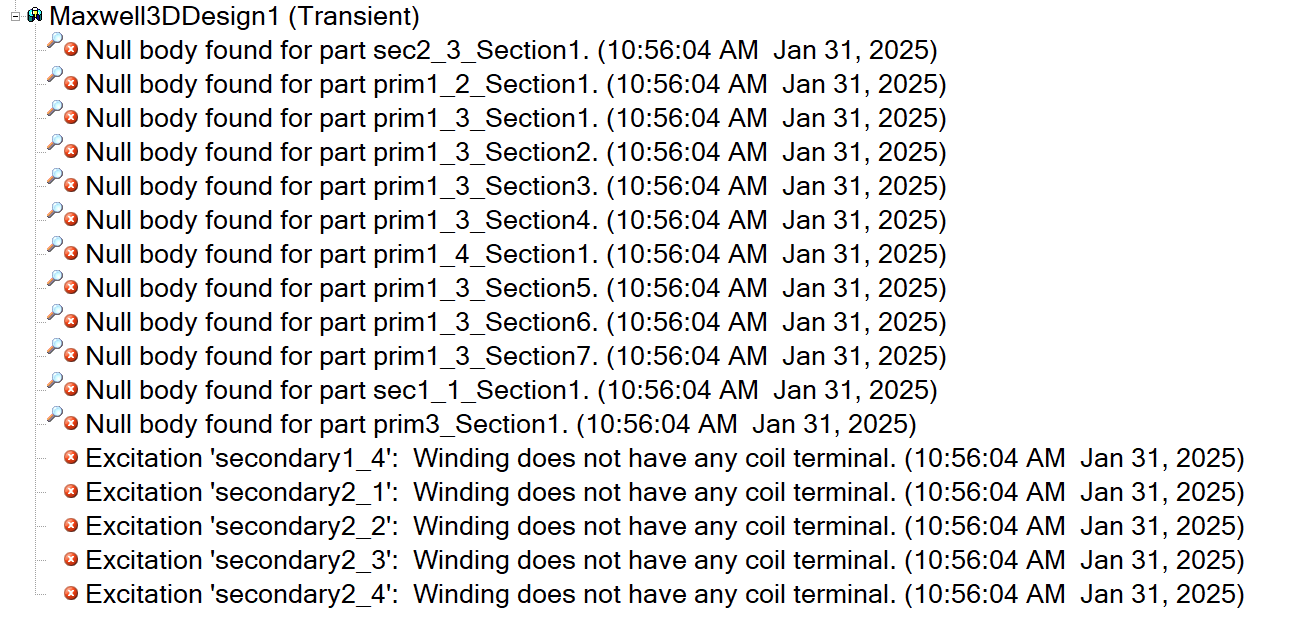
      Hello, I would like to know why do I get this error after assigning coil terminal excitation to the sections i created on maxwel 3D (modeler-->surface-->section this is how I obtain sections on my coil) and while validating I got this errors continously. And how can I solve this problem? If my approach is wrong, I would like to know how to assign excitation to my coils.

    • NA
      Ansys Employee

      Hello,

      The most robust process to create coil excitations is to set the on sheets that are created from a section. For example, on a closed winding like the one below:
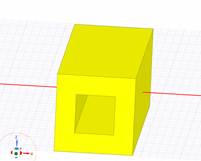
      A yellow cube with a hole in the center

Description automatically generated

      You need to:

      ·         Select the object >modeler > Boolean > split.. > split using plane XY, keep result both

      ·         Select the one surface that is created and could be used for the desired excitation:
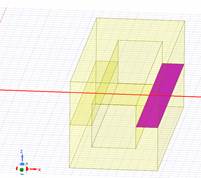
      A drawing of a cube with a red line

Description automatically generated

      ·         Select modeler > surface > create object from face

      ·         Set coil on the created sheet

      If this is the process you followed and the error still occurs, then check the conduction paths:
      Right click on Excitations > Conduction Paths > Show conduction paths.

      If the objects included in your conduction paths are not the ones expected, maybe the materials are set wrong or the objects do not touch in order to form a conduction path.  Please also check that all the desired objects are set as “model” (not “non model”).

      Keep in mind that the coil terminal should be a perfectly matching cross-section of the conduction path.


    • seyidkhadija.mirjafarli
      Subscriber


      Hi NA, thanks for answer

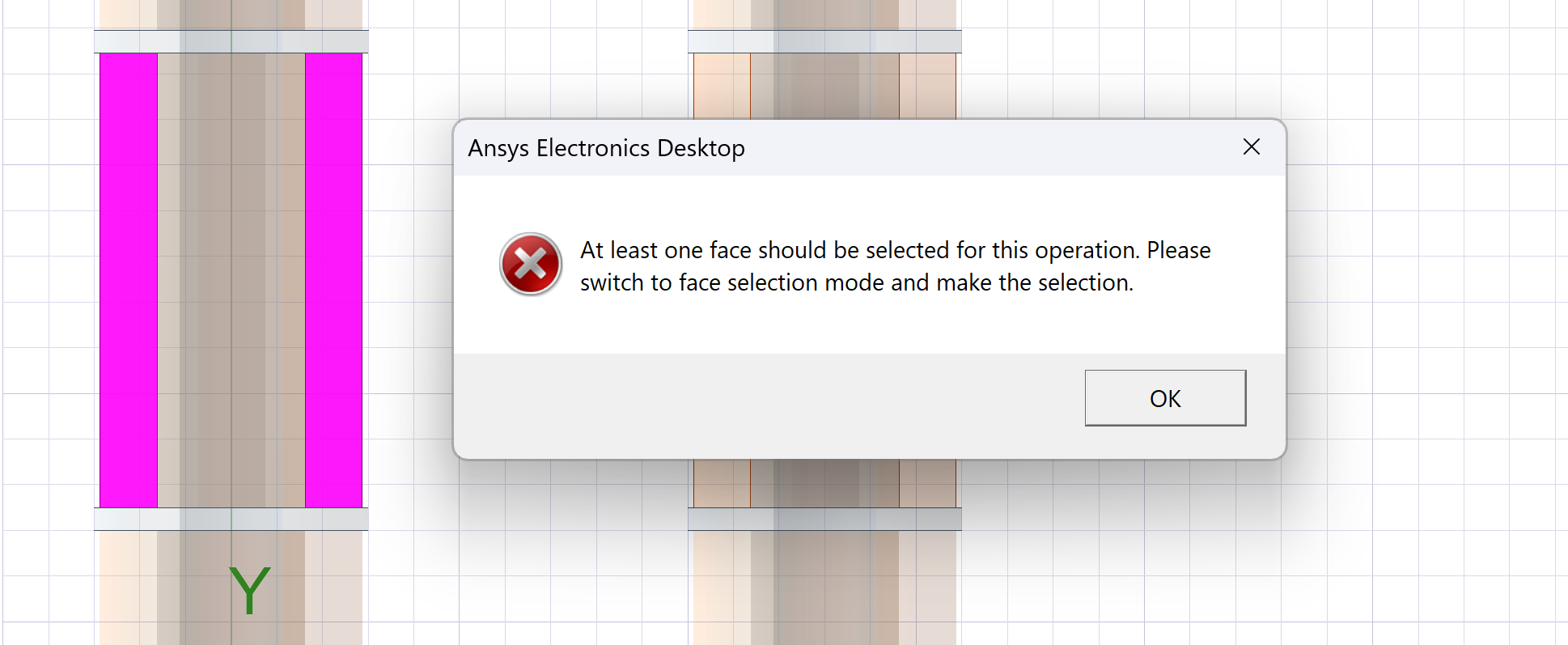
      I followed the steps , (Select modeler > surface > create object from face) in this step I get warning and can't create object from surface. I tried to assign excitation but got null body error as well. As it can be seen from picture my coils is cylindirical, and I need to assign excitation via the direction shown in picture not cross sectional area. So, what steps should I follow?

    • NA
      Ansys Employee

      Hi, 

      It looks like there is something wrong with the geometry creation. Please try re-creating the winding geometries and make sure there are no ill defined bodies, no intersections etc. 

      Kind regards

Viewing 3 reply threads
  • You must be logged in to reply to this topic.
[bingo_chatbox]