Ansys Assistant will be unavailable on the Learning Forum starting January 30. An upgraded version is coming soon. We apologize for any inconvenience and appreciate your patience. Stay tuned for updates.
Embedded Software

Embedded Software

Topics related to SCADE Suite, SCADE Display, SCADE One and more.

Comparison of float variables

    • Román Garnica
      Subscriber

      In SCADE Suite, during simulation the result of a comparison of float variables is false while the values are identical. Why do I get this incorrect result?

    • Benjamin Descorps
      Ansys Employee

      This result most probably comes from the fact that you are doing a strict comparison of real/float values.

      In any program (and not simply Scade), it is not recommended to perform such a comparison. Indeed float values depend on the processor precision. Then a "real" value 3.6 could be represented as 3.60000001 by a machine. As, in the Simulator, default precision for float values is set to 5 digits after the coma, this difference could not be seen.

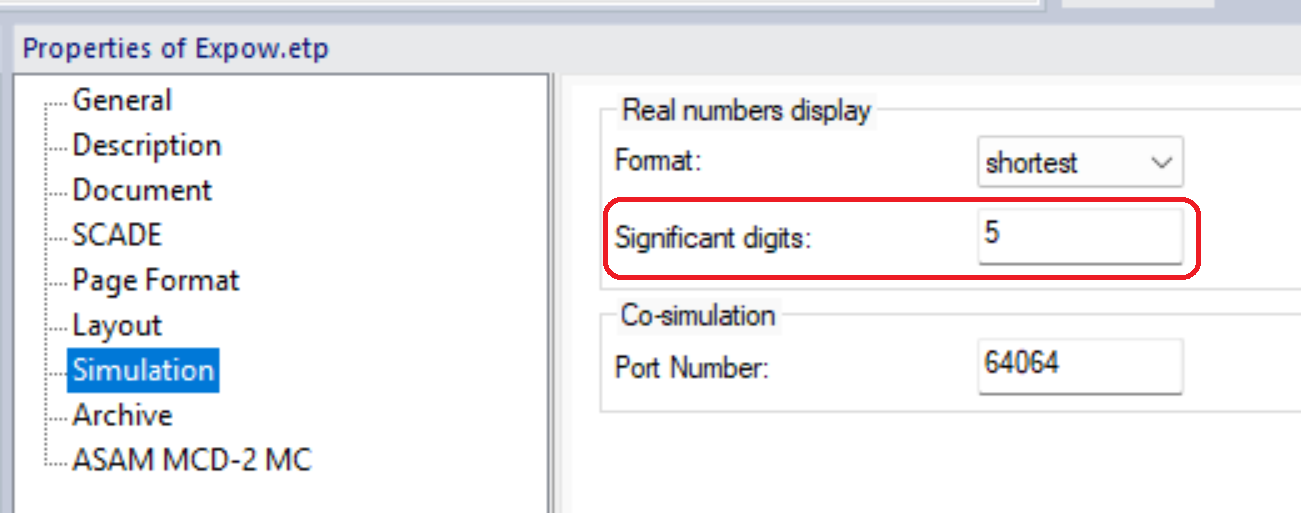
      In the properties of your SCADE etp project, you can change the number of digits used by the simulator to display real/float values. By changing the precision, you could check that the result of the comparison is really "false".

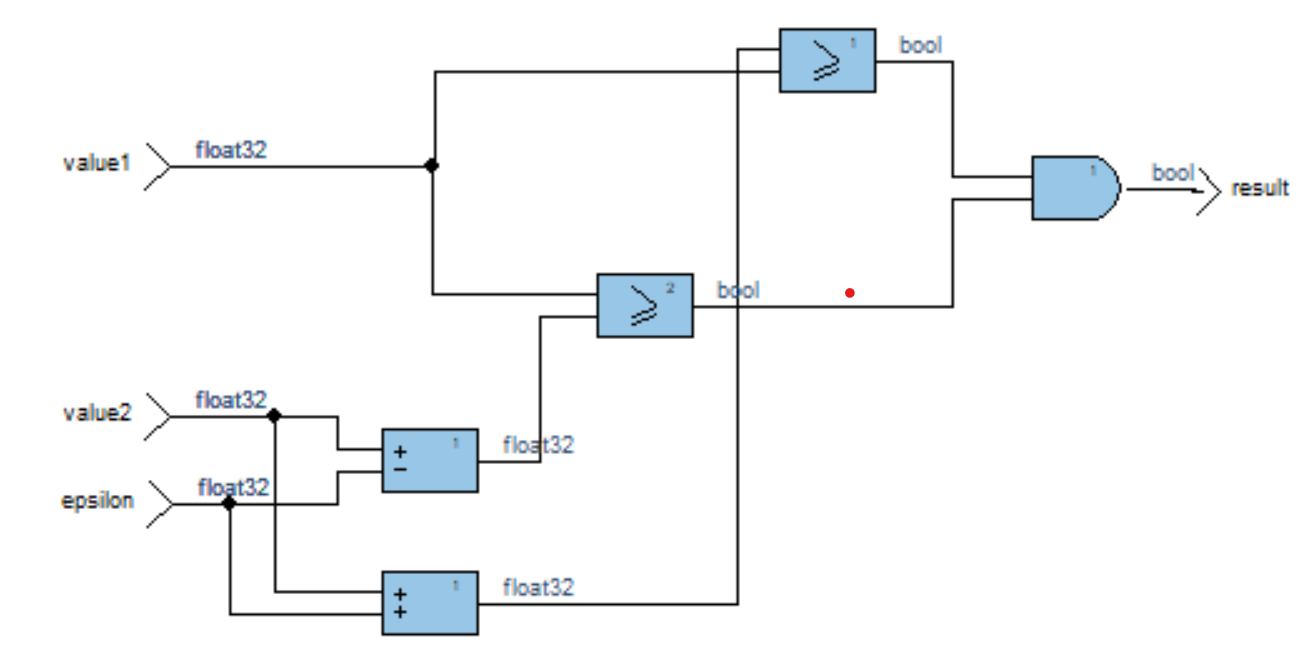
      When your program requires to compare float/real values that are in a very close scale, it is rather recommended to protect the comparison operation by use of an Epsilon precision: "B == A +/- Epsilon". Example1:

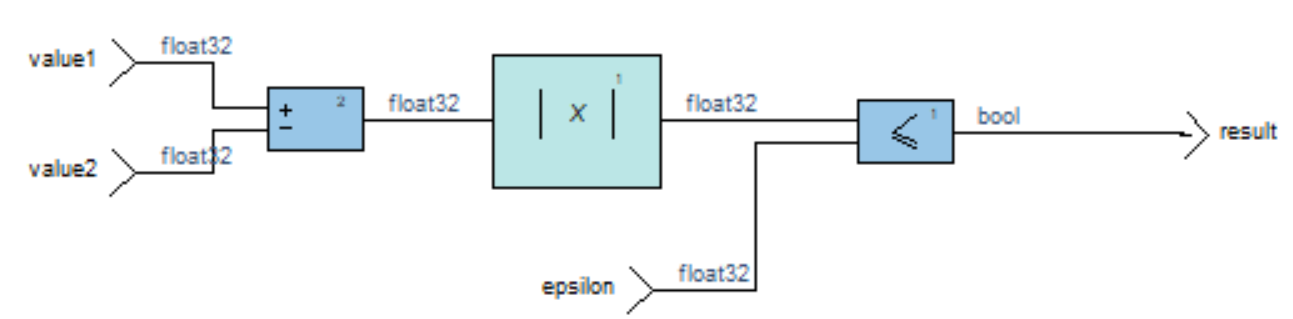
      Here is another possible implementation. Example2:


Viewing 1 reply thread
  • The topic ‘Comparison of float variables’ is closed to new replies.

[bingo_chatbox]