
Ansys Assistant will be unavailable on the Learning Forum starting January 30. An upgraded version is coming soon. We apologize for any inconvenience and appreciate your patience. Stay tuned for updates.
Ansys Products

Ansys Products

Discuss installation & licensing of our Ansys Teaching and Research products.

Reaction Workbench 201 9R1 Java Error: ERROR CONDITION DETECTED. EXIT STATUS IS 9009

    • tmryan
      Subscriber

      When launching Reaction Workbench 2019 R1, the following error pops up. Any ideas why?


      C:Program FilesANSYS Incv193reactionchemkinpro.win64>cd "C:UsersAdministratorchemkin"
      C:UsersAdministratorchemkin>title Reaction Workbench Launcher
      .CKJAVAMEMORY value of -Xmx1024M will be used for this session.
      C:UsersAdministratorchemkin>"java"  -Xmx1024M -classpath "chemkin_custom.jar;chemkin.jar;ckimages.jar;gnujaxp.jar;jcom.jar;jfreechart-1.0.11.jar;jcommon-1.0.14.jar;cdk-1.3.12.jar;cdk-jchempaint-21.jar" -DCHEMKIN_BIN="" -DCHEMKIN_HOME="C:UsersAdministratorchemkin" -DCHEMKIN_USER="" -DCHEMKIN_RELEASE_NUMBER="" -DCHEMKIN_TITLE="" -DCHEMKIN_MODE="Pro"           "com.chemkin.workbench.RDWorkbench"


      '"java"' is not recognized as an internal or external command,
      operable program or batch file.


      C:UsersAdministratorchemkin>SET EXIT_STATUS=9009


       C:UsersAdministratorchemkin>IF "9009" == "0" EXIT


       *** ERROR CONDITION DETECTED.  EXIT STATUS IS 9009 ***
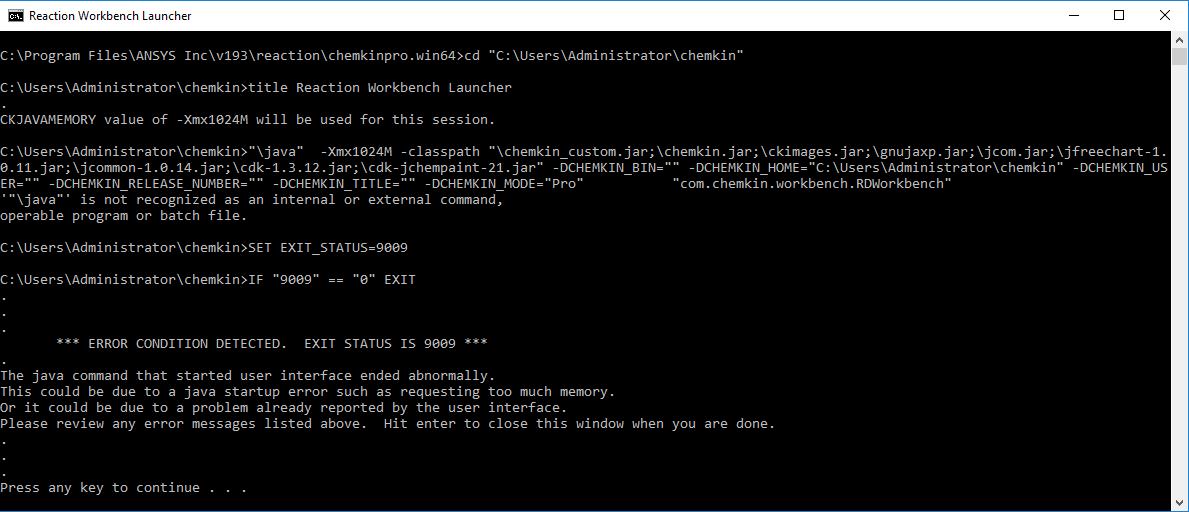


      The java command that started user interface ended abnormally.


      This could be due to a java startup error such as requesting too much memory.


      Or it could be due to a problem already reported by the user interface.


      Please review any error messages listed above.  Hit enter to close this window when you are done.


      Press any key to continue . . .


    • JakeC
      Ansys Employee

      Hi tmryan,


      How are you trying to launch the application?


      Also are you using the Student version or the commercial/academic version?


      It almost looks like the startup script has been corrupted.  The paths seem wrong, and it looks like it is trying to pipe stdout output to the command line, which would not work.


      Thank you,


      Jake

    • tmryan
      Subscriber

      Hi Jake,


      We are launching the application using the start menu program group shortcut.


      We are using the Academic version.


      Tim

    • tmryan
      Subscriber

      Upon further investigation, it appears it didn't fully install the first time around out of all the products that were selected. A second attempt to install just Reaction Workbench (Chemkin) worked.


      Tim


    • JakeC
      Ansys Employee

      Hi Tim,


      Thank you for the update.


      Win and I think we have tracked down what the issue may have been.


      For anyone else that comes across this issue, please check your Ansys Incv19Xreactionchemkinpro.win64binrun_chemkinpro_env_setup.bat file.


      If it is blank, edit it, and put in:


      ::File: run_Chemkinpro_env_setup.bat


      :: Set the version-specific environment/shell variables


      :: for the ANSYS Chemkin program runtime environment.  Called by run_*.bat shell scripts in


      :: this directory.  Also should be called before running any ANSYS Chemkin program from the


      :: command line.


      set REACTION_DIR=C:Program FilesANSYS Incv192reaction


      set CHEMKIN_BIN=%REACTION_DIR%chemkinpro.win64bin


      set CHEMKIN_VERS=19.2


      call "%CHEMKIN_BIN%run_chemkinpro_env_setup_part2.bat"


      Please change 19.2 and 192 to match the version you are running.


      That should get it fixed up for you.


      Tim if you get a chance, please mark this thread as solved.


      Thank you,


      Jake

Viewing 4 reply threads
  • The topic ‘Reaction Workbench 201 9R1 Java Error: ERROR CONDITION DETECTED. EXIT STATUS IS 9009’ is closed to new replies.

[bingo_chatbox]






