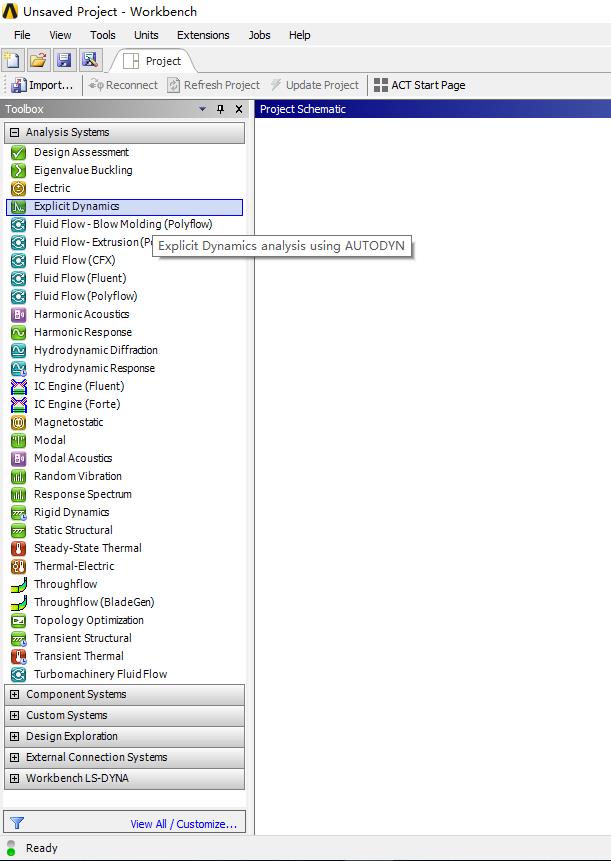
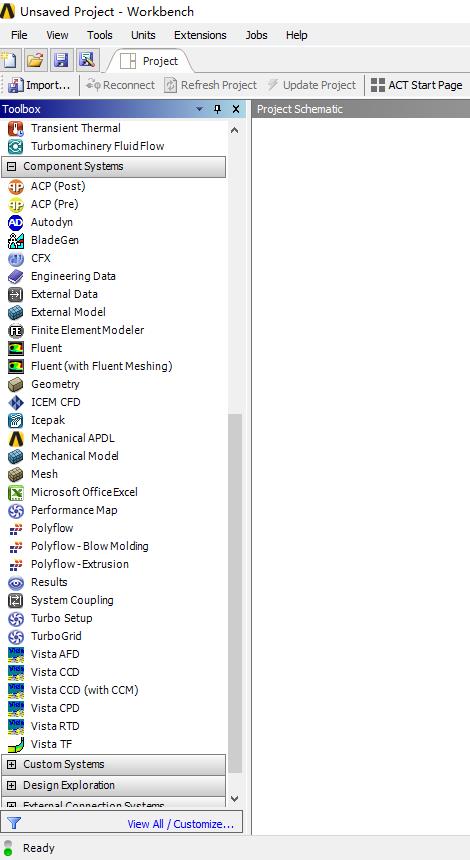
-
-
April 18, 2019 at 10:51 am
-
April 18, 2019 at 1:24 pm
George Karnos
Ansys EmployeeHi Marchelle,
Â
When you installed Workbench 18.2, Did you choose LS-DYNA to be installed?
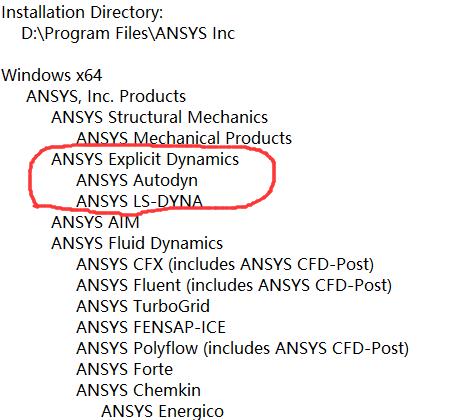
You can check the install.log file under:
c:Program filesAnsys Inc
If unsure, please upload file to here.
If it was not installed, you can rerun Setup.exe from your download and choose LS-DYNA only to install it.
Best Regards,
George Karnos
Â
-
April 18, 2019 at 3:45 pm
Marchelle
SubscriberHi George Karnos,
Thank you for your help.
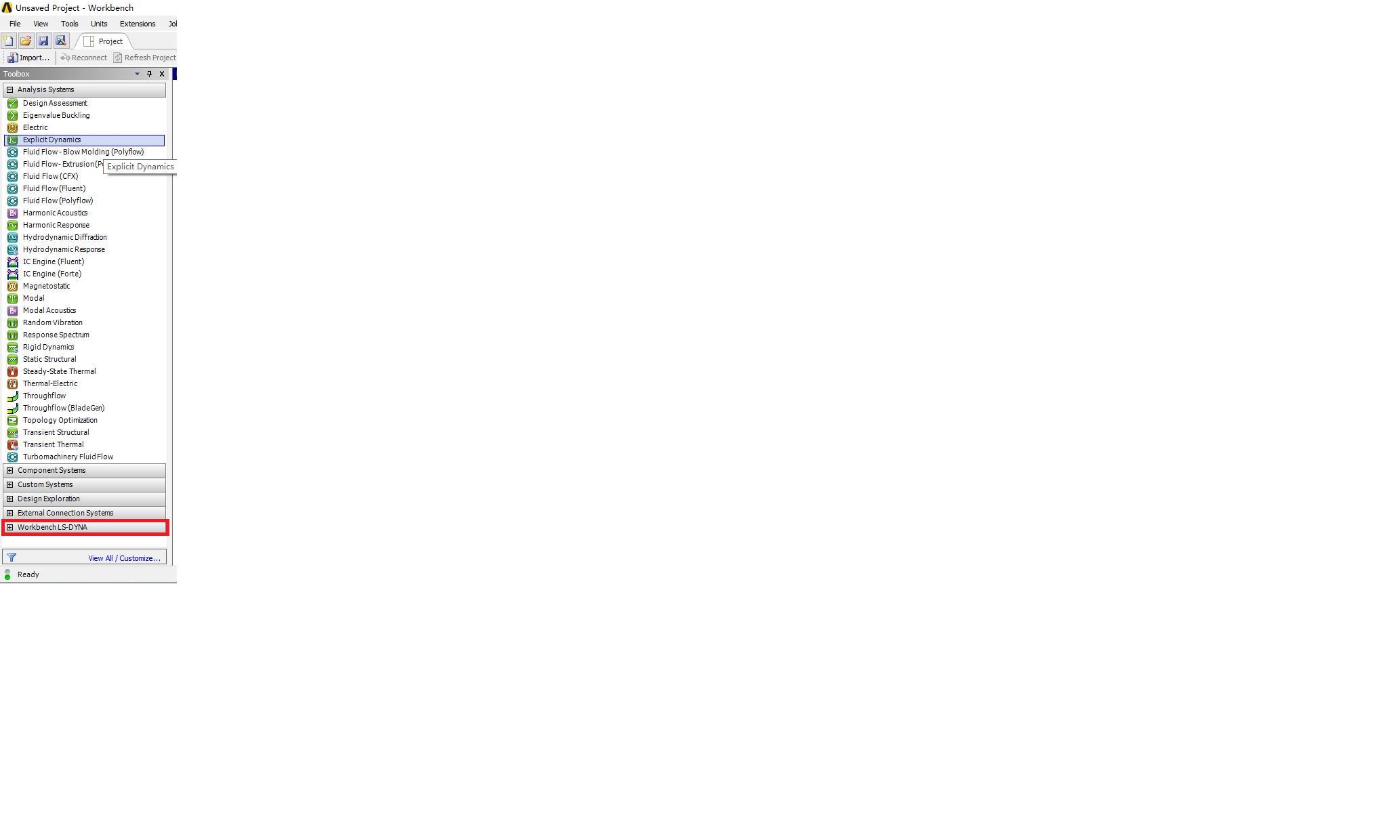
I checked the install.log file,it looks like I have installed both AUTODYN and LS-DYNA,but the Explicit Dynamics(LS-DYNA Export) is still missing.
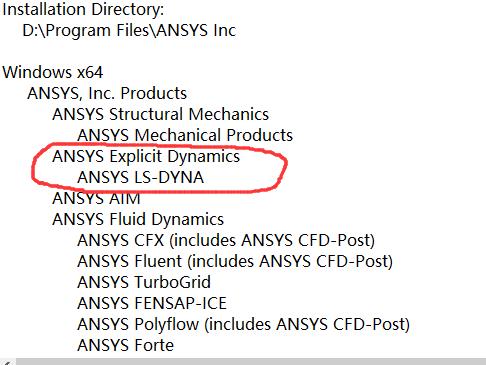
Then I  uninstalled the whole ANSYS 18.2 and reinstalled it with only ANSYS LS-DYNA selected in ANSYS Explicit Dynamics:
Can you help me with other ideas,thank you.
-
April 18, 2019 at 4:48 pm
tsiriaks
Ansys EmployeeHi Marchelle,
You already have the Workbench LS-DYNA at the bottom of your Toolbox.
Please use that module and open the Model, you should see options/features related to LS-Dyna in there.
Thanks,
Win
-
April 18, 2019 at 6:56 pm
-
April 19, 2019 at 1:22 pm
-
April 19, 2019 at 1:25 pm
-
April 22, 2019 at 7:05 pm
tsiriaks
Ansys EmployeeGreat ! You are welcome !
Please mark this thread as 'resolved' ('Is Solution') , so we know it's been addressed.
Thanks,
Win
-
April 25, 2019 at 12:39 pm
Marchelle
SubscriberSorry,Win,I'm new in this community,I'm gonna mark this thread as solved right now.
-
April 25, 2019 at 6:19 pm
tsiriaks
Ansys EmployeeNo problem.
Thank you for mark it as resolved and welcome to the community !
Win
Â
-
- The topic ‘Can’t find Explicit Dynamics(LS-DYNA Export) in ANSYS 18.2 Workbench’ is closed to new replies.

-
5094
-
1830
-
1387
-
1248
-
1021
© 2026 Copyright ANSYS, Inc. All rights reserved.