-
-
December 6, 2023 at 10:04 am
Shreepannaga Aithal
SubscriberGreetings of the day.
I am currently working on the Fatigue Analysis of carbon fiber prepreg material in n-Code design life. While providing edit material mapping, I am not able to find my material (Carbon Fibre UD Prepreg). It shows only glass fiber materials. I am doing the static analysis in ANSYS WORKBENCH, and I am transferring the .rst file to n-Code. In one of the community posts, I saw that if you are transferring files from ANSYS WORKBENCH, the material data will be updated within the system. Please help me out with this problem and do the needful.
-
December 8, 2023 at 3:08 pm
danielshaw
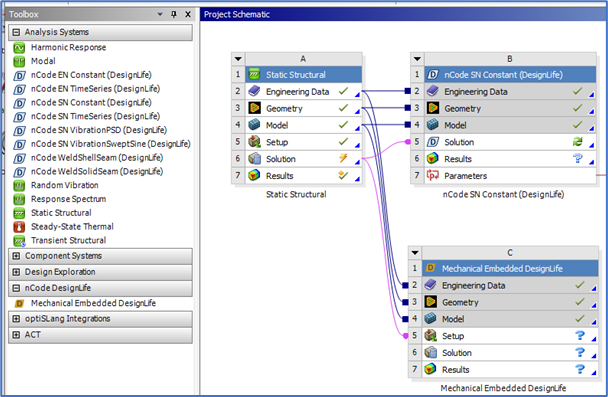
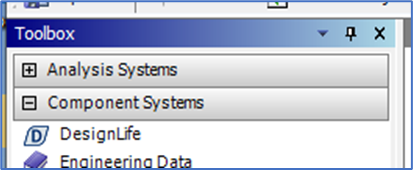
Ansys EmployeeIf you are using one of the Workbench integrated Ansys nCode DesignLife systems or the Mechanical embedded Ansys nCode DesignLife Add-On, the material properties defined in Engineering Data are automatically transferred to the DesignLife solver.Â
If you are using the HBK Glyphworks DesignLife interface (aka standalone DesignLife), then you must define the material within the DesginLife Material Mapper.
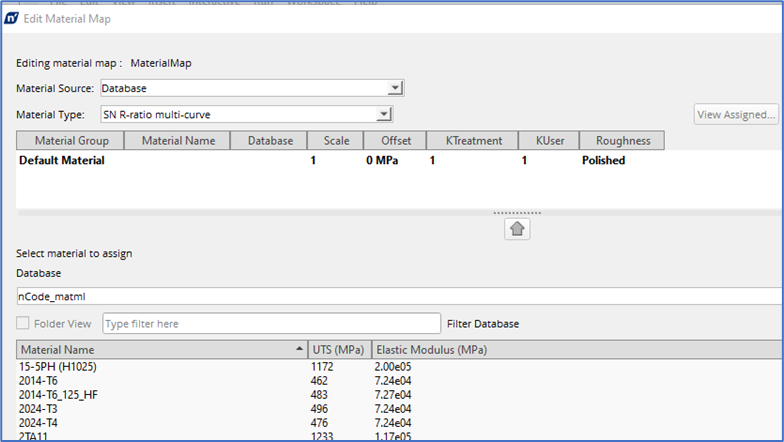
You need to define the material properties in a database and then select that database from the material mapper. Only the materials in that database (e.g., nCode_matml.xml) with the defined Material Type (e.g., SN R-ratio multi-curve) are exposed in the Material Mapper.
-
December 8, 2023 at 3:55 pm
Shreepannaga Aithal
Subscriber -
December 8, 2023 at 4:29 pm
danielshaw
Ansys EmployeeThe DesignLife Material Mapper will only expose materials from the specified Material Source (Database) that are defined using the specified Material Type. For example, if the Database is defined to be "MATDB" and the Material Type is specified to be "SN mean multi-curve", the Material Mapper will only expose materials from that database whose SN curves were defined using multiple mean stress curves. It will not expose materials whose SN curves were defined using multiple R-ratio curves or any other method (even if there properties are stored in that database). The Material Mapper filters the exposed materials based how the SN curve was defined. If the Material Mapper is not exposing any materials, then there are probably not any materials in that database compatible with the defined Material Type.Â
If you are using one the WB integrated Ansys nCode DesignLife systems, the correct database (from Engineering Data) is automatically defined, but you may need to redefine the Material Type. The default Material Type might not be compatible how the materials were defined in Engineering Data.
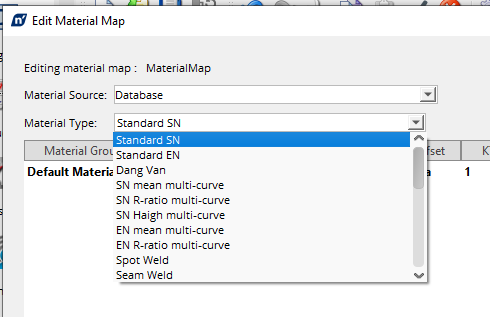
Also, the Material Type defined in the Material Mapper must match the solution method defined in Advanced Edit for the solution to proceed.
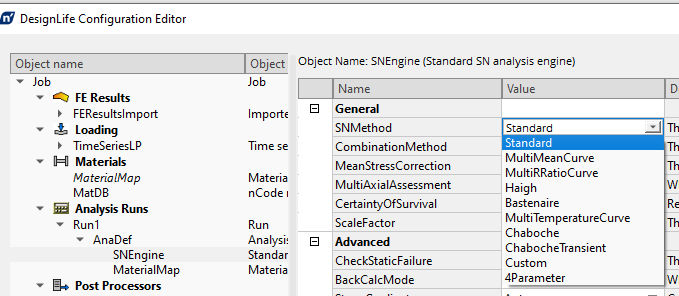
Â
Â
-
December 8, 2023 at 11:46 pm
Shreepannaga Aithal
SubscriberThank you for your suggestionsÂ
-
- The topic ‘n-Code Design Life’ is closed to new replies.
-
5889
-
1906
-
1420
-
1306
-
1021
© 2026 Copyright ANSYS, Inc. All rights reserved.