-
-
December 15, 2018 at 3:17 am
ealme012
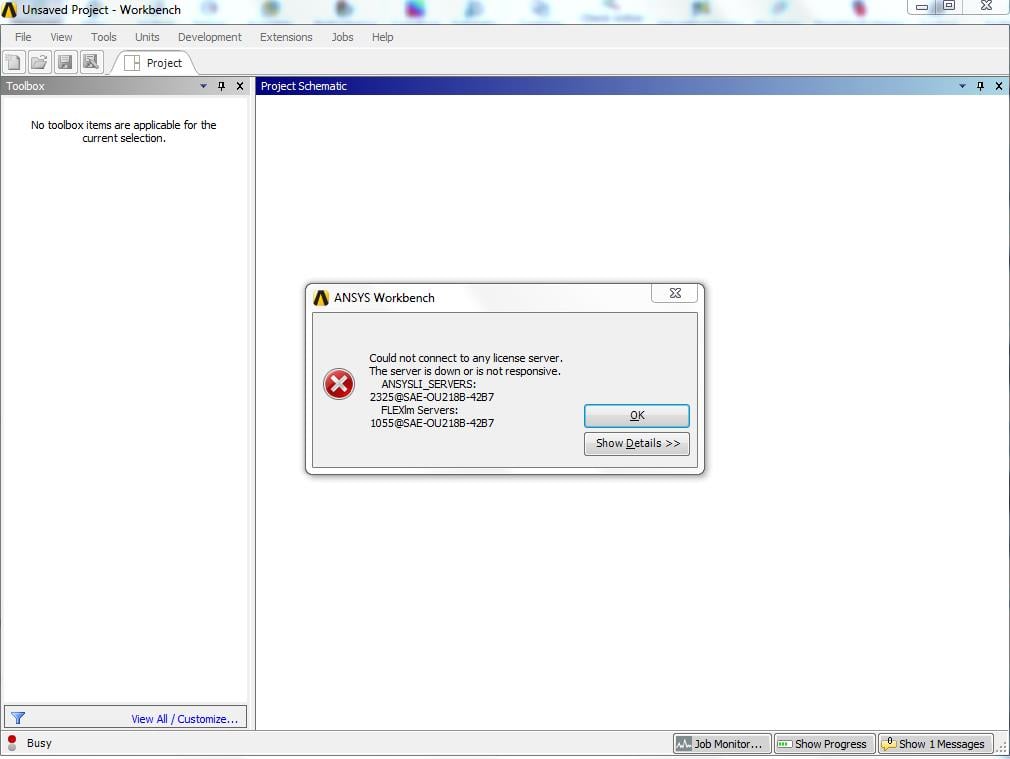
SubscriberAfter installing the Ansys license manager, and the product packages to the computer to the best of my ability,the program opens and displays server could not be found or is unresponsive for both default channels. We currently have two disk drives (C: and D
on the computer with the software, and I have a suspicion Ansys is recalling an incorrect file.
This was of course after going directly to the license manager setup and referenced the correct license file.Â
I appreciate your time.
-
December 17, 2018 at 5:43 pm
tsiriaks
Ansys EmployeeHi ealme012,
Could you post the screenshot of the issue ?
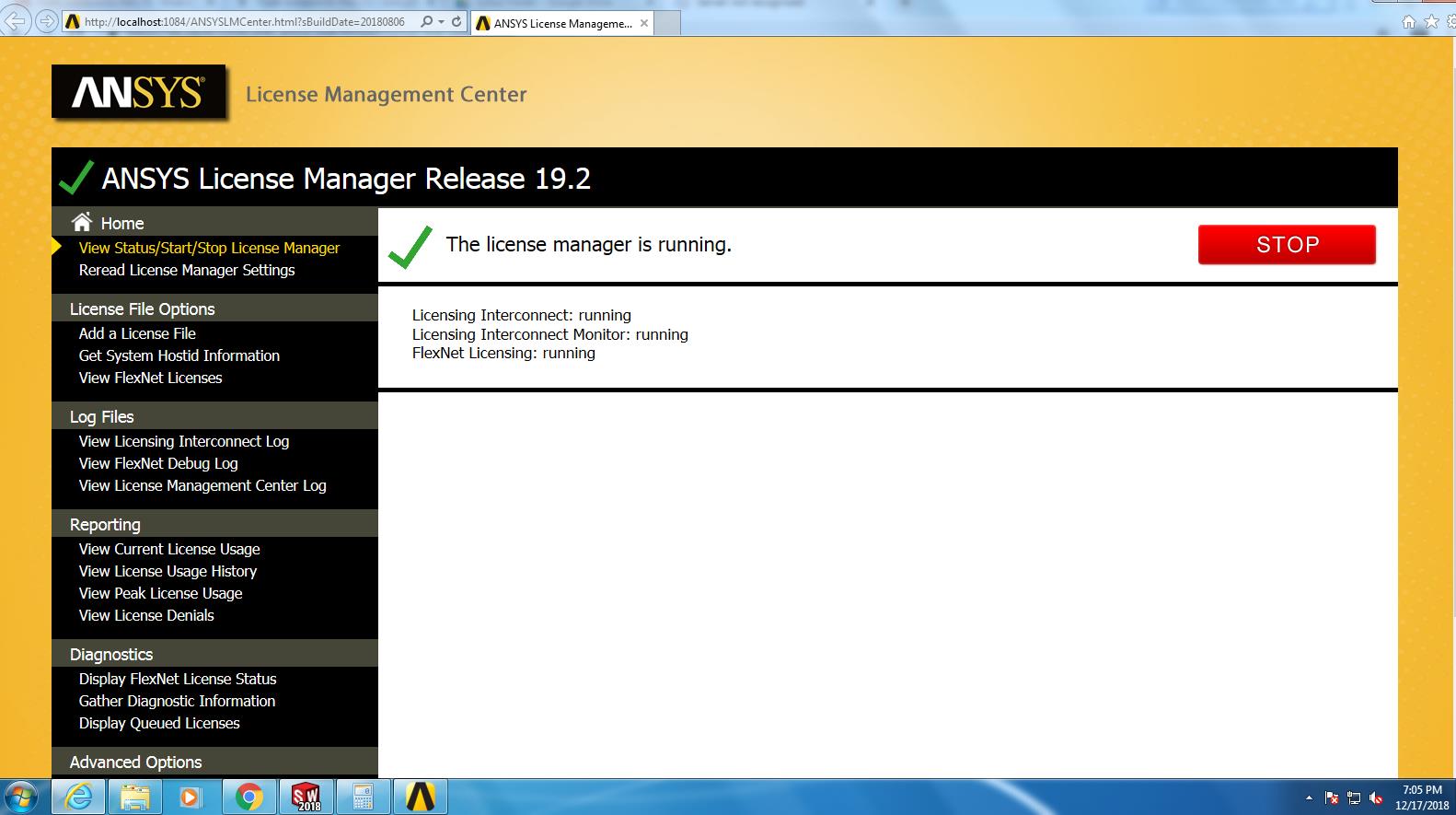
Does the License Management Center show that the License Manager is up and running ?
Please don't install the same thing on multiple locations, delete the one that you don't want.
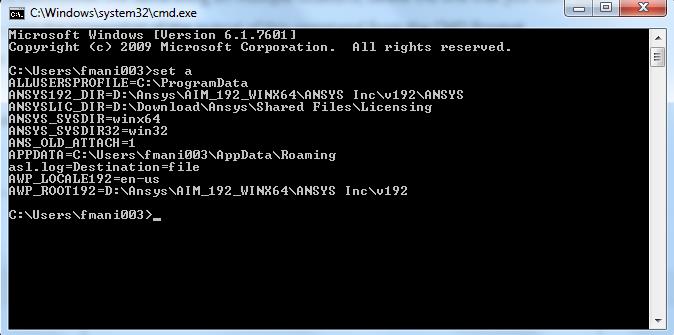
Also, post the screenshot of the output of this command from the CMD Prompt
set a
Â
Thanks,
Win
-
December 18, 2018 at 12:10 am
-
December 18, 2018 at 12:50 am
tsiriaks
Ansys EmployeeHi ealme012,
The paths that you installed License Manager and AIMÂ may cause this issue.
I would recommend to completely uninstall everything:
- Remove the files under
Ansys and
DownloadAnsys.
- Also, make sure to remove those ANSYS environment variables
Now reinstall both License Manager and AIM onto the same parent directory (e.g.,
ANSYS Inc or
ANSYSANSYS Inc)
Let me know how it goes once you've tried this. If issue persists, please resend the screenshot of the output of 'set a'
Thanks,
Win

-
- The topic ‘Server not recognized’ is closed to new replies.
-
4989
-
1670
-
1386
-
1243
-
1021
© 2026 Copyright ANSYS, Inc. All rights reserved.