Ansys Assistant will be unavailable on the Learning Forum starting January 30. An upgraded version is coming soon. We apologize for any inconvenience and appreciate your patience. Stay tuned for updates.
Ansys Products

Ansys Products

Discuss installation & licensing of our Ansys Teaching and Research products.

How to restore default layout in DesignModeler

    • Arvind
      Subscriber

      Hi everyone,

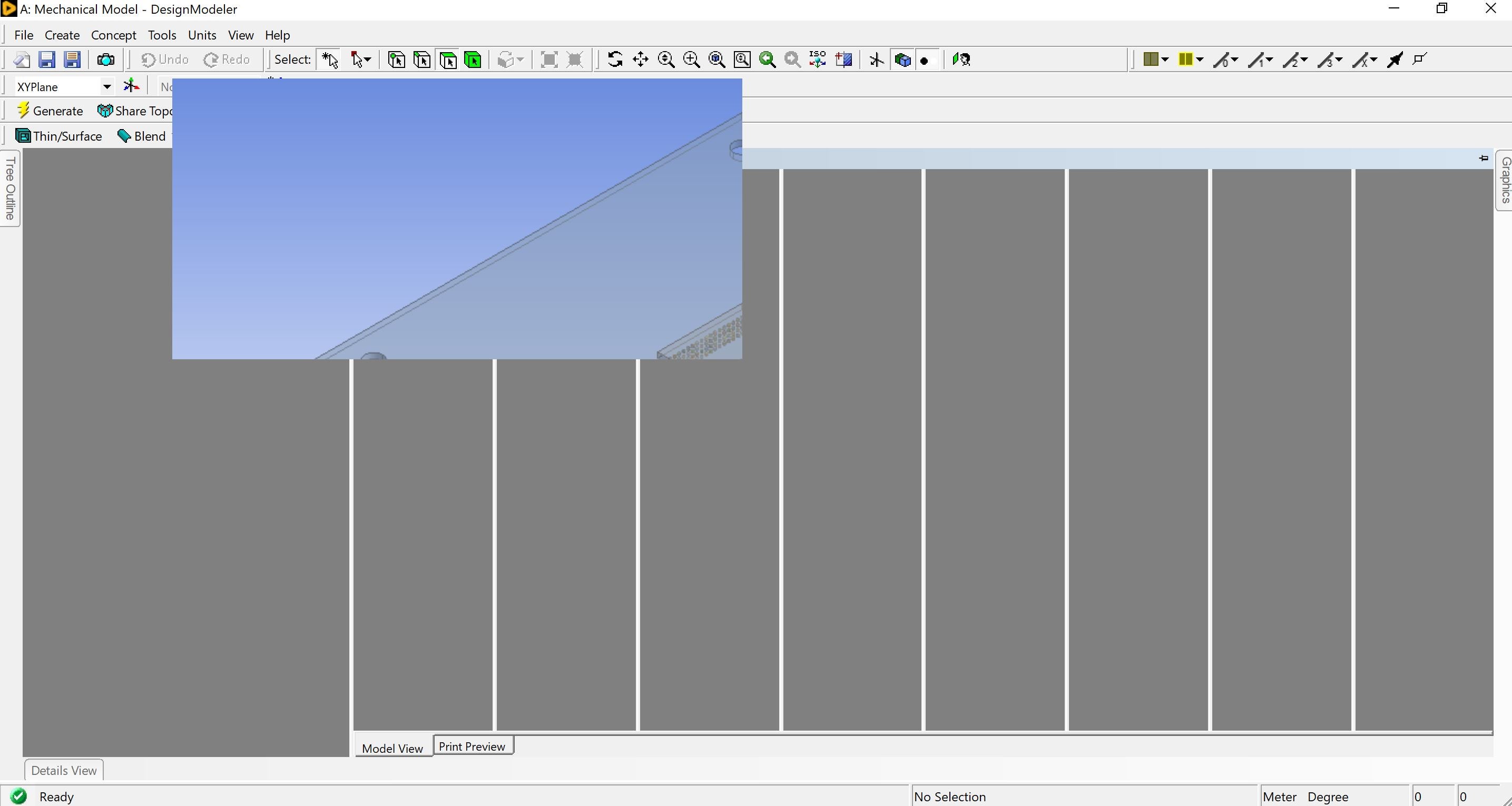
      I just downloaded the ANSYS student version on my laptop running Windows OS. The graphic tab is appearing as a pop-up. I did follow the steps and do a View > Windows > Reset Layout yet it's not working. I have attached a picture below. Please advise.

    • Arihant Kankariya
      Administrator

      Topic duplication :- We will answer your query here /forum/forums/topic/how-to-restore-default-view-in-designmodeler/

Viewing 1 reply thread
  • The topic ‘How to restore default layout in DesignModeler’ is closed to new replies.

[bingo_chatbox]