-
-
May 6, 2023 at 5:51 pm
Patryk Sienkiewicz
SubscriberHello there,
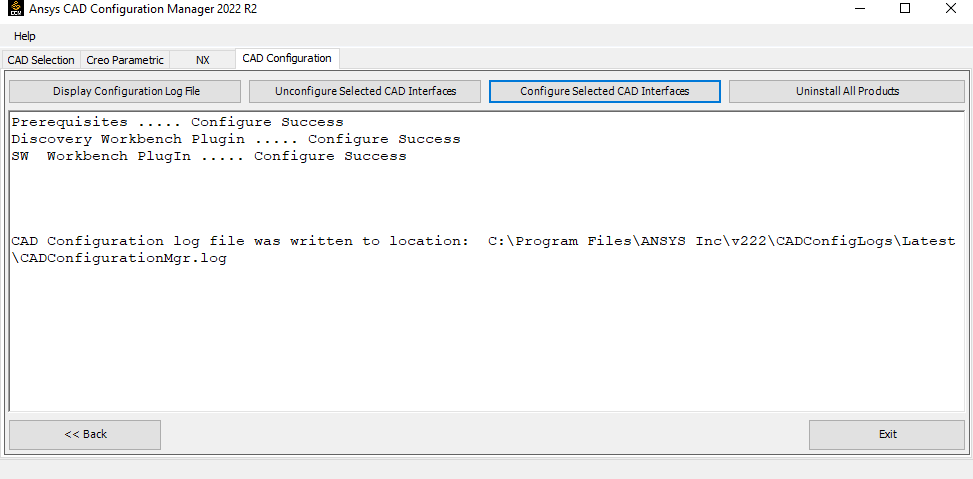
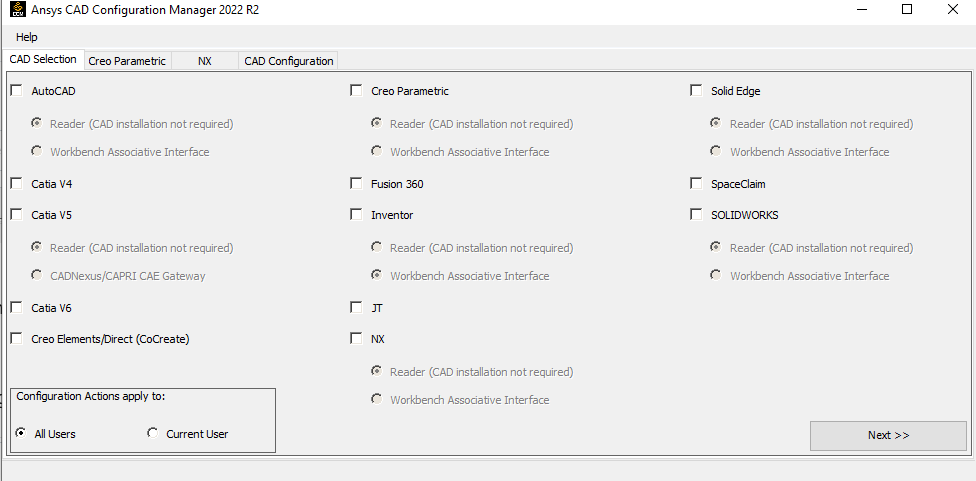
I wanted to configure SW Associative Interface for Workbench 2022 R2, in order to use parameters from Solidworks in Ansys. When I open the CAD Configuration Manager as administrator, I see that Solidworks is set to Reader. I switch it to Workbench Associative Interface and go next -> configure.
It says it's configured and I'm ready to go. However, when I import Solidworks geometry and open it in Mechanical, I can't see the parameters, even those with DS or ANS prefix. When I open the CCM again, it's back to Reader, and not Associative Interface like I configured it.
I've tried reconfiguring it for like 10 times, but it will still be switched back to reader when opening it again. What should I do in order for it to work? I'm on a research license. Thanks in advance.
-
May 8, 2023 at 10:07 am
Aniket Chavan
Forum Moderatorstudent versions do not support CAD connections. Assuming that you have research or commercial license which can support this, try the following all with administrative access:
- Close all workbench and CAD instances
- Unconfigure for all users reader mode, you may also unconfigure for the current user after that
- unconfigure for all users associative mode, you may also unconfigure for the current user after that
- now check Windows (ansys.com) (https://ansyshelp.ansys.com/account/secured?returnurl=/Views/Secured/corp/v202/en/ref_cad/cadWindows.html) for supported versions of the CAD in Plugin mode and check if you are using a supported version of the CAD
- now configure in associative mode and start new session of CAD and see if you can see a separate menu for starting the workbench in the CAD, if you see that, the configuration is successful in the associative mode
- Now create a simple cube, and save the CAD file and then start workbench from CAD, keep prefixes as blank, and open the geometry in Mechanical. This should read all parameters.
-Aniket
-
May 8, 2023 at 8:30 pm
Patryk Sienkiewicz
SubscriberUnconfiguring all associative interfaces and configuring it again worked, thanks Aniket :) Problem solved
-
- The topic ‘Solidworks Associative Interface not configuring properly.’ is closed to new replies.

-
6465
-
1906
-
1458
-
1308
-
1022
© 2026 Copyright ANSYS, Inc. All rights reserved.