Ansys Assistant will be unavailable on the Learning Forum starting January 30. An upgraded version is coming soon. We apologize for any inconvenience and appreciate your patience. Stay tuned for updates.
Electronics

Electronics

Topics related to HFSS, Maxwell, SIwave, Icepak, Electronics Enterprise and more.

3D model display in Ansys HFSS

    • ha_nguyen3
      Subscriber

      Hello,

      Anyone please kindly let me know how I can reset the default display of imported model in Ansys HFSS?

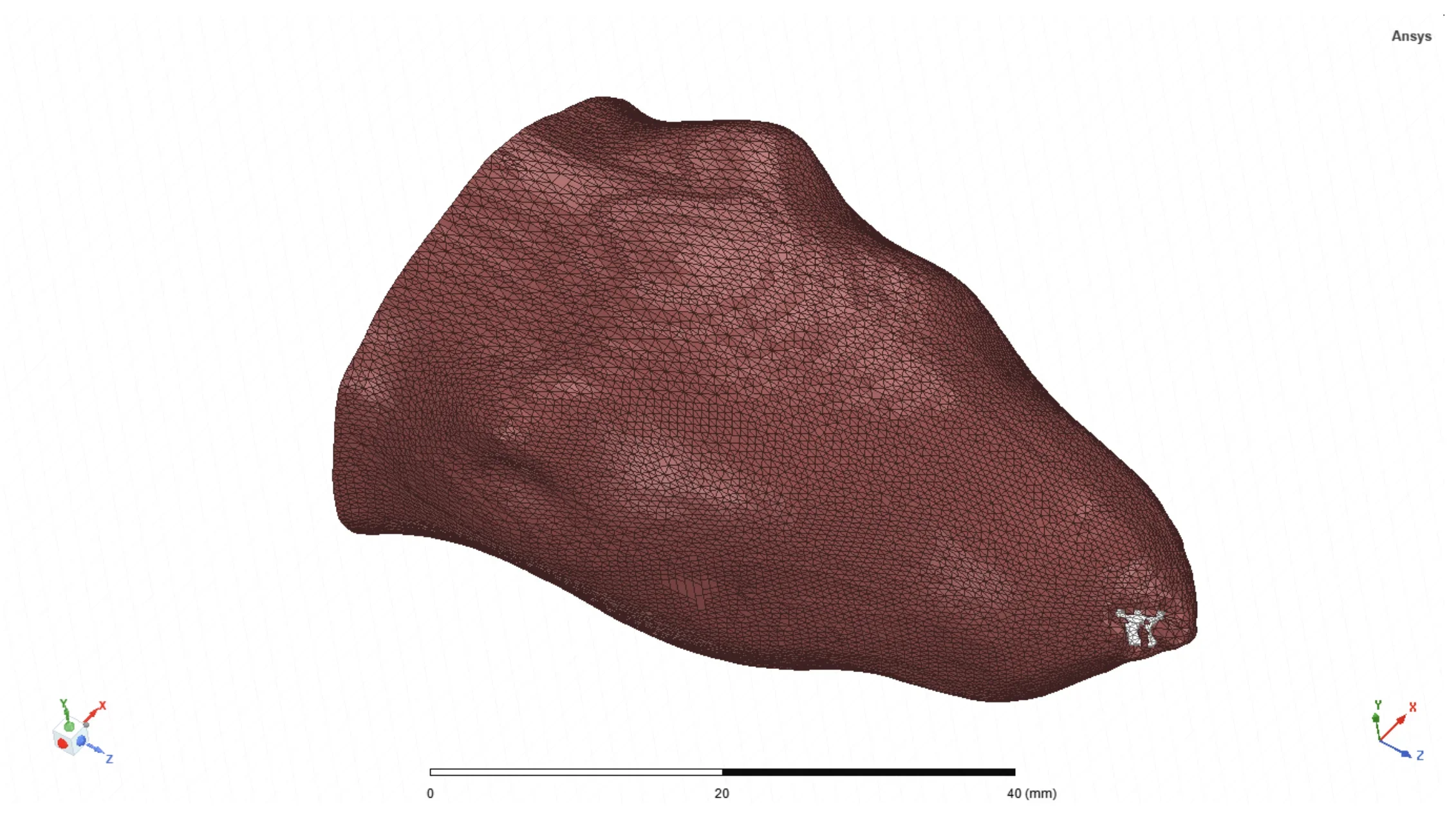
      I imported .stl files into Ansys HFSS via Modeler > Import, and the model showed up like the image below. This is what I want.

       
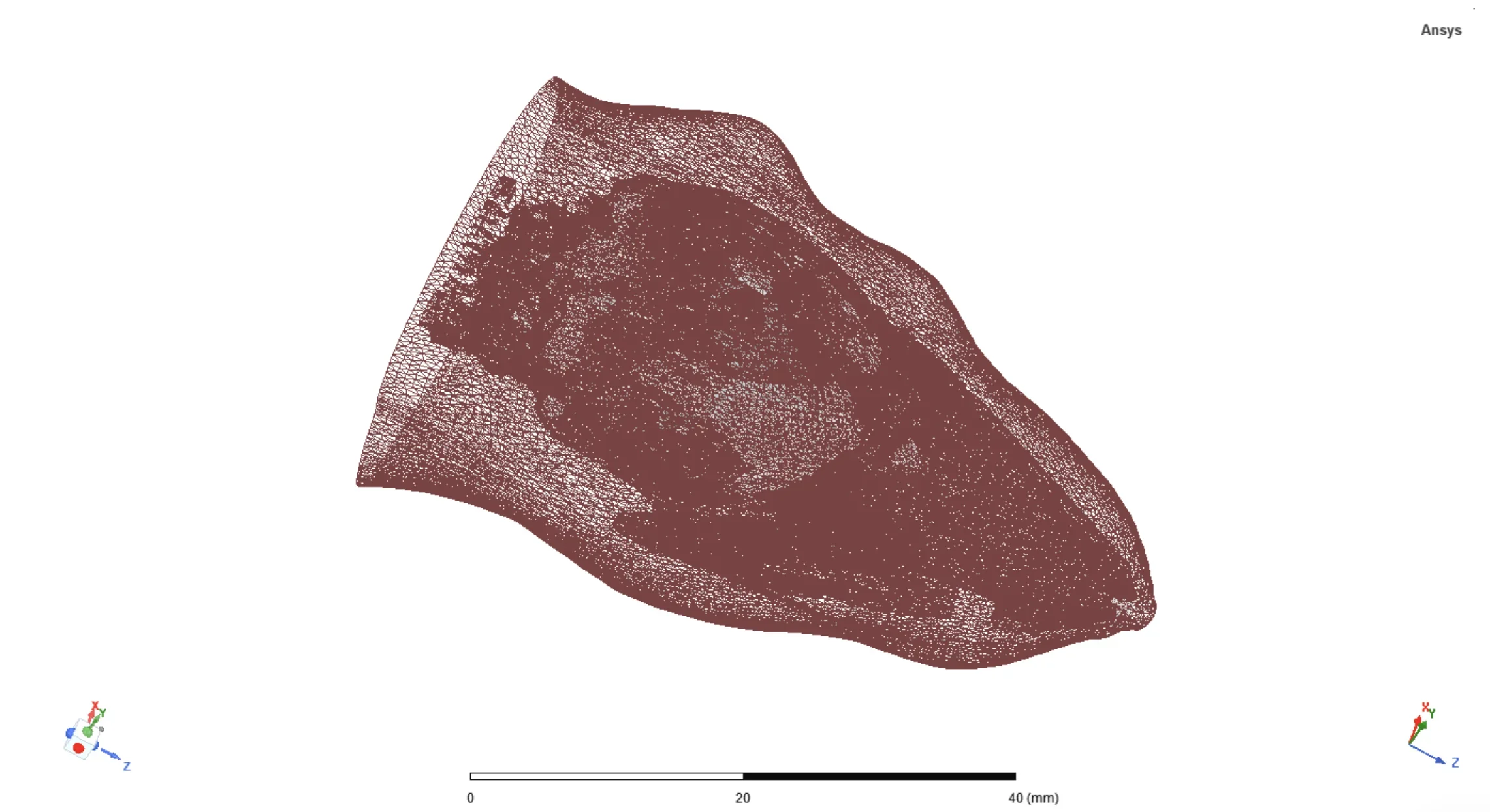
      I might have changed something unintentionally, and now the model is displayed as below. It looks transparent even though the set transparency is set to 0 (which is opaque). I'm not sure how to get back to the default settings.
      Thank you. 
    • Praneeth
      Ansys Employee

      Hi,

      Thank you for reaching out and your patience is much appreciated.

      Please go through the following observations/comments on your query

      1. Is your model imported as a single object or a group of objects? - In this case, you might have deleted or hidden those objects accidentally. Please check.
      2. Did you import this model one more time and see if it displayed correctly?

      All the very best,
      Praneeth.

    • ha_nguyen3
      Subscriber

      Hi Praneeth, 

      I imported them as a group of objects. I don't think I delete any object as all objects still appeared under the Model tree. I selected all objects, and clicked on the eye with a green check to make sure they are visible. But it did not help. 

      I tried to re-import them multiple times, but the objects still showed up like the second image. Do you have any recommendation?  

      Best, 

      Ha Nguyen 


    • Praneeth
      Ansys Employee

      Hi,

      I am a little confused here. Did you restart the application and tried to import the model? This should have worked as you were able to see the model before. Kindly let us know which AEDT version you are using.

      Please go through the following recommendations - 

      1. Did you observe any errors in the messages windows after the fresh import?
      2. Are the objects of the model are imported as 3D models or as 2D surfaces? Please share the screen shot of the model along with the model history tree window with details of all the objects as far as possible.

      Best regards,
      Praneeth.

    • ha_nguyen3
      Subscriber

      Hi Praneeth, 

      Thank you for reaching out. I'm also very confused myself why this happened.

      I restarted the program, created a new file, and imported again. But it still didn't work. I'm using Ansys Electronics Desktop 2021 R2. I did the following steps: 

      1. Create a new project
      2. Select Desktop > HFSS 
      3. Modeler > Import > Select stl. files 

      Currenly, these objects are viewed as below after the fresh import.
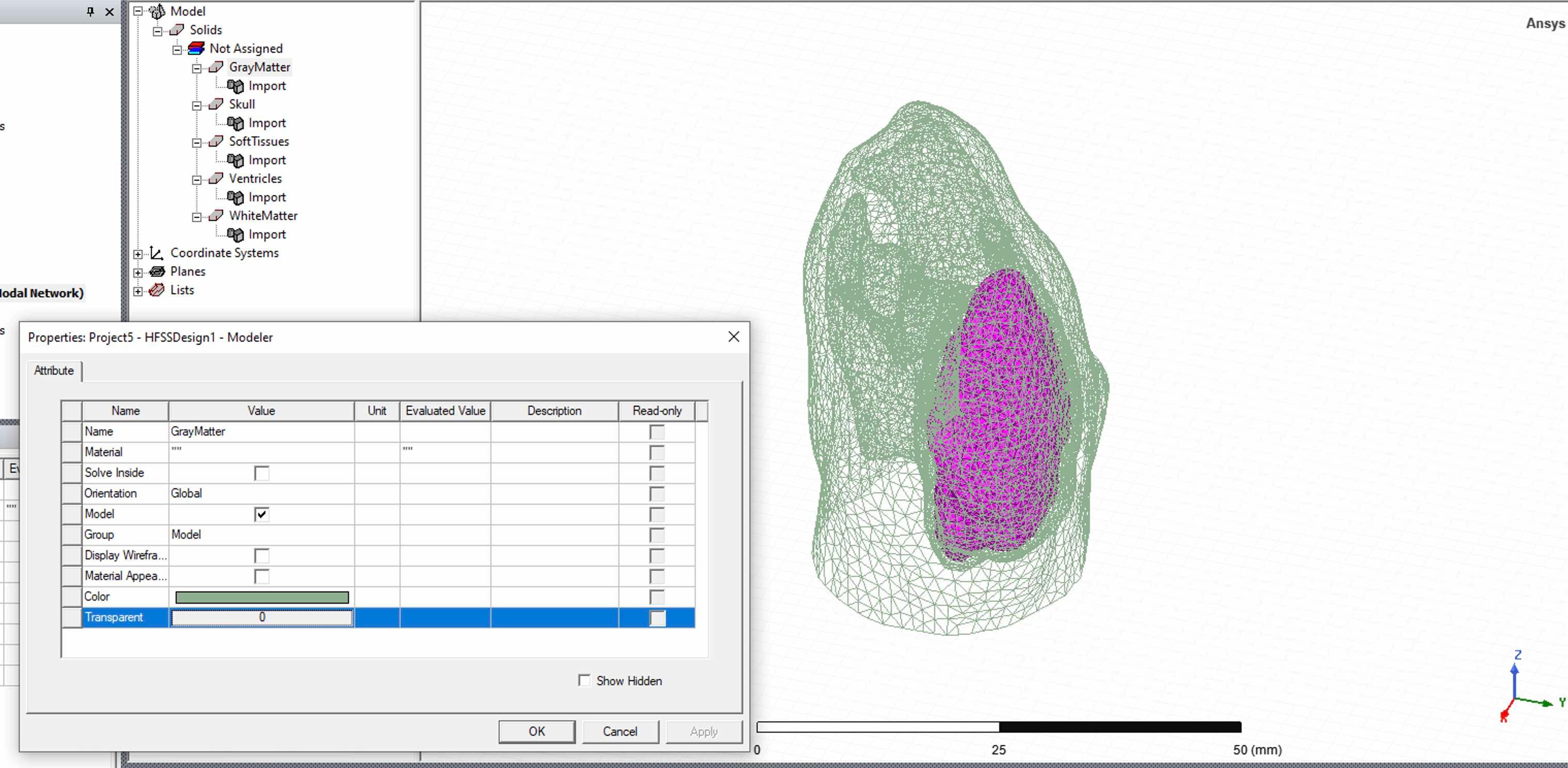
      To answer your questions: 

      1. There was no error messgase after the new import. 
      2. The objects are imported as stl. files - they are 3D surface meshes exported from Simpleware (a 3D model generation program). These files worked previously, and showed up like the first image (i just changed the color of the outer object into brown). I'm not sure why all objects appaered to be transparent mesh now. 

      Best,
      Ha Nguyen 


    • Praneeth
      Ansys Employee

      Hi,

      The following are the next recommendations -

      1. Can you please check if you are able to see any example simulations normally or not? You can also try to create any random geometry by using the commands in the draw tab. Please share a screenshot if possible.
      2. Did you modify the model in the simpleware? If possible check the stl model in any other online tool to see if it is displayed correctly.

      Best regards,
      Praneeth.  

Viewing 5 reply threads
  • The topic ‘3D model display in Ansys HFSS’ is closed to new replies.
[bingo_chatbox]