-
-
December 14, 2022 at 11:02 am
Costas
SubscriberHi Everyone,
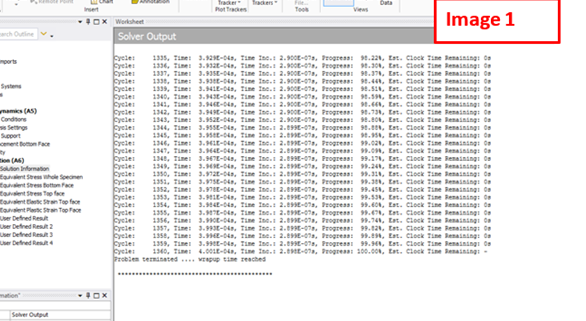
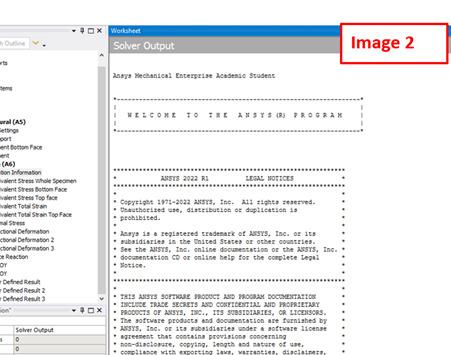
I performed an Explicit Dynamics analysis and when I go to the Solver Output (in Solution Information) I get only some cycles info as well as times (please see image 1 below), without any other information about the process. Could you please advise? The issue does not exist in Static Structural analysis (please see image 2 below).
Thank you.
Regards,
Costas
Â
-
December 19, 2022 at 3:13 pm
Ram Gopisetti
Ansys EmployeeHi Costas, check the admodel.log in the solver file directory to see the full information of the solver outout
Cheers, RamÂ
-
December 19, 2022 at 9:19 pm
Costas
SubscriberHi Ram.
Many thanks for your reply. I tried to open the file which opens a folder containing relevant files. I opened the: admodel.prt (which contains information about materials, boundary conditions, energy etc.) and admodel (which gives the cycles timing). I also tried to open admodel.sum but it cannot be opened in a readable encoding. So, I cannot find details regarding element type (I found the number of elements but not their type). Any suggestion?
Thanks,
Costas
-
December 28, 2022 at 1:20 pm
Ram Gopisetti
Ansys Employeeyou can find the element tye in the mesh metic option with in the explcit system mesh settings.Â
-
December 29, 2022 at 11:15 am
Costas
SubscriberMany thanks Ram.
I found that the element is Quad4 which obviously means quadrilateral with 4 nodes.
However, is there a way to find the element name (for example PLANE182 etc.) used in the analysis, so I can see its detailed features?
-
- The topic ‘Solver Output in Explicit Dynamics’ is closed to new replies.
-
6515
-
1906
-
1463
-
1309
-
1022
© 2026 Copyright ANSYS, Inc. All rights reserved.