-
-
November 9, 2018 at 9:01 pm
-
November 9, 2018 at 10:43 pm
peteroznewman
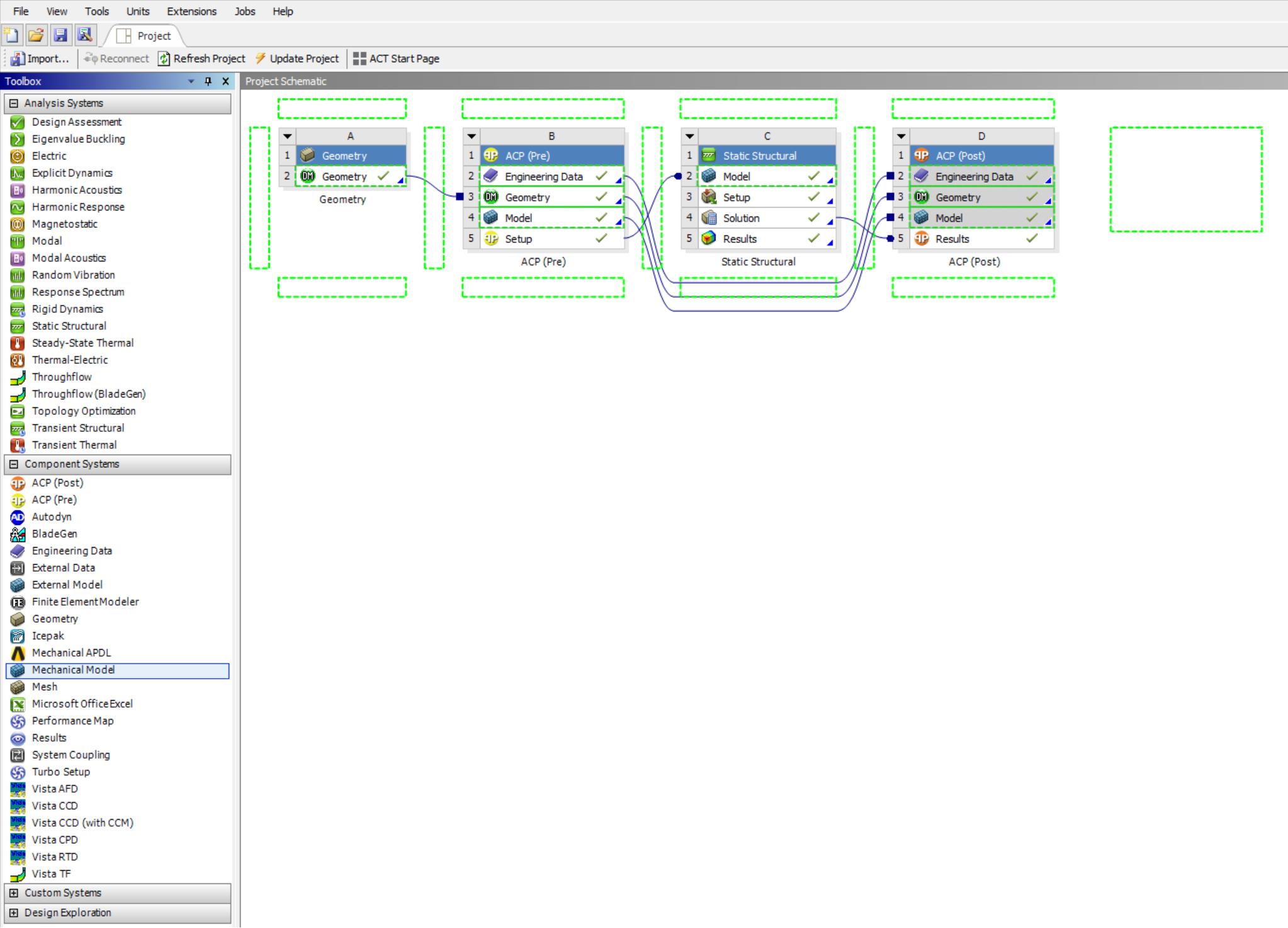
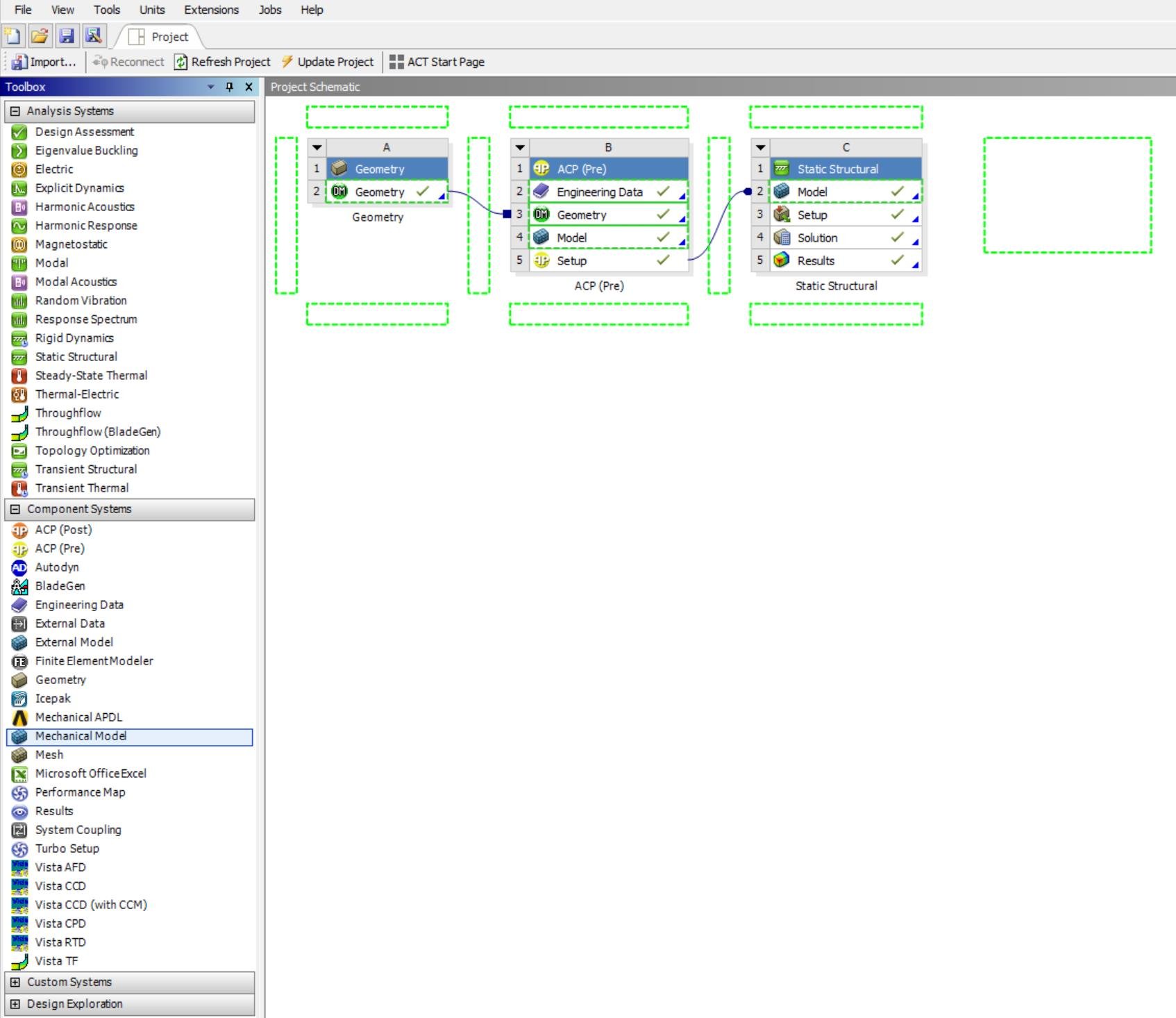
SubscriberIn the toolbox, below the Analysis Systems are the Component Systems. Drag a Mechanical Model out and drop it on the ACP (Pre) Setup cell.
-
November 9, 2018 at 11:10 pm
-
November 13, 2018 at 1:09 am
April Wang
Ansys EmployeeHi Marin,
Please try drag "Static Structural" instead of "Mechanical Model" from to the tool box and put it on top of ACP.
Â
Regards,
April
-
November 14, 2018 at 12:39 am
Marvin
SubscriberYes, thank You April! It does work, only the Static Struct. must be dragged on top of the Model cell of existing Static Structural.Â
-
Viewing 4 reply threads
- The topic ‘Workbench multiple load cases/ static structural tree branches with ACP Pre’ is closed to new replies.

Innovation Space
Trending discussions
Top Contributors
-
6254
-
1906
-
1457
-
1308
-
1022
Top Rated Tags
© 2026 Copyright ANSYS, Inc. All rights reserved.
Ansys does not support the usage of unauthorized Ansys software. Please visit www.ansys.com to obtain an official distribution.