-
-
October 25, 2018 at 12:37 pm
aschef
SubscriberHello Everyone,
After Installing Ansys Student as Admin and starting Workbench 19.2 (from Start and from the installation folder) as Admin, too, I get this error message.
I tried changing my computername and system language to english (us), redownload, -installing and -starting but nothing works.
Thanks in advance.
Alex
-
October 25, 2018 at 1:03 pm
JakeC
Ansys EmployeeHi Alex,
It sounds like there may be a dll conflict in your path.
Please try the following:
Start -> type in cmd -> click on the command prompt
Enter the following commands, and please adjust as necessary to match your machine:
set Path=C:windowssystem32;C:windows;C:windowsSystem32Wbem;
cd "c:program filesansys incv192Frameworkbinwin64"
runwb2
Please let us know if that helps.
Â
Thank you,
Jake

-
October 25, 2018 at 1:11 pm
aschef
SubscriberHello Jake,
thank you for your quick reply, but unfortunately it still doesn't work. (same error)
-
October 25, 2018 at 1:26 pm
JakeC
Ansys EmployeeHi Alex,
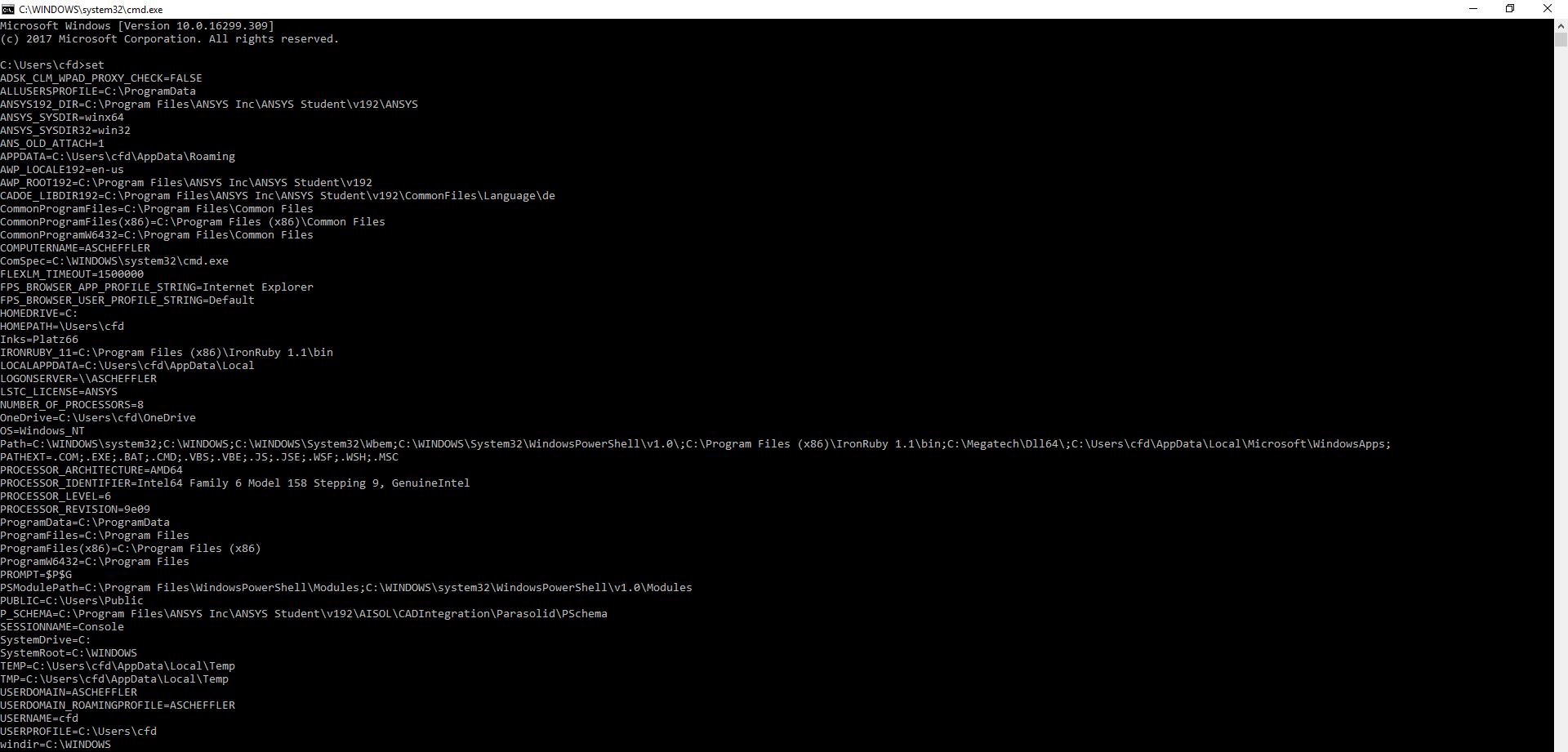
In the command prompt, please type "set" and press enter.
Then post a screenshot of the results.
Â
Also please try opening windows file explorer and paste the following into the path/address bar at the top:
%APPDATA%ansys
Rename the v192 directory to be v192_old
Â
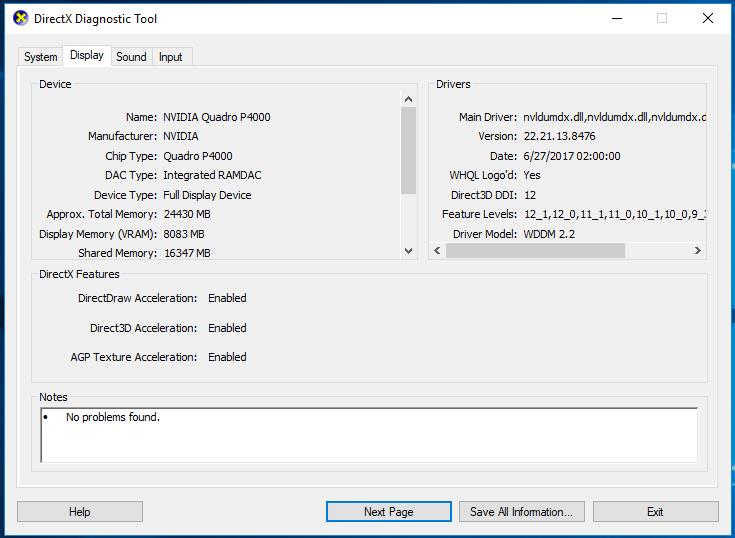
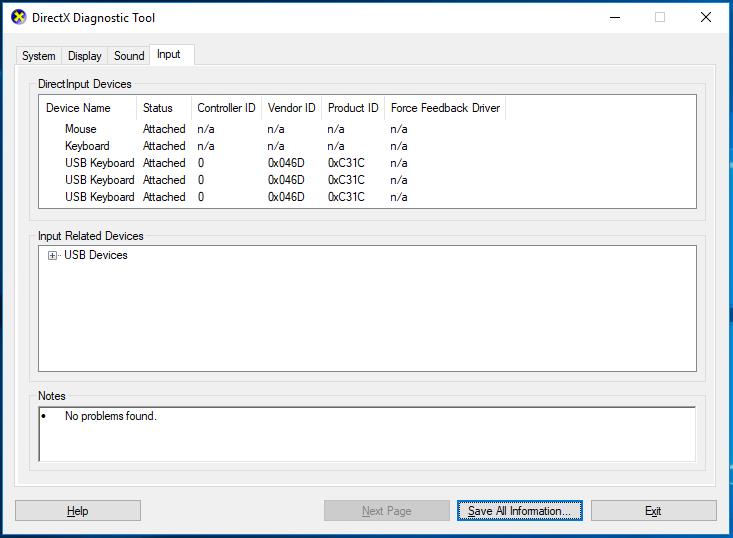
Next click on Start -> Type in DxDiag.exe -> Click on DxDiag
Post a screenshot of each of the tabs.
Next open an Admin Command Prompt Start -> type cmd -> Right click on Command Prompt -> Run As Administrator
Enter the following commands:
cd windowssystem32
regsvr32.exe ole32.dll
regsvr32.exe atl.dll
regsvr32.exe oleaut32.dll
regsvr32.exe scrrun.dll
regsvr32.exe jscript.dll
regsvr32.exe vbscript.dll
Â
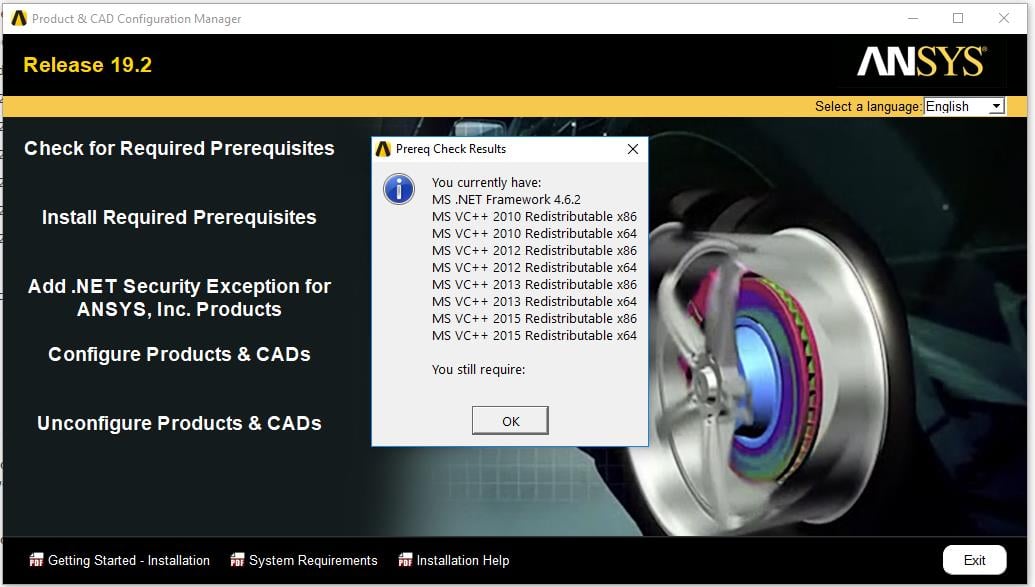
Next click on start -> Ansys 19.2 -> Product and CAD configuration
Â
Click on "Check for Required Prerequisites" and post a screenshot of the results.
Click on "Install Required Prerequisites" (and follow the prompts)
Click on "Add >NET Security Exception"Click on Configure Products and CADS (and follow the prompts)
Now try running Workbench again.
If that doesn't work, please right click on the Workbench shortcut in the start menu and select "Run As Administrator" and see if that works.
Â
Thank you,
Jake
-
October 25, 2018 at 1:43 pm
-
October 25, 2018 at 4:47 pm
tsiriaks
Ansys EmployeeHi aschef ,
Just for a kick, if you run this directly
C:Program FilesANSYS IncANSYS Studentv192commonfilesIronPythonipy.exe
Do you see a similar error ?
If so, there is something on the systems that is messing with IronPython
I'm not sure if it's related but it might be worth trying to uninstall that IronRuby and see if it makes any difference.
Thank you,
Win
-
October 26, 2018 at 5:20 am
aschef
SubscriberHi Win,
yes, there was a similar error and yes it was related! After deinstalling IronPython, Ansys started normally.
Thank you very much!
Alex
-
October 26, 2018 at 4:21 pm
tsiriaks
Ansys EmployeePerfect !
Thank you for the update.
Win
-
- The topic ‘Workbench 19.2 Unexpected Error’ is closed to new replies.
-
5024
-
1709
-
1387
-
1248
-
1021
© 2026 Copyright ANSYS, Inc. All rights reserved.