

TAGGED: ansys-workbench, designmodeler, fluids
-
-
May 5, 2021 at 7:26 pm
NCSURavi
SubscriberI will start with a little background on my project. I am trying to simulate a soluble phase concentration gradient (one phase only and one solute only) inside a microfluidic device. I have a 2D drawing of my microfluidic device that I have made using AutoCad. I would like to import this 2D drawing into DesignModeler and then convert to 3D (I believe the extrude function should be able to do this). Unfortunately, I have been able to import my autocad file.
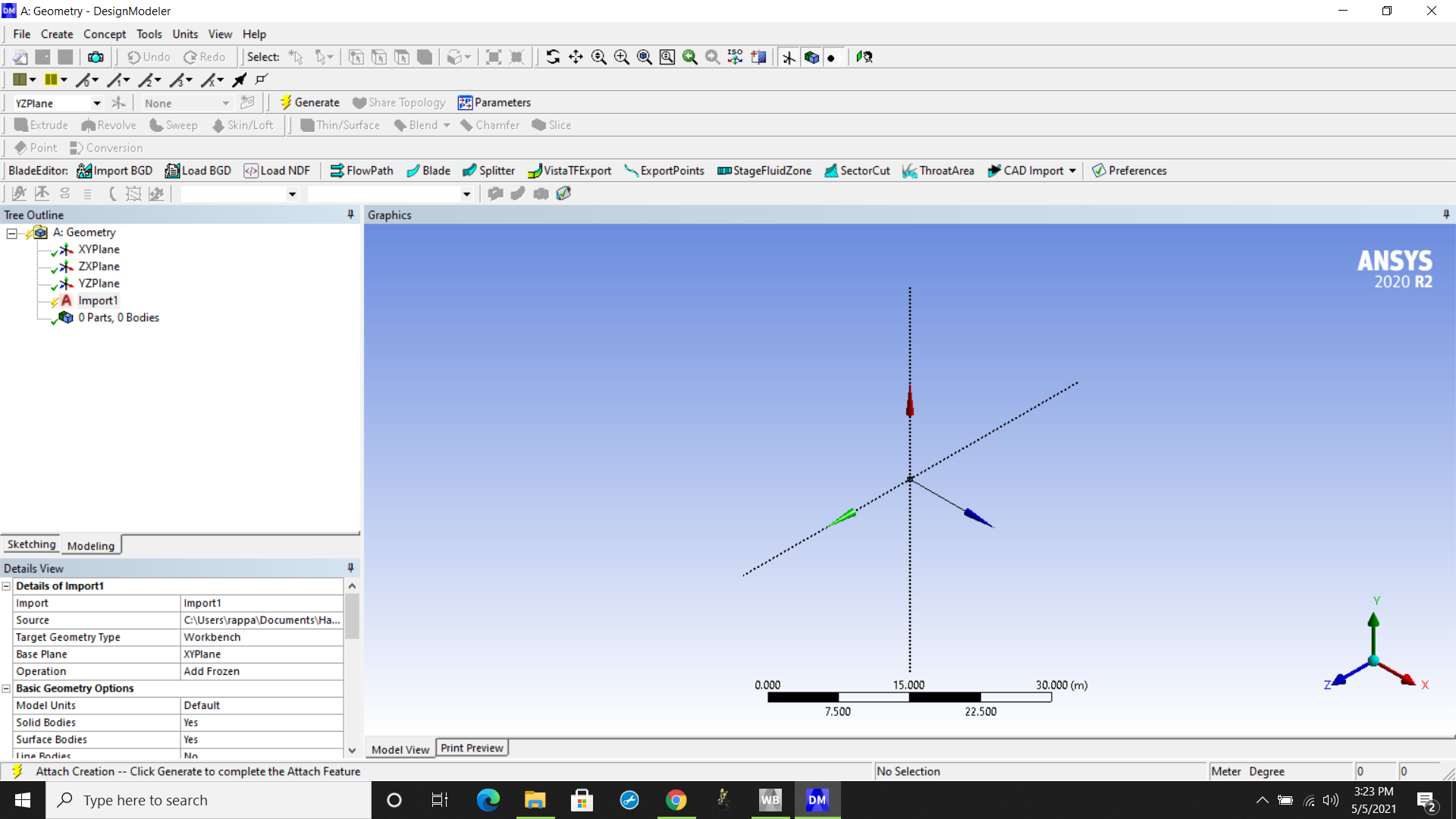
I have tried this with three different file formats (iges, dwg, dfx). I have downloaded the academic research module that was purchased by my university's engineering department so my understanding was that this should be able to support dwg and dfx imports. I have also worked through the autocad configuration in the configuration manager. When I select the file for import in the DesignModeler module, DesignModeler appears to recognize that it is an AutoCad file. See below
May 6, 2021 at 12:35 pmAniket Chavan
Forum ModeratorHave you tried SpaceClaim to import the drawing file? AutoCAD drawings can be inserted as layouts in SpaceClaim, and then you should be able to use fill command to get surfaces out of it.
-Aniket
How to access Ansys help links
Guidelines for Posting on Ansys Learning Forum
May 7, 2021 at 5:20 pmSubscriberThank you for the suggestion. I tried dragging and dropping the dwg file and the dfx file into the design window in SpaceClaim (based on instructions posted here http://help.spaceclaim.com/dsm/2012.1/pl/Sketch_layouts.htm). I am still getting the following errors:
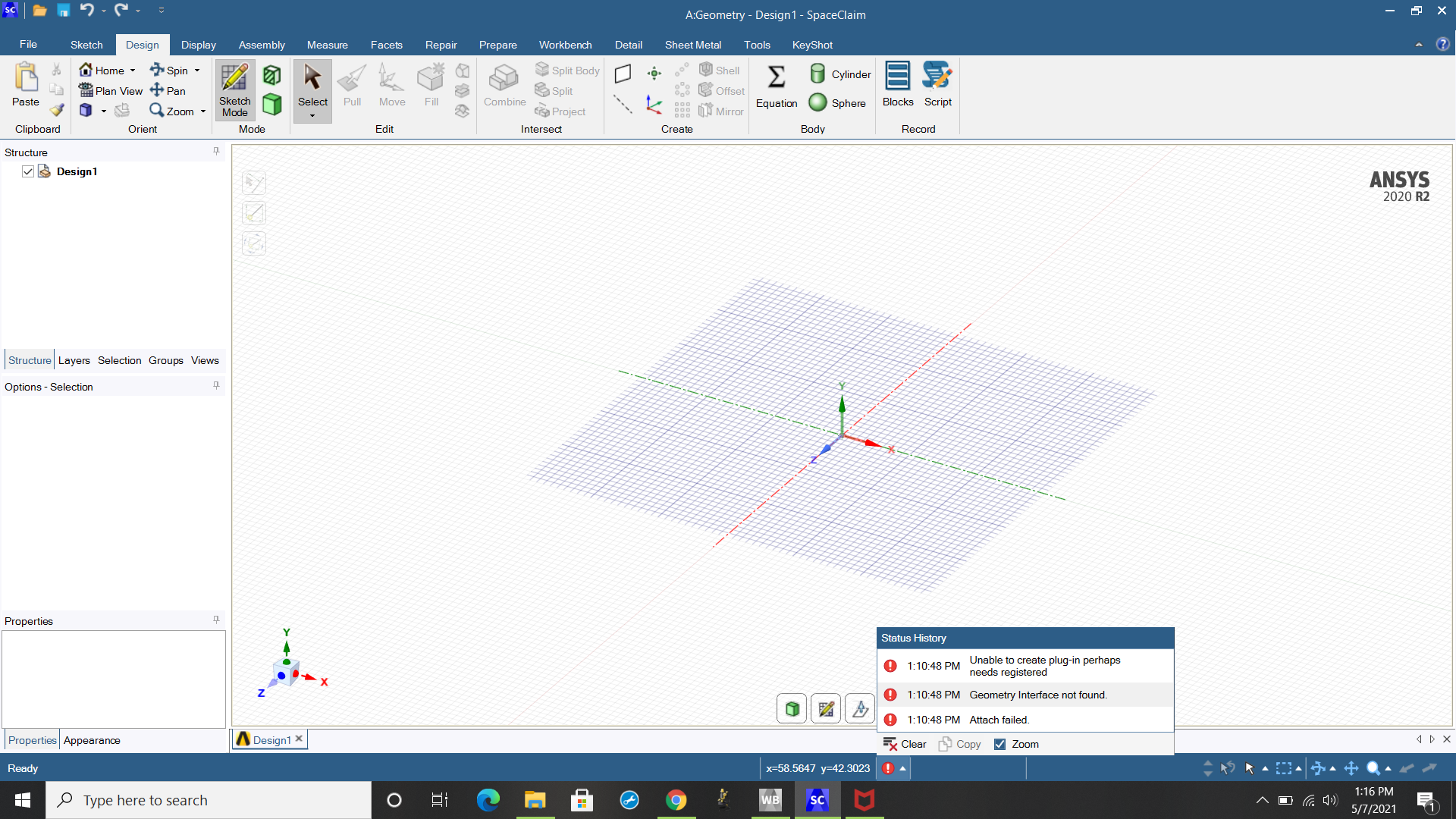 Any idea on the 'needs registered' part of the error message? I've entered the University provided license information for both AutoCad and Ansys.
May 11, 2021 at 2:28 pmForum ModeratorDo you CAD program installed on the same machine with license available?
While installing Ansys did you install CAD interface as well? I am assuming you have the license for CAD interface through your university as this is not included with free student version
Can you try to simply open the file from File>Open?
May 11, 2021 at 3:15 pmSubscriberI do have the CAD program installed on the same machine as Ansys. However, I am accessing the license through university server address.
I did install the CAD interface and have also tried running the CAD configuration manager (in admin mode) and it said the Autodesk CAD configuration was a success. Our university IT site states that we have purchased the Ansys Academic Multiphysics Campus Solution, which I believe should include the CAD interface features for importing geometries.
I tried this in SpaceClaim (did not see this option in DesignModeler) and still got the same error.
Is a reinstall warranted?
May 12, 2021 at 12:23 pmForum ModeratorIf you have the Ansys Academic Multiphysics Campus Solution, you should have interface license for Autodesk as per the capabilities chart https://www.ansys.com/content/dam/product/academic/academic-product-reference-table-2021-r1.pdf
You also mentioned that CAD configuration was successful, do you see Ansys Plugin in Autocad? What message do you see in C:\Program Files\ANSYS Inc\v211\CADConfigLogs\Latest\CADConfigurationMgr.log?
-Aniket
How to access Ansys help links
Guidelines for Posting on Ansys Learning Forum
May 12, 2021 at 6:35 pmSubscriberI do not see an ansys plug-in in autocad.
Key Messages from the Log File:
1."ReadPackageInstallData succeeded."
2. <> Result: Success
3. <> Result: Success
4. <> Result: Success
5. ACAD Workbench PlugIn ..... Configure Success
6.SpaceClaimEngineeringConfiguration Not Detected
7. WriteUpdateConfigurationStatusFile Update Success
I hadn't noticed this until now, but perhaps line item 6 (SpaceClaimEngineeringConfiguration Not Detected) is a problem? If it is, any ideas on how to fix it?
May 19, 2021 at 12:18 pmForum ModeratorHi I don't think that is the problem, as it is this way for all workbench installations. Can you create a simple 3D object in the CAD and check if it comes through?
-Aniket
How to access Ansys help links
Guidelines for Posting on Ansys Learning Forum
Viewing 7 reply threads- The topic ‘What is the appropriate way to import a 2D geometry from an AutoCad File?’ is closed to new replies.
Innovation Space Trending discussions
 Top Contributors
-
peteroznewman
 6269
6269 -
scabo
 1906
1906 -
Dennis Chen
 1457
1457 -
javat33489
 1308
1308 -
Shyam Prasad V Atri
1022
Top Rated Tags
© 2026 Copyright ANSYS, Inc. All rights reserved.
Ansys does not support the usage of unauthorized Ansys software. Please visit www.ansys.com to obtain an official distribution.
-


 You are navigating away from the AIS Discovery experience