Ansys Assistant will be unavailable on the Learning Forum starting January 30. An upgraded version is coming soon. We apologize for any inconvenience and appreciate your patience. Stay tuned for updates.
General Mechanical

General Mechanical

Topics related to Mechanical Enterprise, Motion, Additive Print and more.

Welding Simulation in Ansys Workbench

    • RajeshKhatri
      Subscriber

      Hello! Everyone,


      I am trying to simulate welding in Ansys Workbench under transient thermal, but I am not able to create moving heat load. Can anyone help me understand how to create a moving heat source in Ansys? I am using Robotic welding where Robot moves welding torch with constant speed of 10mm/s, and I want to create the same movement of heat source in Ansys with speed of10mm/s. If you have any idea regarding the topic please help me, it is a part of my bachelor thesis and its quite important for me. Do I need to write commands or learn some coding language to create a moving heat source?

    • dinhan0394
      Subscriber

      you can use ACT: Moving Heat Source (https://catalog.ansys.com/product/5b3bc6857a2f9a5c90d32e7e/moving-heat-source) to do it.


    • Sandeep Medikonda
      Ansys Employee

      Yes, also here is a helpful discussion.

    • RajeshKhatri
      Subscriber

      Hello! Sandeep sir,


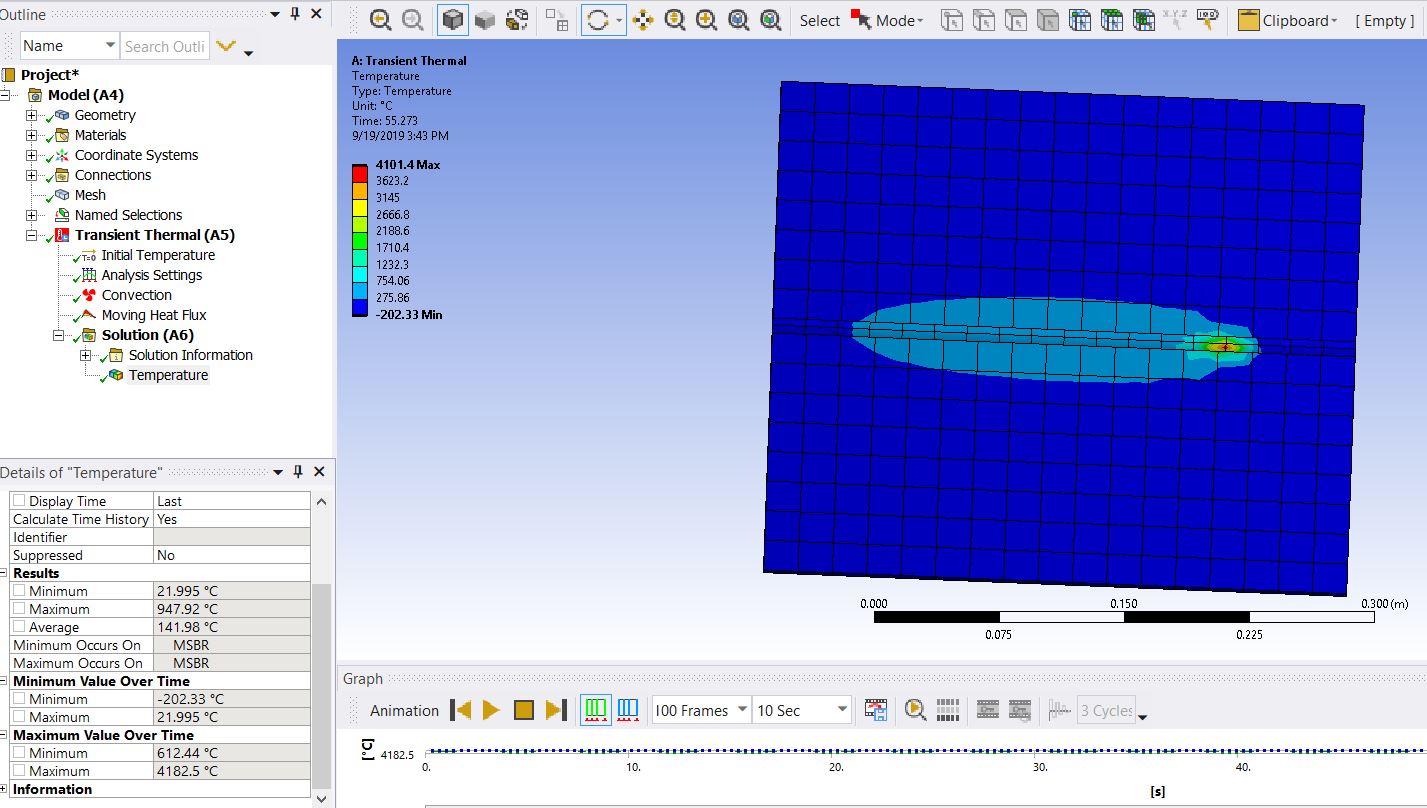
      I tried to simulate the butt welding to the plates shown in the picture but after I apply heat flux, the plates cool down rapidly, I have assigned structural steel as the material to the plates with convection of 7 Watt per meter square degree celsius. Also, it shows the negative temperature value in the beginning and temperature does not get distributed over the plate surface. My model has a length of 0.35m. 


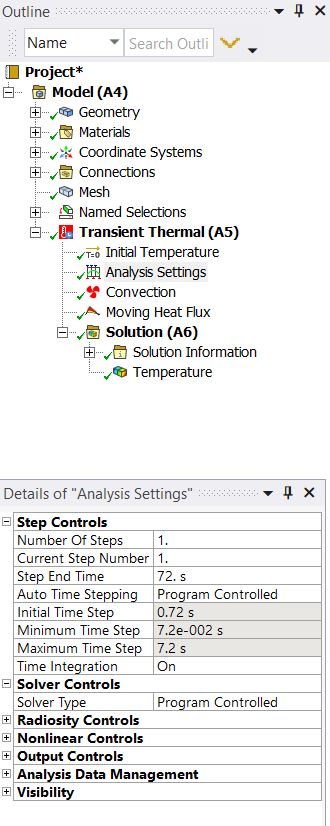
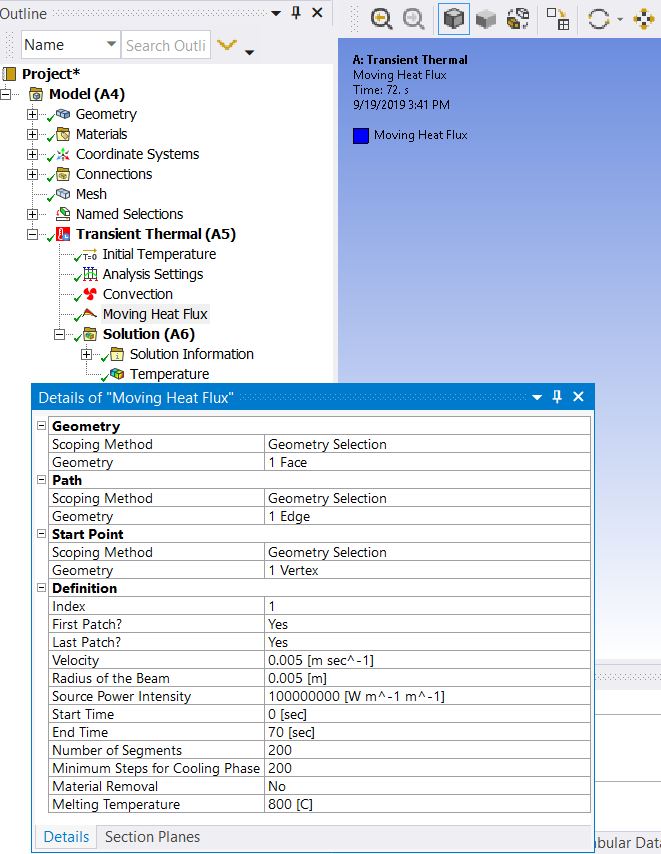
      Mesh of plate to be welded with weld path in the middle Initial Setting Heat Flux Setting Simulation of Heat Flux


      Can you please see the attached pictures and help me figure out the problems in my simulation.

    • Sandeep Medikonda
      Ansys Employee

      I believe, this is due to the fast application of a temperature boundary condition. So, there could be a thermal undershoot.


      This is a known theoretical limitation of thermal transients using the FEA method; see the MAPDL Thermal Analysis Guide->Transient->Applying Loads (https://ansyshelp.ansys.com/account/secured?returnurl=/Views/Secured/corp/v192/ans_the/Hlp_G_THE3_5.html) for a description of how element size and thermal diffusivity relate to the maximum time step size that can be used. Basically, the time step must be small enough for the heat to travel from one side of the element to the other. If the time step is too large, then you get oscillations in the temperature solution leading to some nodes above melt and some below ambient. 


      Here is what you can try:


      1. A more refined mesh.


      2. Try a case with lower-order elements


      3. Try keyopt(1)=1 under element type.

    • RajeshKhatri
      Subscriber

      Hello! Sandeep Sir,


      With your information and help, I am able to solve the problem with the temperature being negative but somehow still the temperature does not get distributed all over the plates and it cools down rapidly. Can you please look at my project and point out the detail corrections I need to make. I know it is too much to ask but, I got stuck in simulation and could not proceed forward. I have attached my file with the question. Also if you wish to see full simulation then here is the link for the whole folder. Link


      https://drive.google.com/drive/folders/1l2Zw0u0SvV5lvk8JS5vXq0LmMid0tSlp?usp=sharing 


      I am deeply grateful for all your assistance.


      Regards 

Viewing 5 reply threads
  • The topic ‘Welding Simulation in Ansys Workbench’ is closed to new replies.
[bingo_chatbox]