TAGGED: spaceclaim, volume-extract
-
-
April 1, 2026 at 12:05 am
20-1-01423
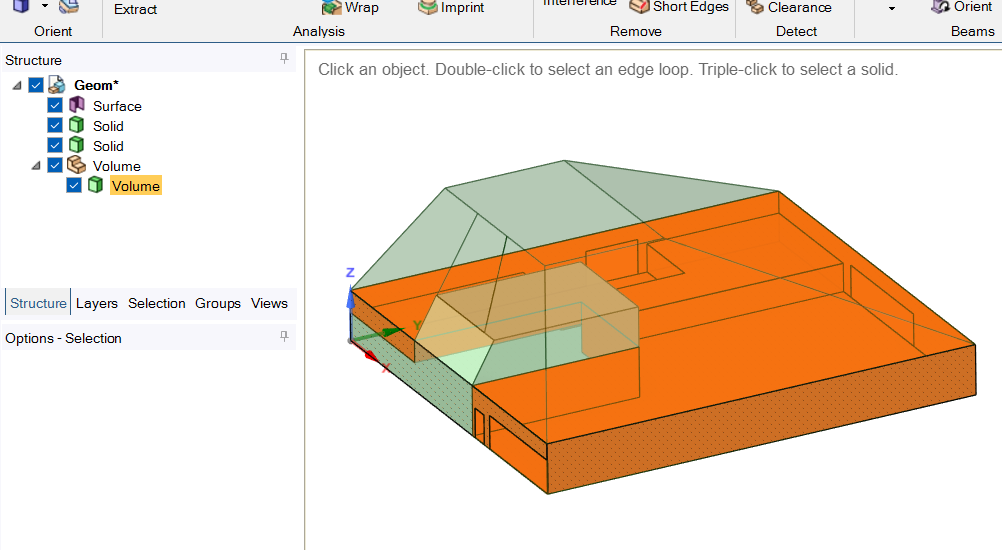
Subscriberhi, im using loft tool for the roof. Ive tried the surface loft (wont work in volume) and the 3d model in lofting in spaceclaim
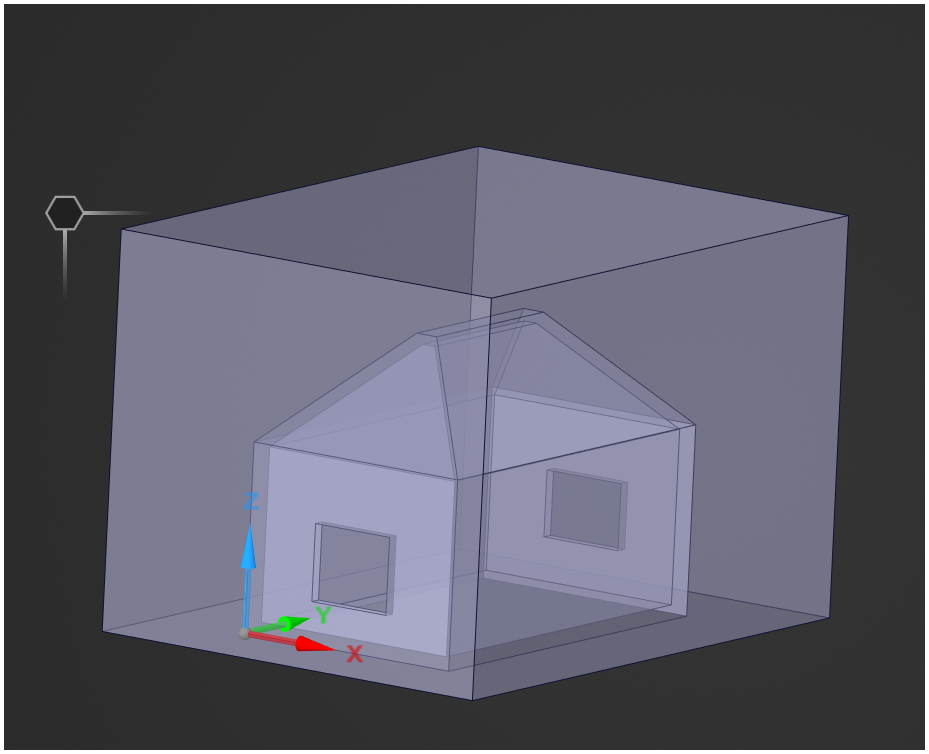
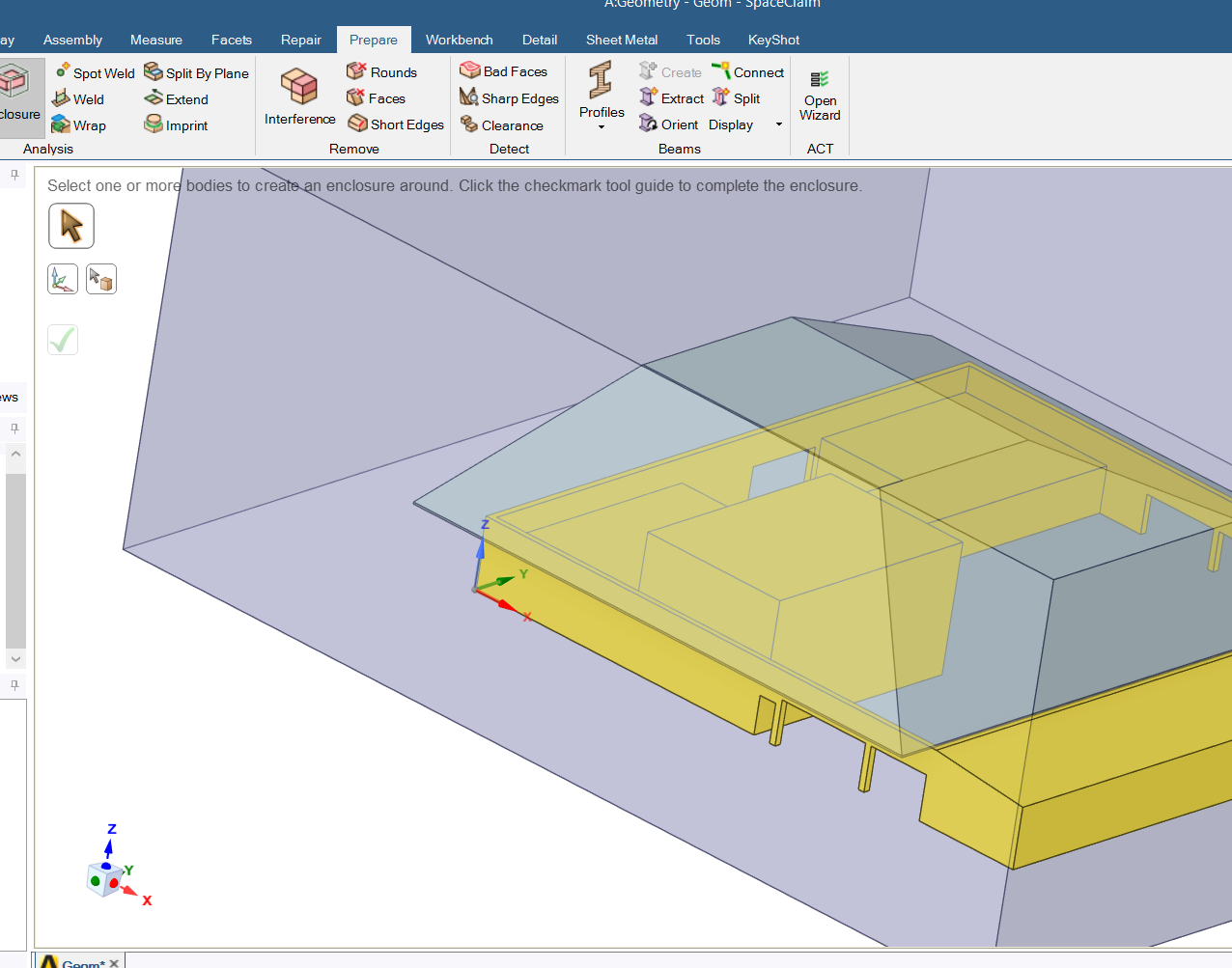
but when im doing a volume extraction it only read the volume floor - upto - the roof surface level (3d Model) (pic attached). or i dont need to use volume extraction no more?, i can just go with the enclosure?
can u help me please
my study is to simulate fluid flow from outside - inside - outside
thank youuuunote: the surface there is the ground, volume 1 (walls), volume 2 (roof - pyramid like)
-
April 2, 2026 at 8:32 am
NickFL
SubscriberI am having difficulty seeing what you are trying to do here. Try naming the solids to something that helps us understand what we are looking at. Here is what I think I am seeing:
1. The highlighted orange volume under the volume component is the interior fluid volume of the barn.
2. One of the solid bodies is the interior rooms of the barn where the movement of the fluid is not considered. These will be “dead” volume with respect to the simulation.
3. There is another Solid Body, I am unsure what this is. Maybe this is the outer walls? If so, you may not want to have these bodies have a physical thickness that you have to resolve. Instead treat them as a thin baffel.
4. The Surface body which is currently the shape of the roof. You likely had difficulty because the “starting” cross-section changes in the z-direction. I would simply loft from the lower square to the upper square. You can then remove the overlapping region with the Solid Body from (2) using the “Combine” tool (yes the name is a bit confusing).-
April 3, 2026 at 12:04 am
20-1-01423
Subscriber-
April 7, 2026 at 6:56 am
NickFL
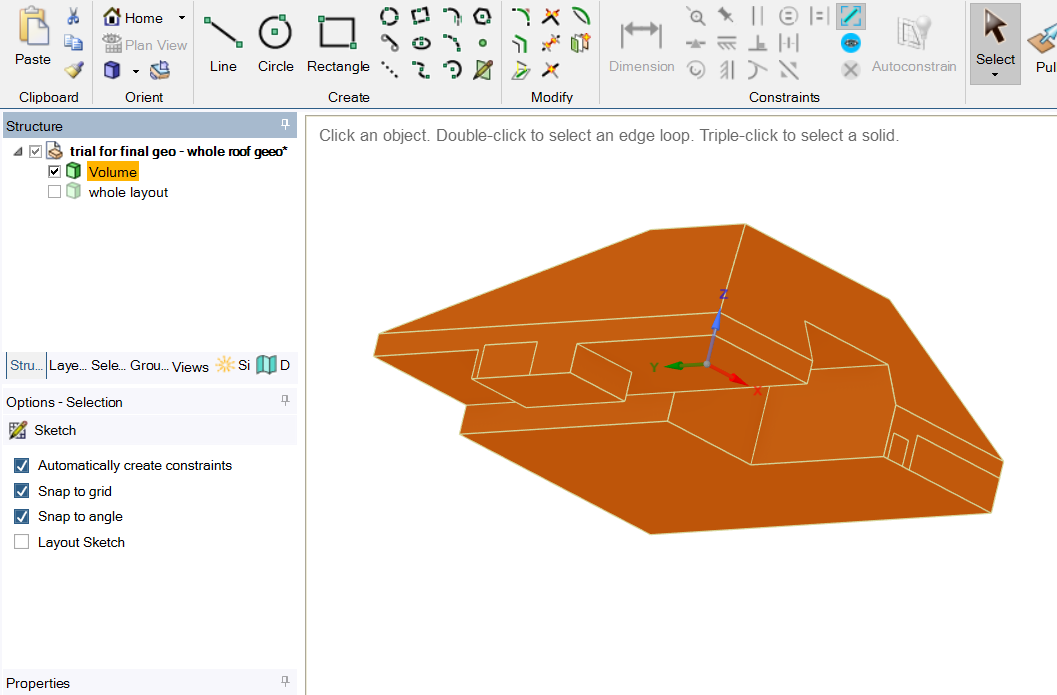
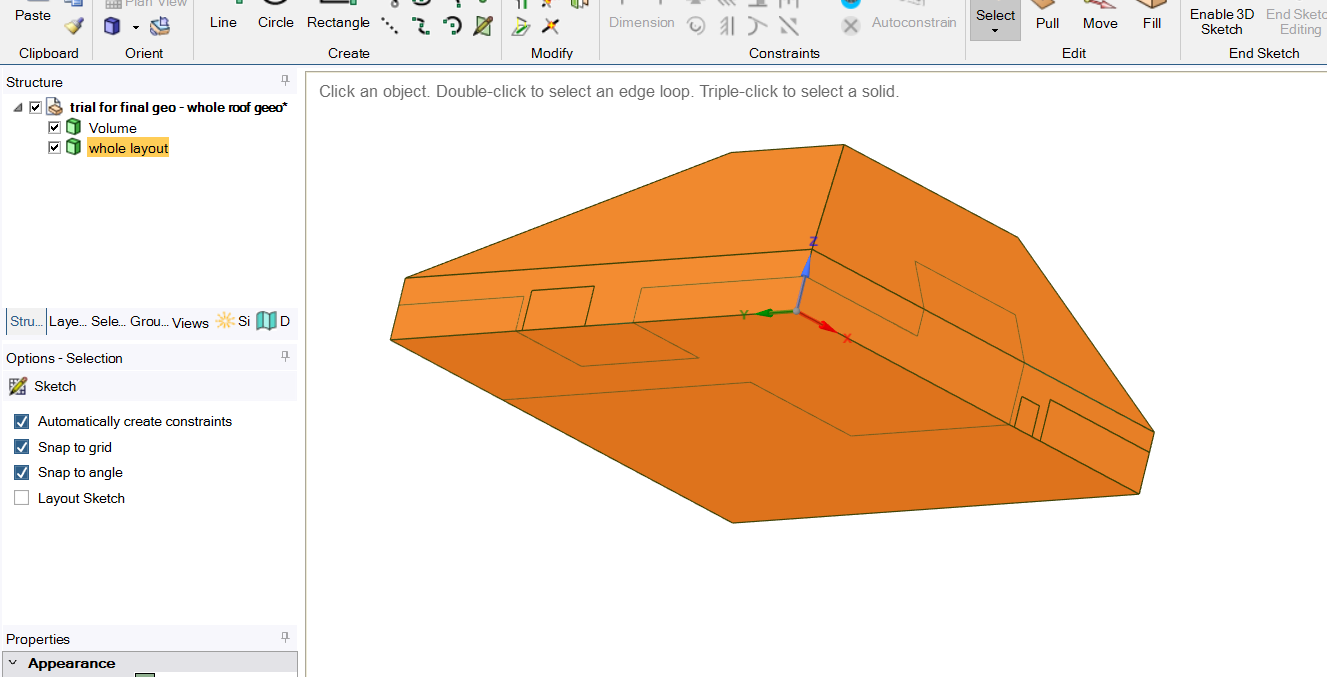
SubscriberYes that looks much more reasonable. I assume the ‘whole layout’ body is not going to be part of the fluid simulation, so you can suppress the body (In the tree, right-click on the body and select suppress, this won't send it to the next application). The next step would be to add the environment. And yes, you will probably want to add named selections for the open doors and windows so you can easily access them later.
What are the quantities you are trying to get? And think about how you will get these based upon the named selections that you create.
-
April 7, 2026 at 10:32 am
-
April 8, 2026 at 7:03 am
NickFL
SubscriberThink back to a simple example of flow over a cylinder (if you have not done a problem like this, please go through some tutorials). In the CFD mesh we mesh the fluid domain, so there are no cells in the volume of the body. That means in the CAD model the solid body has been deleted, or because we may want to use it later, we suppress it. By suppressing it, it simply does not send this body to the meshing application.
If your roof body is the roof itself, then based upon the same thought process above, we could suppress it before sending it to the mesher.
As for your 'Named Selection' comment, depending on what quantities you are going to want to post-process it may be advantageous to named selections. Always try and think ahead to what you want and how to post-process those.
Please work through a couple of simple examples. By thinking ahead you can save yourself a lot of headaches. But if you have not done examples, you cannot predict where those difficulties will arise.
-
-
-
April 3, 2026 at 6:04 am
V.P
Ansys EmployeeHi 20-1-01423,
Since youa re interested in fluid flow from outside to inside, then an enclosure will be the right approach. But you need to provide wall thickness to building and roof walls, or else enclosure tool wont work. With enclosure, you dont have to worry about inner wall naming and door naming.

-
April 3, 2026 at 11:56 pm
20-1-01423
Subscriberbut does that take a lot of statistics right sir?
the problem is im only using ansys student right nowbut if thats the case sir, can u help me with the meshing if I need to put up the walls thickness and everything? - no more thin walls. or the thin wall approach
thank youuu for your reply!!
verymuch appreciatedd
-
-
April 6, 2026 at 5:30 am
V.P
Ansys EmployeeHi,
No it wont take too much extra processing.
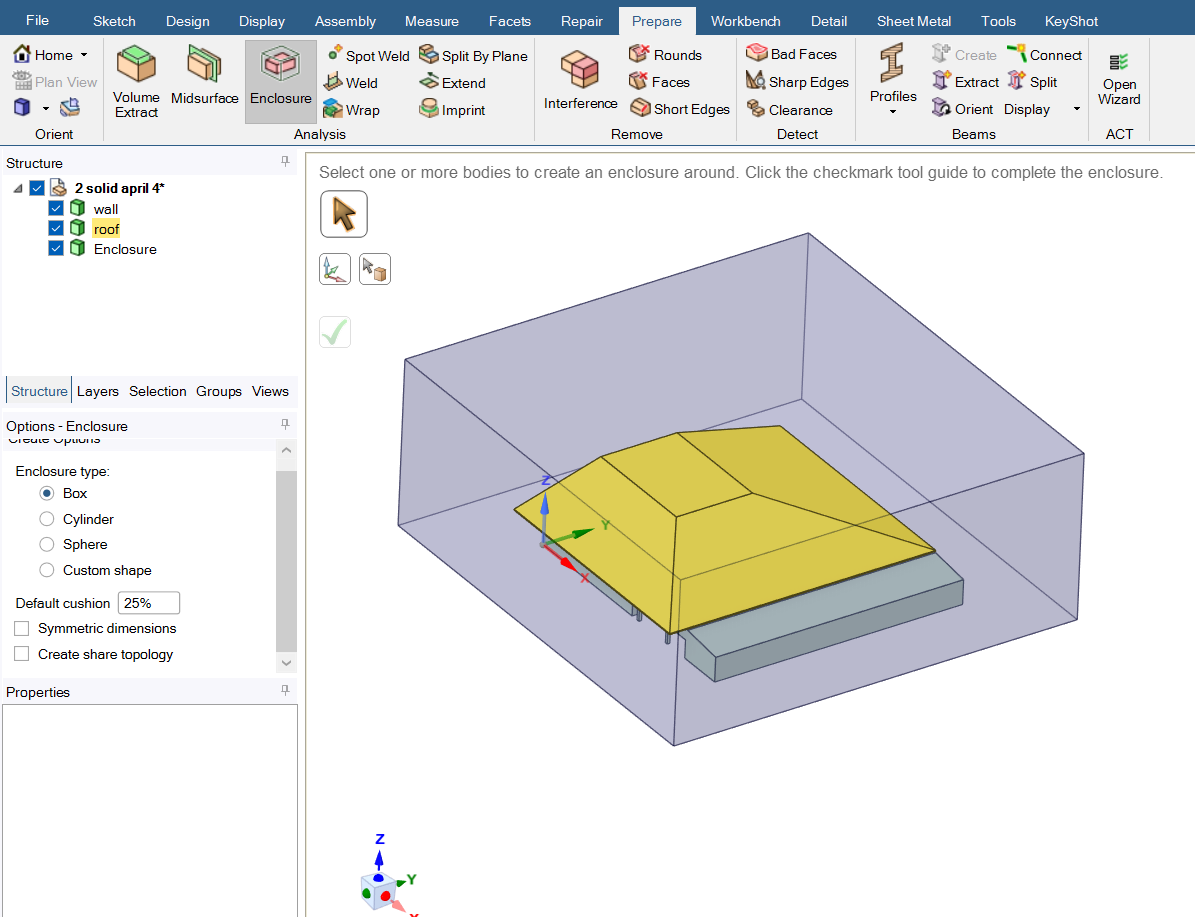
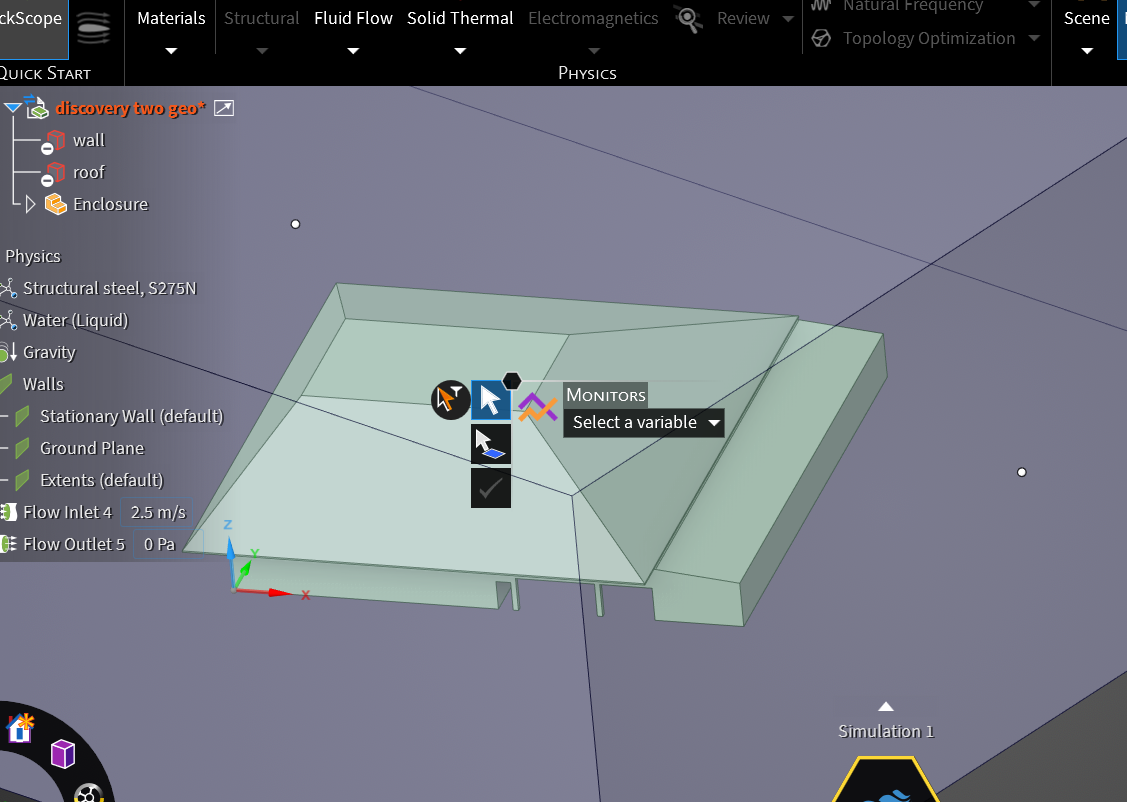
The idea is to create the building with wall thickness. then create enclosure using the Enclosure tool. This will create a region enclosing the solid wall region. And now you can delete or deactivate the solid wall region before exporting for meshing. Or if you prefer not to delete/deactivate, you can in fluent meshing, specify the solid wall region as DEAD zone, so it wont mesh that region. So you only end up with only the fluid region. Since you are only interested in fluid flow, there is no need to mesh the solid region,
-
April 6, 2026 at 11:08 pm
20-1-01423
Subscriber-
April 7, 2026 at 7:18 am
NickFL
SubscriberIF you are going to go down the road of adding thickness to you walls, then yes this looks decent. What is the relation of the wall thickness to your building dimensions? If the ratio of throughwall thickness to building dimensions is small then you are going to waste a lot of cells through the doorways/windows/etc.
As for creating a dead zone, you can just right-click the object and select suppress for physics. This won't send it to the next application, and the faces of this object are still there (on the fluid side) so you can apply the no-slip to these faces.
Two things from my side:
- I expect your outside environment is not large enough here. You may need multiple sizes of the building to accurately capture any downstream wake.
- I think before you had an opening on the top of the roof, correct? If so, you will want to have this also be treated like your doors. (Sorry if I am confusing you with another poster.)
-
April 7, 2026 at 10:29 am
20-1-01423
Subscriberhello, good dayyy
the wall thickness are 0.36 m and the wall volume is around 35 x 36 x 20 m (excluding the roof). is that small?
im sorry but im still confused, if i supress if then the meshing wont work at the object right? so its like nothing?
can you help me if thats okay? because I cant see any related tutorial with it. sorry
1. yes sir, its noted,
2. yes also, its more like an open-spaced building
thank youuuuu!!
-
-
April 6, 2026 at 11:16 pm
-
-
April 8, 2026 at 1:16 pm
V.P
Ansys EmployeeHi
To make things more clear, I am pasting the workflow steps below.
Idea is to remove solid zones in the flow path. Your case has walls, which is the solid region. We dont have to mesh this region as we are not simulating the solid thermal properties.
So by remowing this region, we only end up with walls. Only the volume becomes empty, but walls are left behind.
-
April 12, 2026 at 3:02 am
20-1-01423
SubscriberTHANK YOUUUU VERY MUHCHHHHHH!!! it works
im sorry for the late reply. im still exploring Discovery

in this case it works. but I have a question. how do you verify this? it doesnt show any meshing, inflation, skewness, convergence, statistics, etc to prove the models and setup is okay. can u help me againnn pleaseee
veryy much appreciatedd!!
-
-
- You must be logged in to reply to this topic.
-
6269
-
1906
-
1457
-
1308
-
1022
© 2026 Copyright ANSYS, Inc. All rights reserved.