TAGGED: fluent
-
-
April 6, 2026 at 3:39 pm
cesarj.95plus
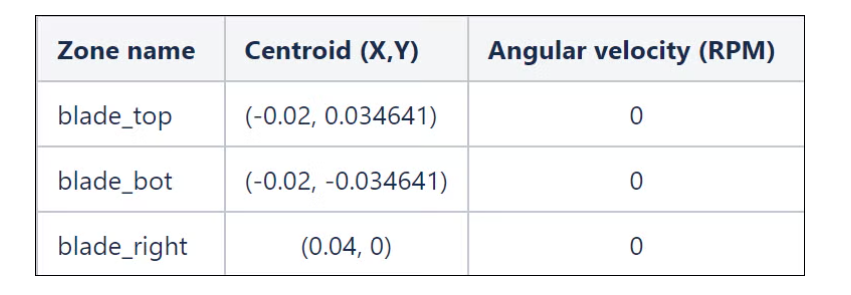
SubscriberDear support, I am strugging to follow the following workflow:
- Define named surfaces with shared topology in spaceclaim
- Mesh the geometry in Fluent meshing
- Set the slidding grid in Fluent solver
Do you know any good tutorial with spaceclaim + fluent (mesh and solver?)
-
April 6, 2026 at 3:40 pm
cesarj.95plus
SubscriberI leave here my progress up to now:
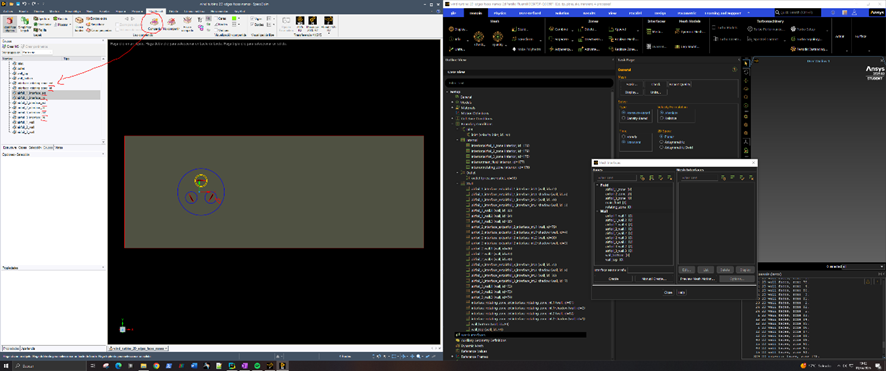
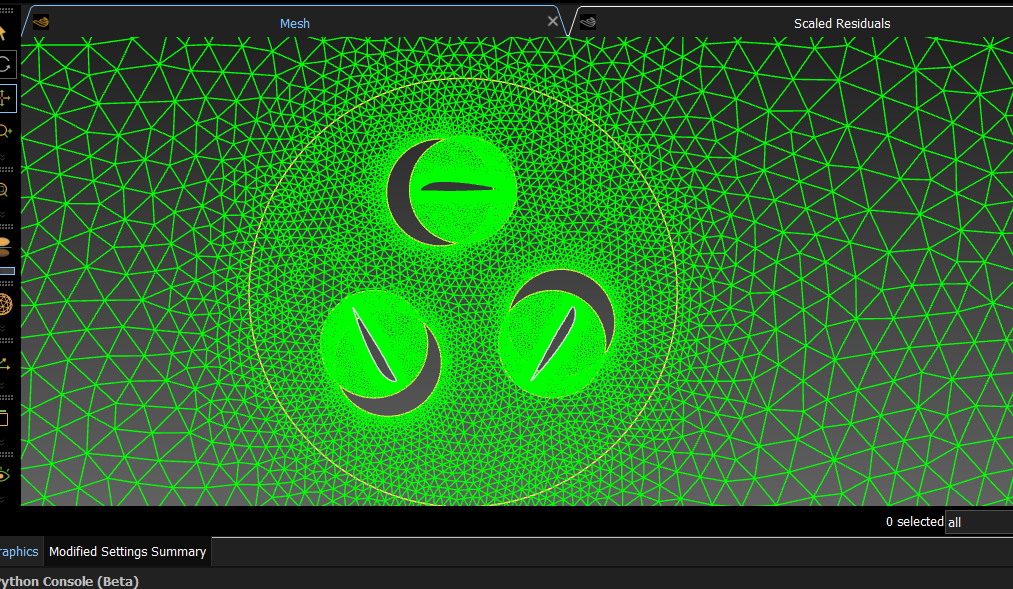
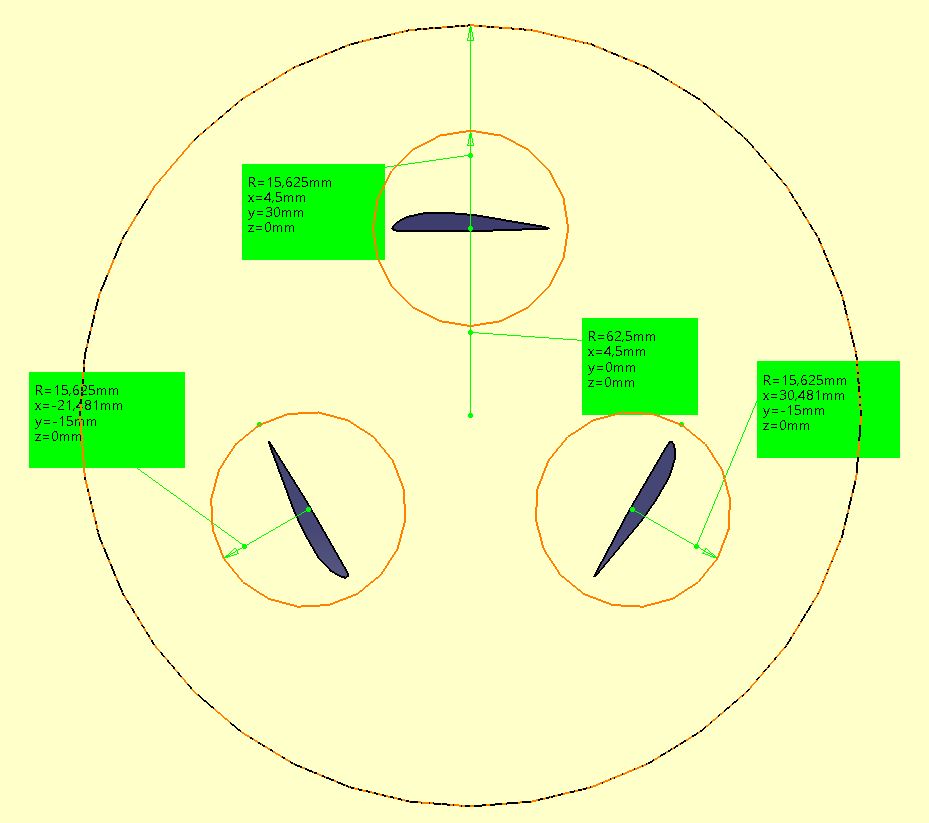
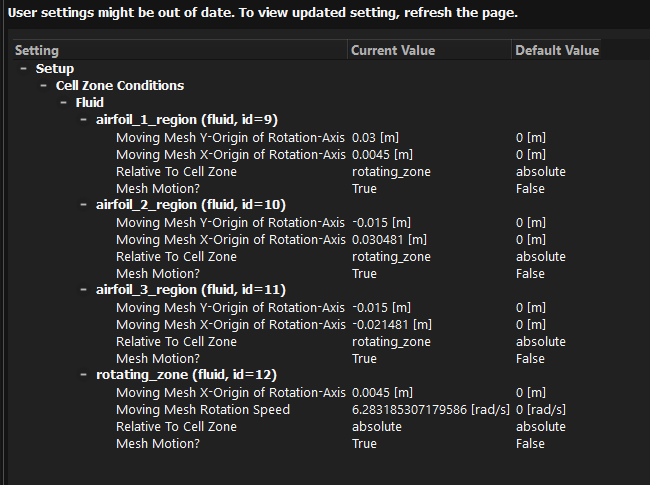
As you can see, I have named the internal and external edges and used shared topology so Fluent meshing admits the geometry:
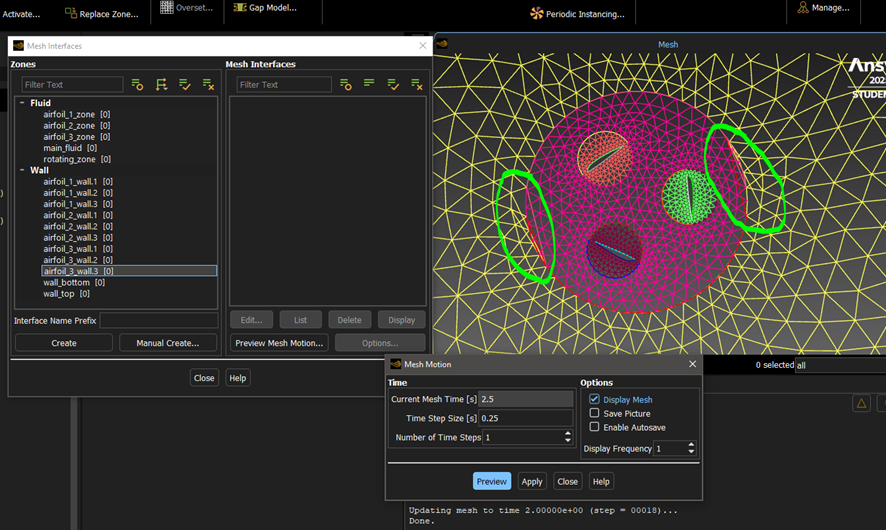
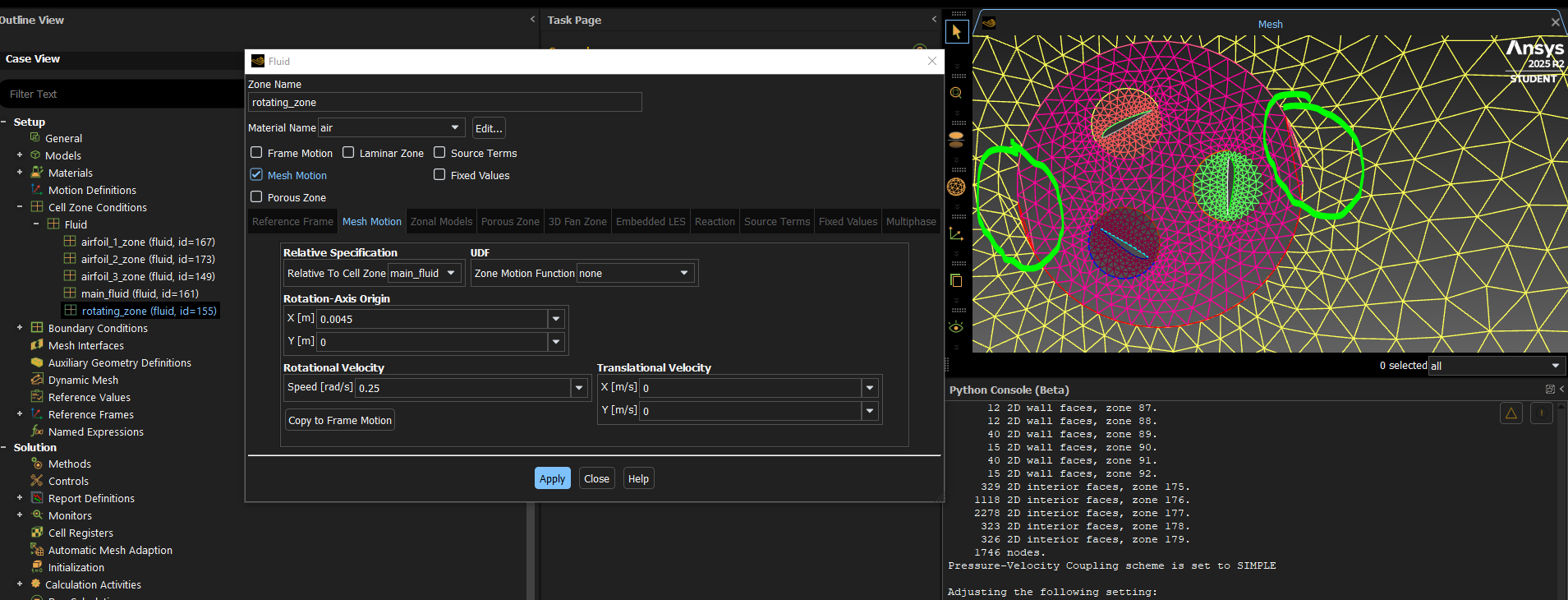
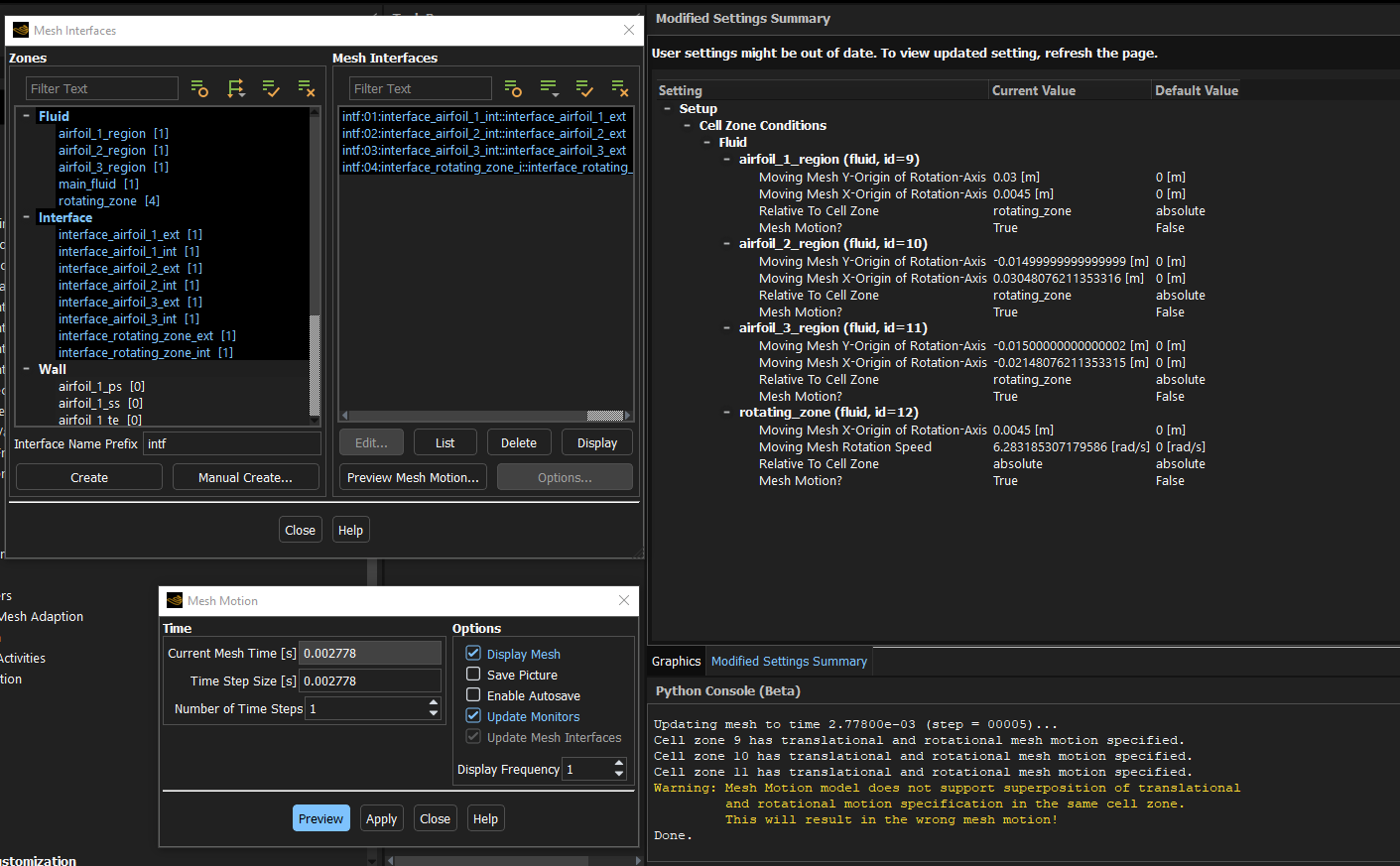
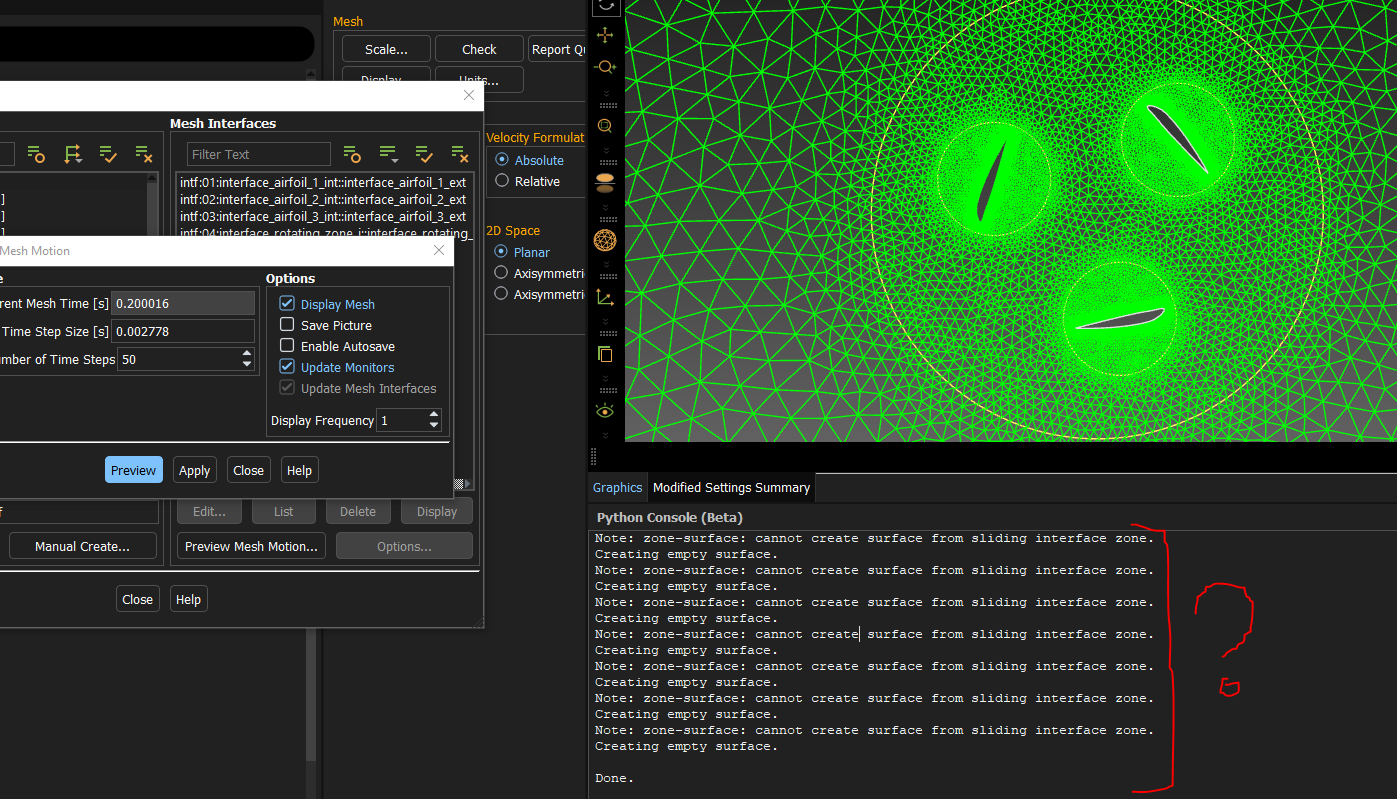
However these edges don't appear for the mesh inteface creation even though the appear as a "wall" boundary condition I tried to preview the mesh motion but even if the mesh is sliding, there are 2 points that travel with the mesh (which are construction vertex in the CAD): Â
I am a bit confused with the grouping that spaceclaim does because even if I set everything into a single named selection, it appears as a deconstructed entity in Fluent, the shared topology edges don't appear anymore for mesh interfaces elections and there isn't a clear way to set the right connectivity.
-
April 7, 2026 at 10:33 am
Rob
Forum ModeratorShare Topology will connect the two sides of the non-conformal, so you're then likely to twist the mesh. I can't see the first image but assume you have wall & shadow pairs? This is one of the few times you don't use Share Topo, but it's fixable in Fluent if it's too big a task to go back to geometry.
Either set up all of the motion as frame motion and then convert to moving mesh.
OR
Have a look in the TUI for
/mesh/modify-zones/slit-...  Â
Then give Fluent the surface ID of one of the wall or shadow faces. I can't remember the rest offhand and can't launch Fluent whilst I'm updating my laptop. From there you can manually create the sliding interface zones.Â
-
April 14, 2026 at 8:25 am
cesarj.95plus
SubscriberThank you Rob for you reply.
Using shared topology was the only way to import the geometry into Fluent Meshing 2D in this case. Therefore I would like to try to solve the problem directly in Fluent Solver.
Sorry for the bad resolution, I've just noticed it now. Indeed I have the following shadow pairs:
interface_rotating_zone_ext:interface_rotating_zone_int.2-shadow
interface_rotating_zone_ext:interface_rotating_zone_int.1-shadow
airfoil_2_interface_ext:airfoil_2_interface_int.2-shadow
airfoil_2_interface_ext:airfoil_2_interface_int.1-shadow
airfoil_1_interface_ext:airfoil_1_interface_int.2-shadow
airfoil_1_interface_ext:airfoil_1_interface_int.1-shadow
airfoil_3_interface_ext:airfoil_3_interface_int.2-shadow
airfoil_3_interface_ext:airfoil_3_interface_int.1-shadow
airfoil_3_interface_ext:airfoil_3_interface_int.1
airfoil_3_interface_ext:airfoil_3_interface_int.2
airfoil_1_interface_ext:airfoil_1_interface_int.1
airfoil_1_interface_ext:airfoil_1_interface_int.2
airfoil_2_interface_ext:airfoil_2_interface_int.1
airfoil_2_interface_ext:airfoil_2_interface_int.2
interface_rotating_zone_ext:interface_rotating_zone_int.1
interface_rotating_zone_ext:interface_rotating_zone_int.2The reason of having 2 curves per circle is due to the way my CAD uses semi arcs to represent circles and this unfortunately creates 2 edges per circle.
I've tried both approaches:
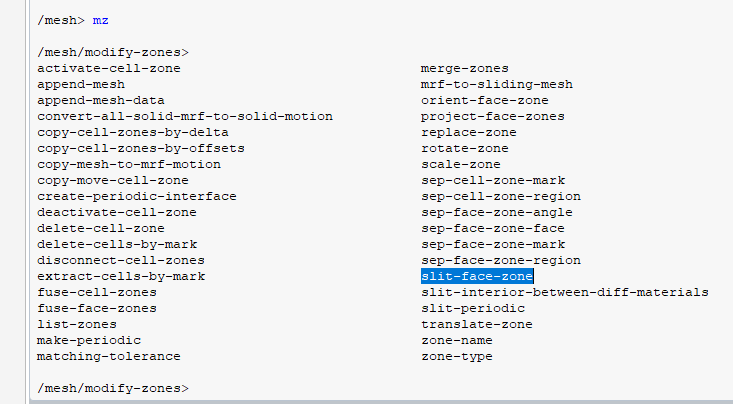
A) I've tried to use /mesh/modify-zones/slit-periodic (which is the only /mesh/modify-zones/slit-... option that I could find) and I have an error because they aren't periodic boundary conditions:
Error at host: split_periodic: zone 82 is not periodicÂError: split_periodic: zone 82 is not periodicError Object: ()ÂError at Node 0: split_periodic: zone 82 is not periodicÂError at Node 2: split_periodic: zone 82 is not periodicÂError at Node 3: split_periodic: zone 82 is not periodicÂError at Node 1: split_periodic: zone 82 is not periodicÂError: split_periodic: zone 82 is not periodicError Object: #fIs this the correct command?
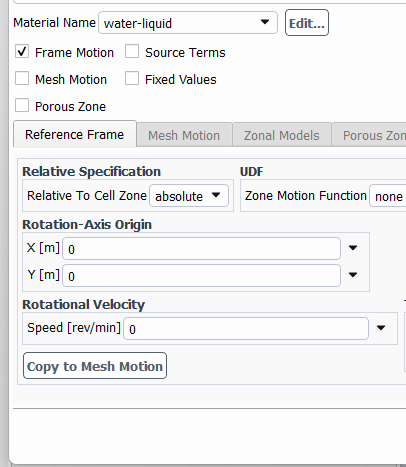
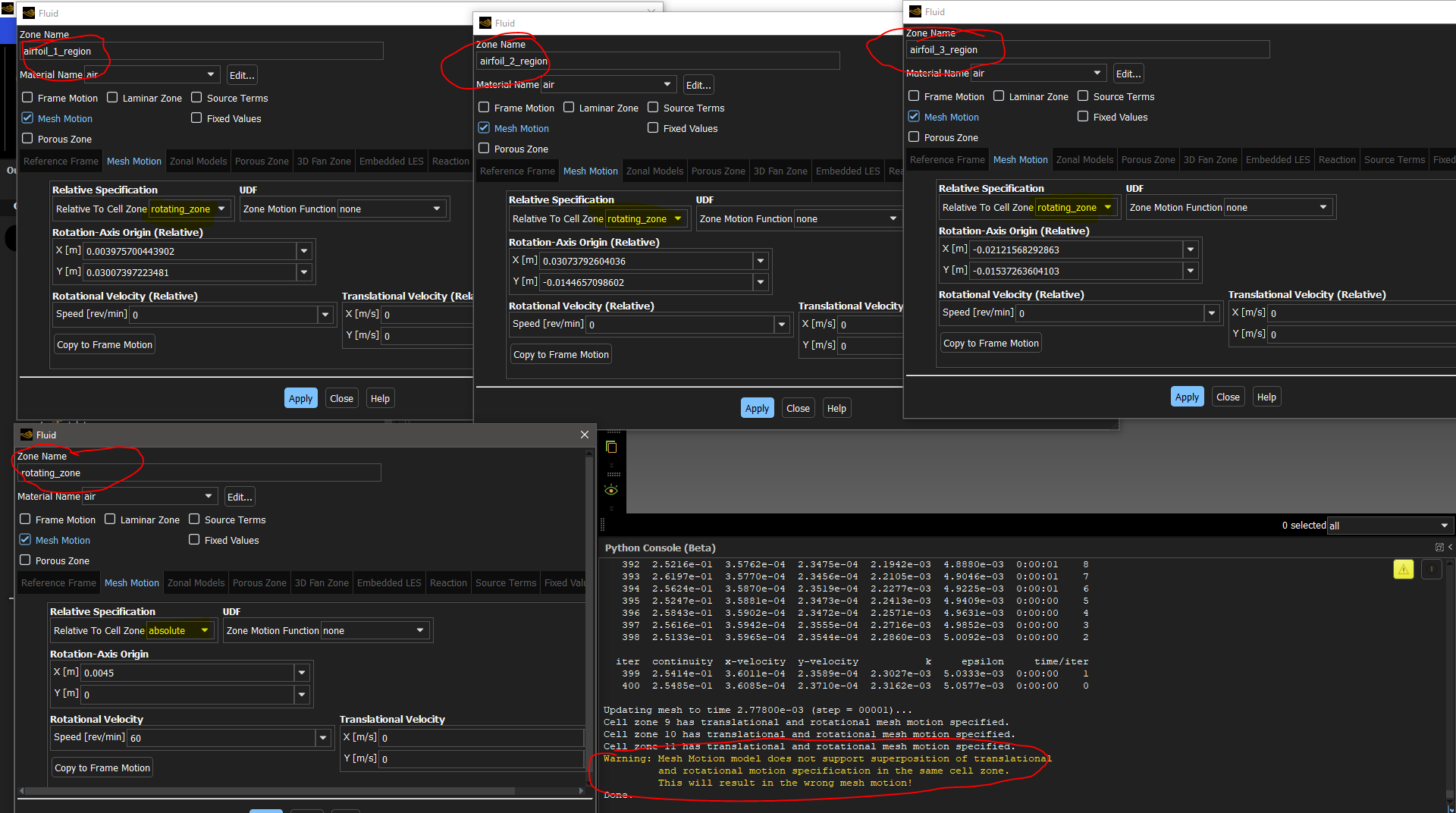
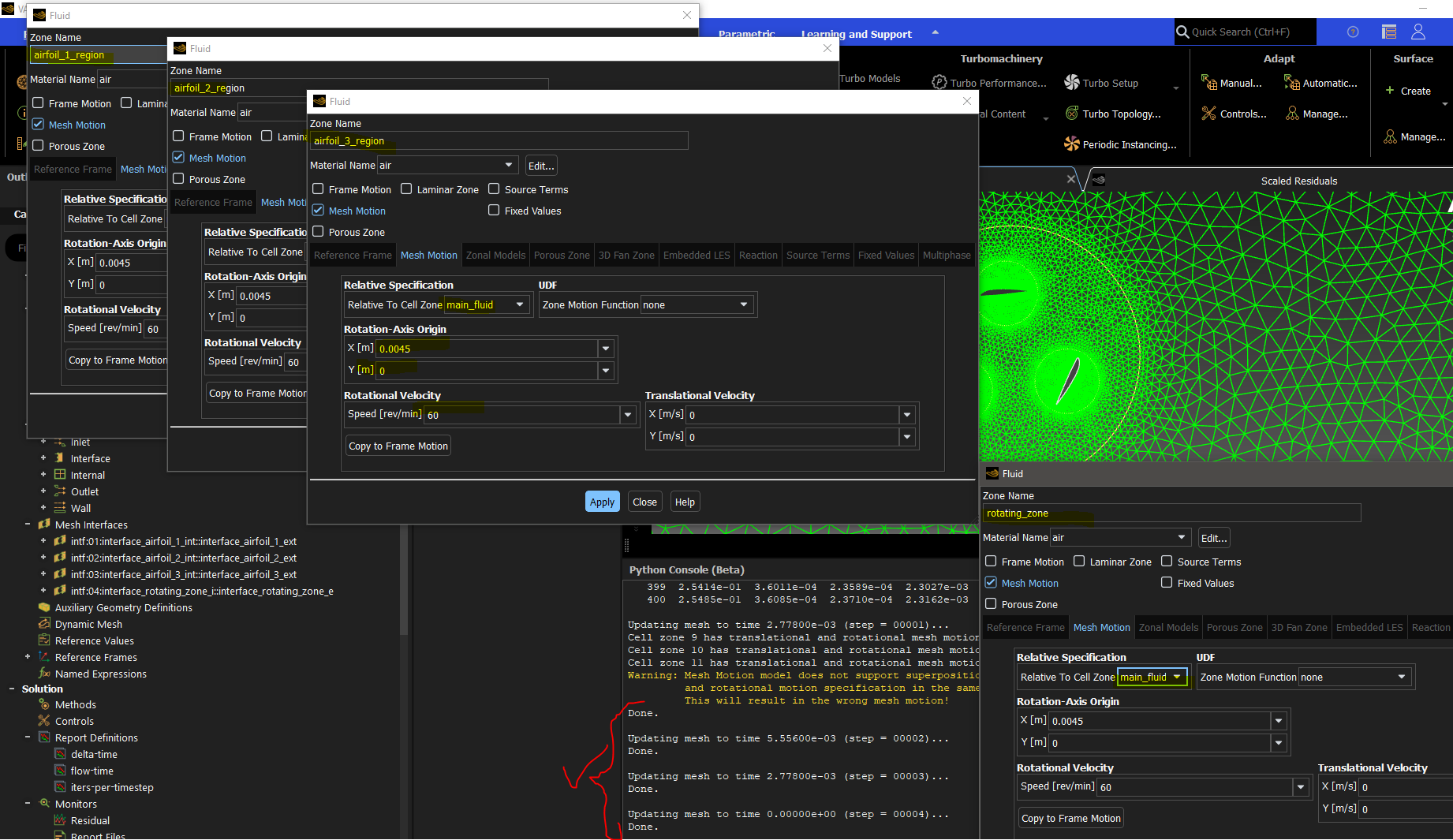
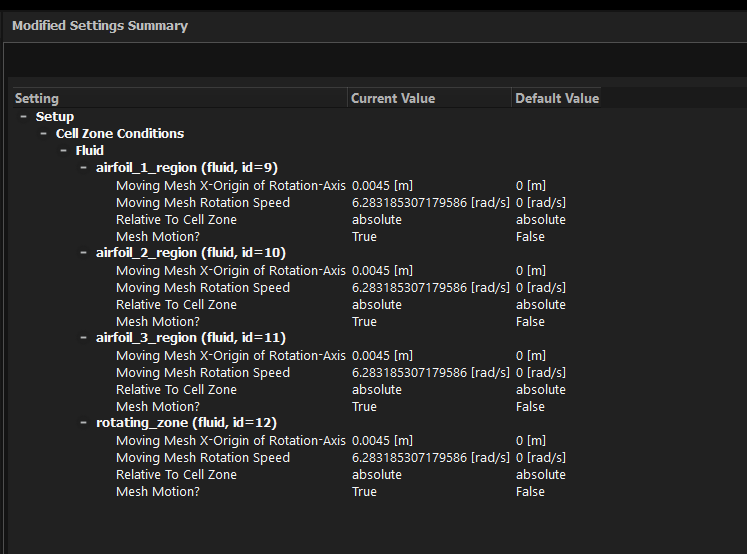
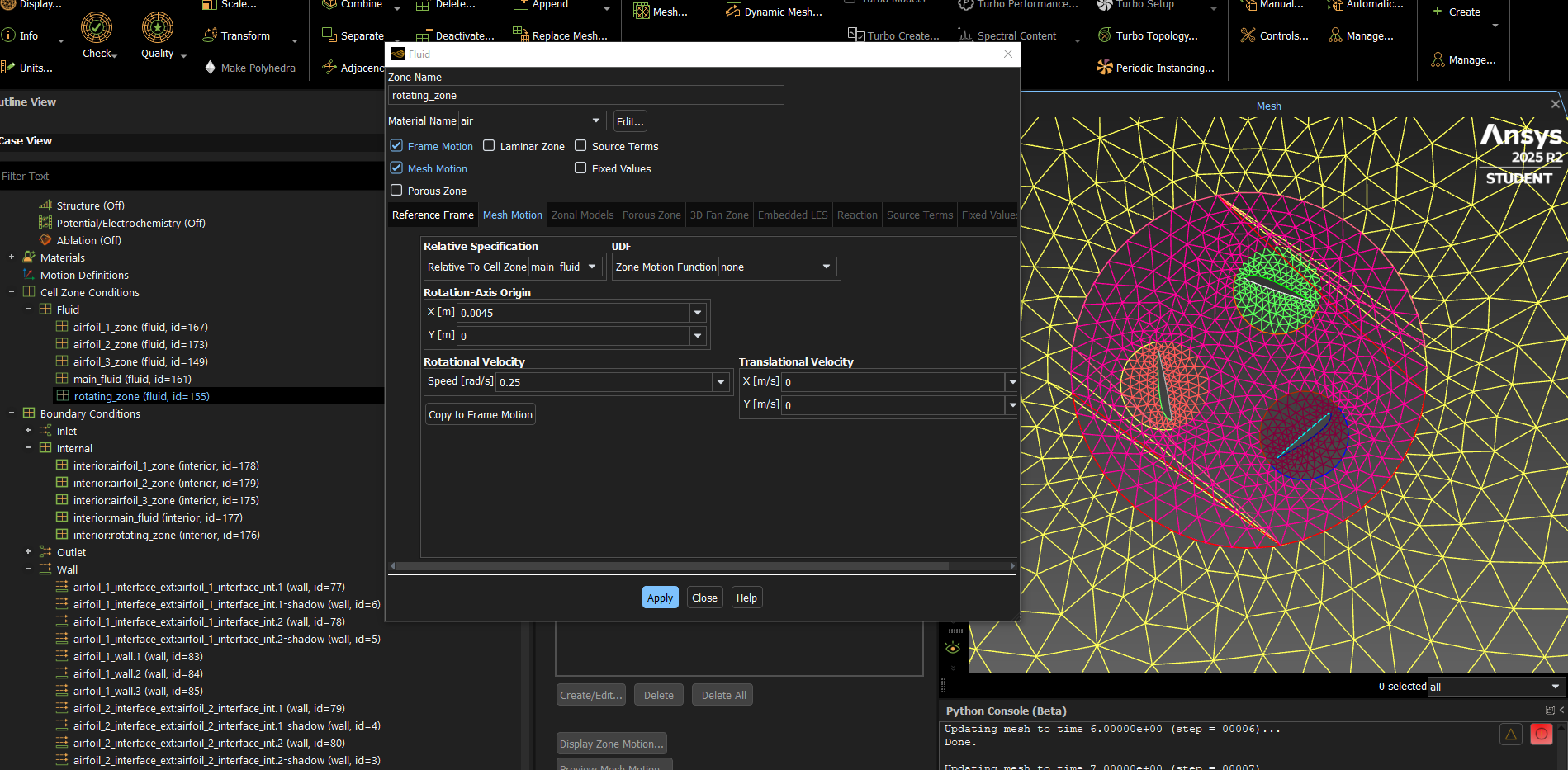
B) I have also tried to set the frame motion and then setting the same values in the mesh motion but the unwanted displacement of 1 node still occurs:
-
April 14, 2026 at 8:46 am
-
April 15, 2026 at 7:01 am
cesarj.95plus
SubscriberI see, maybe since I am using pyfluent (and ANSYS student 2025R2) that option isn't reachable (yet) from session.settings.mesh.modify_zones method. The only methods available are the following ones:
Â
['deactivate_cell_zone', 'delete_cell_zone', 'copy_move_cell_zone', 'copy_cell_zones_by_offsets', 'copy_cell_zones_by_delta', 'list_zones', 'extrude_face_zone_delta', 'extrude_face_zone_para', 'fuse_face_zones', 'scale_zone', 'rotate_zone', 'translate_zone', 'merge_zones', 'replace_zone', 'append_mesh', 'append_mesh_data', 'sep_cell_zone_mark', 'sep_cell_zone_region', 'sep_face_zone_angle', 'sep_face_zone_face', 'sep_face_zone_mark', 'sep_face_zone_region', 'zone_name', 'change_zone_state', 'make_periodic', 'create_periodic_interface', 'slit_periodic', 'zone_type', 'del_cell_by_id', 'del_cell_by_mark', 'disconnect_cell_zones', 'project_face_zones']
Regarding the copy of frame motion to mesh motion, I did the following steps:
- Toggled ON "Frame motion"
- Filled the "Reference Frame" tab
- Pressed the "Copy to Mesh Motion" buttom
- "Mesh motion" is activated, the values are moved to the "Mesh Motion" tab and "Frame motion" is toggled OFF
Unfortunately the same problem occurs:
Â
-
April 15, 2026 at 9:56 am
Rob
Forum ModeratorInwhich case you'll need to do the set up from the TUI or GUI. A last (messy) option is to mesh the outer zone in one session, the inner zone in a separate session and then use Append Mesh in Fluent. You will have to manually set the non-conformal interface up.Â
-
April 21, 2026 at 5:08 pm
cesarj.95plus
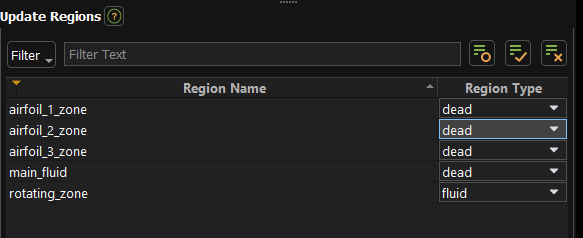
SubscriberI see. Would it be a good idea to use the region type and save each zone by separate to avoid doing 5 different sessions leading to a non-conformal mesh? I could set the region that I want to save as "fluid" and the rest "dead" and do the process 5 times:
Or would it be better to:
- Do the main_fluid grid in one session and save the grid
- Load the main_fluid grid to create the rotating_zone grid having a conformal grid (is this even possible?)
- Repeat step 2 with the rotating zone for each airfoil region
I would love if the second approach is possible as this would mean that I could build modular meshes to introduce local changes without remeshing the whole fluid again :)
-
April 22, 2026 at 9:03 am
Rob
Forum ModeratorThe second approach works. Basically, mesh each zone (dead is a neat trick) and export. In Fluent you can delete/append mesh zones so the settings will be retained in the case but you can add/remove lumps of mesh. It's actually a very old trick for building meshes that are too big for one computer: we'd build 500k cells, export, delete, mesh the next 500k cell section etc. Mind, your phone has more compute power than my (very) old desktop.....Â
Just be careful with labels and use 26R1 or don't delete air & aluminium from the materials list. I won't be expanding on the last point.Â
-
April 22, 2026 at 1:31 pm
cesarj.95plus
SubscriberI see, and this approach works only for 3D geometries? My fluent meshing session freezes when I try to load a 2D mesh and if I load a 3D mesh I cannot load a CAD geometry later on to continue the grid. Is there any tutorial to show an example of this in Fluent meshing?
-
April 22, 2026 at 2:27 pm
Rob
Forum ModeratorShould work for 2d in Fluent, I'm not sure about Fluent Meshing. The latter has a 2d workflow but I've not used it.Â
-
April 22, 2026 at 4:29 pm
cesarj.95plus
SubscriberI have more questions about it but it feels like we are going off-topic now. I've create another topic to talk abour this issue ( https://innovationspace.ansys.com/forum/forums/topic/modular-mesh-in-fluent-meshing/ ) and once this is fixed we can talk again about the VAWT workflow. Please feel free in intervene in the topic!
-
April 23, 2026 at 8:16 am
Rob
Forum ModeratorI'd seen it - I know how to do it in (very) old school TGrid but not with Fluent Meshing's workflows. I'll "remind" the moderator group that they need to do something: I'm a Forum Moderator as opposed to handling any resourcing.Â
-
- You must be logged in to reply to this topic.
-
6269
-
1906
-
1457
-
1308
-
1022
© 2026 Copyright ANSYS, Inc. All rights reserved.