Ansys Assistant will be unavailable on the Learning Forum starting January 30. An upgraded version is coming soon. We apologize for any inconvenience and appreciate your patience. Stay tuned for updates.
3D Design

3D Design

Topics related to Ansys Discovery and Ansys SpaceClaim.

Updating Model in Workbench from Changes Made in Design Modeler

    • Gisel
      Subscriber
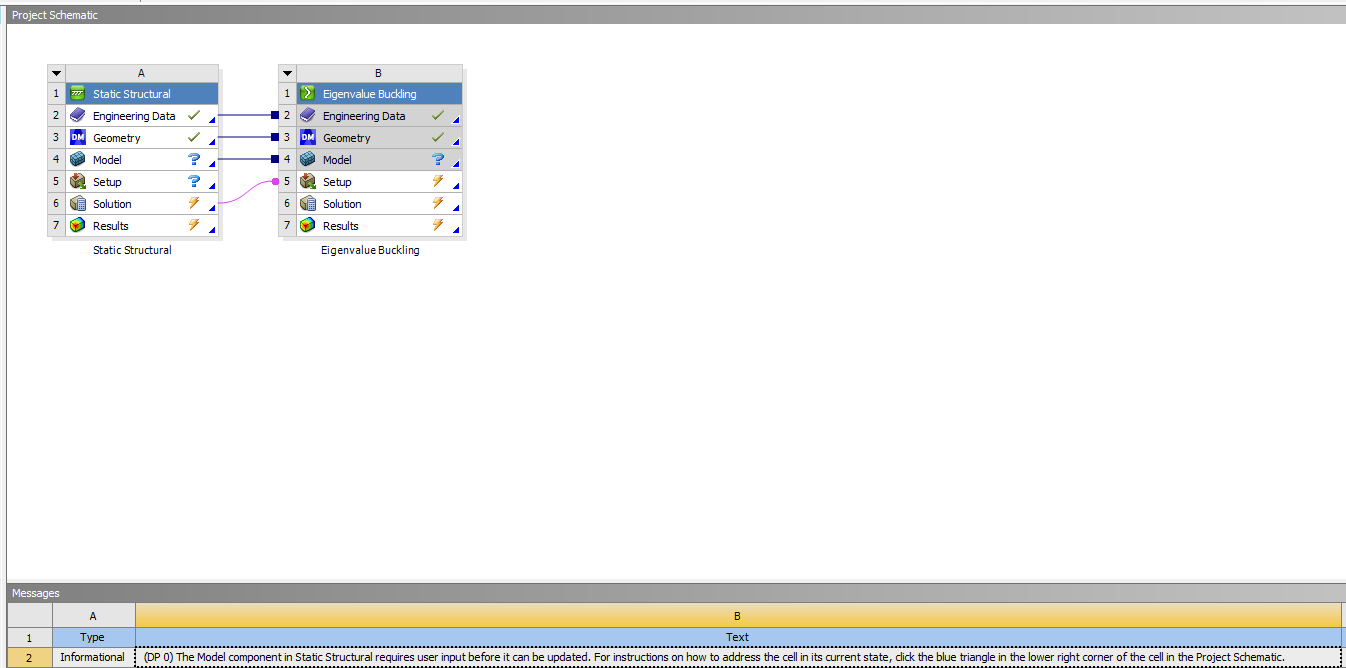
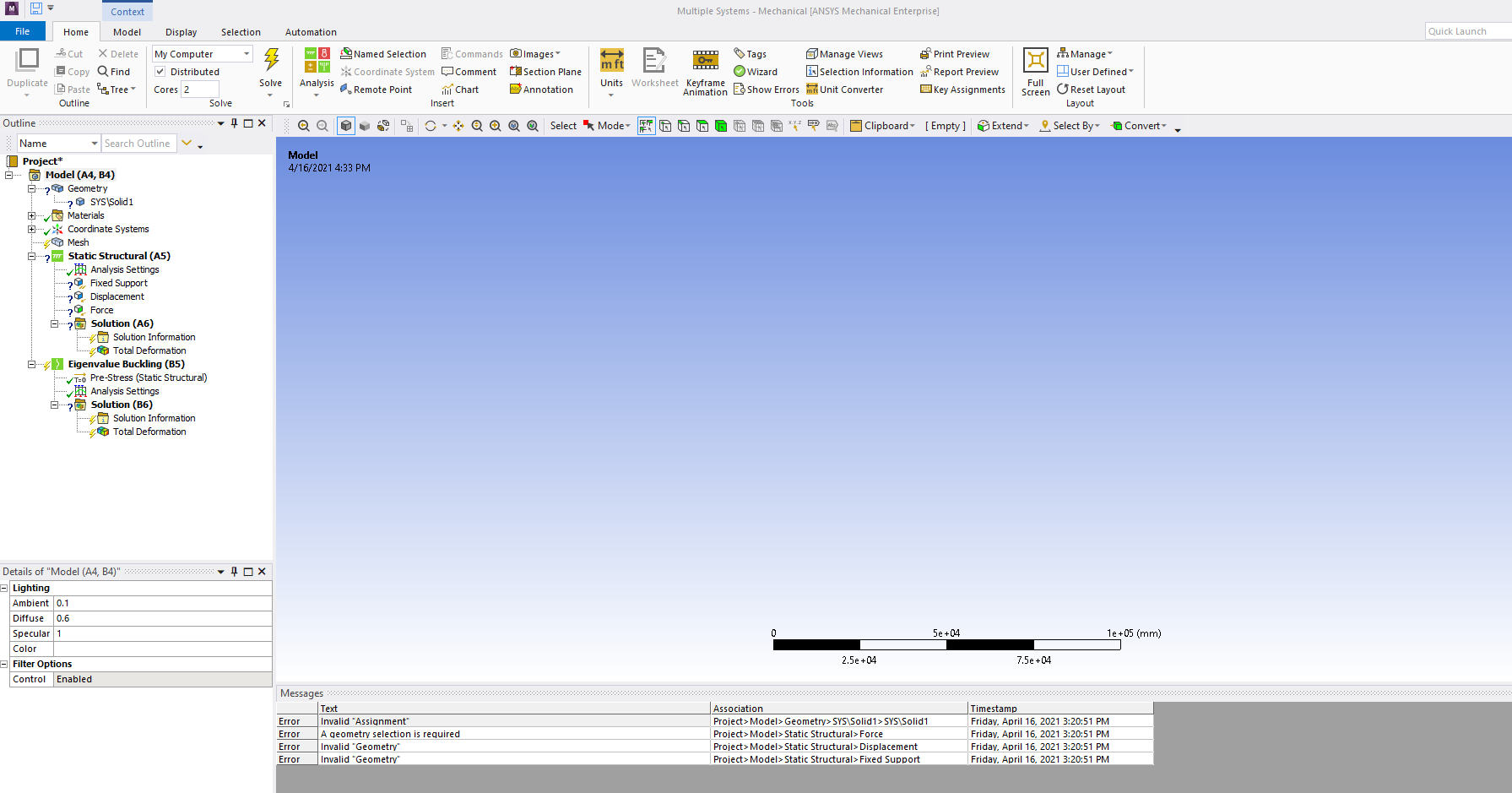
      Hello,n After editing the geometry in Workbench using Design Modeler, I tried updating Model in the Static Structural table A (see 1st photo below) but I it won't update and I get the message, The Model component in Static Structural requires user input before it can be updated, also seen in the 1st photo below. Also, when I open the model in Mechanical, the part doesn't load and I have a bunch of question marks in the project tree on the left (see 2nd photo below). How do I save the changes made in Design Modeler and also update the Model in Workbench project so I can continue with the static structural and buckling analyses I'm working on?nThank you.nn
    • 1shan
      Ansys Employee
      ,nWhen you change the geometry some of the scoping attachments are lost. In your case you need to reassign the material, and also the force, support definitions before you rerun the simulation with the modified geometry.Regards,nIshan. n
Viewing 1 reply thread
  • The topic ‘Updating Model in Workbench from Changes Made in Design Modeler’ is closed to new replies.

[bingo_chatbox]