TAGGED: Ansys Discovery, Cleanup, spaceclaim, SpaceClaim-FAQ
-
-
October 7, 2020 at 7:02 am
-
October 7, 2020 at 9:48 am
Naresh Patre
Ansys EmployeeHello jinson
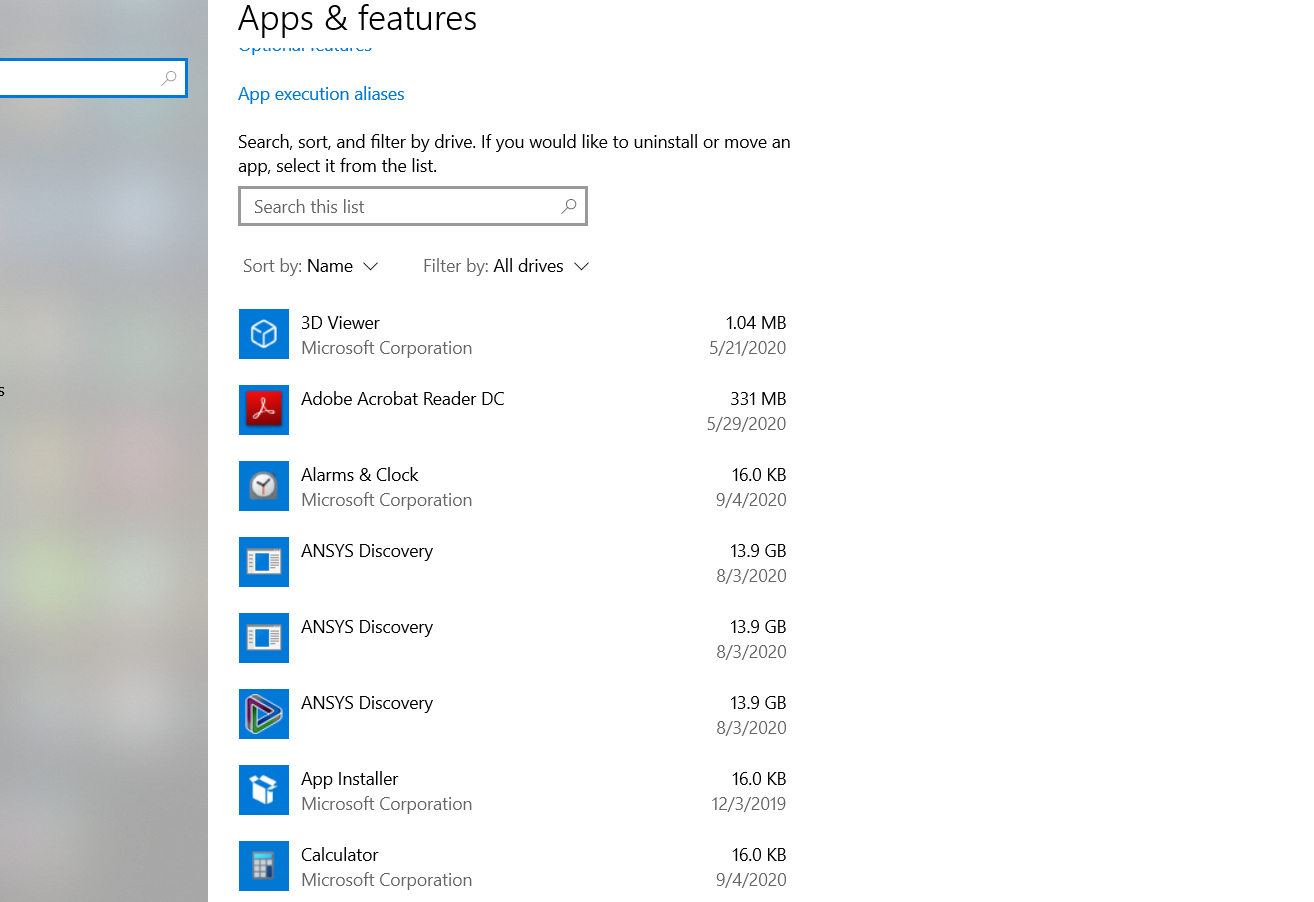
Did you uninstall only SpaceClaim or all Discovery products? Were there any errors during uninstallation? The image you shared is showing Ansys Discovery size as 13.9GB so I doubt if Ansys Discovery was completely uninstalled. Can you try uninstalling it again if it wasn't successful earlier?
If the uninstallation was successful, then you can delete the folder located with the installation drive to remove all the installation files.
-
December 10, 2020 at 1:21 pm
spr3ad
SubscriberBesides that, the uninstallation was not cleanly remove all the files and registry entries:
- Client license manager still remain in folder "C:Program FilesANSYS IncShared Files" (~330MB)
- ARP entry still remain, "HKLMSOFTWAREWOW6432NodeMicrosoftWindowsCurrentVersionUninstallANSYS_DISCOVERY202"
On separate questions, does the uninstaller "C:Program FilesANSYS Incv202Uninstall.exe" support silent or non-user interaction parameter?
-
December 11, 2020 at 6:57 am
Naresh Patre
Ansys EmployeeHello LohWC
Yeah, the files associated with license manager don't get uninstalled when with Ansys products. I think you can simply delete the folder to remove the files.
Regarding your question on silent uninstallation, I am requesting my colleague Matt Madore to provide assistance.
-
December 11, 2020 at 1:04 pm
ANSYS_MMadore
Forum ModeratorHello LohWC
Please try running "Uninstall.exe -silent" with admin privileges and that should work.
Thanks,
Matt -
December 14, 2020 at 4:17 am
spr3ad
SubscriberThanks Naresh Patre and Matt Madore.
-
- The topic ‘Uninstallation Ansys SpaceClaim’ is closed to new replies.
-
5874
-
1906
-
1420
-
1306
-
1021
© 2026 Copyright ANSYS, Inc. All rights reserved.